Utangulizi
This manual provides detailed instructions for the safe and effective use of your INKBIRD IHT-21K Instant Read Meat Thermometer. Please read this manual thoroughly before operation and retain it for future reference.
Bidhaa Imeishaview
Sifa Muhimu
- 0.5s Ultra Fast Reading and ±0.3℃ Super High Accuracy: Equipped with a K sensor for higher stability, accuracy, and efficiency in temperature measurement. Reads temperatures in just 0.5 seconds with an accuracy of ±0.3℃/±0.5℉.
- Upana wa Maombi: Temperature measurement range of -58.0℉ to 572℉ (-50.0℃ to 300℃), suitable for pan frying, deep frying, baking, home brewing, and beverages.
- IP65 Waterproof, Washable Body: Dustproof, waterproof, and oil-resistant. Can be washed directly under running water.
- Clear VA LCD with 2 Strong Magnets: One key locks the temperature reading. Premium VA LCD (1.57*0.78inch/40*20MM) for visibility even in sunlight. Two strong magnets on the back for convenient attachment to refrigerators.
- Temperature Unit Selection and Calibration: Switch between Celsius and Fahrenheit. Temperature calibration function ensures accurate readings.
Yaliyomo kwenye Kifurushi
- Instant-Read Meat Thermometer x 1
- Kebo ya Kuchaji x 1
- Mwongozo wa Mtumiaji x 1
Sanidi
Kuchaji Kifaa
The INKBIRD IHT-21K thermometer is powered by a 500mAh rechargeable battery. Before first use, fully charge the device.
- Locate the Type-C charging port on the thermometer.
- Connect the provided charging cable to the thermometer and a suitable USB power source.
- The battery indicator on the display will show charging status. A full charge typically takes approximately 1 hour.

Image: The thermometer connected to a charging cable, illustrating the Type-C port and battery indicator.
Initial Power On and Probe Deployment
- To power on the thermometer, gently unfold the probe. The device will automatically turn on.
- The display will illuminate, showing the current temperature.
- To turn off, fold the probe back into the housing. The device features an auto-off function after 3 minutes in a locked state or 1 minute in an unlocked state to conserve battery.
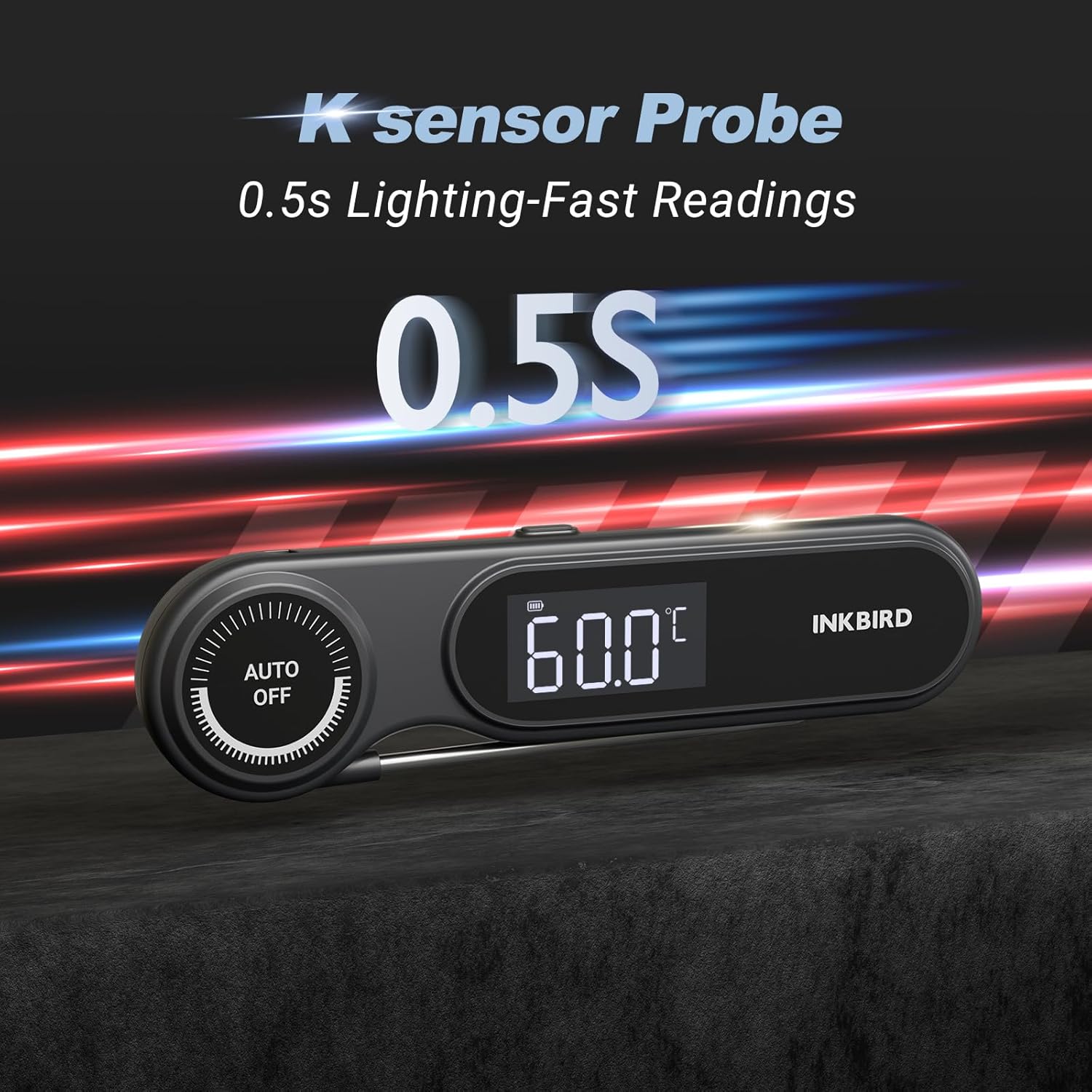
Image: The thermometer with its probe extended, displaying a temperature reading, highlighting its fast response time.
Maagizo ya Uendeshaji
Kusoma kwa hali ya joto
- Unfold the probe to power on the device.
- Ingiza kifaa cha kuchungulia cha chuma cha pua kwenye sehemu nene zaidi ya chakula, ukiepuka mfupa au gristle.
- Wait for approximately 0.5 seconds for the temperature reading to stabilize on the VA LCD screen.
- The large VA LCD screen ensures clear visibility of the temperature, even in bright sunlight.

Image: The thermometer placed on a grill next to cooking meat, showing a clear temperature reading on its VA LCD screen.
Kazi ya Kufunga
To hold the current temperature reading on the display after withdrawing the probe from the food:
- Press the "HOLD" button once. The reading will be locked on the screen.
- Press the "HOLD" button again to unlock and resume live temperature measurement.
Switching Temperature Units (℃/℉)
To switch between Celsius (℃) and Fahrenheit (℉):
- Locate the ℃/℉ button on the device.
- Press the button to toggle between the two temperature units.

Image: The thermometer displaying temperature, with icons indicating Fahrenheit/Celsius switching and calibration features.
Urekebishaji wa joto
The thermometer features a calibration function to ensure accuracy. If you suspect the readings are inaccurate, you can calibrate the device:
- Prepare a cup of ice water (a mixture of crushed ice and water). The temperature should be 0℃ (32℉).
- Insert the probe into the ice water.
- Refer to the user manual for specific button combinations or menu options to enter calibration mode. (Note: Specific calibration steps are often detailed in the printed manual or on the device itself, as they can vary.)
- Adjust the reading to 0℃ (32℉) if necessary.
Matengenezo
Kusafisha
The INKBIRD IHT-21K is IP65 waterproof, making it easy to clean:
- After each use, fold the probe back into the thermometer.
- Rinse the entire thermometer under running water.
- Wipe it dry with a clean cloth.
- Do not immerse the thermometer in water for extended periods or clean it in a dishwasher.

Image: A hand holding the thermometer under running water, illustrating its IP65 waterproof capability.
Hifadhi
For convenient storage, the thermometer features two strong magnets on its back:
- Attach the thermometer to metal surfaces such as a refrigerator door or oven side.
- Ensure the storage location is clean and dry.
- Avoid attaching the thermometer to the exterior of an oven during operation, as temperatures exceeding 80℃ (176℉) may damage the unit.

Image: The thermometer shown magnetically attached to a refrigerator, demonstrating its built-in magnets for easy storage.
Kutatua matatizo
| Tatizo | Sababu inayowezekana | Suluhisho |
|---|---|---|
| Kipimajoto hakiwaki. | Betri imeisha. | Charge the thermometer using the provided USB-C cable. |
| Usomaji wa joto usio sahihi. | Probe not inserted correctly; calibration needed. | Ensure the probe is inserted into the thickest part of the food. Perform a temperature calibration using ice water. |
| Onyesho ni hafifu au halisomeki. | Low battery; excessive glare. | Charge the thermometer. Adjust viewing angle or move to a shaded area if glare is an issue. |
| Auto-off function activates too quickly. | Normal operation to conserve battery. | Unfold the probe or press any button to reactivate. Ensure the probe is fully extended during use. |
Vipimo
| Kipengele | Maelezo |
|---|---|
| Jina la Mfano | IHT-21K |
| Kiwango cha Joto | -50.0 ℃ hadi 300 ℃ (-58.0 ℉ hadi 572 ℉) |
| Usahihi | ±0.3℃ / ±0.5℉ |
| Kasi ya Kusoma | Sekunde 0.5 |
| Ukadiriaji wa kuzuia maji | IP65 |
| Aina ya Kuonyesha | VA LCD screen |
| Chanzo cha Nguvu | Battery Powered (500mAh rechargeable) |
| Kuchaji Bandari | Aina-C |
| Zima Kiotomatiki | 1 minute (unlocked), 3 minutes (locked) |
| Vipengele Maalum | Waterproof, Magnetic Back, Temperature Calibration, ℃/℉ Switchable |
| Vipimo | 19 x 7.6 x 2.4 cm |
| Uzito | 120 g |
| Mtengenezaji | INKBIRD |
| Nchi ya Asili | China |
Udhamini & Msaada
For technical support, warranty information, or any inquiries regarding your INKBIRD IHT-21K thermometer, please contact INKBIRD customer service.
- Barua pepe: msaada@ink-bird.com
- Webtovuti: https://www.ink-bird.com/
INKBIRD typically offers a two-year warranty on its products. Please refer to your purchase documentation or the official INKBIRD webtovuti kwa sheria na masharti ya sasa ya udhamini.


