1. Utangulizi
Asante kwa ununuziasing the Hiwill A51 Dolby Atmos 5.1ch Soundbar System. This manual provides essential information for setting up, operating, and maintaining your soundbar system to ensure optimal performance and longevity. Please read this manual thoroughly before use and retain it for future reference.
2. Taarifa Muhimu za Usalama
Ili kupunguza hatari ya mshtuko wa umeme, moto au uharibifu wa kifaa, tafadhali zingatia tahadhari zifuatazo za usalama:
- Usifunue kifaa hiki kwa mvua au unyevu.
- Usiweke vitu vilivyojaa vimiminika, kama vile vazi, kwenye kifaa.
- Usizuie fursa yoyote ya uingizaji hewa. Sakinisha kwa mujibu wa maelekezo ya mtengenezaji.
- Usisakinishe karibu na vyanzo vyovyote vya joto kama vile radiators, rejista za joto, jiko, au vifaa vingine (pamoja na amplifiers) zinazotoa joto.
- Linda waya wa umeme dhidi ya kutembezwa au kubanwa, haswa kwenye plagi, vyombo vya kuhifadhia umeme, na mahali zinapotoka kwenye kifaa.
- Tumia viambatisho/vifaa vilivyobainishwa na mtengenezaji pekee.
- Chomoa kifaa hiki wakati wa dhoruba za umeme au kisipotumika kwa muda mrefu.
- Rejelea huduma zote kwa wahudumu waliohitimu. Huduma inahitajika wakati kifaa kimeharibiwa kwa njia yoyote, kama vile kamba ya usambazaji wa umeme au plagi imeharibiwa, kioevu kimemwagika au vitu vimeanguka kwenye kifaa, kifaa kimeathiriwa na mvua au unyevu, haifanyi kazi kawaida. , au imetupwa.
3. Yaliyomo kwenye Kifurushi
Tafadhali hakikisha kuwa vitu vyote vilivyoorodheshwa hapa chini vimejumuishwa kwenye kifurushi chako:
- Hiwill A51 Soundbar
- Subwoofer yenye waya
- Spika 2 za Kuzunguka zenye Waya
- Cable ya Nguvu
- Mwongozo wa Kuanza Haraka
- Remote Control (with battery included)
- Kadi ya Udhamini
- Kebo ya HDMI
4. Bidhaa Imeishaview
4.1 Vipengele vya Mfumo
The Hiwill A51 system consists of a main soundbar unit, a wired subwoofer, and two wired surround speakers.
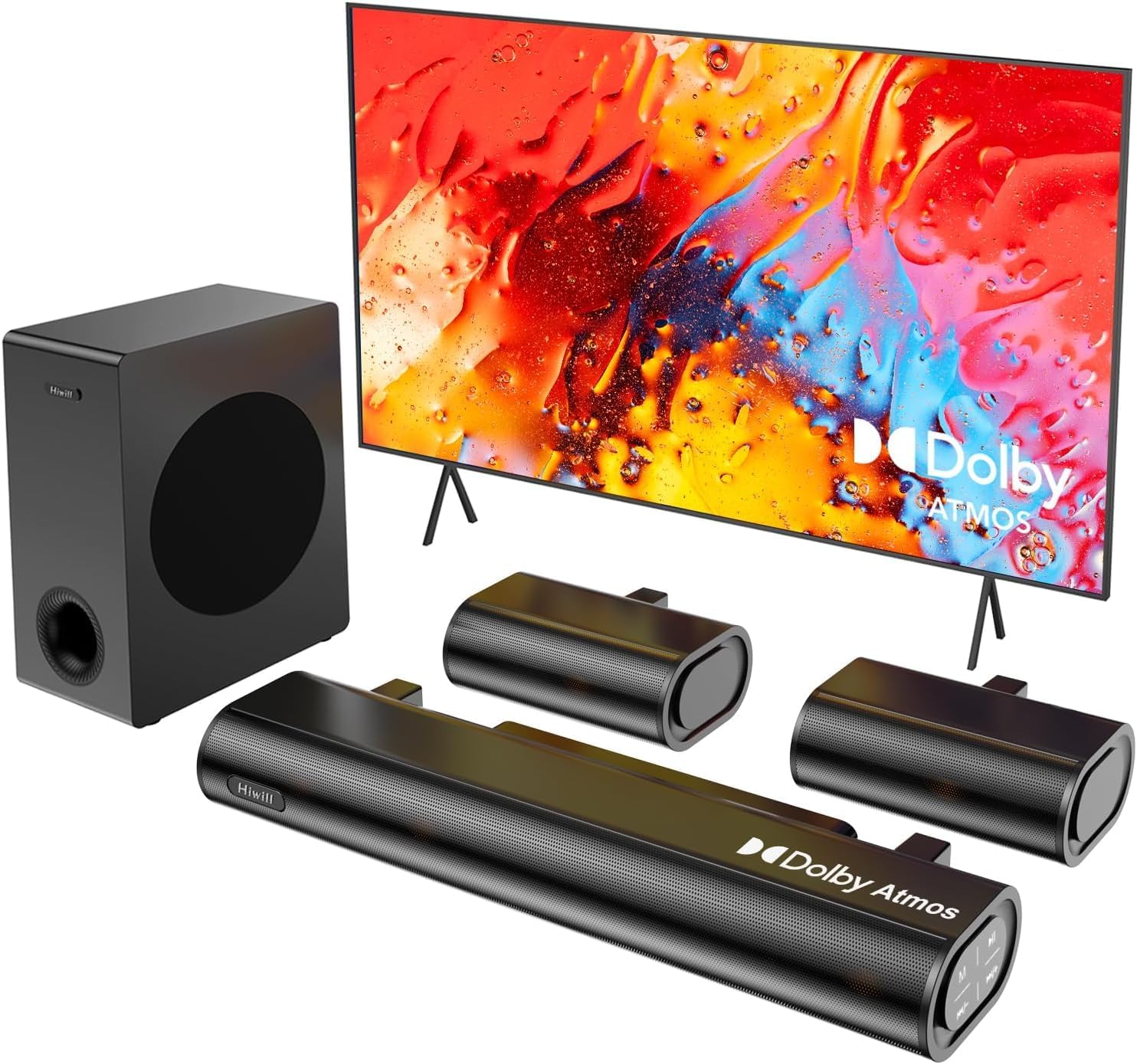
Figure 4.1: Hiwill A51 Soundbar System Components
4.2 Soundbar Features
The soundbar features multiple input ports for versatile connectivity and an integrated display for status information.

Mchoro 4.2: Miunganisho ya Paneli za Nyuma za Upau wa Sauti
4.3 Speaker Driver Construction
The system utilizes high-quality speaker drivers with aluminum-magnesium alloy diaphragms and copper shorting rings for enhanced audio clarity and reduced interference.

Figure 4.3: Speaker Driver Internal Components
5. Kuweka
5.1 Muunganisho wa Kimwili
Follow these steps to connect your Hiwill A51 Soundbar System:
- Place the soundbar in front of your television, ensuring it does not obstruct the TV's remote sensor.
- Position the wired subwoofer on the floor, ideally near the soundbar.
- Connect the two wired surround speakers to the designated ports on the soundbar or subwoofer as per the connection diagram.
- Connect the soundbar to your TV using one of the recommended connection methods (HDMI eARC is preferred).
- Connect the power cable to the soundbar and then to a power outlet.

Figure 5.1: Typical 5.1ch Sound System Setup
5.2 Uwekaji wa Spika
Proper placement of the surround speakers is crucial for an immersive audio experience. The system supports independent 12-level adjustment for rear speaker volume.
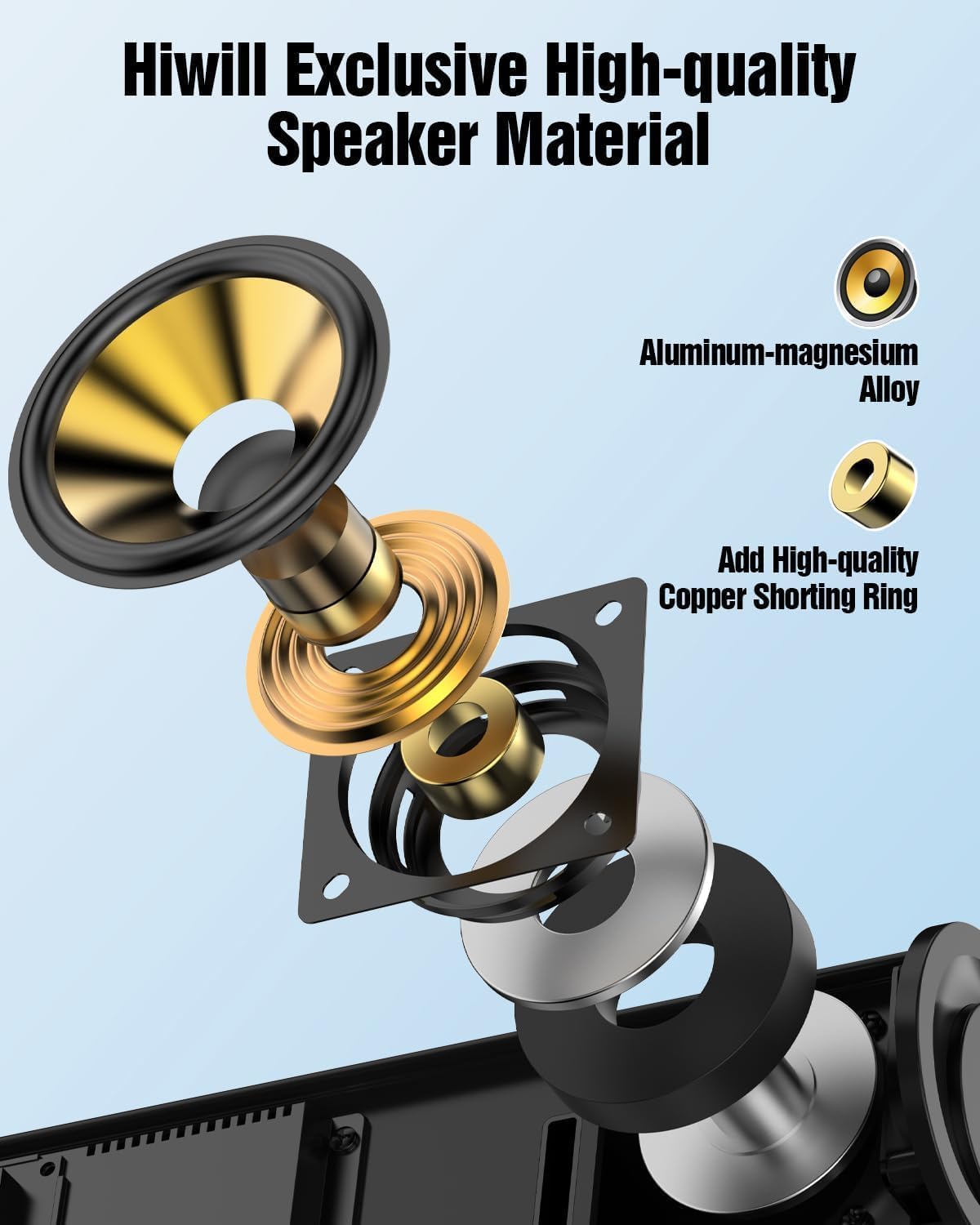
Figure 5.2: Rear Surround Speaker Placement and Adjustment
Mbinu 5.3 za Uunganisho
The Hiwill A51 offers multiple connectivity options. HDMI eARC is recommended for the best audio quality and Dolby Atmos support.
| Kipengele | HDMI eARC | HDMI ARC |
|---|---|---|
| Jina Kamili | Idhaa Iliyoboreshwa ya Kurejesha Sauti | Kituo cha Kurudi Sauti |
| Bandwidth | Hadi 37 Mbps | Hadi 1 Mbps |
| Usaidizi wa Umbizo la Sauti | Uncompressed audio (e.g., Dolby Atmos/Dolby TrueHD/DTS:X/PCM 7.1/DTS-HD Master Audio) | Compressed audio (e.g., Dolby Digital/DTS/PCM 2.0 (stereo)) |
| Usaidizi wa Kituo | Up to 7.1 channels, even 32 channels (e.g., Dolby Atmos) | Hadi vituo 5.1 |
| Ubora wa Sauti | High-resolution audio (e.g., 24-bit/192kHz) | Standard-definition audio |
| Kuchelewa | Very low (optimized lip-sync) | Higher (may affect lip-sync) |
| Utangamano wa Kifaa | Requires HDMI 2.1 or later | Requires HDMI 1.4 or later |
| Mahitaji ya Cable | High-speed HDMI cable (package has included) | Kebo ya kawaida ya HDMI |
For optimal performance, use the connection method that best suits your TV and content:
| Njia ya Uunganisho | Ubora wa Sauti | Supports Dolby Atmos | Recommendation Rating |
|---|---|---|---|
| HDMI eARC | Best (uncompressed high-res audio) | Inaungwa mkono kikamilifu | ★★★★★ |
| HDMI ARC | Good (compressed audio) | Partially supported* | ★★★★☆ |
| Macho | Fair (compressed audio) | Haitumiki | ★★★☆☆ |
| Bluetooth | Fair (wireless transmission) | Haitumiki | ★★☆☆☆ |
| AUX | Poor (stereo audio) | Haitumiki | ★☆☆☆☆ |
*Partially supports means that HDMI ARC can only support Atmos transmitted via Dolby Digital Plus, but not Dolby TrueHD Atmos.
6. Maagizo ya Uendeshaji
6.1 Operesheni ya Msingi
- Washa/Zima: Bonyeza kitufe cha kuwasha/kuzima kwenye upau wa sauti au kidhibiti cha mbali.
- Udhibiti wa Sauti: Use the Volume Up/Down buttons on the soundbar or remote.
- Uteuzi wa Ingizo: Press the 'Input' button on the remote or soundbar to cycle through HDMI eARC, Optical, Bluetooth, and AUX inputs.
Udhibiti wa Remote wa 6.2
The included remote control provides full functionality for your soundbar system, including independent adjustment for bass, surround sound, and treble.
Mchoro 6.1: Mpangilio wa Udhibiti wa Mbali
Njia 6.3 za EQ
Select from various EQ modes to optimize your audio experience for different content types:
- PureSound: Provides a balanced, uncolored audio profile.
- Filamu: Enhances dialogue and dynamic range for cinematic content.
- Muziki: Optimizes for musical playback with rich bass and clear highs.
- Habari: Focuses on vocal clarity for news broadcasts and spoken content.

Figure 6.2: Soundbar Display with EQ Modes
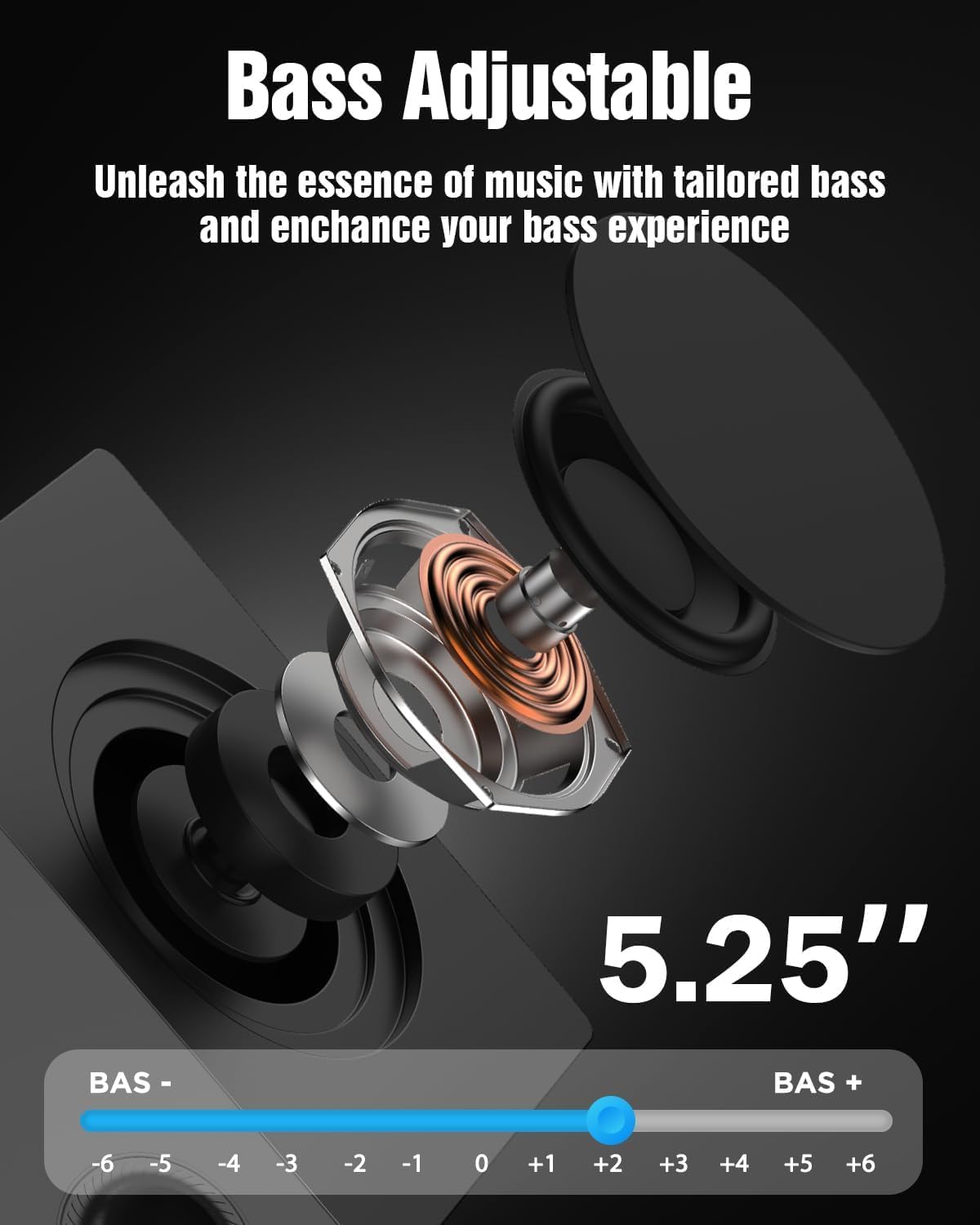
6.4 Bass Adjustment
The subwoofer's bass level can be adjusted to your preference using the remote control. This allows you to tailor the low-frequency response to your listening environment and content.

Figure 6.3: Bass Level Adjustment
6.5 Sasisha Programu dhibiti
New firmware versions may be released to enhance performance, add features, or address issues. Please contact Hiwill support for information on available firmware upgrades and instructions on how to apply them.

Figure 6.4: Firmware Upgrade Benefits
7. Matengenezo
7.1 Kusafisha
To maintain the appearance and performance of your soundbar system:
- Futa nyuso na kitambaa laini, kavu.
- Usitumie visafishaji vya abrasive, nta, au viyeyusho kwani vinaweza kuharibu umaliziaji.
- Hakikisha kifaa kimechomoka kabla ya kusafisha.
7.2 Hifadhi
If storing the unit for an extended period, unplug it from the power outlet and store it in a cool, dry place, away from direct sunlight and extreme temperatures.
8. Utatuzi wa shida
If you encounter issues with your Hiwill A51 Soundbar System, refer to the table below for common problems and solutions.
| Tatizo | Sababu inayowezekana | Suluhisho |
|---|---|---|
| Hakuna nguvu | Cable ya nguvu haijaunganishwa; Njia ya umeme haitumiki | Hakikisha kebo ya umeme imeunganishwa vizuri; Jaribu soketi kwa kutumia kifaa kingine. |
| Hakuna sauti | Incorrect input selected; Volume too low; Mute activated; Incorrect TV audio settings | Select correct input source; Increase volume; Deactivate mute; Check TV audio output settings (e.g., PCM, Bitstream). |
| No sound from surround speakers | Surround speakers not connected; Surround volume too low; Source content is stereo | Ensure surround speakers are properly connected; Increase surround speaker volume via remote; Note that some content may not have discrete surround channels. |
| Masuala ya kuoanisha Bluetooth | Device too far; Soundbar not in pairing mode; Interference | Move device closer; Put soundbar into Bluetooth pairing mode; Avoid other wireless devices. |
| Udhibiti wa mbali haufanyi kazi | Battery depleted; Obstruction; Remote sensor blocked | Replace battery; Remove obstructions; Ensure remote is pointed at the soundbar's sensor. |
If the problem persists after trying these solutions, please contact Hiwill customer support.
9. Vipimo
Below are the technical specifications for the Hiwill A51 Dolby Atmos 5.1ch Soundbar System:
| Kipengele | Maelezo |
|---|---|
| Jina la Mfano | A51 |
| Aina ya Spika | Soundbar with Wired Subwoofer and Wired Surround Speakers |
| Usanidi wa Idhaa ya Sauti inayozunguka | 5.1 |
| Kipengele Maalum | Upau wa sauti wa Dolby Atmos |
| Teknolojia ya Uunganisho | Auxiliary, Bluetooth, HDMI (eARC), Optical, USB |
| Teknolojia ya Mawasiliano ya Wireless | Bluetooth |
| Kiwango cha Juu cha Pato la Spika | 380 Watts |
| Majibu ya Mara kwa mara | 45 Hz |
| Vipimo vya Bidhaa (Upau wa sauti) | 16.93"D x 2.36"W x 4.45"H |
| Uzito wa Kipengee | Pauni 13.22 (jumla ya mfumo) |
| Nyenzo | Metal or High-Quality Plastic |
| Rangi | Nyeusi |
| Mtengenezaji | Hiwill |
10. Udhamini na Msaada
10.1 Taarifa ya Udhamini
This product comes with a limited manufacturer's warranty. Please refer to the included Warranty Card for specific terms, conditions, and duration of coverage. Retain your proof of purchase for warranty claims.
10.2 Usaidizi kwa Wateja
For technical assistance, troubleshooting beyond this manual, or warranty inquiries, please contact Hiwill customer support. Contact details can typically be found on the Warranty Card or the official Hiwill webtovuti.


