1. Utangulizi
Asante kwa ununuziasing the ICARE 10000mAh Rechargeable Ozone Generator and Deodorizer. This device is designed to purify air and eliminate odors using ozone and negative ion technology. To ensure safe and optimal performance, please read this manual thoroughly before operating the device and retain it for future reference.
Ilani Muhimu ya Usalama:
During operation, it is recommended that people and pets temporarily vacate the room. After the ozone purification cycle is complete, ensure the room is thoroughly ventilated before re-entry. For households with pets or individuals sensitive to odors, consider setting shorter operating durations.

Image 1.1: The ICARE Ozone Generator (Model IC52) with its USB-C charging cable, illustrating fresh air output.
2. Bidhaa za Bidhaa
- High-Efficiency Deodorization and Air Purification: The ozone generator simultaneously releases powerful ozone (O3) and negative ions. Ozone effectively breaks down and eliminates odor-causing molecules, targeting pet odors, bathroom odors, and cooking smells. Negative ions help to capture airborne particles such as dust, pollen, and PM2.5, contributing to a cleaner air environment.
- Powerful Ozone Output: With an ozone output of 200mg/h, the ICARE ozone generator effectively eliminates strong odors in various spaces including living rooms, bedrooms, bathrooms, pet areas, kitchens, garages, and storage rooms. It can also refresh items like clothing and gear by neutralizing embedded odors.
- Dual Operating Modes and Timer Functions: The device offers two distinct operating modes: fixed duration (L mode) and cyclic operation (P mode). The 'L' button allows selection of four fixed operating times (L1-L4). The 'P' button activates four cyclic modes (P1-P4). These settings accommodate room sizes from 5 to 40 square meters, allowing customization based on your specific needs.
- Long-Lasting Battery and Cordless Convenience: Featuring a built-in 10,000mAh battery, the device can operate for approximately one week in P1, P3, or P4 modes, and up to two weeks in P2 mode on a single charge. Its USB rechargeable, cordless design offers flexibility for placement and portability, making it suitable for travel to deodorize hotel rooms, clothing, and bedding, or for use at home on desks or mounted on walls.
- Operesheni ya utulivu: Designed for minimal disturbance, the operating noise level is below 35dB, comparable to a whisper. This ensures the device can be used comfortably in bedrooms, offices, or other quiet environments without disrupting sleep or concentration.

Image 2.1: Diagram explaining the air purification process using ozone and negative ions.
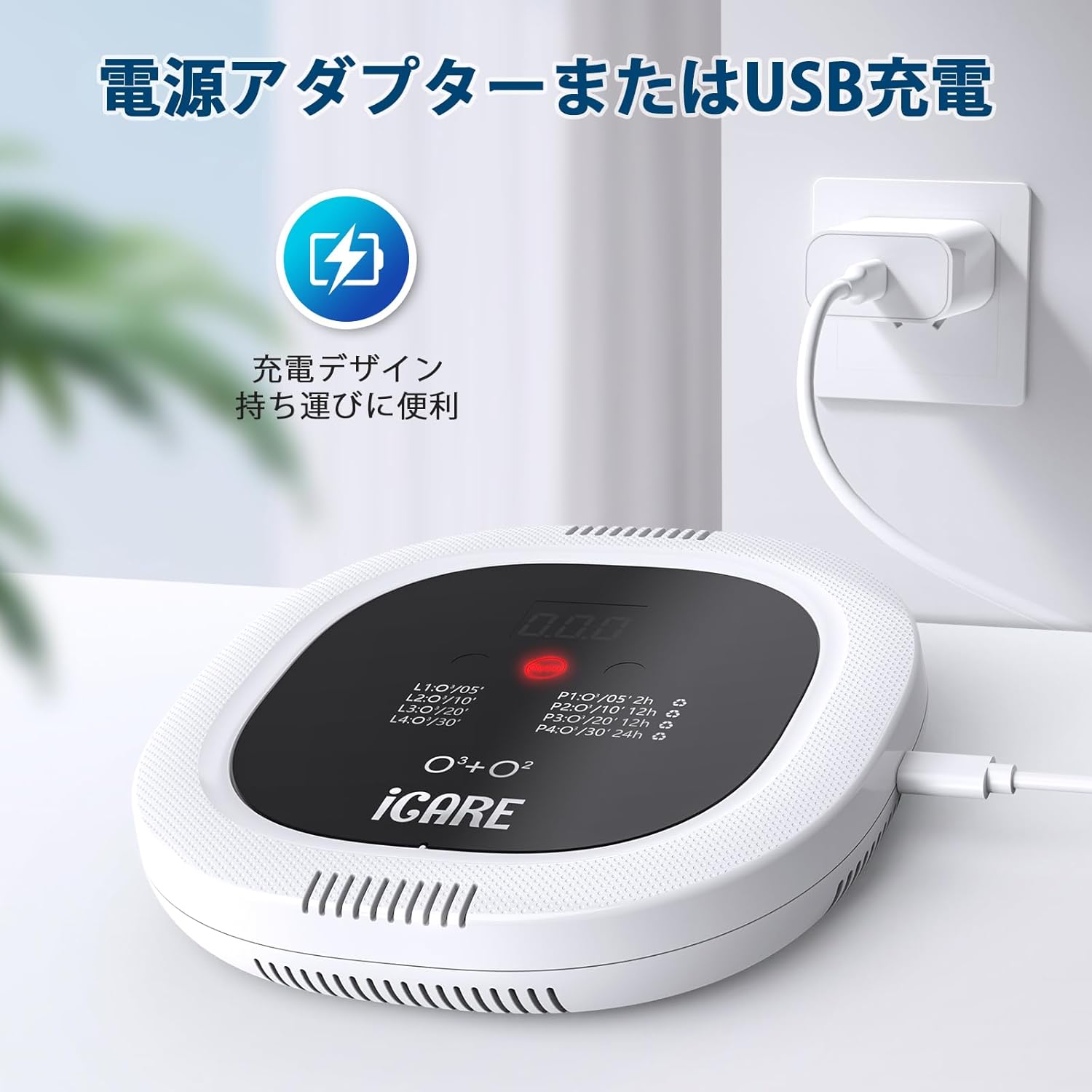
Image 2.2: Benefits of the ICARE Ozone Generator, including reduction of allergens, bacteria, dust, and viruses.
3. Yaliyomo kwenye Kifurushi
Tafadhali hakikisha kuwa vitu vyote vipo na viko katika hali nzuri wakati wa kufungua kifurushi:
- ICARE Ozone Generator Unit (Model IC52)
- Kebo ya kuchaji ya Type-C ya USB
- Mwongozo wa Mtumiaji
4. Kuweka
4.1 Kuchaji Kifaa
Before first use, fully charge the ozone generator. Connect the provided USB Type-C cable to the device's charging port and plug the other end into a compatible USB power adapter (not included) or a USB port on a computer. The LCD display will indicate charging status.

Image 4.1: The ozone generator connected for USB Type-C charging.
4.2 Uwekaji
Place the device in the center of the area you wish to purify, ensuring it is on a stable surface or mounted securely on a wall. Avoid placing it near heat sources, direct sunlight, or in areas with high humidity. Ensure there is adequate space around the device for proper air circulation.
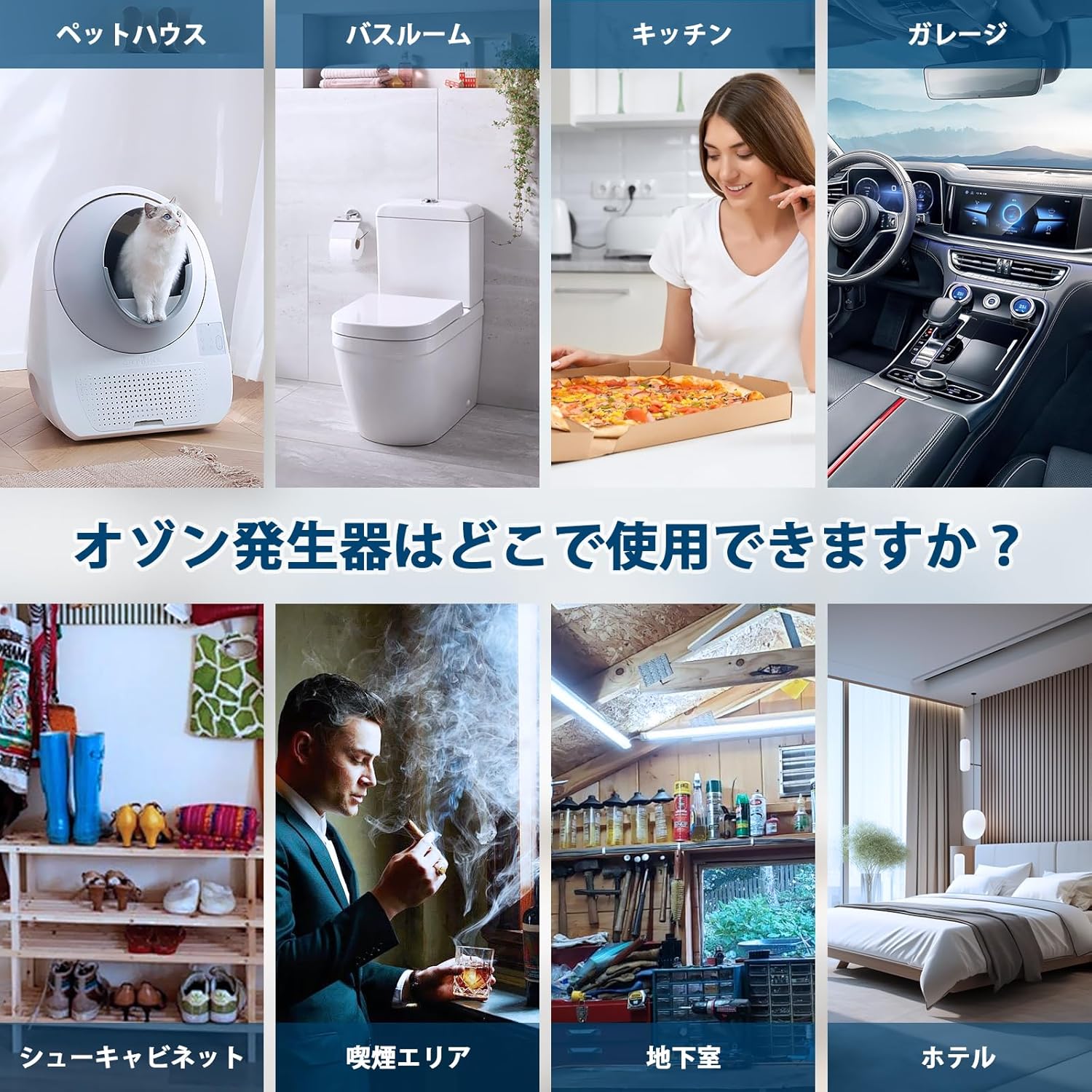
Picha 4.2: Kutamples of suitable placement locations for the ozone generator.
5. Maagizo ya Uendeshaji
5.1 Jopo la Kudhibiti Imeishaview

Image 5.1: Control panel layout and functions.
- Kitufe cha Kuzima / Kuzima: Bonyeza ili kuwasha au kuzima kifaa.
- 'L' Button (Fixed Timer Mode): Press to select a fixed operating duration.
- 'P' Button (Cyclic Mode): Press to select a cyclic operating mode.
- Onyesho la LCD: Shows current mode, timer, and battery status.
5.2 Washa/Zima
Bonyeza kwa WASHA/ZIMWA button located on the control panel to power on the device. Press it again to turn off the device.
5.3 Kuchagua Njia za Uendeshaji
The device features two main operating modes: Fixed Timer Mode ('L') and Cyclic Mode ('P').
Fixed Timer Mode ('L' Button):
Bonyeza kwa L button to cycle through the following fixed operating durations:
- L1: Dakika 5 za operesheni
- L2: Dakika 10 za operesheni
- L3: Dakika 20 za operesheni
- L4: Dakika 30 za operesheni
In 'L' mode, the device will operate for the selected duration and then turn off automatically.
Cyclic Mode ('P' Button):
Bonyeza kwa P button to cycle through the following cyclic operating modes:
- P1: 5 minutes of operation every 2 hours
- P2: 10 minutes of operation every 12 hours
- P3: 20 minutes of operation every 12 hours
- P4: 30 minutes of operation every 24 hours
In 'P' mode, the device will automatically repeat the selected cycle until manually turned off or the battery is depleted.

Picha 5.2: Kina view of the two operating modes and their settings.
5.4 Kiashiria cha Maisha ya Betri
The LCD display will show the remaining battery level. A full charge provides approximately one week of use in P1/P3/P4 modes and up to two weeks in P2 mode.

Image 5.3: Battery life estimates for different operating modes.
6. Matengenezo
6.1 Kusafisha
To clean the exterior of the device, wipe it gently with a soft, dry cloth. Do not use liquid cleaners, abrasive materials, or immerse the device in water.
6.2 Filter-Free Design
This ozone generator is designed to be filter-free, eliminating the need for filter replacements. This simplifies maintenance and reduces ongoing costs.
7. Utatuzi wa shida
| Tatizo | Sababu inayowezekana | Suluhisho |
|---|---|---|
| Kifaa hakiwashi. | Betri imeisha. | Charge the device using the provided USB Type-C cable. |
| Odor reduction is not noticeable. | Incorrect mode or timer setting for room size/odor intensity. Room not properly ventilated after use. | Adjust the operating mode and timer setting to a longer duration or more frequent cycle. Ensure the room is adequately ventilated after each cycle. For strong odors, consider using a fixed timer mode for a concentrated treatment. |
| Device is making unusual noise. | Obstruction in air intake/outlet. | Check for and remove any obstructions from the air intake and outlet vents. If the problem persists, contact customer support. |
8. Vipimo
| Kipengele | Maelezo |
|---|---|
| Nambari ya Mfano | IC52 |
| Chapa | ICARE |
| Vipimo vya Bidhaa (L x W x H) | Sentimita 20 x 18 x sentimita 4 |
| Ukubwa wa Kifurushi | Sentimita 25.3 x 22.8 x sentimita 5.2 |
| Uzito wa Kifurushi | 0.88 kg |
| Betri | Betri ya Lithium iliyojengwa ndani ya 10,000mAh |
| Aina ya Kuchaji | USB Aina ya C Inayoweza Kuchajiwa tena |
| Njia ya Kudhibiti | Gusa Operesheni |
| Pato la Ozone | 200 mg/saa |
| Kiwango cha Kelele | Chini ya 35 dB |
| Eneo la Chanjo | 5 - 40 mita za mraba |
| Kazi Nyingine | LCD Display, Portable, Lightweight |
| Uthibitisho | CE Imethibitishwa |

Image 8.1: Illustration of the device's quiet operation (below 35dB).
9. Udhamini na Msaada
ICARE products are manufactured to high-quality standards. For any questions, technical support, or warranty claims, please refer to the contact information provided with your purchase or visit the official ICARE webtovuti. Tafadhali hifadhi uthibitisho wako wa ununuzi kwa huduma ya udhamini.