1. Bidhaa Imeishaview
The Shimbol TP Nano is a compact and powerful wireless video transmission system designed for both phones and cameras. It features a built-in 2000mAh battery, providing up to 4 hours of continuous operation, and supports Full HD video transmission up to 150 meters with an ultra-low latency of 60ms. This system offers seamless compatibility across various devices, making it ideal for mobile creators and professional setups.
Sifa Muhimu:
- Wireless Video Transmitter & Built-in Battery System: World's first battery-packed transmitter for phones and cameras, offering up to 4 hours of continuous operation with its 2000mAh built-in battery.
- Extended Range & Ultra-Low Latency: Streams FHD video up to 150m with only 60ms ultra-low latency, ensuring cinema-grade clarity and reliable performance.
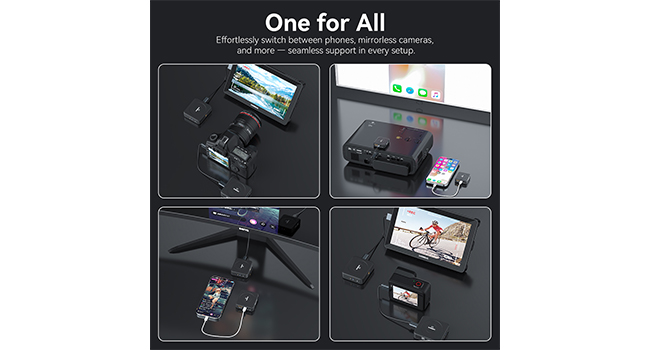
- Utangamano wa Universal: Effortlessly switch between phones, mirrorless cameras, and other devices for seamless support in every setup.
- Mobile Creator Ready: MagSafe-ready for instant snap-on to your phone, perfect for mobile creators on the go.
- Adaptive Frequency Hopping: Features auto-frequency hopping for stable, uninterrupted video transmission.
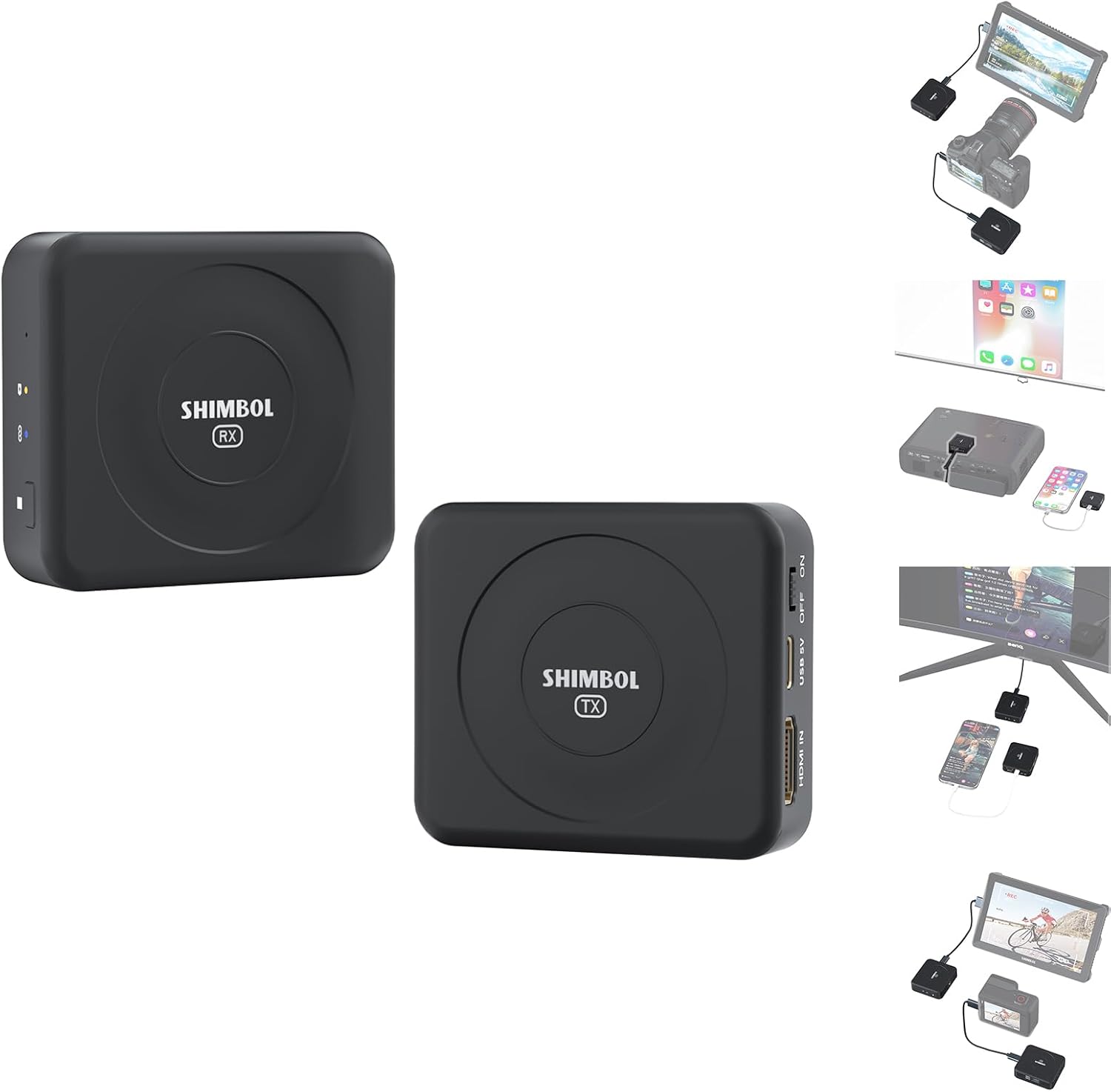
The Shimbol TP Nano Wireless Video Transmission System includes both the transmitter (TX) and receiver (RX) units, designed for seamless video transmission between cameras/phones and display devices.
2. Ni pamoja na nini
Thibitisha kuwa bidhaa zote zilizoorodheshwa hapa chini zipo kwenye kifurushi chako:
- Shimbol TP Nano Transmitter (TX)
- Shimbol TP Nano Receiver (RX)
- Kebo ya Aina-C hadi Aina ya C
- Kebo ya USB-A hadi Type-C
- HDMI hadi Cable Type-C
- Mwongozo wa Mtumiaji
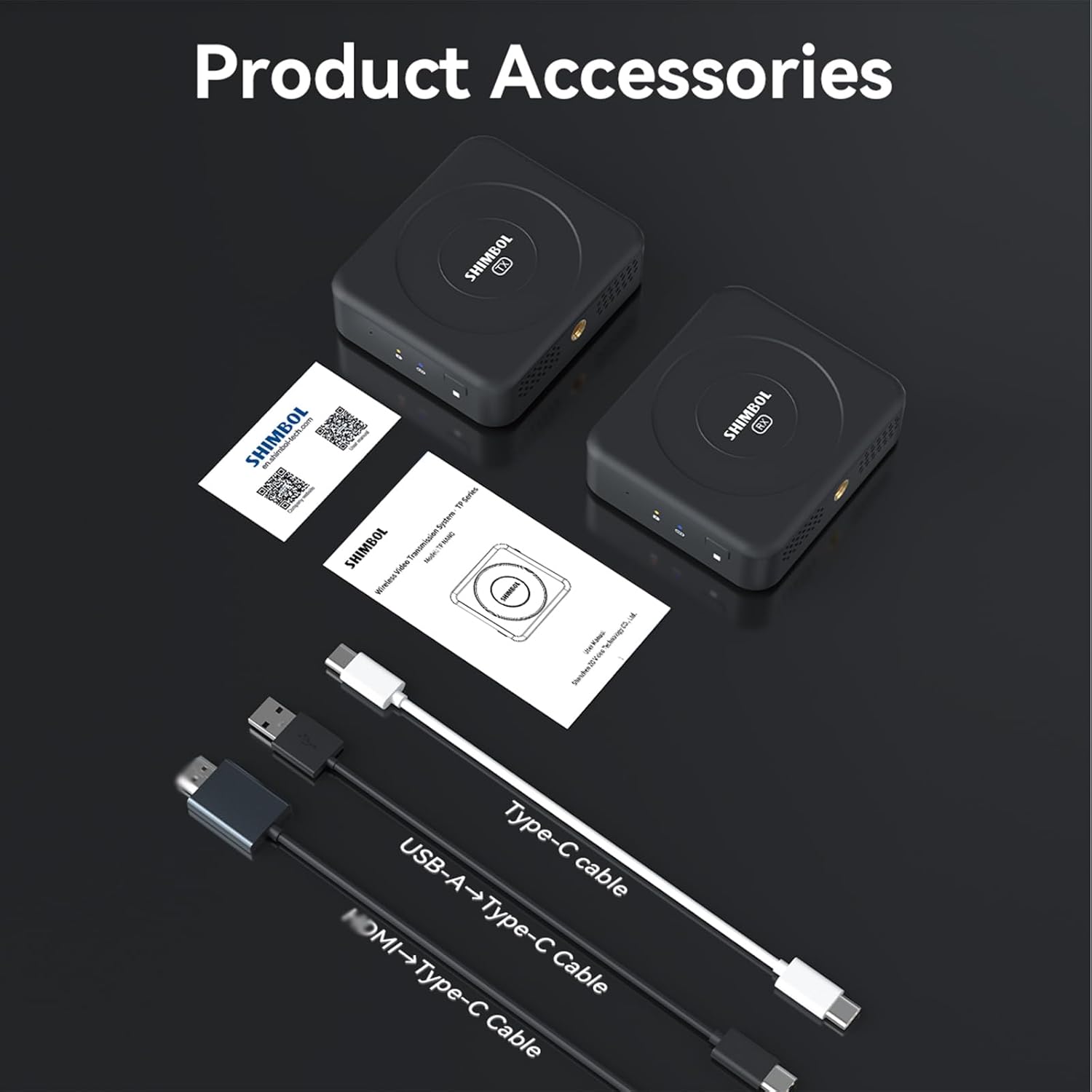
The package includes the Shimbol TP Nano transmitter and receiver units, a user manual, and essential cables such as Type-C to Type-C, USB-A to Type-C, and HDMI to Type-C for comprehensive connectivity.
3. Mwongozo wa Kuweka
3.1 Kuchaji Kifaa
Before first use, ensure both the transmitter and receiver units are fully charged. Connect the provided USB-C cable to the device's USB-C port and the other end to a 5V USB power adapter (not included). The charging indicator light will show charging status.
3.2 Connecting the Transmitter (TX)
- For cameras: Connect the HDMI output of your camera to the HDMI input port on the Shimbol TP Nano Transmitter using an HDMI to Type-C cable.
- For phones: Use a Type-C to Type-C cable to connect your phone's USB-C port to the USB-C port on the Shimbol TP Nano Transmitter. For iPhones with MagSafe, the transmitter can magnetically attach to the back of the phone.
3.3 Connecting the Receiver (RX)
- Connect the HDMI output port on the Shimbol TP Nano Receiver to the HDMI input of your monitor, projector, or other display device using an HDMI cable (not included).
- Alternatively, use a Type-C to Type-C cable to connect the receiver to a compatible display device with a USB-C video input.
3.4 Kuwasha / Kuzima
Press and hold the power button on both the transmitter and receiver units for a few seconds to power them on. The indicator lights will illuminate. To power off, press and hold the power button again.
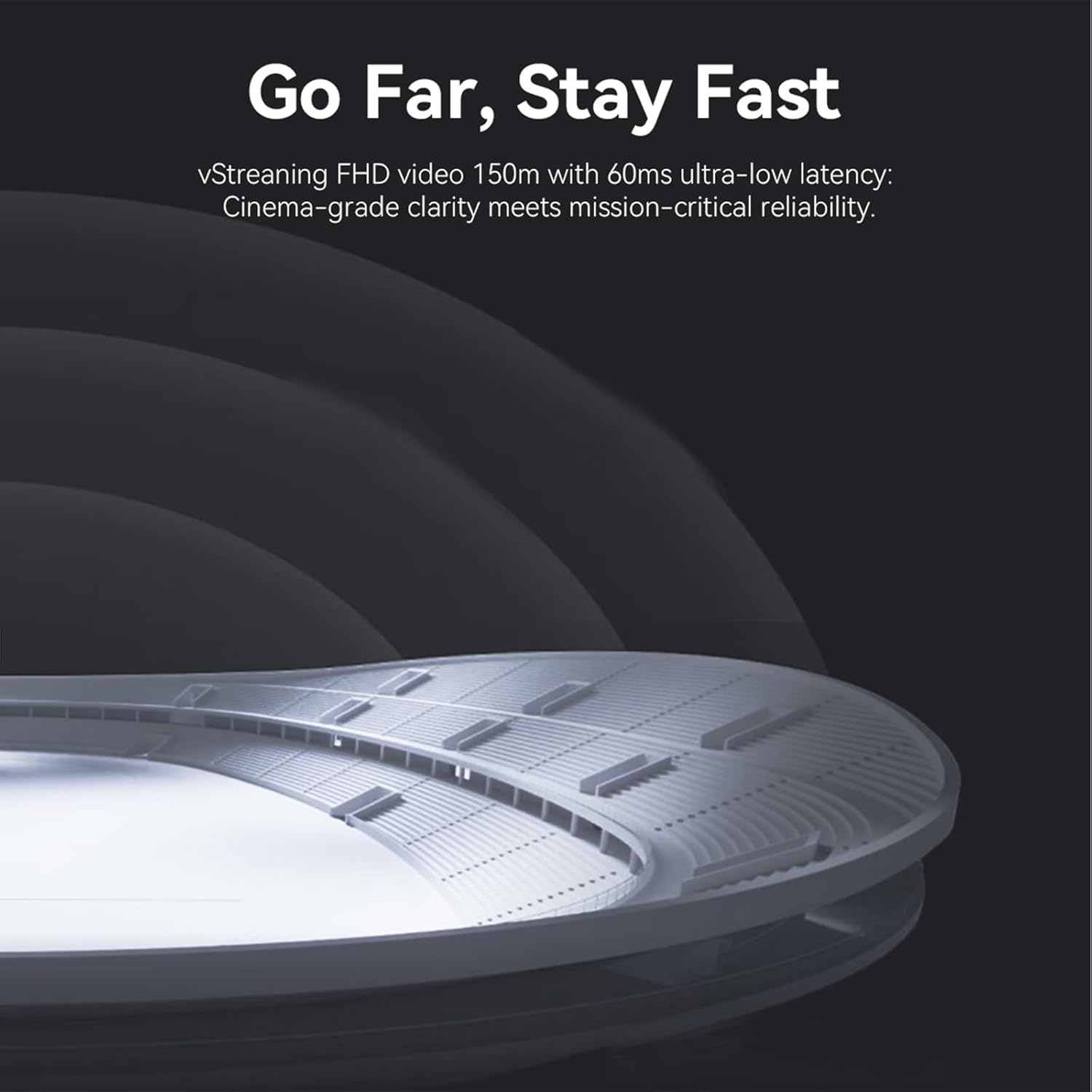
The Shimbol TP Nano transmitter features MagSafe compatibility, allowing for quick and secure attachment to compatible smartphones, ideal for mobile content creation.
4. Maagizo ya Uendeshaji
4.1 Operesheni ya Msingi
Once both the transmitter and receiver are powered on and connected to their respective devices, they will automatically attempt to establish a wireless connection. The indicator lights will confirm a successful connection. The video signal from the source device connected to the transmitter will then be wirelessly streamed to the display device connected to the receiver.
4.2 Utangamano wa Vifaa Vingi
The Shimbol TP Nano is designed for broad compatibility. It can transmit video from various sources including DSLR cameras, mirrorless cameras, action cameras, and smartphones (both iOS and Android). The receiver can output to monitors, projectors, smart TVs, and other HDMI or USB-C video input devices.
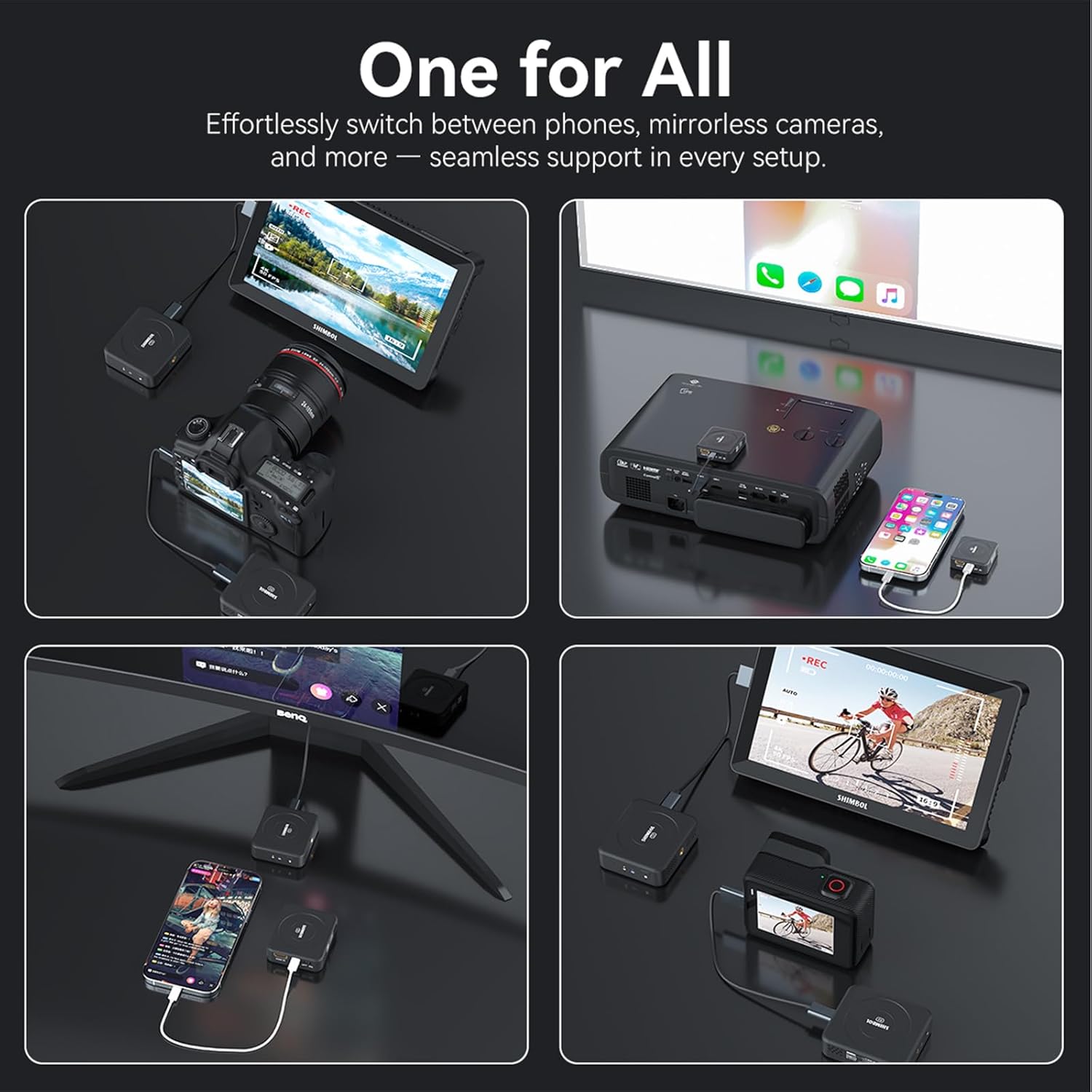
This image illustrates the versatility of the Shimbol TP Nano system, demonstrating its ability to connect with a wide range of devices such as mirrorless cameras, smartphones, projectors, and external monitors for diverse applications.
4.3 Auto-Frequency Hopping
The system utilizes an advanced auto-frequency hopping technology to maintain a stable and robust wireless connection. This feature automatically detects and switches to the clearest available frequency channel, minimizing interference and ensuring uninterrupted video transmission, even in environments with high wireless traffic.
The Shimbol TP Nano features adaptive auto-frequency hopping technology, which ensures stable and uninterrupted video transmission by automatically selecting the best available frequency.
5. Matengenezo na Matunzo
- Kusafisha: Tumia kitambaa laini na kavu kusafisha kifaa. Usitumie cleaners kioevu au erosoli.
- Hifadhi: Hifadhi kifaa mahali pa baridi, kavu mbali na jua moja kwa moja na joto kali.
- Utunzaji wa Betri: Ili kuongeza muda wa matumizi ya betri, epuka kutoa betri mara kwa mara. Chaji kifaa mara kwa mara, hata kama hakitumiki, ili kudumisha afya ya betri.
- Kushughulikia: Shikilia vitengo kwa uangalifu. Epuka kuviangusha au kuviweka kwenye migongano mikali.
6. Utatuzi wa shida
| Tatizo | Sababu inayowezekana | Suluhisho |
|---|---|---|
| No video signal on receiver | Units not powered on; Cables not connected properly; Out of range; Interference. | Ensure both TX and RX are powered on. Check all cable connections. Move TX and RX closer. Reduce wireless interference. |
| Video signal is unstable or flickering | Weak signal; High interference; Low battery. | Move TX and RX closer. Ensure no obstructions. Charge both units. |
| Kifaa hakichaji | Faulty cable or power adapter; Charging port issue. | Try a different USB-C cable and power adapter. Contact customer support if issue persists. |
| High latency | Excessive distance; Obstructions; High interference. | Reduce distance between TX and RX. Ensure clear line of sight. Minimize other wireless devices nearby. |
7. Maelezo ya kiufundi
| Kigezo | Kisambazaji (TX) | Mpokeaji (RX) |
|---|---|---|
| Uingiliano wa Signal | Ingizo la HDMI | Ingizo la HDMI |
| Maisha ya Betri | ≥4 hours (Typical) | ≥4 hours (Typical) |
| Matumizi ya Nguvu | <2W (kawaida) | <1.5W (kawaida) |
| Uwezo wa Betri | 2000mAh | 2000mAh |
| Uingizaji wa HDMI | 720@50/60Hz, 1080P@60Hz, 1080P@24/25/30/50/60Hz | / |
| Pato la HDMI | / | 720@50/60Hz, 1080P@24/25/30/50/60Hz |
| Uzito | 88.26g | 88.26g |
| Mkanda wa Marudio ya Usambazaji | GHz 5 | GHz 5 |
| Kusambaza Nguvu | 17dBm | / |
| Uchelewaji wa Usambazaji | Chini kama 60ms | Chini kama 60ms |
| Pokea Unyeti | / | -85dBm |
| Nyenzo | Plastiki | Plastiki |

This table provides detailed technical specifications for both the transmitter and receiver units, including signal interface, battery life, power consumption, HDMI input/output, weight, transmission frequency band, transmit power, transmission latency, receive sensitivity, and material.
8. Udhamini na Usaidizi wa Wateja
The Shimbol TP Nano Wireless Video Transmission System comes with a standard manufacturer's warranty. Please refer to the warranty card included in your product packaging for specific terms and conditions, including warranty period and coverage details.
For technical support, troubleshooting assistance, or warranty claims, please visit the official Shimbol store or contact their customer service directly. You can find more information and contact details on the Shimbol Store on Amazon.


