Utangulizi
This manual provides detailed instructions for the setup, operation, and maintenance of your MoKo Ergonomic Foldable Bluetooth Keyboard DF047. Please read this manual thoroughly before using the product to ensure optimal performance and longevity.
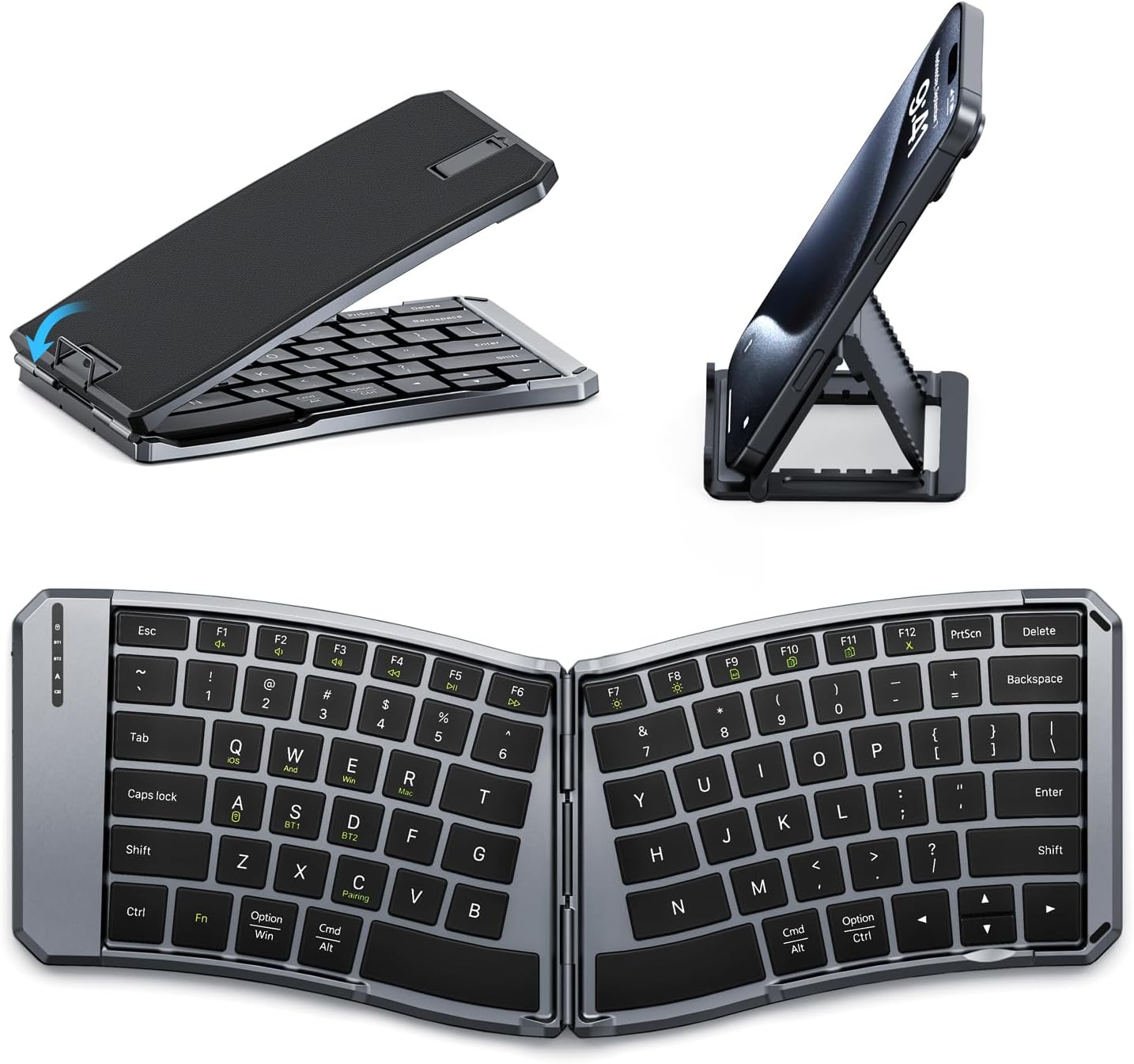
Image: The MoKo Ergonomic Foldable Bluetooth Keyboard shown in its compact folded form, alongside a phone stand, and fully unfolded, highlighting its ergonomic design.
Vipengele vya Bidhaa
- Ergonomic design for comfortable typing.
- Foldable and portable for easy travel.
- Dual connection modes: Bluetooth and 2.4G wireless.
- Connects up to 3 Bluetooth devices simultaneously.
- Wide compatibility with iOS, Android, Windows, and Mac OS.
- Built-in 140mAh rechargeable battery (USB-C).
- Auto-sleep function for extended battery life.
- Back locking clasp for stability during use.
- PU leather non-slip pad on base.
- Scissor mechanism keys for quiet typing.
Sanidi
1. Unboxing na Ukaguzi wa Awali
Carefully remove the keyboard and all accessories from the packaging. Inspect for any signs of damage.
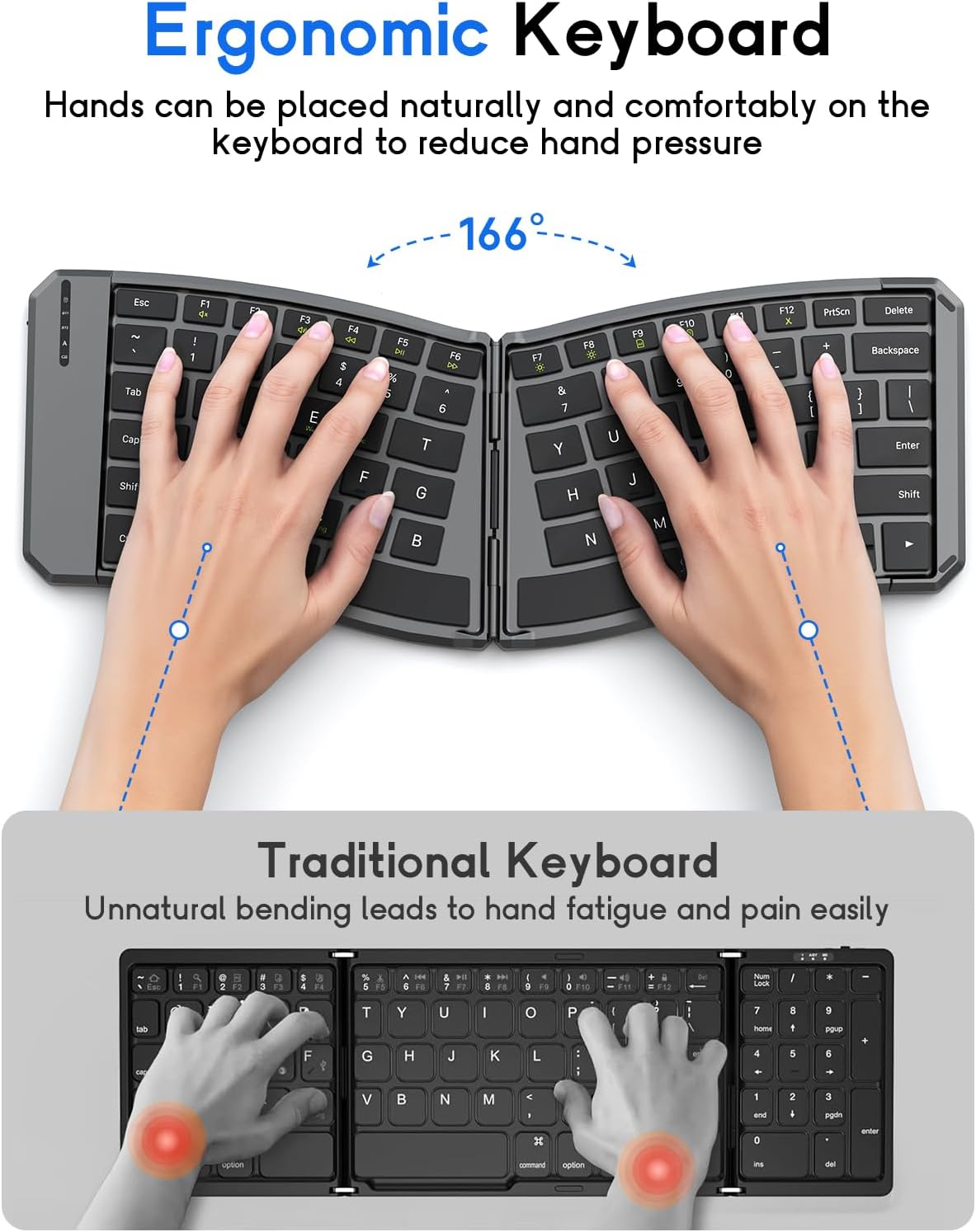
Image: The MoKo Ergonomic Foldable Bluetooth Keyboard in its compact, folded form, ready for transport.
2. Kuchaji Kinanda
- Tafuta mlango wa kuchaji wa USB-C kwenye kando ya kibodi.
- Unganisha kebo ya USB-C iliyotolewa kwenye kibodi na chanzo cha umeme (km, mlango wa USB wa kompyuta, adapta ya ukuta ya USB).
- The charging indicator light will illuminate. A full charge typically takes about 2 hours.
- Mara tu inapochajiwa kikamilifu, taa ya kiashiria itabadilika au kuzimwa.

Picha: Karibu view of the keyboard's USB-C charging port, illustrating where to connect the charging cable.
3. Unfolding the Keyboard
Gently unfold the keyboard until it lies flat. Ensure the back locking clasp is engaged for stability, especially when using on a lap.

Image: The MoKo Ergonomic Foldable Bluetooth Keyboard fully opened, showcasing its split ergonomic layout.

Picha: Maelezo ya kina view of the back locking clasp, which secures the keyboard in its unfolded position for stable typing.
Maagizo ya Uendeshaji
1. Washa/Zima
Slide the power switch located on the side of the keyboard to the "ON" position to turn it on. Slide it to "OFF" to power down.
2. Kuunganisha kupitia Bluetooth
- Washa kibodi.
- Bonyeza kwa Fn + Q (for iOS), Fn + W (for Android), or Fn + E (for Windows) keys to select the appropriate operating system mode.
- Bonyeza Fn + C ili kuingia katika hali ya kuoanisha. Nuru ya kiashirio cha Bluetooth itawaka.
- On your device (smartphone, tablet, PC), go to Bluetooth settings and search for "Bluetooth Keyboard" or a similar name.
- Chagua kibodi ili kuoanisha. Mwanga wa kiashiria utaacha kuwaka mara tu utakapounganishwa.
- To switch between paired Bluetooth devices (up to 3), press Fn + BT1, Fn + BT2, au Fn + BT3.
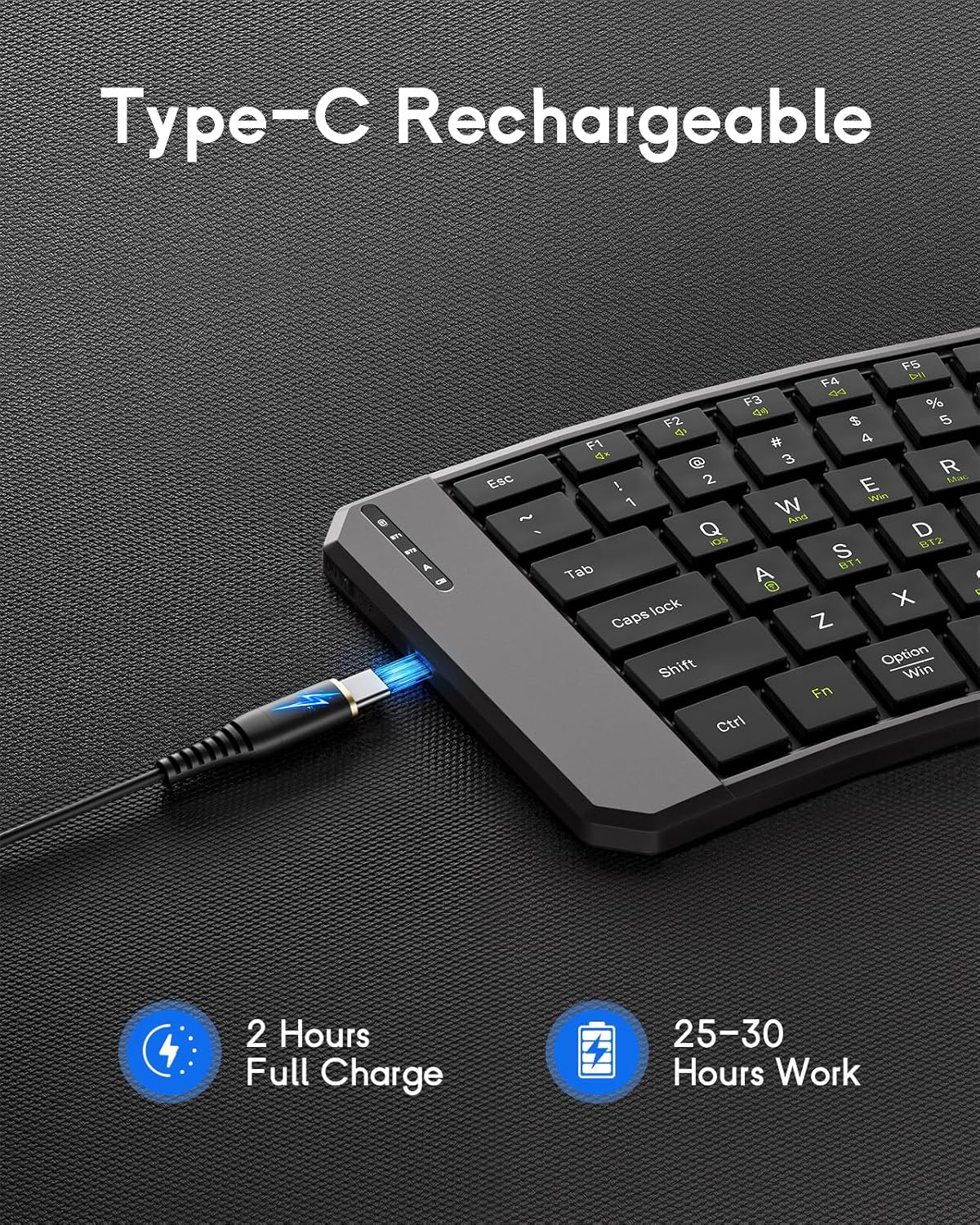
Image: The keyboard demonstrating its ability to connect to a smartphone, tablet, and laptop simultaneously using Bluetooth and 2.4G wireless connections.
3. Connecting via 2.4G Wireless (USB Receiver)
- Washa kibodi.
- Tafuta kipokezi cha USB cha 2.4G (kwa kawaida huhifadhiwa kwenye sehemu kwenye kibodi).
- Chomeka kipokeaji cha USB kwenye mlango wa USB unaopatikana kwenye kompyuta au kifaa chako.
- Kibodi inapaswa kuunganishwa kiotomatiki.
4. System Compatibility Selection
- Fn + Q: iOS
- Fn + W: Android
- Fn + E:Windows
- Fn + R: Mac OS

Image: A visual guide illustrating the Fn key combinations required to switch between iOS, Android, Windows, and Mac OS modes for optimal compatibility.
5. Vifunguo vya Multimedia
The keyboard features dedicated multimedia keys for quick access to functions like volume control, playback, etc. Refer to the key legends for specific functions.

Image: The keyboard layout emphasizing the independent multimedia keys for efficient task processing.
Matengenezo
- Weka kibodi safi kwa kuifuta kwa kitambaa laini na kavu.
- Avoid exposing the keyboard to extreme temperatures, moisture, or direct sunlight.
- Usitumie kemikali kali au kusafisha abrasive.
- Store the keyboard in its folded position when not in use to protect the keys and conserve space.
Kutatua matatizo
Kibodi Haiunganishi:
- Hakikisha kibodi imewashwa na imechajiwa kikamilifu.
- Thibitisha kuwa Bluetooth imewashwa kwenye kifaa chako.
- Make sure the correct operating system mode is selected (Fn + Q/W/E/R).
- Re-enter pairing mode (Fn + C) and try connecting again.
- If using 2.4G, ensure the USB receiver is properly plugged in.
- Jaribu kuanzisha upya kibodi na kifaa chako.
Vifunguo visivyojibu:
- Angalia kiwango cha betri na uwashe tena ikiwa ni lazima.
- Hakikisha kibodi imeunganishwa ipasavyo kwenye kifaa chako.
- Clean any debris from around the keys.
Kuchelewa au Kukata Muunganisho:
- Sogeza karibu na kifaa chako ili kupunguza usumbufu.
- Hakikisha kuwa hakuna vifaa vingine vinavyosababisha muingiliano wa Bluetooth.
- Rekebisha kibodi na kifaa chako.
Vipimo
| Kipengele | Maelezo |
|---|---|
| Mfano | DF047 |
| Vipimo vya Bidhaa (Iliyokunjwa) | Inchi 7.09 × 4.92 × 1.5 (18 × 12.5 × 3.8 cm) |
| Vipimo vya Bidhaa (Vilivyopanuliwa) | Inchi 14.09 × 4.92 × 0.75 (35.8 × 12.5 × 1.9 cm) |
| Uzito wa Kipengee | 13.4 wakia |
| Teknolojia ya Uunganisho | Bluetooth, 2.4G Isiyotumia Waya |
| Uwezo wa Betri | 140mAh |
| Kuchaji Bandari | USB-C |
| Muda wa Kuchaji | Takriban. 2 masaa |
| Muda wa Kufanya Kazi | 25-30 hours (fully charged) |
| Utangamano | iOS, Android, Windows, Mac OS |
| Mpangilio wa Kibodi | QWERTY |
| Vipengele Maalum | Ergonomic, Foldable, Lightweight, Portable, Auto-sleep, Back Locking Clasp, Non-slip Pad, Scissor-switch keys |
Video Rasmi ya Bidhaa
Video: An official product video demonstrating the features and functionality of the MoKo Ergonomic Foldable Bluetooth Keyboard, including its ergonomic design, portability, and connectivity options.
Udhamini na Msaada
For warranty information and customer support, please refer to the contact details provided in your product packaging or visit the official MoKo webtovuti. Hifadhi risiti yako ya ununuzi kwa madai ya udhamini.
Mtengenezaji: MoKo
ASIN: B0FD9K7DKS


