1. Utangulizi
This manual provides essential instructions for the safe and efficient use of your OPPO A5 5G smartphone (Model CPH2751). Please read this manual thoroughly before using your device.
1.1. Ni nini kwenye Sanduku
- Simu mahiri ya OPPO A5 5G
- Kesi ya Simu
- Adapta ya Nguvu
- Kebo ya USB
- Kinga ya Skrini (iliyowekwa awali au tofauti)
- Ejector ya Tray ya SIM
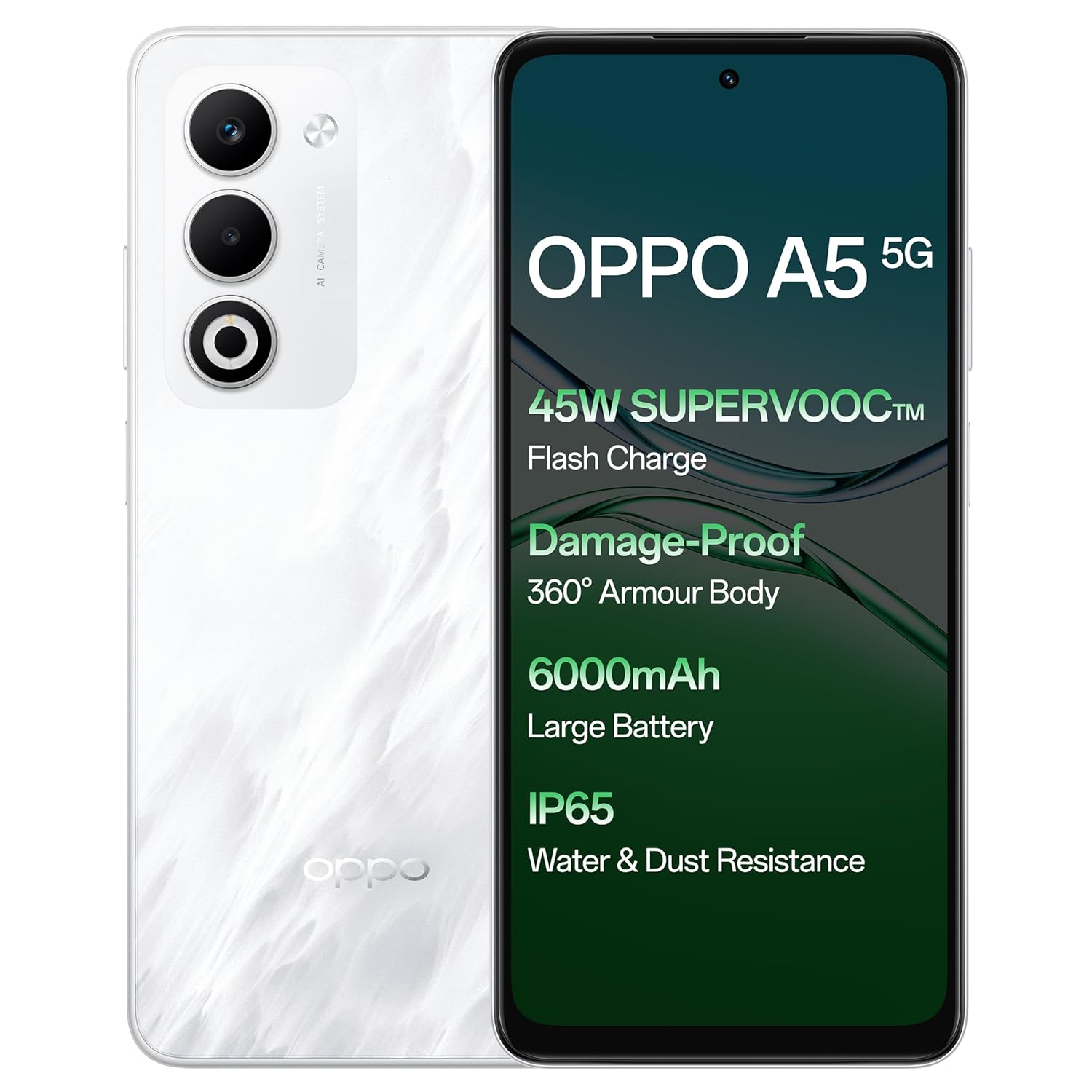
Picha: mbele na nyuma view of the OPPO A5 5G smartphone, highlighting features like 45W SuperVOOC Flash Charge, Damage-Proof 360° Armour Body, 6000mAh Large Battery, and IP65 Water & Dust Resistance.
2. Usanidi wa Awali
2.1. Ufungaji wa SIM Kadi
- Tafuta trei ya SIM kadi kwenye kando ya kifaa chako.
- Ingiza zana ya ejector ya trei ya SIM kwenye shimo dogo karibu na trei.
- Punguza kwa upole hadi tray itoke.
- Place your Nano-SIM card(s) and/or microSD card into the tray with the gold contacts facing down. The OPPO A5 5G supports Dual 5G SIM.
- Ingiza tena trei kwenye simu kwa uangalifu.

Picha: Side profile of the OPPO A5 5G smartphone, illustrating the location of the SIM card tray and volume buttons.
2.2. Kuwasha/Kuzima
- Kuwasha: Bonyeza na ushikilie kitufe cha Kuwasha/Kuzima (kilichopo upande wa kulia) hadi nembo ya OPPO ionekane.
- Kuzima: Bonyeza na ushikilie kitufe cha Kuwasha/Kuzima, kisha uchague "Zima" kutoka kwa chaguo kwenye skrini.
- Anzisha upya: Bonyeza na ushikilie kitufe cha Nguvu, kisha uchague "Anzisha tena" kutoka kwa chaguo.
3. Kuendesha Kifaa Chako
3.1. Onyesho na Urambazaji
The OPPO A5 5G features a 16.94 cm (6.67-inch) HD+ LCD 120Hz Ultra Bright Display. This display offers enhanced smoothness for touch interactions. It also includes a Splash Touch feature, allowing for smooth control even when the screen has water droplets, mist, or oil stains.

Image: The OPPO A5 5G display showcasing its 120Hz refresh rate for a bright, smooth, and satisfying visual experience.
3.2. Kazi za Kamera
Your device is equipped with an AI Dual Ultra-Clear Camera system:
- Kamera kuu: MP 50
- Kamera ya Picha: MP 2
- Kamera ya Selfie ya Mbele: MP 8
Key camera features include AI Portrait Retouching, AI Clarity Enhancer, AI Reflection Remover, and AI Studio. The Dual-View Video function allows simultaneous recording from both front and rear cameras.

Image: Close-up of the OPPO A5 5G's rear camera module, featuring the dual camera setup and AI Camera System branding.
3.3. Betri na Kuchaji
The OPPO A5 5G has a 6000mAh large battery. It supports 45W SuperVOOC charging for fast and efficient power replenishment. The battery is designed to maintain over 80% health after 1700 charge cycles, ensuring extended durability.

Picha: ya ndani view of the OPPO A5 5G, highlighting the large 6000mAh battery component.
3.4. Muunganisho
The device supports Bluetooth and Wi-Fi connectivity. It is equipped with Dual 5G SIM slots for enhanced network capabilities.
3.5. Sifa Maalum
- Damage-Proof 360° Armour Protection Technology: Features a high-strength alloy framework for component safety.
- Upinzani wa Maji na Vumbi wa IP65: Provides protection against water splashes and dust ingress.
- Hali ya Nje: Boosts brightness, sound, and network performance for outdoor use.
- Glove Touch: Ensures screen responsiveness even with thick gloves or waterproof cases.

Image: The OPPO A5 5G smartphone being splashed with water, demonstrating its IP65 water and dust resistance.

Image: The OPPO A5 5G smartphone shown with a cracked ground effect, illustrating its 360° Armour Body and enhanced impact resistance.

Image: The OPPO A5 5G mounted on a motorcycle, demonstrating the Outdoor Mode for boosted performance and Glove Touch for screen responsiveness.
4. Matengenezo
4.1. Utunzaji na Usafishaji
- Tumia kitambaa laini kisicho na pamba kusafisha skrini na mwili wa simu.
- Epuka kutumia kemikali kali au vifaa vya abrasive.
- Weka kifaa mbali na joto kali na jua moja kwa moja.
- The device has IP65 water and dust resistance, but it is not fully waterproof. Avoid submerging it in water.
4.2. Sasisho za Programu
Regularly check for and install software updates to ensure optimal performance, security, and access to new features. You can usually find this option in the phone's settings under "About Phone" or "System Updates".
5. Utatuzi wa shida
If you encounter issues with your OPPO A5 5G, try the following common solutions:
- Kifaa hakijibu: Bonyeza na ushikilie Kitufe cha Kuwasha/kuzima kwa takriban sekunde 10-15 ili kulazimisha kuwasha upya.
- Betri inaisha haraka: Angalia matumizi ya programu ya chinichini, punguza mwangaza wa skrini, zima vipengele visivyohitajika kama vile GPS au Bluetooth wakati haitumiki.
- Masuala ya muunganisho wa mtandao: Toggle Airplane Mode on and off, restart the device, or check your SIM card installation.
- Programu zinaharibika: Futa akiba na data ya programu katika mipangilio, au sakinisha upya programu.
- Utendaji wa polepole: Funga programu ambazo hazijatumika, futa akiba, au ongeza nafasi ya kuhifadhi.
For more complex issues, refer to the official OPPO support webtovuti au wasiliana na huduma kwa wateja.
6. Vipimo
| Kipengele | Maelezo |
|---|---|
| Nambari ya Mfano | CPH2751 |
| Mfumo wa Uendeshaji | Android 14 (ColorOS 15.0) |
| RAM | GB 8 |
| Hifadhi ya Ndani | GB 128 |
| Ukubwa wa skrini | 16.94 cm (6.67 Inches) HD+ LCD |
| Onyesha Kiwango cha Kuonyesha upya | 120Hz |
| Kichakataji | MediaTek Dimensity 6300 |
| Kamera kuu | 50MP + 2MP (Portrait) |
| Kamera ya mbele | MP 8 |
| Uwezo wa Betri | 6000mAh |
| Inachaji | 45W SuperVOOC |
| Muunganisho | Dual 5G SIM, Bluetooth, Wi-Fi |
| Upinzani wa Maji na Vumbi | IP65 |
| Vipimo (LxWxH) | 16.5 x 7.6 x 0.8 cm |
| Uzito | 195 g |
| Mtengenezaji | OPPO MOBILES INDIA PVT LTD. |
| Nchi ya Asili | India |
7. Taarifa za Usalama
7.1. Usalama wa Jumla
- Usijaribu kutenganisha au kurekebisha kifaa.
- Tumia chaja na vifaa vya ziada vilivyoidhinishwa na OPPO pekee.
- Avoid exposing the device to extreme temperatures, direct sunlight, or fire.
- Weka kifaa mbali na vifaa vya matibabu, kwani inaweza kuingilia kati uendeshaji wao.
- Tupa kifaa na betri yake kwa kuwajibika kulingana na kanuni za ndani.
7.2. Usalama wa Betri
- Do not puncture, drop, or expose the battery to high impact.
- If the battery appears damaged or swollen, discontinue use immediately.
- Do not place the battery in direct sunlight or near heat sources.
8. Udhamini na Msaada
Kwa taarifa za udhamini na huduma kwa wateja, tafadhali rejelea kadi ya udhamini iliyojumuishwa na bidhaa yako au tembelea OPPO rasmi website. You can also contact OPPO customer service at 18001032777.
Manufacturer: OPPO MOBILES INDIA PVT LTD., 5th FLOOR, Tower B, BUILDING, N-8, DLF Cyber City, DLF Phase 2, Gurugram, Haryana 122002.


