1. Utangulizi
This manual provides essential information for setting up, operating, and maintaining your OnePlus Nord 5 smartphone. Please read this guide thoroughly to ensure optimal performance and longevity of your device.

Mchoro 1: Mbele na nyuma view of the OnePlus Nord 5 smartphone.
2. Yaliyomo ndani ya kisanduku
Upon unboxing your OnePlus Nord 5, verify that all the following items are included:
- OnePlus Nord 5 Smartphone
- Adapta ya Nguvu (80W)
- Kebo ya USB (Aina-C)
- Ejector ya Tray ya SIM
- Kinga ya Skrini (iliyowekwa awali au kwenye kisanduku)
- Kesi ya Simu
- Mwongozo wa Kuanza Haraka
- Kadi ya Udhamini
Video 1: Unboxing the OnePlus Nord 5 and reviewing its contents.

Kielelezo 2: Mbele view of the OnePlus Nord 5.

Kielelezo 3: Nyuma view of the OnePlus Nord 5.
3. Kuweka
3.1 Ufungaji wa SIM Card
- Pata tray ya SIM kwenye kando ya kifaa.
- Ingiza zana ya ejector ya SIM kwenye shimo dogo karibu na trei na ubonyeze kwa nguvu hadi trei itoke.
- Weka kadi yako ya Nano-SIM kwenye nafasi zilizotengwa kwenye trei. Hakikisha miguso ya dhahabu inaelekea chini.
- Ingiza tena trei ya SIM kwenye simu kwa uangalifu hadi ibofye mahali pake.
3.2 Umeme wa Awali Umewashwa
Press and hold the Power button on the side of the device until the OnePlus logo appears. Follow the on-screen instructions to complete the initial setup, including language selection, Wi-Fi connection, and Google account setup.
4. Kuendesha Kifaa Chako
4.1 Utendaji
The OnePlus Nord 5 is equipped with the Snapdragon 8s Gen 3 processor and LPDDR5X RAM, designed for demanding applications and gaming. The device features a 7300mm² VC cooling system to maintain optimal temperatures during extended use.
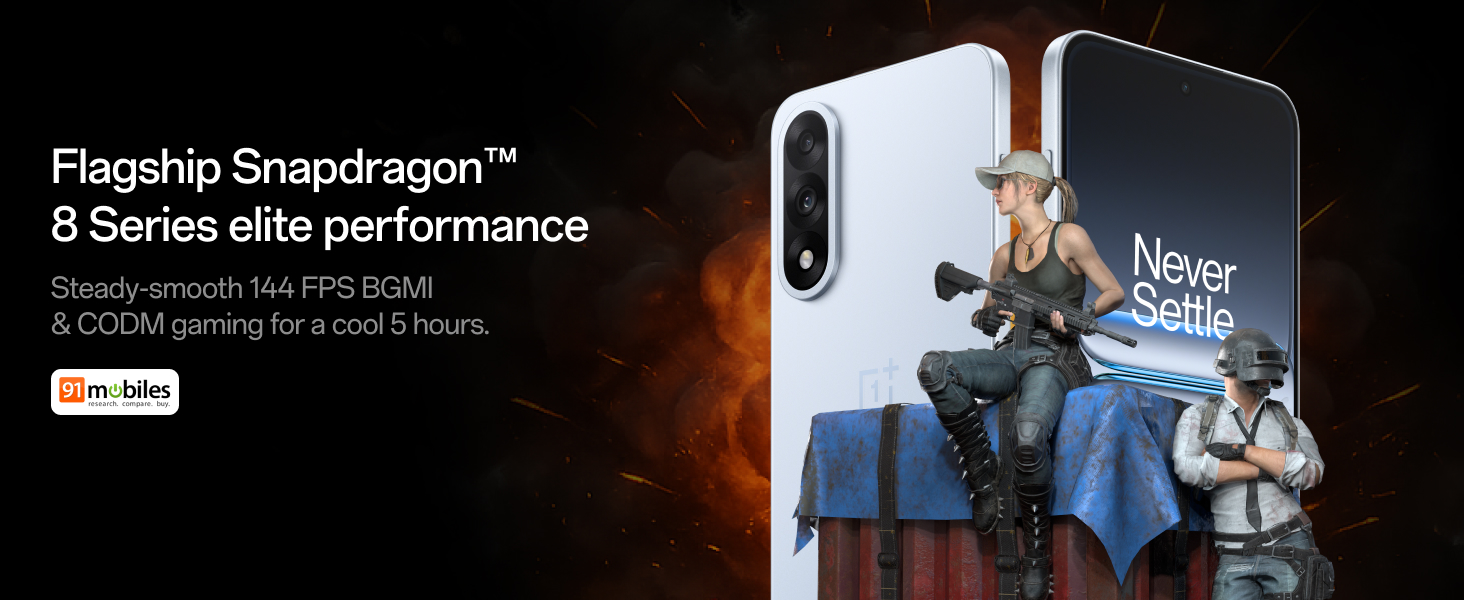
Figure 4: Snapdragon 8s Gen 3 processor for elite performance.
Video 2: Demonstration of gaming performance on the OnePlus Nord 5.
4.2 Sifa za Kamera
The device features a dual 50MP camera system, including a 50MP front camera (ISOCELL JN5 with hardware autofocus) and a 50MP Sony LYT-700 back camera with Optical Image Stabilization (OIS). It supports 4K 60 FPS video capture.
AI Camera Enhancements:
- Kifutio cha AI: Removes unwanted objects or people from photos.
- Kuongeza Maelezo ya AI: Huboresha uwazi na undani wa picha.
- AI Unblur: Corrects blurry images.
- AI Reframe: Suggests improved compositions for photos.
- AI Perfect Shot: Adjusts facial expressions and corrects blinked eyes in group photos.

Figure 5: Dual 50MP camera system overview.

Figure 6: AI features for photo enhancement.
4.3 Betri na kuchaji
The OnePlus Nord 5 features a 6800 mAh battery and supports 80W ultra-fast charging. It also includes an all-new Bypass Charging feature, which powers the phone directly from the charger during gaming to reduce heat and maintain performance.

Figure 7: Illustration of Bypass Charging technology.
4.4 Onyesho
Experience visuals on a 144Hz 1.5K AMOLED display with Aqua Touch 2.0 technology, offering a resolution of 2800 x 1272 pixels and up to 1400 nits brightness. Aqua Touch 2.0 improves touch responsiveness, even with wet or oily fingers.

Figure 8: Details of the 144Hz AMOLED display.
4.5 Vipengele vya AI
The OnePlus Nord 5 integrates various AI functionalities to enhance user experience:
- Mwandishi wa Sauti wa AI: Transcribe, translate, and summarize meetings or content.
- Mduara wa Kutafuta: Quickly search for information by circling content on your screen.
- Gemini Moja kwa Moja: An AI assistant for queries and information.
- Utafutaji wa AI: Intuitively understands natural language prompts for searching device content.

Figure 9: AI VoiceScribe interface.
4.6 Multitasking with Open Canvas
The Open Canvas feature allows for enhanced split-screen multitasking, enabling flexible resizing of applications and drag-and-drop functionality between apps. This improves productivity by extending split-screen capabilities beyond physical display limits.
Video 3: Demonstration of multitasking features on the OnePlus Nord 5.

Figure 10: Open Canvas for advanced multitasking.
4.7 Muunganisho
The Nord 5 supports 5G-Advanced networking, offering faster internet speeds and improved signal stability, particularly in congested areas.

Figure 11: 5G-Advanced network features.
Programu ya 4.8
The device runs on OxygenOS 15, based on Android 15. It is guaranteed to receive 4 Android version upgrades and 6 years of security updates, ensuring long-term software support and system smoothness.
5. Matengenezo
- Masasisho ya Programu: Regularly install system updates to ensure optimal performance, security, and access to new features.
- Utunzaji wa Betri: To prolong battery life, avoid extreme temperatures and frequent full discharges. The device includes a 4-year healthy battery promise.
- Kusafisha: Tumia kitambaa laini kisicho na pamba kusafisha skrini na mwili. Epuka vifaa vya abrasive au kemikali kali.
- Usimamizi wa Hifadhi: Mara kwa mara safisha bila lazima files and apps to maintain device speed and free up storage space.
6. Utatuzi wa shida
If you encounter issues with your OnePlus Nord 5, consider the following general troubleshooting steps:
- Anzisha tena Kifaa: Kuanzisha upya rahisi kunaweza kutatua hitilafu nyingi za programu.
- Angalia sasisho: Hakikisha programu ya kifaa chako imesasishwa.
- Futa Akiba: For app-specific issues, try clearing the app's cache in Settings.
- Kiwanda Rudisha: Kama suluhisho la mwisho, kuweka upya mipangilio ya kiwandani kunaweza kutatua matatizo ya programu yanayoendelea. Onyo: This will erase all data on your device. Back up important information before proceeding.
- Wasiliana na Usaidizi: If the issue persists, refer to the support section for contact information.
7. Vipimo
| Kipengele | Maelezo |
|---|---|
| Mfumo wa Uendeshaji | Android 15, OxygenOS 15 |
| Kichakataji | Snapdragon 8s Gen 3 (CPU Speed: 2, 2.8, 3 GHz) |
| RAM | 12 GB (as per current model) |
| Onyesho | 144Hz 1.5K AMOLED, 2800 x 1272 Resolution |
| Kamera ya Nyuma | 50MP Sony LYT-700 with OIS |
| Kamera ya mbele | 50MP ISOCELL JN5 with Autofocus |
| Betri | 6800 mAh, 80W Inachaji Haraka |
| Muunganisho | 5G-Advanced, Bluetooth, NFC, USB, Wi-Fi |
| Vipimo | 16.41 x 7.7 x 0.81 cm |
| Uzito | 211 g |
| Nambari ya Mfano | CPH2707 |
| Mtengenezaji | Oppo Mobiles India Private Limited |
8. Udhamini na Msaada
The OnePlus Nord 5 comes with a Lifetime Display Warranty, covering green line issues. For detailed terms and conditions, please refer to the official OnePlus website or the warranty card included in the box.

Figure 12: Lifetime Display Warranty information.
For customer service and technical support, you can contact OnePlus using the following information:
- Customer Service Contact Number: 1800 102 8411
- Usaidizi wa WhatsApp: +91-9289606888
- Anwani ya Mtengenezaji: PLOT-NO.1, SECTOR ECOTECH-VII, GREATER, NOIDA, UTTAR PRADESH, India-201306


