1. Utangulizi
Welcome to the ElecKeys K10 Cordless Stick Vacuum Cleaner user manual. ElecKeys is dedicated to making home cleaning efficient and effortless through smart technology. This vacuum cleaner is designed for powerful, quiet, and intelligent cleaning, reflecting simplicity, intelligence, and reliability. This manual provides essential information for the safe and effective use of your new vacuum cleaner.

Image: The ElecKeys K10 Cordless Stick Vacuum Cleaner in a modern living room setting, highlighting its sleek design and ease of use.
2. Yaliyomo kwenye Kifurushi
Tafadhali angalia kifurushi kwa vitu vifuatavyo:
- Sehemu kuu ya Utupu
- Tube ya Upanuzi wa Telescopic
- Floor Brush Head with LED Lights
- Flexible Hose Attachment
- Chombo cha Crevice
- Zana ya Brashi ya 2-katika-1
- Kifurushi cha Betri ya Lithium-ion
- Wall Mount for storage and charging
- Adapta ya Nguvu
- Kichujio cha ziada cha HEPA
- Cleaning Brush/Tool
Video: Unboxing of the ElecKeys K20 Cordless Vacuum Cleaner, demonstrating the various components included in the package and initial assembly steps. Note: K10 components are similar.
3. Kuweka
3.1 Mkutano
- Attach the telescopic extension tube to the main vacuum unit until it clicks securely.
- Connect the floor brush head to the other end of the telescopic tube.
- Alternatively, attach desired accessories (flexible hose, crevice tool, 2-in-1 brush) directly to the main unit or the extension tube.
3.2 Usakinishaji na Chaji ya Betri
- Align the grooves on the battery pack with the rails on the main unit's handle. Slide the battery into place until you hear a "Click".
- To charge, plug the power adapter into the charging port on the battery or the wall mount. A full charge takes approximately 4 hours.
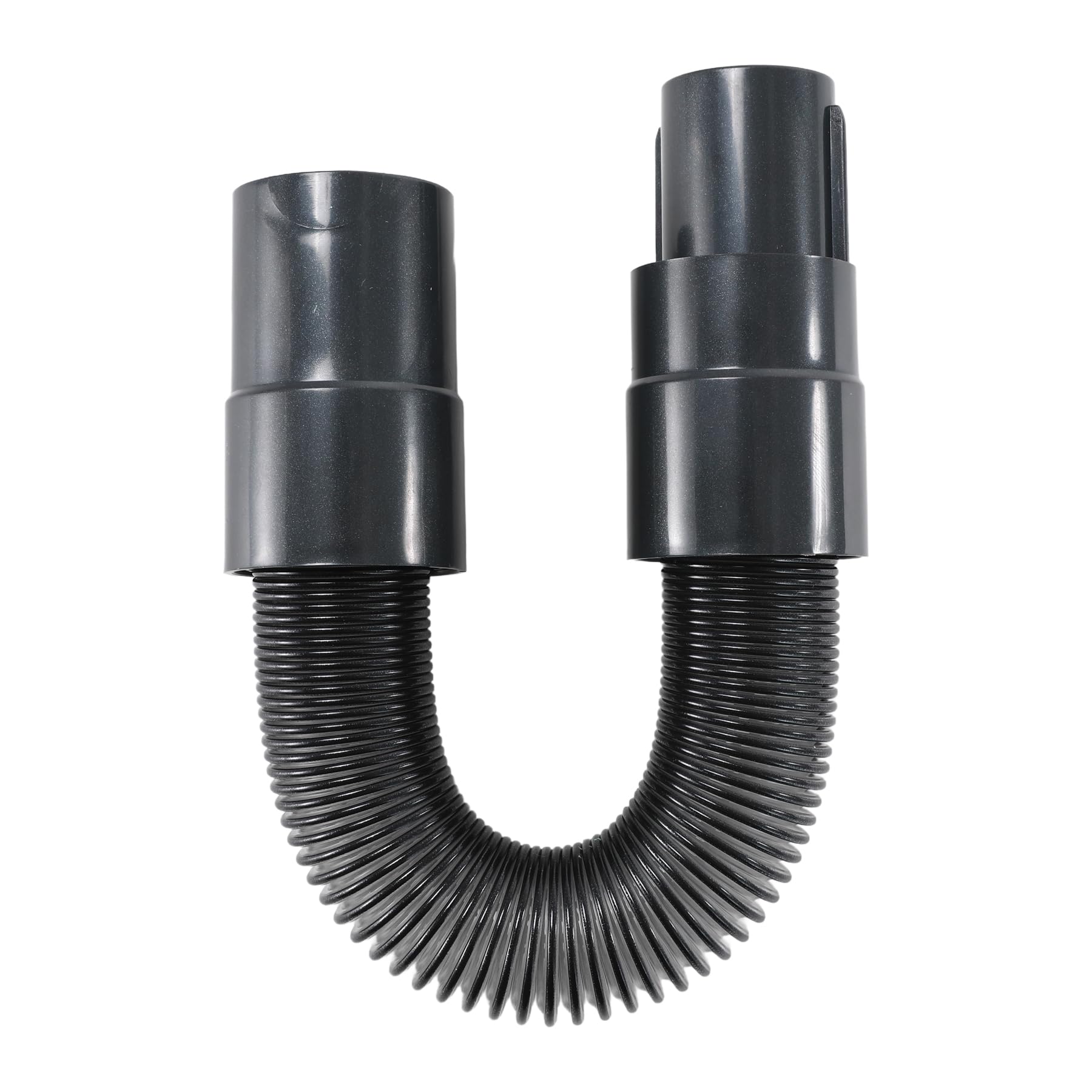
Image: The main unit of the ElecKeys K10 with the battery pack securely installed, ready for use.
4. Maagizo ya Uendeshaji
4.1 Power On/Off & Mode Selection
- Press the power button on the handle to turn the vacuum on. The LED display will show battery life and current mode.
- Toggle between cleaning modes (Bare Floor, Carpet, Turbo) by pressing the mode switch button on the LED display.
- The vacuum features an auto mode that intelligently adjusts suction power based on the amount of debris detected.
4.2 Kutumia Viambatisho
- Kichwa cha Brashi ya Sakafu: Ideal for large floor areas. Features green LED lights to illuminate dust and debris.
- Hose Flexible: Use with other attachments to reach tight spaces, high shelves, or inside vehicles.
- Zana ya Crevice: Inafaa kwa nafasi nyembamba, pembe, na kingo.
- Zana ya Brashi ya 2-katika-1: Features a built-in brush for delicate surfaces like keyboards or upholstery.
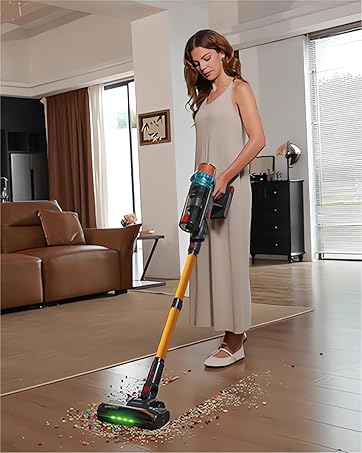
Image: A woman efficiently vacuuming a floor area with the ElecKeys K10, demonstrating its maneuverability.
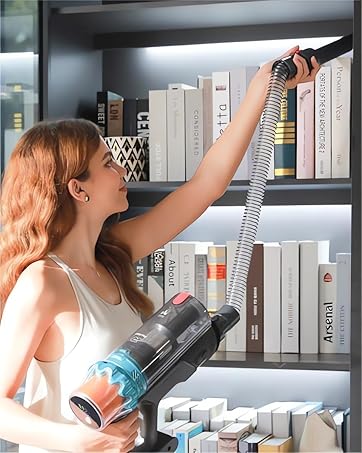
Image: The ElecKeys K10 being used with a hose attachment to clean high shelves, showcasing uchangamano wake.

Image: The ElecKeys K10 in handheld mode, cleaning a table surface with precision.
Video: Demonstration of the ElecKeys K20 Cordless Vacuum Cleaner's features, including different cleaning modes and attachments for various surfaces. Note: K10 features are similar.
5. Matengenezo
5.1 Kumwaga Dustbin
- Press the dustbin release button to detach the dustbin from the main unit.
- Carefully empty the contents into a trash container.
5.2 Kusafisha Vichujio
- Remove the filters from the dustbin.
- Tap the filters to remove loose dust or rinse them with water if heavily soiled. Ensure filters are completely dry before re-installing.
5.3 Kusafisha Brashi ya Roller
- Use the provided cleaning tool to remove tangled hair or debris from the roller brush.
- The V-shaped roller brush is designed to resist tangles, making cleaning easier.
6. Utatuzi wa shida
If your vacuum cleaner is not performing as expected, please check the following:
- Hakuna Nguvu: Hakikisha kuwa betri imechajiwa kikamilifu na imewekwa kwa usahihi.
- Unyonyaji uliopunguzwa: Check if the dustbin is full, filters are clogged, or there's a blockage in the tube/brush head.
- Misimbo ya Hitilafu: The LED display provides error codes to indicate specific issues (e.g., overheating, blockage). Refer to the full user manual for detailed explanations.
7. Vipimo
- Chapa: ElecKeys
- Mfano: K10
- Nguvu ya Magari: 580W Brushless Motor
- Nguvu ya Juu ya Kufyonza: Hadi 48Kpa
- Betri: 29.6V Lithiamu-ion
- Muda wa utekelezaji: Up to 60-75 minutes (depending on mode)
- Uchujaji: 6-sekundetage high-efficiency filtration (captures up to 99.9% of debris)
- Vipengele: LED display, Auto Mode, Self-standing design, Green LED lights on floor brush.
8. Udhamini na Msaada
ElecKeys is committed to providing excellent customer service and product reliability.
- Usaidizi kwa Wateja: 24 Hours Dedicated Customer Support
- Kurejesha na Kubadilishana: 30 Days Flexible Returns & Exchanges
- Ulinzi wa Bidhaa: 2 Years Official Product Protection
For further assistance, please refer to the contact information provided with your purchase or visit the official ElecKeys webtovuti.