1. Utangulizi
Thank you for choosing the 4DRC V32 Foam Remote Control Airplane. This manual provides essential information for the safe and effective operation, maintenance, and troubleshooting of your new aircraft. Please read it thoroughly before first use and retain it for future reference.
The 4DRC V32 is a lightweight and durable foam fighter jet designed for both kids and adults. It features three powerful built-in motors, LED lights for night flying, and various flight modes including 360° flips, stunt rolls, headless mode, and altitude hold. The aircraft comes equipped with three rechargeable batteries for extended flight time.
2. Ni nini kwenye Sanduku
Fungua kwa uangalifu yaliyomo na uhakikishe kuwa vipengee vyote vipo:
- 1 x 4DRC V32 Foam Remote Control Airplane
- 1 x Kisambazaji cha Kidhibiti cha Mbali
- 3 x 3.7V 350mAh Betri Zinazoweza Kuchajiwa tena
- 1 x Kebo ya Kuchaji ya USB
- Propela 4 za Vipuri
- 1 x Mwongozo wa Maagizo
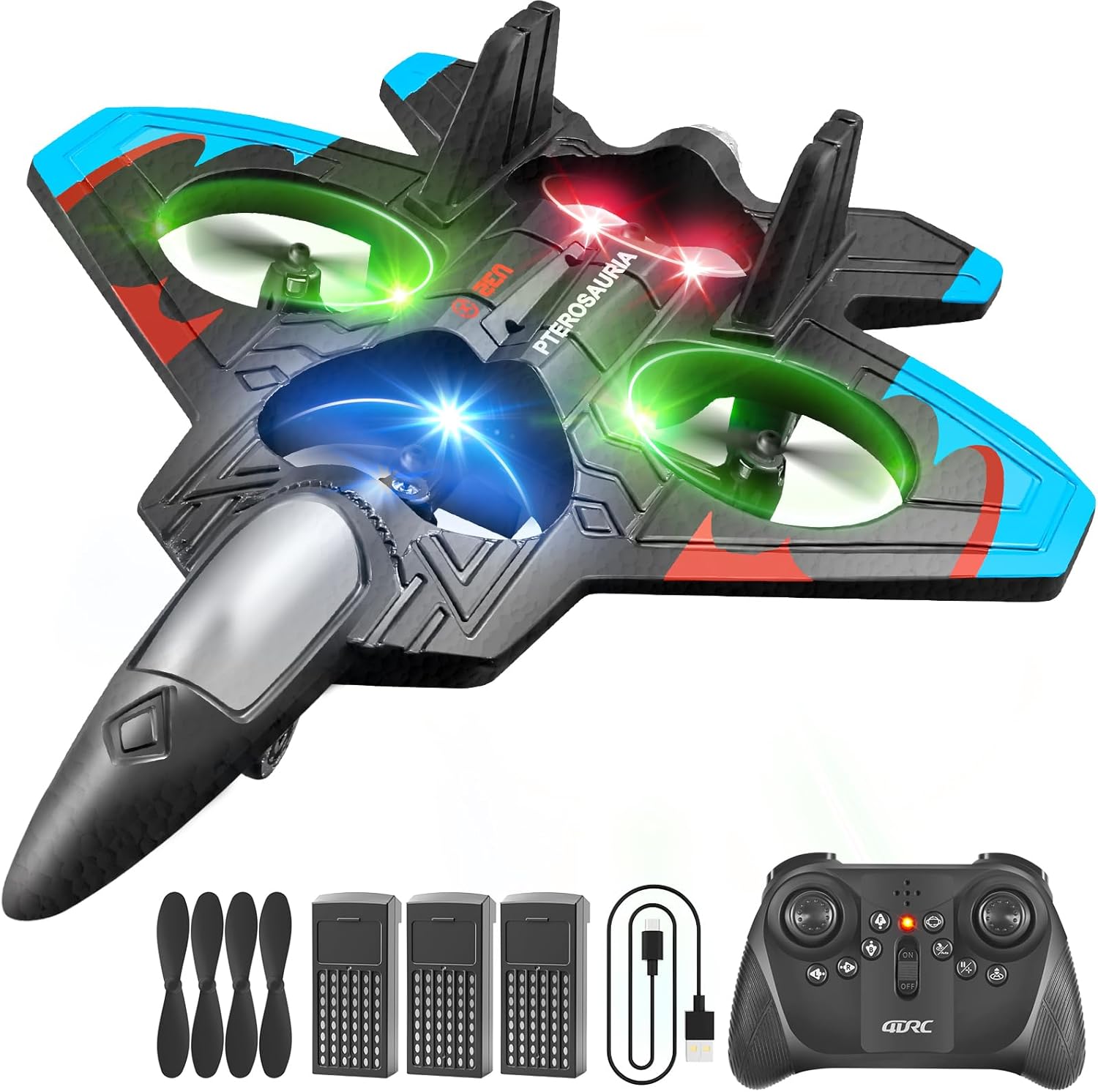
Image: All components included in the 4DRC V32 package.
3. Taarifa za Usalama
Ili kuhakikisha uendeshaji salama na kuzuia majeraha au uharibifu, tafadhali fuata miongozo ifuatayo ya usalama:
- Mapendekezo ya Umri: Bidhaa hii inapendekezwa kwa watumiaji wenye umri wa miaka 8 na zaidi. Usimamizi wa watu wazima unashauriwa kwa watumiaji wadogo.
- Mazingira ya Ndege: Operate the aircraft in open, clear areas, away from people, animals, buildings, trees, power lines, and water. Avoid flying in strong winds.
- Usalama wa Propeller: Keep hands, face, and hair away from rotating propellers. The propellers can cause injury.
- Usalama wa Betri: Use only the provided charging cable and batteries. Do not overcharge or short-circuit batteries. Discontinue use if batteries show signs of damage or swelling.
- Onyo la Athari: While the foam material is durable, repeated hard impacts can cause damage. Inspect the aircraft for damage after any crash.
4. Setup & Battery Installation
The 4DRC V32 remote control airplane requires no assembly. Follow these steps to prepare for flight:
4.1. Ufungaji wa Batri ya Udhibiti wa Mbali
- Fungua sehemu ya betri nyuma ya kidhibiti cha mbali.
- Insert 3 'C' batteries (included), ensuring correct polarity (+/-).
- Funga sehemu ya betri kwa usalama.
4.2. Aircraft Battery Installation & Charging
- Tafuta sehemu ya betri upande wa chini wa ndege.
- Insert one of the 3.7V 350mAh rechargeable batteries into the compartment and connect it to the aircraft's power connector.
- To charge the aircraft batteries, connect a battery to the USB charging cable, then plug the USB cable into a suitable USB power source (e.g., computer, USB wall adapter). The charging indicator will show charging status.
- Each battery provides approximately 20 minutes of flight time, totaling 60 minutes with all three batteries.
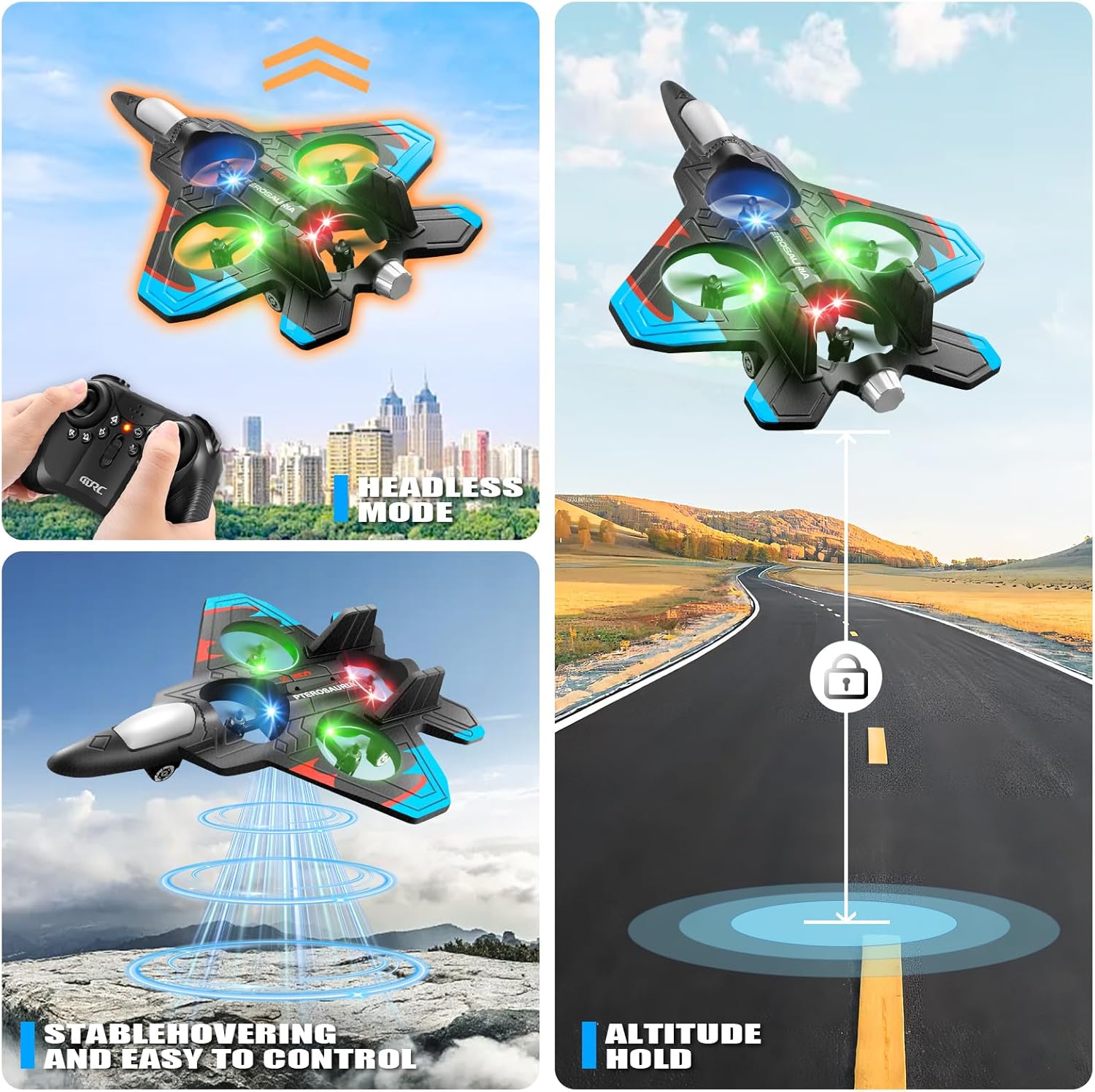
Image: Rechargeable batteries and USB charging cable.
5. Udhibiti wa Kijijiniview
Familiarize yourself with the remote control functions before flight:
- Joystick ya Kushoto: Controls throttle (up/down) and yaw (left/right rotation).
- Kijiti cha Kulia: Controls pitch (forward/backward) and roll (left/right strafe).
- Kitufe cha Kupaa/Kutua cha Funguo Moja: Huanzisha kupaa au kutua kiotomatiki.
- Kitufe cha Kubadilisha Kasi: Cycles through three speed modes (low, medium, high).
- Kitufe cha Kugeuza cha 360°: Activates the 360-degree flip stunt.
- Kitufe cha Hali Isiyo na Kichwa: Engages headless mode, simplifying flight orientation.
- Kushikilia Altitude: Maintains a stable altitude automatically.

Image: The remote control for the 4DRC V32 airplane.
Video: Demonstration of the 4DRC Remote Control Plane's features and controls.
6. Maagizo ya Uendeshaji
6.1. Ukaguzi wa Kabla ya Ndege
- Ensure both the aircraft and remote control batteries are fully charged.
- Chagua eneo wazi na wazi kwa ajili ya kukimbia, lisilo na vikwazo na watu.
- Thibitisha kwamba propela zote zimeunganishwa vizuri na hazijaharibika.
6.2. Pairing the Aircraft and Remote
- Turn on the aircraft. The LED lights will flash.
- Washa kidhibiti mbali.
- Push the left joystick (throttle) all the way up, then all the way down. The aircraft's LED lights will stop flashing and remain solid, indicating successful pairing.
6.3. Take-off and Basic Flight
- Kupaa kwa Ufunguo Mmoja: Place the aircraft on a flat surface. Press the One-Key Take-off button. The aircraft will automatically ascend to a stable hovering height.
- Udhibiti wa koo: Use the left joystick to increase (up) or decrease (down) altitude.
- Udhibiti wa Mwelekeo: Use the right joystick to move the aircraft forward, backward, left, or right.
- Yaw Control: Use the left joystick left/right to rotate the aircraft horizontally.

Image: The 4DRC V32 airplane in controlled flight.
6.4. Special Flight Features
- Mzunguko wa Kugeuza na Kuteleza kwa 360°: While flying, press the 360° Flip button, then move the right joystick in the desired direction to perform an acrobatic flip or roll.
- Hali isiyo na kichwa: Press the Headless Mode button. In this mode, the aircraft's orientation is relative to the pilot, making it easier to control regardless of which way the front of the aircraft is facing.
- Kushikilia Altitude: The aircraft automatically maintains its current altitude, allowing for stable hovering.
- Chaguzi tatu za kasi: Use the Speed Switch button to adjust the flight speed (low for beginners, high for experienced pilots).
- Taa za LED: The integrated LED lights enhance visibility and provide an exciting visual experience, especially during evening flights.

Image: Visual representation of 3D flips.

Image: Headless Mode and Altitude Hold features.

Image: Three distinct speed modes for varied flight experiences.
Video: Dynamic flight demonstration of the 4DRC RC Plane.
6.5. Kuwasili
- Kutua kwa Ufunguo Mmoja: Press the One-Key Take-off/Landing button again. The aircraft will automatically descend and land gently.
- Kutua kwa Mwongozo: Slowly lower the left joystick (throttle) to gradually descend the aircraft until it lands.
7. Matengenezo
Proper maintenance ensures the longevity and performance of your 4DRC V32 airplane:
- Kusafisha: Wipe the aircraft with a soft, dry cloth after use. Avoid using water or harsh chemicals.
- Uingizwaji wa Propela: If a propeller is damaged, carefully remove it and replace it with a spare propeller from the package. Ensure the new propeller is securely attached.
- Hifadhi: Store the aircraft and remote control in a cool, dry place, away from direct sunlight and extreme temperatures. Remove batteries from the remote control during long periods of non-use.
8. Utatuzi wa shida
If you encounter issues with your 4DRC V32, refer to the following common problems and solutions:
| Tatizo | Sababu inayowezekana | Suluhisho |
|---|---|---|
| Ndege haijibu kwa mbali. | Not paired, low batteries, out of range. | Ensure proper pairing (Section 6.2). Check and replace remote/aircraft batteries. Fly within range. |
| Aircraft flies erratically or drifts. | Needs calibration, damaged propeller, strong wind. | Perform a one-click calibration (refer to remote control diagram for button). Replace damaged propellers. Fly in calm conditions. |
| Muda mfupi wa ndege. | Batteries not fully charged, old batteries. | Ensure batteries are fully charged before each flight. Consider replacing old batteries if performance degrades significantly. |
| Remote control difficult to sync. | Incorrect pairing sequence, interference. | Follow pairing instructions carefully (Section 6.2). Ensure no other 2.4GHz devices are causing interference. |
9. Vipimo
- Vipimo vya Bidhaa: Inchi 10 x 2 x 8
- Uzito wa Kipengee: 12.6 wakia
- Nambari ya Mfano wa Kipengee: 4D-V32-3BAT
- Umri Unaopendekezwa na Mtengenezaji: Miaka 8 na kuendelea
- Betri: 3 x 3.7V 350mAh rechargeable batteries (included for aircraft), 3 x C batteries (included for remote)
- Muda wa Ndege: Approximately 20 minutes per aircraft battery
- Marudio ya Kudhibiti: GHz 2.4
10. Udhamini na Msaada
For warranty information, technical support, or any questions not covered in this manual, please contact 4DRC customer service through the retailer's platform or the official 4DRC website. Please have your model number (4D-V32-3BAT) and purchase details ready when contacting support.


