Mwongozo wa Maelekezo ya Kichujio cha Nyota cha Mistari 6 cha TELESIN cha 67mm
Model: PFK-EU-P5-FLT-003
Utangulizi
Thank you for choosing the TELESIN 67mm 6-Line Star Filter. This filter is designed to enhance your photography by creating stunning starburst effects from bright light sources, while maintaining image clarity and color accuracy. This manual provides essential information for the proper setup, operation, and maintenance of your filter.
Vipengele vya Bidhaa
24-Layer Nano-Coated Glass with Dual-Sided AR+AF Coating: Premium optical glass with 24-layer nano coating and dual-sided Anti-Reflective and protective coatings minimizes reflections, reduces glare, and ensures superior color accuracy, providing clear and vivid results in any lighting conditions.
Creates Stunning 6-Line Starburst Effects: Transforms bright light sources into striking 6-line star patterns, ideal for cityscapes, streetlights, car headlights, stage lighting, and festive decorations, adding cinematic flair to your shots.
Maintains Image Sharpness and Natural Colors: Enhances highlights without altering overall color balance or reducing image clarity, preserving the integrity of your creative vision.
Outdoor-Ready Protection for Creative Freedom: Advanced nano coatings help repel water and minimize fingerprint marks, ensuring consistent performance across various outdoor conditions.
Lightweight Aluminum Frame, Standard DSLR Fit and Smartphone Ready: Built with a lightweight precision aluminum frame, this filter fits all standard 67mm DSLR lenses securely without vignetting and is compatible with TELESIN smartphone filter mounts.
Yaliyomo kwenye Kifurushi
Kifurushi ni pamoja na vitu vifuatavyo:
1x TELESIN 67mm 6-Line Star Filter
1x 67mm Universal Phone Lens Filter Mount (if purchased as a kit)
Note: Other filter types (CPL, ND, Black Mist) are available for separate purchase and are not included with this specific 6-Line Star Filter.
Sanidi
Attaching to a DSLR Lens:
Ensure your DSLR lens has a 67mm filter thread. This information is usually printed on the front of your lens or in its manual.
Carefully align the filter's threads with the threads on your lens.
Gently rotate the filter clockwise until it is securely fastened. Do not overtighten.
Attaching to a Smartphone (with TELESIN Smartphone Filter Mount):
Attach your smartphone to the TELESIN Universal Phone Filter Mount. Ensure the phone is securely clampmh.
Align the 67mm filter with the mount's filter thread.
Rotate the filter clockwise onto the mount until it is secure.
Adjust the mount to ensure the filter is centered over your smartphone's camera lens.
Image: The TELESIN 6-Point Star Filter shown attached to a smartphone mount, illustrating its compatibility and design.
Video: Demonstrates the setup and use of the TELESIN Universal Phone Filter Mount with a 67mm lens filter.
Video: Shows the TELESIN Universal Phone Filter Mount designed for 67mm DSLR filters, highlighting its features and application.
Maagizo ya Uendeshaji
The 6-Line Star Filter creates a starburst effect on bright light sources within your image. To achieve the desired effect:
Identify Light Sources: The filter works best with strong, concentrated light sources such as streetlights, car headlights, candles, or reflections on water.
Tunga Picha Yako: Position your camera or smartphone to include the light sources you wish to transform into starbursts.
Adjust Filter Rotation: The filter can be rotated to change the angle of the star lines. Experiment with different rotations to find the most aesthetically pleasing effect for your composition.
Focus and Capture: Once the desired starburst effect is visible through your viewfinder or screen, focus and capture your image or video.
Image: A visual comparison demonstrating the starburst effect created by the 6-Line Star Filter on city lights at night.
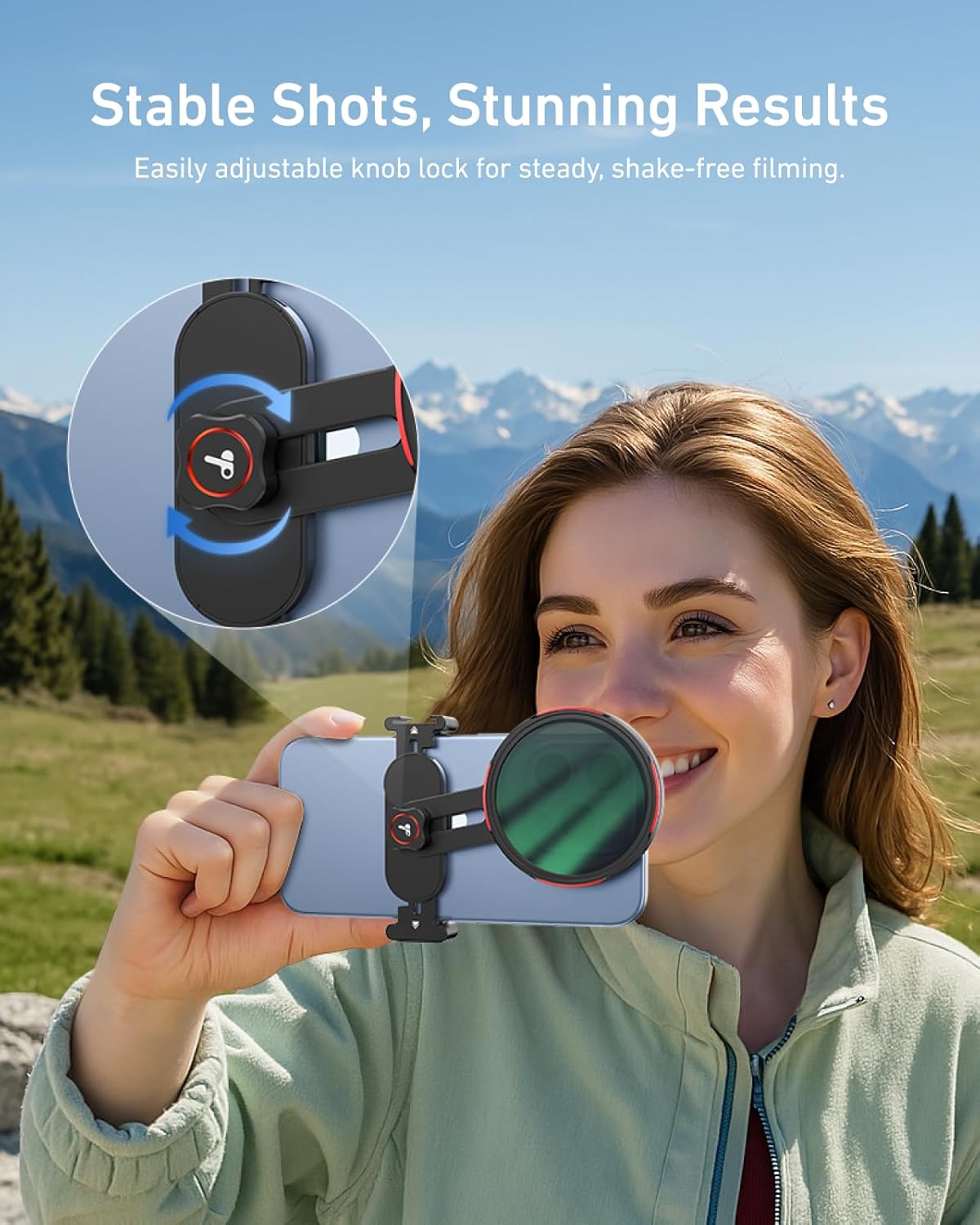
Image: A user demonstrating the adjustable knob lock on the smartphone filter mount, ensuring stable shots.
Matengenezo
Proper care will extend the life and performance of your filter:
Kusafisha: Use a microfiber cleaning cloth (like the one provided in some kits) to gently wipe the filter surface. For stubborn smudges, use a specialized lens cleaning solution applied to the cloth, not directly to the filter.
Hifadhi: When not in use, store the filter in its protective case to prevent scratches and dust accumulation.
Kushughulikia: Always handle the filter by its metal frame to avoid touching the glass surface.
Picha: Onyesho la mchoroasing the advanced 24-layer nano-coating technology that minimizes reflections and glare.
Kutatua matatizo
Suala
Sababu inayowezekana
Suluhisho
No starburst effect
Insufficiently bright light source; filter not aligned correctly.
Ensure you are shooting bright, concentrated light sources. Check filter alignment and rotation.
Uneven or distorted starbursts
Filter smudged or dirty; filter not perfectly flat against the lens/mount.
Clean the filter thoroughly. Re-attach the filter, ensuring it is flush and securely mounted.
Vignetting (dark corners in image)
Using a wide-angle lens with the filter; filter not fully compatible with lens/mount.
This filter is designed to minimize vignetting on 67mm lenses. If it occurs, try zooming in slightly or using a different lens. Ensure the smartphone mount is correctly positioned.
Vipimo
Kipengele
Maelezo
Chapa
TELEIN
Nambari ya Mfano
PFK-EU-P5-FLT-003
Aina ya Kichujio
6-Line Star Filter
Kipenyo cha Kichujio
67 mm
Mipako
24-Layer Nano-Coated Glass with Dual-Sided AR+AF Coating
Nyenzo ya Fremu
Lightweight Precision Aluminum
Vipandikizi Vinavyolingana
67mm DSLR Camera Lenses, TELESIN Smartphone Filter Mounts
Vipimo vya Bidhaa
Inchi 2.64 x 2.64 x 2.64
Uzito wa Kipengee
2.39 wakia
Picha: Mwishoview of various TELESIN filters, including the 6-Line Star Filter, CPL, ND, and Black Mist filters.
Image: The TELESIN filter mount demonstrating its wide compatibility with various smartphone models.
Udhamini na Msaada
For warranty information, technical support, or any inquiries regarding your TELESIN 67mm 6-Line Star Filter, please refer to the official TELESIN webtovuti au wasiliana na huduma kwa wateja wao moja kwa moja. Hifadhi risiti yako ya ununuzi kwa madai ya udhamini.
Maagizo na Vipimo vya Uendeshaji wa TELESIN Master Grip Mwongozo wa mtumiaji na vipimo vya kiufundi vya TELESIN Master Grip, kifaa cha ziada cha kamera ya simu mahiri. Inajumuisha maagizo ya uendeshaji, maelezo ya kuchaji, na data ya kiufundi.
TELESIN Fun Shot Magnetic Grip2 User Guide Comprehensive user guide for the TELESIN Fun Shot Magnetic Grip2 (model TPMP001-01), detailing its features, operation, connectivity, safety precautions, and product specifications.