Utangulizi
Thank you for choosing the ADESSO Xtream T2 Bluetooth Wireless Earbuds. These earbuds are designed to provide a high-quality audio experience with features such as Active Noise Cancelling (ANC), a built-in microphone for calls, and convenient touch controls. This manual will guide you through the setup, operation, and maintenance of your new earbuds.
Ni nini kwenye Sanduku
- ADESSO Xtream T2 Wireless Earbuds (Left and Right)
- Kipochi cha Kuchaji Bila Waya
- Kebo ya Kuchaji ya USB
- Vidole Vingi vya Sikio (S, M, L)
- Mwongozo wa Mtumiaji
Bidhaa Imeishaview
The ADESSO Xtream T2 earbuds feature an ergonomic in-ear design for a secure and comfortable fit. The compact charging case not only protects your earbuds but also provides additional battery life and supports wireless charging.

Image: The ADESSO Xtream T2 wireless earbuds are shown resting inside their open white charging case. The case has the 'adesso' logo on the front and four small LED indicator lights below it. The earbuds are white with a sleek, minimalist design.

Picha: Karibu view of the two white ADESSO Xtream T2 earbuds, showing their in-ear design and the small microphone openings. The left and right indicators are visible on the stems.
Sanidi
1. Kuchaji vifaa vya masikioni na Kipochi
Before first use, fully charge the earbuds and the charging case. Place the earbuds into the charging case. Connect the USB charging cable to the charging port on the case and to a power source. The LED indicators on the case will show the charging status. Alternatively, place the charging case on a compatible wireless charging pad.
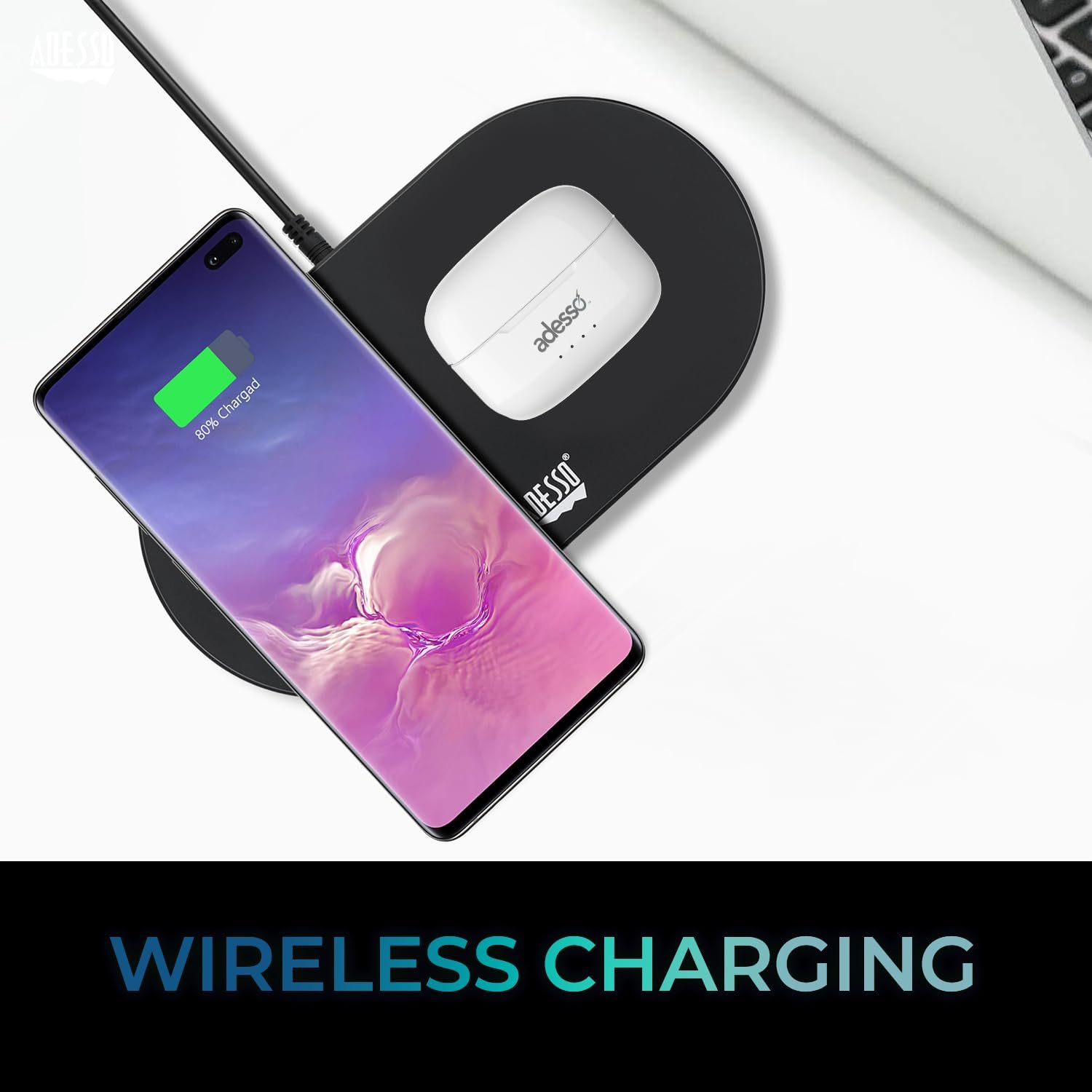
Image: The white ADESSO Xtream T2 charging case is placed on a black wireless charging pad next to a smartphone that is also wirelessly charging. This illustrates the wireless charging capability of the earbud case.
2. Kuoanisha Bluetooth
- Hakikisha vifaa vya sauti vya masikioni vimechajiwa.
- Fungua kisanduku cha kuchaji. Vifaa vya masikioni vitaingia kiotomatiki katika hali ya kuoanisha, ikionyeshwa na mwangaza wa LED unaowaka kwenye vifaa vya masikioni.
- Kwenye kifaa chako (smartphone, kompyuta kibao, nk), nenda kwenye mipangilio ya Bluetooth.
- Tafuta available devices and select "ADESSO Xtream T2"kutoka kwenye orodha.
- Baada ya kuunganishwa, kiashiria cha LED kwenye vifaa vya sauti vya masikioni kitaacha kuwaka, na kifaa chako kitathibitisha muunganisho.
Vifaa vya sauti vya masikioni vitaunganishwa kiotomatiki kwenye kifaa kilichooanishwa mwisho kikitolewa kwenye kipochi, ikiwa Bluetooth imewashwa kwenye kifaa.

Image: A stylized image depicting a Bluetooth chip on a circuit board, with the ADESSO Xtream T2 earbuds in their charging case in the foreground. This visually represents the Bluetooth wireless connectivity feature.
Maagizo ya Uendeshaji
Vidhibiti vya Kugusa
The Xtream T2 earbuds feature intuitive touch controls on each earbud. The specific functions may vary slightly depending on the operating system of your connected device.

Image: A woman is shown gently touching the side of her white ADESSO Xtream T2 earbud, demonstrating the touch control feature. She is smiling and looking at her smartphone.
| Kitendo | Kazi |
|---|---|
| Kugusa Mara Moja (Kifaa cha Kusikia cha Kushoto/Kulia) | Cheza/Sitisha Muziki, Jibu/Katisha Simu |
| Gusa Mara Mbili (Earbud ya Kulia) | Wimbo Unaofuata |
| Gusa Mara Mbili (Earbud ya Kushoto) | Wimbo Uliopita |
| Gonga Mara Tatu (Earbud ya Kulia) | Volume Up |
| Gonga Mara Tatu (Earbud ya Kushoto) | Sauti Chini |
| Bonyeza kwa muda mrefu (sekunde 2) | Amilisha Msaidizi wa Sauti (Siri, Mratibu wa Google) |
| Bonyeza kwa muda mrefu (sekunde 3) | Badilisha Hali ya ANC/Uwazi |
| Incoming Call Long Press (2 seconds) | Kataa Simu |
Kufuta Kelele Inayotumika (ANC)
The Xtream T2 earbuds feature Active Noise Cancelling technology to reduce ambient noise, allowing for a more immersive listening experience. To activate or deactivate ANC, long-press the touch sensor on either earbud for approximately 3 seconds until you hear an audible prompt.

Image: A graphic illustrating sound waves being blocked around the ADESSO Xtream T2 earbuds, with text indicating "30dB" and "Active Noise Cancelling." This highlights the noise reduction capability.
Maisha ya Betri na Kuchaji
The earbuds provide approximately 6-7 hours of talk and listen time on a single charge. The charging case extends this duration by providing multiple recharges. For optimal performance, ensure both earbuds and case are regularly charged.

Image: A woman is using the ADESSO Xtream T2 earbuds while looking at her phone. A battery icon with a full charge is displayed, indicating "6-7 Hour Talk & Listen Time."
Matengenezo
Kusafisha
Kusafisha mara kwa mara husaidia kudumisha ubora wa sauti na usafi:
- Tumia kitambaa laini, kikavu, kisicho na pamba ili kufuta vifaa vya sauti vya masikioni na kipochi cha kuchaji.
- Ondoa nta au uchafu wowote wa sikio kutoka kwenye ncha za sikio na uondoe kwa upole wavu wa spika kwa kutumia brashi ndogo laini au swabu ya pamba.
- Usitumie visafishaji abrasive, pombe, au vimumunyisho vya kemikali.
Hifadhi
Wakati hazitumiki, weka vifaa vya sauti vya masikioni kwenye kisanduku chao cha kuchaji ili kuvilinda kutokana na vumbi, uharibifu, na kuviweka vikichajiwa.
Kutatua matatizo
| Tatizo | Suluhisho linalowezekana |
|---|---|
| Vifaa vya sauti vya masikioni havioanishi | Hakikisha vifaa vya sauti vya masikioni vimechajiwa. Zima na uwashe Bluetooth kwenye kifaa chako. Sahau kifaa katika mipangilio ya Bluetooth na uoanishe upya. |
| Kifaa kimoja tu cha sauti cha masikioni kinachofanya kazi | Weka vifaa vyote vya masikioni kwenye kisanduku, kifunge, kisha ukifungue tena. Hakikisha vifaa vyote vya masikioni vimechajiwa. |
| Hakuna sauti | Angalia sauti ya kifaa. Hakikisha vifaa vya masikioni vimeunganishwa. Jaribu kucheza sauti kutoka kwa programu au kifaa kingine. |
| ANC haifanyi kazi | Ensure ANC is activated via touch control (long press). Check for proper earbud fit. |
| Masuala ya malipo | Ensure charging cable is securely connected. For wireless charging, ensure the case is correctly placed on a compatible pad. Clean charging contacts on earbuds and case. |
Vipimo

Image: The ADESSO Xtream T2 earbuds and charging case are shown in front of various electronic devices including a smartphone, tablet, laptop, and desktop computer, illustrating their multi-platform compatibility.
| Kipengele | Maelezo |
|---|---|
| Jina la Mfano | Xtream T2 |
| Teknolojia ya Uunganisho | Isiyo na waya (Bluetooth) |
| Toleo la Bluetooth | 5.3 |
| Udhibiti wa Kelele | Kufuta Kelele Inayotumika (ANC) |
| Maikrofoni | Imejengwa ndani |
| Aina ya Kudhibiti | Udhibiti wa Kugusa |
| Umbo la sikio | Katika-Sikio |
| Nyenzo | Plastiki, Silicone |
| Uzito wa Kipengee | 37 Grams (earbuds and case) |
| Kuchaji bila waya | Imeungwa mkono |
| Vifaa Sambamba | Smartphones, Tablets, Laptops, Desktops, Smart Speakers, Televisions, Cars, Motorcycles |
| UPC | 783750011013 |
Udhamini na Msaada
For warranty information and technical support, please refer to the warranty card included with your product or visit the official ADESSO website. You can also contact ADESSO customer service for assistance with any product-related inquiries.
Webtovuti: www.adesso.com (Kutample link, please verify actual support URL)


