1. Utangulizi
Asante kwa ununuziasing the Gembird GMB Audio TWS-LCD-ANC-01-W Wireless In-Ear Headphones. These headphones are designed to provide a high-quality audio experience for music and calls, featuring Active Noise Cancellation (ANC) and an integrated microphone. This manual provides essential information for setting up, operating, maintaining, and troubleshooting your device.
2. Yaliyomo kwenye Kifurushi
- 1x Pair of Gembird GMB Audio TWS-LCD-ANC-01-W Wireless In-Ear Headphones
- 1x Kipochi cha Kuchaji
- 1x Kebo ya Kuchaji ya USB Aina ya C
3. Bidhaa Imeishaview
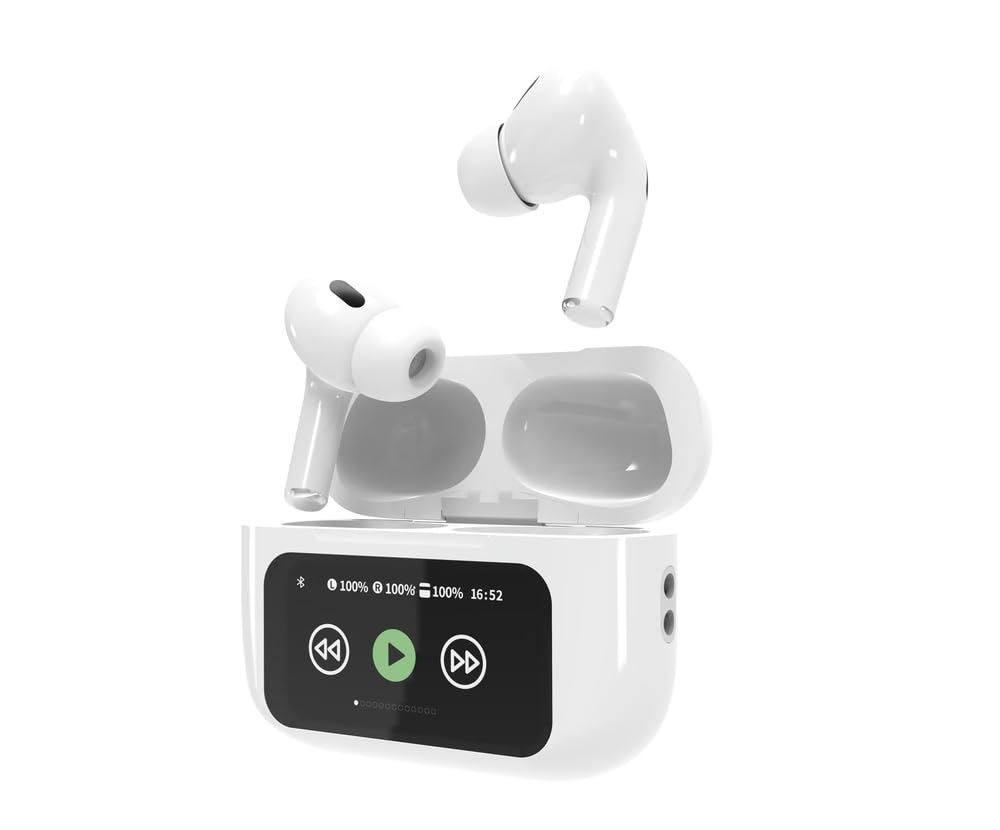
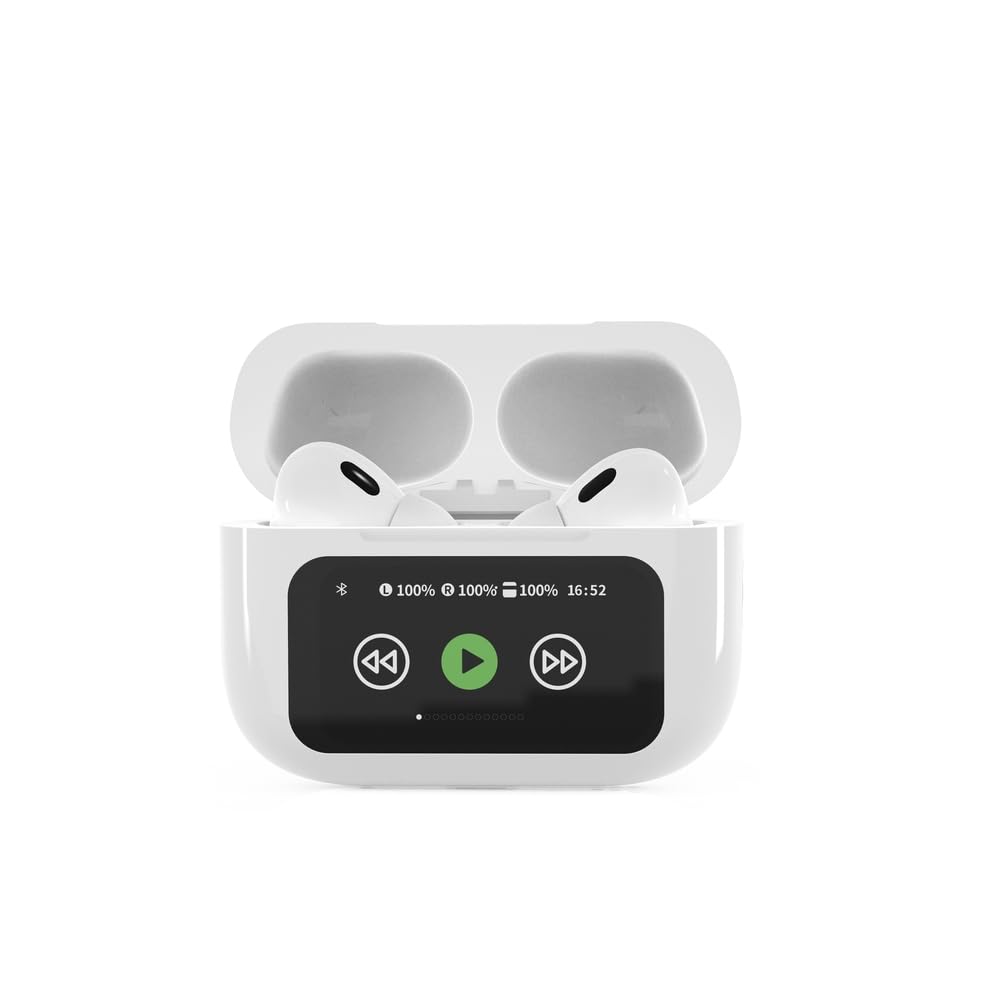

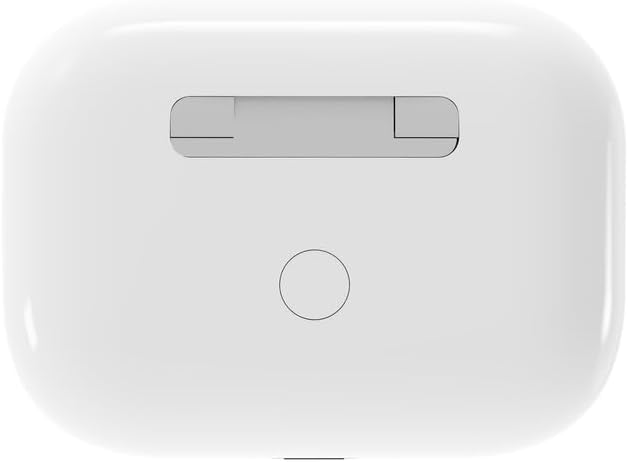

4. Kuweka
4.1 Kuchaji Awali
Before first use, fully charge the headphones and the charging case. Connect the supplied USB Type-C cable to the charging port on the case and plug the other end into a compatible USB power source (e.g., computer, wall adapter). The LED indicator on the case will show charging status. A full charge typically takes approximately 2 hours.
4.2 Kuoanisha Bluetooth
- Ensure the headphones are in the charging case and the case is open. The headphones will automatically enter pairing mode.
- Kwenye kifaa chako cha mkononi (simu mahiri, kompyuta kibao, kompyuta ya mkononi), washa Bluetooth.
- Tafuta available Bluetooth devices and select 'Gembird TWS-LCD-ANC-01-W' from the list.
- Once connected, the headphones will indicate successful pairing, and the device name will appear as 'Connected' on your mobile device.
5. Maagizo ya Uendeshaji
5.1 Washa/Zima
- Washa: The headphones automatically power on when removed from the charging case.
- Zima umeme: The headphones automatically power off and begin charging when placed back into the charging case and the lid is closed.
5.2 Uchezaji wa Muziki
Control music playback using the touch-sensitive areas on the earbuds or the display on the charging case.
- Cheza/Sitisha: Single tap on either earbud or press the play/pause icon on the case display.
- Wimbo Ufuatao: Double tap on the right earbud or press the 'next' icon on the case display.
- Wimbo Uliopita: Double tap on the left earbud or press the 'previous' icon on the case display.
5.3 Usimamizi wa Simu
When an incoming call is received, music playback will automatically pause.
- Jibu Simu: Gusa mara moja kwenye kifaa chochote cha masikioni.
- Maliza Simu: Gusa mara moja kwenye kifaa chochote cha masikioni wakati wa simu.
- Kataa Simu: Bonyeza na ushikilie kifaa chochote cha masikioni kwa sekunde 2.
5.4 Kufuta Kelele Inayotumika (ANC)
Activate or deactivate the Active Noise Cancellation feature to reduce ambient noise.
- Kubadilisha ANC Press and hold the touch-sensitive area on the left earbud for 2 seconds, or use the dedicated ANC control on the charging case display.
5.5 Udhibiti wa Kiasi
Adjust the volume directly from your connected device or through the touch controls on the earbuds (if supported by the specific model's firmware) or the charging case display.
6. Matengenezo
6.1 Kusafisha
- Futa vifaa vya sauti vya masikioni na kisanduku cha kuchaji kwa kitambaa laini, kikavu, kisicho na utepe.
- Usitumie visafishaji abrasive, vimumunyisho, au kemikali kali.
- Hakikisha kwamba anwani za kuchaji kwenye vifaa vya sauti vya masikioni na kipochi ni safi na kavu.
6.2 Hifadhi
- Always store the headphones in their charging case when not in use to protect them and keep them charged.
- Hifadhi mahali pa baridi, kavu, mbali na jua moja kwa moja na joto kali.
6.3 Utunzaji wa Betri
- Chaji kifaa mara kwa mara, hata kama hakitumiki mara kwa mara, ili kudumisha afya ya betri.
- Epuka kutoa betri kikamilifu mara kwa mara.
7. Utatuzi wa shida
| Tatizo | Sababu inayowezekana | Suluhisho |
|---|---|---|
| Vipokea sauti vya masikioni haviwashi. | Chaji ya betri ya chini au hakuna. | Place headphones in the charging case and ensure the case is charged. Charge the case fully. |
| Hakuna sauti kutoka kwa vipokea sauti vinavyobanwa kichwani. | Not connected via Bluetooth; volume too low; media paused. | Verify Bluetooth connection. Increase volume on both headphones and connected device. Check if media is playing. |
| Haiwezi kuoanisha na kifaa. | Headphones not in pairing mode; device already connected to another Bluetooth device; interference. | Ensure headphones are in pairing mode (open case). Turn off Bluetooth on other nearby devices. Forget the device in your phone's Bluetooth settings and try re-pairing. |
| Active Noise Cancellation (ANC) is ineffective. | ANC not activated; improper earbud fit. | Ensure ANC is toggled on. Adjust earbud position for a secure and sealed fit in your ear canal. |
| Maikrofoni haifanyi kazi wakati wa simu. | Maikrofoni imezuiwa; mipangilio ya kifaa. | Ensure the microphone port on the earbuds is not obstructed. Check your device's audio input settings to ensure the headphones are selected. |
8. Vipimo
- Mfano: TWS-LCD-ANC-01-W
- Muunganisho: Isiyo na waya, Bluetooth 5.3
- Pro ya Bluetoothfiles: A2DP, AVRCP, HPF, HSP
- Mlango wa Kuchaji: USB Type-C
- Masafa ya Sauti: 20 - 20000 Hz
- Maikrofoni: Imeunganishwa
- Aina ya Vifaa vya masikioni: In-ear, Binaural
- Mbinu ya Kudhibiti: Gusa
- Udhibiti wa Kelele: Kufuta Kelele Inayotumika (ANC)
- Aina ya Betri: Integrated Lithium Polymer (LiPo)
- Kuchaji Uwezo wa Battery: 300 mAh
- Uwezo wa Betri ya Earbud: 30 mAh (kila)
- Continuous Audio Playback: Hadi saa 8
- Muda wa Kuchaji: Takriban masaa 2
- Uzito wa Bidhaa: 66 g
- Product Dimensions (Case): 40 mm (Upana) x 60 mm (Kina) x 25 mm (Urefu)
- Vifaa Vinavyolingana: Laptop, Tablet, Mobile Phone
- Upinzani wa Maji: Inastahimili maji
- Vyeti: RoHS
9. Udhamini na Msaada
9.1 Taarifa ya Udhamini
This product comes with a three-year warranty against manufacturing defects from the date of purchase. Please retain your proof of purchase for warranty claims. The warranty does not cover damage caused by misuse, accidents, unauthorized modifications, or normal wear and tear.
9.2 Usaidizi kwa Wateja
For technical support, warranty claims, or further assistance, please contact your retailer or visit the official Gembird website. Contact information can typically be found on the product packaging or the Gembird corporate webtovuti.


