Utangulizi
The Precision Pro Titan Elite Golf Range Finder is engineered to enhance your golf game with cutting-edge features and meticulous craftsmanship. This manual provides detailed instructions for setup, operation, and maintenance to ensure optimal performance and longevity of your device.

Image: The Precision Pro Titan Elite Golf Range Finder, showcasing muundo wake sleek na kompakt fomu sababu.
Nini Pamoja
Your Precision Pro Titan Elite package includes the following items:
- Titan Elite Rangefinder
- Kesi ya kubeba ya kwanza
- Kebo ya Kuchaji ya USB-C
- Mwongozo wa Maagizo (hati hii)

Image: A visual representation of the items included in the product packaging: the Titan Elite Rangefinder, its premium carrying case, and the USB-C charging cable.
Sifa Muhimu
- Comprehensive GPS Distances: Bila mshono view front, center, and back distances for precise measurements.
- Betri Inayoweza Kuchajiwa kwa Muda Mrefu: Enjoy up to 10 full rounds with GPS enabled, or 40 rounds without GPS, on a single charge.
- Find My Precision Pro: Receive notifications if the rangefinder separates from you and locate it on a map.
- All-Weather Waterproof Durability: IP67 waterproof rating protects against dust, water, and debris.
- Visual Target Lock: Provides immediate confirmation of your target with a ripple effect and subtle pulse vibration.
- Adaptive Slope Technology: Dynamically adjusts for varying terrains, providing accurate distance readings with elevation changes.
- Crystal-Clear HD Magnification: 6X magnification with HD optics for unparalleled clarity up to 999 yards.
- iOS-Only Compatibility: Designed for iPhone users, connecting to the Precision Pro app for built-in GPS and standard distance measurements.
Vielelezo vya Kipengele
Picha: wazi view of the rangefinder's display, highlighting the aiming reticle, straight line distance, slope adjusted distance, yards/meters indicator, and battery indicator for a golfer-friendly experience.

Image: The rangefinder connected to a smartphone app, demonstrating dual-level accuracy by showing front, center, and back of green distances both on the device and within the app.

Image: A smartphone screen displaying a notification for the 'Find My Rangefinder' feature, indicating the device's last connected location, helping users prevent loss.

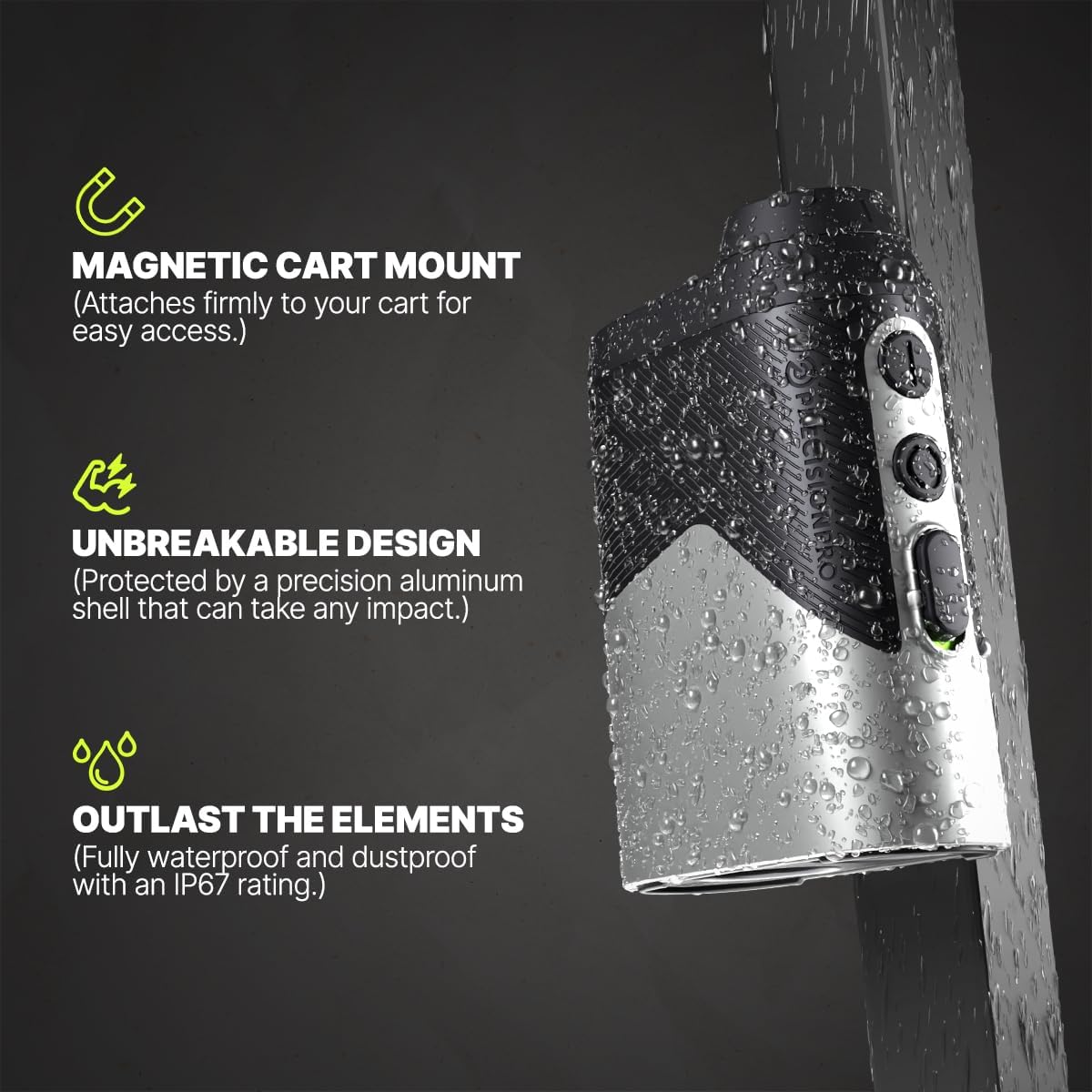
Image: The Titan Elite rangefinder being sprayed with water, illustrating its IP67 waterproof and dustproof rating, along with its magnetic cart mount and unbreakable aluminum shell.
Kuanza
Kuchaji Kifaa
Before first use, fully charge your Titan Elite Range Finder.
- Tafuta mlango wa kuchaji wa USB-C kwenye kifaa.
- Unganisha kebo ya USB-C iliyotolewa kwenye kitafuta masafa na chanzo cha umeme cha USB kinachooana (km, kompyuta, adapta ya ukutani).
- Taa ya kiashiria cha kuchaji itawaka. Mara tu itakapochajiwa kikamilifu, taa itabadilika au kuzimwa.
Picha: Karibu view of the USB-C charging port on the Titan Elite Range Finder, with the charging cable inserted, indicating the device is being charged.
App Connection (iOS Only)
To utilize the full GPS functionality and 'Find My' features, connect your rangefinder to the Precision Pro app on your iPhone.
- Download the Precision Pro app from the Apple App Store.
- Hakikisha Bluetooth imewashwa kwenye iPhone yako.
- Open the Precision Pro app and follow the on-screen instructions to pair your Titan Elite Range Finder.
- Once paired, the app will display course maps and detailed distances.

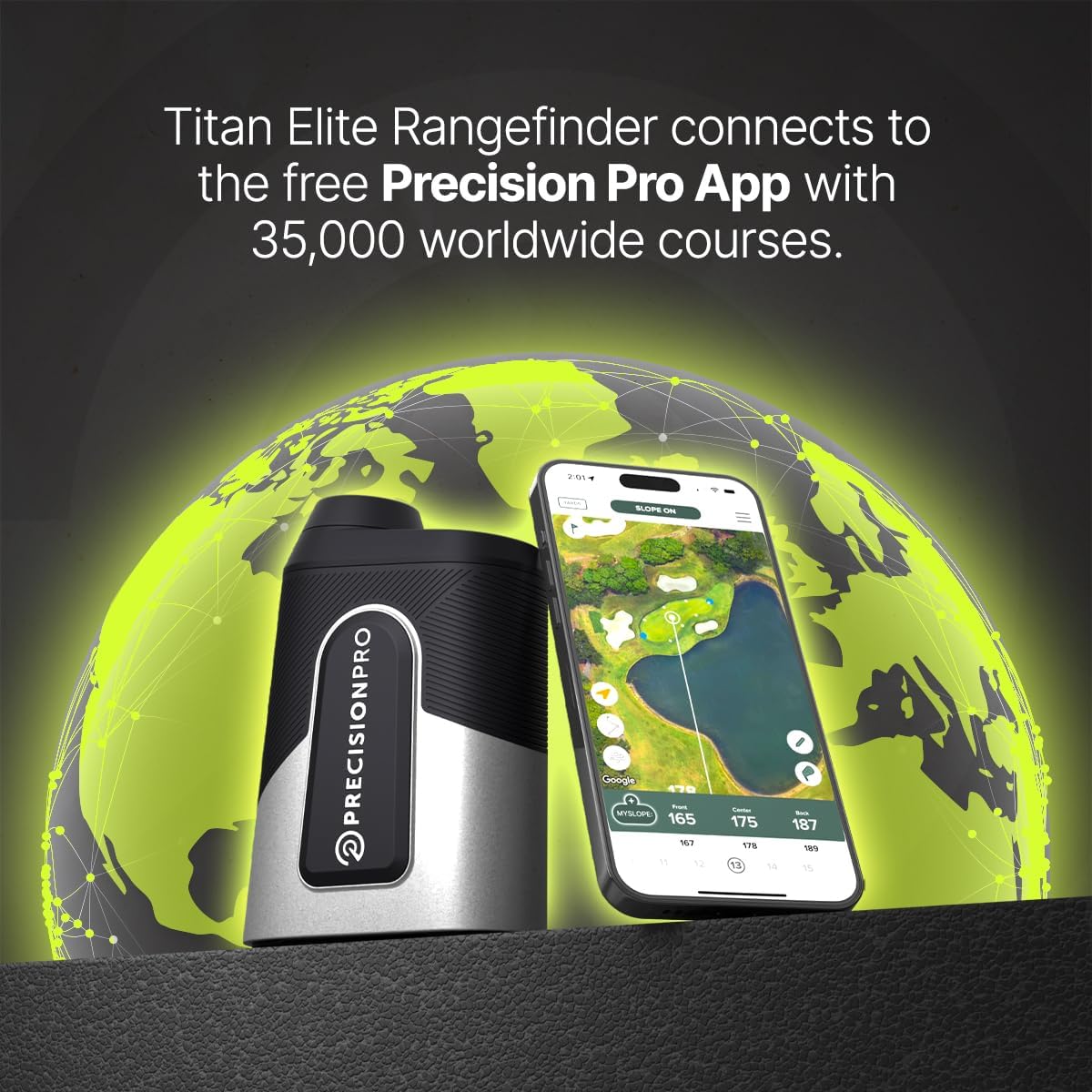
Image: The Titan Elite Range Finder positioned next to a smartphone displaying the Precision Pro app, illustrating the seamless connection and access to worldwide course data.
Maagizo ya Uendeshaji
Basic Ranging
- Angalia kupitia kipande cha jicho na uelekeze sehemu ya nyuma kwenye shabaha yako.
- Press the power/fire button to activate the laser and get a distance reading.
- For target lock, aim slightly off the target, hold the laser button, and pan onto the target. The device will vibrate and the aiming circle will ripple when locked.
Utendaji wa GPS
When connected to the app, the rangefinder provides enhanced GPS distances:
- View front, center, and back distances to the green directly on the rangefinder display or within the app.
- The app provides a visual layout of the hole, helping you plan your shots.
Teknolojia ya Mteremko
The adaptive slope technology automatically calculates the adjusted distance based on elevation changes. This feature can be toggled on/off for tournament play.
Video: A demonstration titled "Play A Hole With Chelsea & The Titan Elite," showcasing the rangefinder's features and ease of use during a golf round, including distance measurement and app integration.
Utunzaji na Utunzaji
- Kusafisha: Use a soft, clean cloth to wipe the lenses and body. For stubborn dirt, a slightly damp cloth can be used. Avoid abrasive materials.
- Hifadhi: Store the rangefinder in its protective carrying case when not in use. Keep it in a cool, dry place away from direct sunlight and extreme temperatures.
- Ukadiriaji wa kuzuia maji: The device has an IP67 rating, meaning it is protected from dust and can withstand immersion in water up to 1 meter for 30 minutes. However, avoid prolonged submersion.
- Utunzaji wa Betri: Kwa muda bora wa matumizi ya betri, epuka kutoa betri nzima mara kwa mara. Ichaji mara kwa mara, hata kama haitumiki kila wakati.
Kutatua matatizo
| Tatizo | Sababu inayowezekana | Suluhisho |
|---|---|---|
| Kifaa hakiwashi | Betri ya chini; Kitufe cha nguvu hakijabonyezwa kwa usahihi | Charge the device; Ensure the power button is pressed firmly. |
| Usomaji wa umbali usio sahihi | Dirty lens; Obstruction; Incorrect mode (e.g., slope off) | Clean the lenses; Ensure clear line of sight; Check slope switch setting. |
| Haiwezi kuunganisha kwa programu | Bluetooth off; Device not in pairing mode; Android device | Enable Bluetooth; Follow app pairing instructions; Note: App is iOS-only. |
| 'Find My' feature not working | Device out of range; App not running in background | Ensure device is within Bluetooth range; Keep app running or check background app refresh settings. |
Vipimo vya Bidhaa
| Vipimo | Maelezo |
|---|---|
| Chapa | Precision Pro |
| Jina la Mfano | Titan-Elite |
| Masafa ya Kupima | 5Y-999Y |
| Ukuzaji | 6 x |
| Kiwango cha Upinzani wa Maji | Isiyo na maji (IP67) |
| Nyenzo | Alumini |
| Aina ya Betri | Lithium-Ion Polymer (Rechargeable) |
| Uzito wa Kipengee | 16 wakia |
| Vipimo vya Bidhaa | 4.7"L x 1.7"W x 3.35"H |
Udhamini na Msaada
The Precision Pro Titan Elite Golf Range Finder comes with a 3-year warranty. For detailed warranty information, claims, or technical support, please refer to the official Precision Pro Golf webtovuti au wasiliana na huduma kwa wateja wao moja kwa moja.
Kwa msaada zaidi, tembelea: Precision Pro Store on Amazon


