Utangulizi
This manual provides detailed instructions for the setup, operation, maintenance, and troubleshooting of your CHONCHOW Wireless Gaming Keyboard, Model US221. Please read this manual thoroughly before using the product to ensure optimal performance and longevity.
Yaliyomo kwenye Kifurushi
- CHONCHOW Wireless Gaming Keyboard (Model US221)
- Mpokeaji wa USB
- Kebo ya Kuchaji ya USB
- Mwongozo wa Mtumiaji (hati hii)
Maagizo ya Kuweka
1. Kuchaji Kinanda
The keyboard is equipped with a 2500mAh built-in rechargeable battery. Before initial use, or if the battery is low, connect the provided USB charging cable to the keyboard's charging port and to a 5V2A charging block (not included) or a computer's USB port. A full charge ensures extended usage.
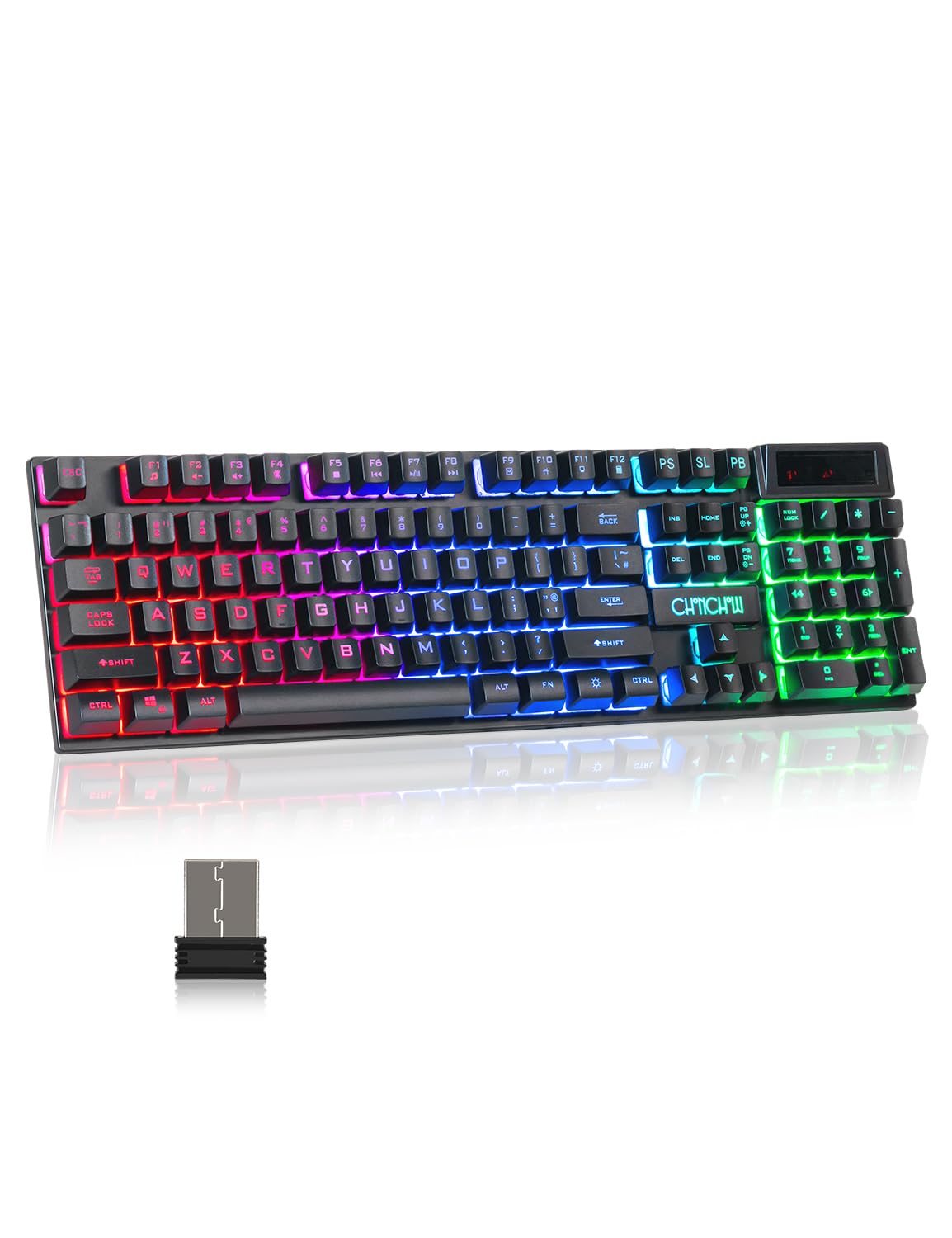 Image: The keyboard features a 2500mAh built-in battery for long-lasting wireless operation and supports a wireless range of up to 10 meters.
2. Kuunganisha Kipokea USB
The CHONCHOW US221 keyboard uses a 2.4GHz wireless connection. To establish a connection:
- Locate the USB receiver, typically stored in a compartment on the keyboard or included separately in the package.
- Plug the USB receiver into an available USB port on your computer, PC, PS4, PS5, Xbox One, or laptop.
- The keyboard should connect automatically. No additional drivers are required for installation.
The wireless connection provides an effective distance of 10 meters (approximately 33 feet) with no noticeable delay, offering a response speed comparable to a wired keyboard.
 Image: This illustration highlights the keyboard's 2.4GHz wireless technology, providing a stable connection up to 10 meters (33 feet) via a USB receiver.
Maagizo ya Uendeshaji
1. Udhibiti wa taa za nyuma
The keyboard features rainbow LED backlighting with adjustable brightness and breathing speed. All keys are backlit, allowing for accurate key identification in low-light conditions. The keycap characters are designed for clear and uniform light transmission and will not fade.
- Kurekebisha Mwangaza: Bonyeza Ukurasa wa Fn Juu kuongeza mwangaza na Fn + Ukurasa Chini to decrease brightness. There are 5 levels of adjustable brightness.
- Kubadilisha Njia za Taa: The keyboard offers various lighting modes. Refer to the keyboard's function keys for specific mode toggles (e.g., Fn + Scroll Lock, Fn + Home, etc., depending on the specific model's layout).
 Image: This visual demonstrates the five adjustable brightness levels of the keyboard's LED backlighting, controlled using the Fn + Page Up and Fn + Page Down key combinations.
2. Muundo wa Ergonomic
The keyboard is designed for comfort during extended use. It features arc keycaps, a stepped layout, foldable feet, and crater-switch keys. This wireless membrane keyboard provides a comfortable typing experience and improves keystroke accuracy.
 Picha: Maelezo ya kina view of the keyboard's keycaps, emphasizing their precision engineering, clear and uniform backlighting, and ergonomic curvature for comfortable typing.
3. Automatic Sleep Function
To conserve battery life, the keyboard will automatically enter sleep mode after 5 minutes of no operation. To wake the keyboard, press any key.
Matengenezo
Regular maintenance helps ensure the longevity and performance of your keyboard.
- Kusafisha: Use a soft, dry cloth to wipe the surface of the keyboard. For deeper cleaning, use a can of compressed air to remove dust and debris from between the keys. Avoid using harsh chemicals or abrasive materials.
- Hifadhi: Wakati haitumiki kwa muda mrefu, hifadhi kibodi mahali pa baridi, pakavu mbali na jua moja kwa moja na joto kali.
- Utunzaji wa Betri: Avoid fully discharging the battery frequently. Charge the keyboard when the battery indicator shows low power.
Kutatua matatizo
Kibodi Haijibu
- Angalia Betri: Ensure the keyboard is sufficiently charged. Connect the charging cable and allow it to charge for a period.
- Angalia Kipokezi cha USB: Verify that the USB receiver is securely plugged into a functional USB port on your device. Try a different USB port if necessary.
- Anzisha tena Muunganisho: Unplug the USB receiver, wait a few seconds, and then plug it back in.
- Umbali: Ensure the keyboard is within the 10-meter effective range of the USB receiver and there are no significant obstructions.
- Kuingilia: Move the keyboard away from other wireless devices that might cause interference.
Taa ya Nyuma Haifanyi Kazi au Haififii
- Rekebisha Mwangaza: Tumia Ukurasa wa Fn Juu ili kuongeza mwangaza.
- Angalia Betri: Low battery can affect backlight performance. Charge the keyboard.
- Badilisha Modi: Cycle through lighting modes to ensure it's not in an 'off' or 'dim' mode.
Funguo Zisizosajiliwa au Kuandika Mara Mbili
- Vifunguo Safi: Dust or debris under the keycaps can cause issues. Use compressed air to clean around the affected keys.
- Kiwango cha Betri: Ensure the keyboard has adequate charge.
- Uthabiti wa Muunganisho: Follow steps for "Keyboard Not Responding" to ensure a stable wireless connection.
Vipimo
| Nambari ya Mfano | US221 |
| Chapa | CHONCHOW |
| Teknolojia ya Uunganisho | 2.4Ghz Wireless (USB Receiver) |
| Rangi zisizo na waya | Hadi mita 10 (futi 33) |
| Uwezo wa Betri | 2500mAh (Inachajiwa tena) |
| Ingizo la Kuchaji | 5V2A (recommended) |
| Usingizi Otomatiki | Baada ya dakika 5 za kutokuwa na shughuli |
| Aina muhimu | Crater-switch (membrane) |
| Mwangaza nyuma | Rainbow LED, 5 adjustable brightness levels |
| Vifaa Sambamba | Windows, Mac, PC, PS4, PS5, Xbox One, Laptop |
| Uzito wa Kipengee | Pauni 1.61 |
| Vipimo vya Kifurushi | Inchi 17.56 x 5.43 x 1.65 |
Udhamini na Msaada
CHONCHOW offers a 30-day refund or replacement for quality issues and a 12-month warranty for the US221 Wireless Gaming Keyboard.
For any quality issues or support inquiries, please contact CHONCHOW customer service. Provide your product model (US221) and details of the issue for prompt assistance.


