Utangulizi
This manual provides detailed instructions for the installation, operation, and maintenance of your HBEZON Medicine Cabinet with LED Lights and Mirror. This product features a 48 x 32 inch design, suitable for both surface and recessed mounting, and includes a defogger, memory function, 3-color lighting modes, integrated outlet and USB ports, dimming capability, and adjustable storage shelves. Please read this manual thoroughly before installation and use to ensure proper function and safety.
Taarifa za Usalama
ONYO: Electrical installation should be performed by a qualified electrician. Ensure power is disconnected at the circuit breaker before any installation or maintenance.
- Usiweke kabati kwenye unyevu mwingi au dawa ya kunyunyizia maji moja kwa moja.
- Hushughulikia vipengele vya kioo kwa uangalifu ili kuzuia kuvunjika.
- Ensure the mounting surface is structurally sound and can support the weight of the cabinet.
- Weka watoto mbali na eneo la ufungaji.
- Do not attempt to repair or modify the electrical components yourself. Contact qualified personnel.
Bidhaa Imeishaview
The HBEZON Medicine Cabinet is designed to enhance your bathroom with both functionality and modern aesthetics. Key features include:
- Mwangaza wa LED: Integrated LED strips with 3 color modes (warm, natural, cold white) and dimmable brightness.
- Defogger: Built-in anti-fog function for clear reflections.
- Kazi ya Kumbukumbu: Remembers your last light setting.
- Power Outlets & USB Ports: Convenient charging for devices inside the cabinet.
- Rafu Zinazoweza Kurekebishwa: Tempered glass shelves for flexible storage.
- Bawaba Laini: DTC rustproof hinges for quiet and smooth door operation.
- Chaguzi za Kuweka: Can be surface-mounted or recessed into the wall.

Picha: Mbele view of the HBEZON Medicine Cabinet, highlighting its illuminated mirror and modern appearance.
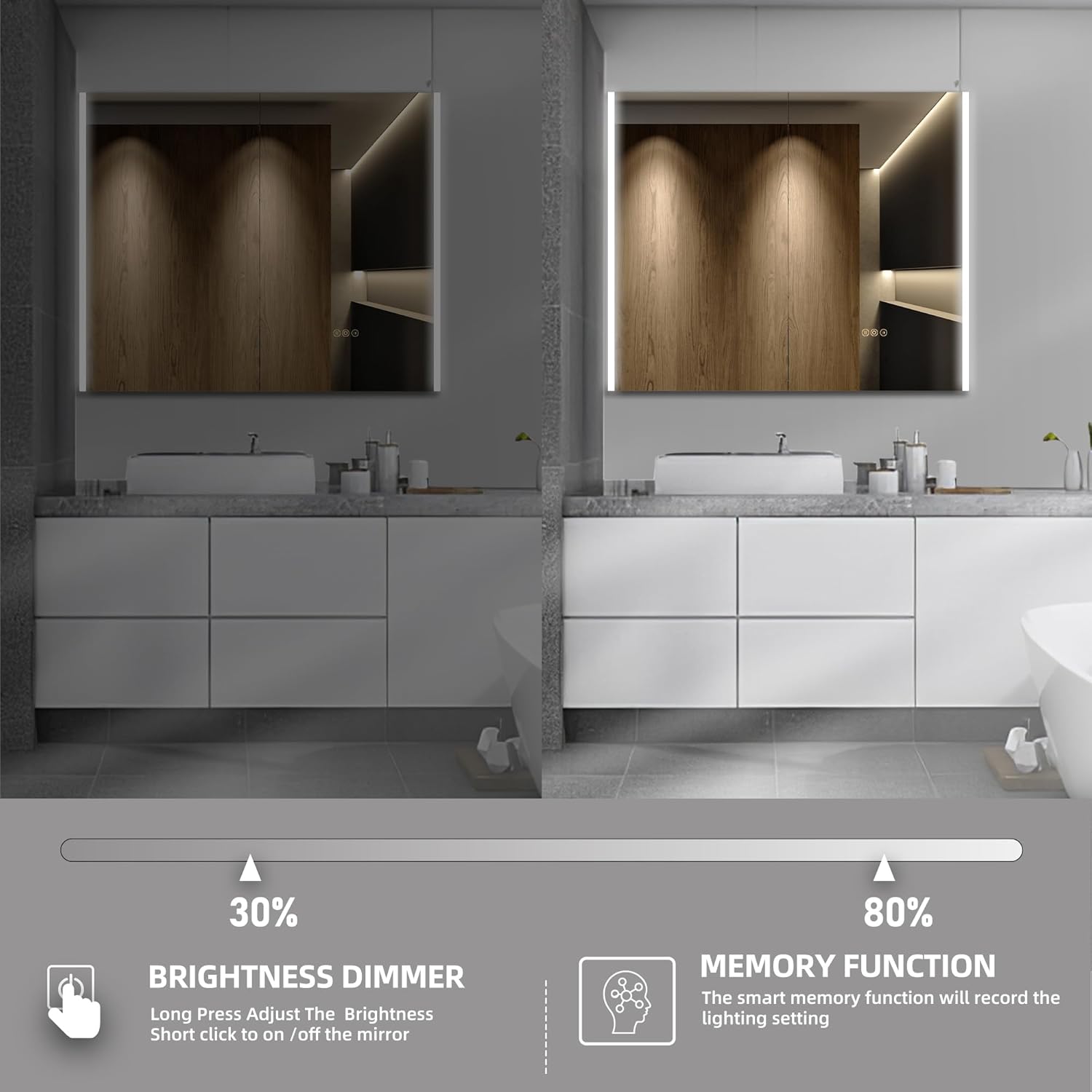
Image: Visual representation of the cabinet's main features, including lighting controls, anti-fog, and power options.
Kuweka na Kuweka
The HBEZON Medicine Cabinet offers both surface and recessed mounting options. Ensure you have the necessary tools and assistance before beginning installation.
Dimensions and Cutout (for Recessed Mounting)
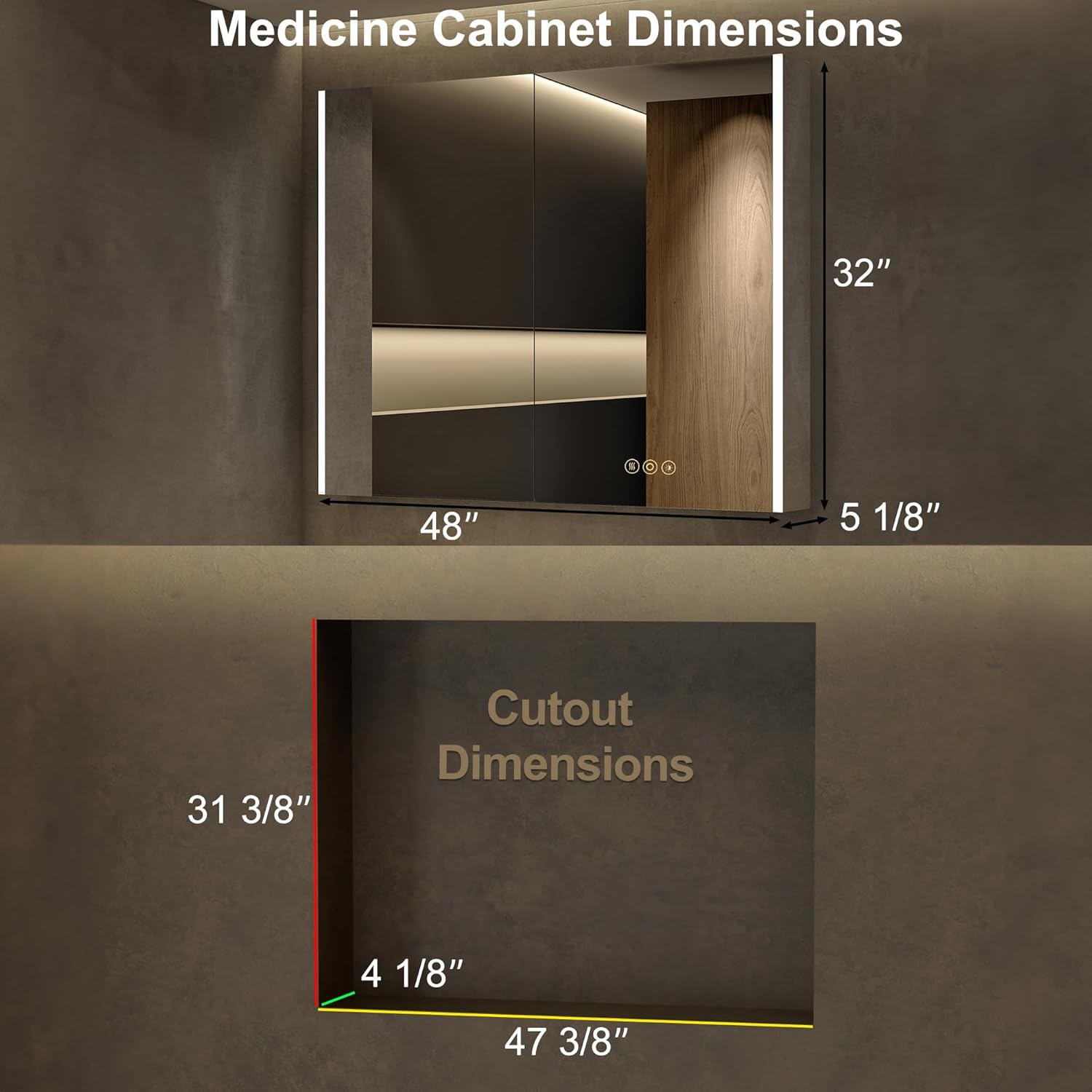
Image: Detailed dimensions for the cabinet and the required wall cutout for recessed installation.
Chaguzi za Kuweka

Image: Visual comparison of recessed mounting versus surface (wall) mounting.
Hatua za Ufungaji wa Jumla:
- Maandalizi: Turn off power at the main circuit breaker. Identify the desired mounting location and ensure it is free of pipes or electrical wires.
- Kuashiria: Mark the mounting points on the wall according to the cabinet's dimensions and mounting hardware.
- Vifaa vya Kuweka: Install the provided mounting hardware securely into the wall. For recessed mounting, create the appropriate cutout in the wall.
- Wiring: Connect the cabinet's electrical wiring to your home's electrical system. This step should be performed by a qualified electrician. Ensure all connections are secure and insulated.
- Kuweka Baraza la Mawaziri: Carefully lift and secure the cabinet onto the installed mounting hardware. Ensure it is level and firmly attached.
- Rekebisha Rafu: Place the adjustable glass shelves inside the cabinet at your desired heights.
- Washa: Mara tu usakinishaji utakapokamilika na miunganisho yote iko salama, rejesha nguvu kwenye kivunja mzunguko.
Maagizo ya Uendeshaji
Udhibiti wa Taa za LED

Image: Demonstrates how to change the LED light color temperature using the touch control.
- Washa/Zima: Short press the power icon on the mirror to turn the lights on or off.
- Marekebisho ya Joto la Rangi: Short press the light icon to cycle through the three color modes: Warm (3000K), Natural (4000K), and Cold White (6000K).
- Mwangaza Dimmer: Long press the light icon to adjust the brightness from 0% to 100%. Release when the desired brightness is reached.
- Kazi ya Kumbukumbu: The cabinet will remember your last light setting (color mode and brightness) when turned off and on again.
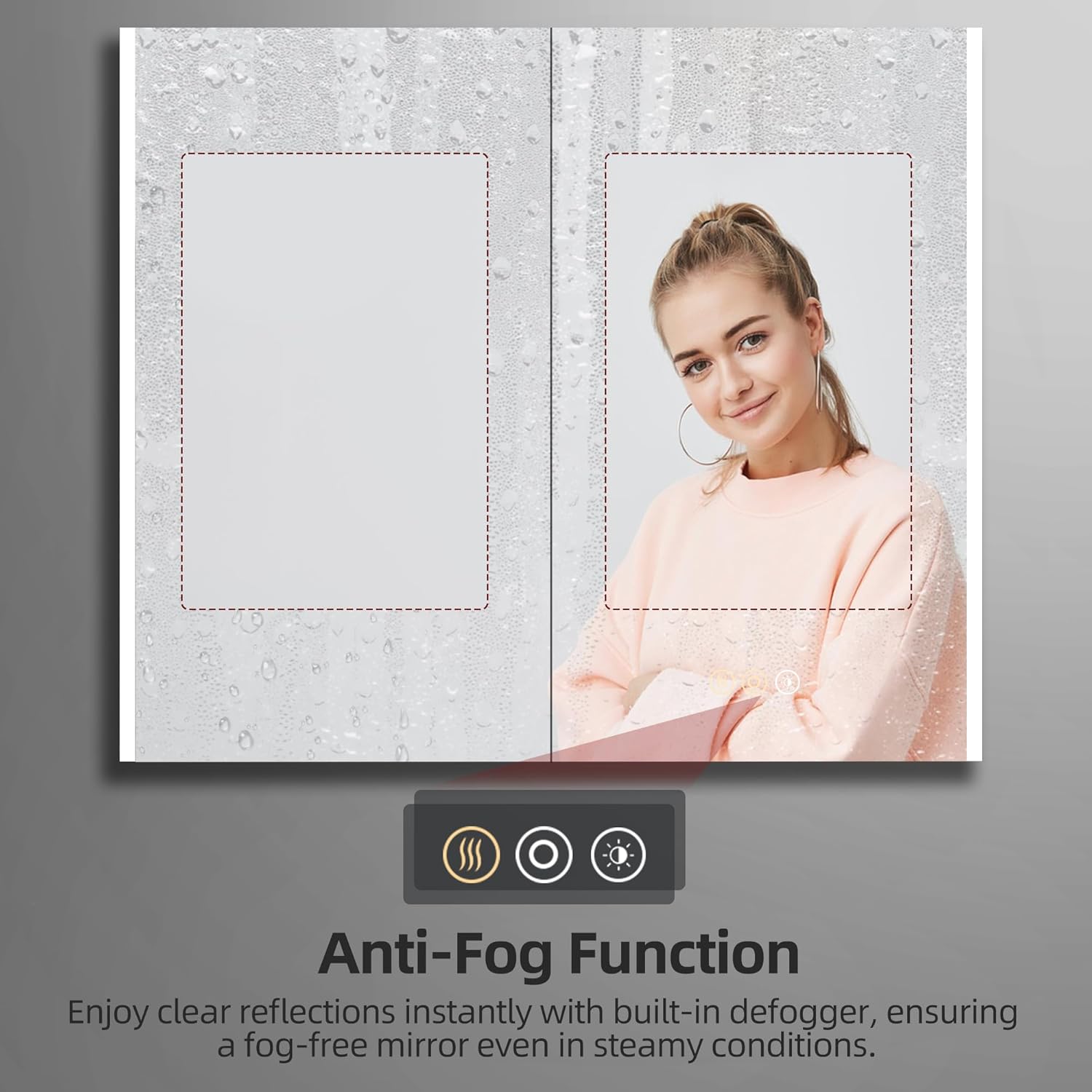
Image: Illustrates the dimming capability and the memory function of the LED lighting.
Kazi ya Kupambana na Ukungu

Image: Shows the effectiveness of the anti-fog function, keeping the mirror clear in steamy conditions.
- Washa Kirekebishaji cha Faili: Short press the defogger icon (looks like steam) on the mirror to activate the anti-fog function.
- Zima Kirekebishaji: Press the defogger icon again to turn it off. It is recommended to turn off the defogger when not needed for energy efficiency.
Using Electrical Outlets and USB Ports

Picha: Karibu view of the integrated electrical outlet and USB ports within the cabinet.
- The internal electrical outlets and USB ports are active when the cabinet is connected to power.
- Use these ports to conveniently charge small electronic devices like electric toothbrushes, shavers, or smartphones.
- Do not overload the outlets. Refer to the specifications for maximum power output.
Matengenezo
- Kusafisha kioo: Tumia kitambaa laini, kisicho na rangi na kisafishaji cha glasi kisicho na mvuke. Nyunyizia kisafishaji kwenye kitambaa, si moja kwa moja kwenye kioo, ili kuepuka maji kuingia kwenye vipengele vya umeme.
- Cleaning the Cabinet Interior: Wipe down interior surfaces and shelves with a damp kitambaa na sabuni kali. Kavu vizuri.
- Utunzaji wa bawaba: The DTC soft-close hinges are designed for durability. Avoid applying excessive force when opening or closing the doors. No special lubrication is typically required.
- Vipengele vya Umeme: Ensure the cabinet is disconnected from power before cleaning near electrical outlets or wiring. Do not use wet cloths directly on electrical components.
Kutatua matatizo
| Tatizo | Sababu inayowezekana | Suluhisho |
|---|---|---|
| Taa za LED hazifungui. | Hakuna umeme; nyaya zilizolegea; kihisi cha mguso chenye hitilafu. | Check circuit breaker. Ensure all electrical connections are secure. Contact customer support if issue persists. |
| Kipengele cha kuzuia ukungu hakifanyi kazi. | Kirekebishaji hakijawashwa; tatizo la umeme. | Ensure the defogger icon is pressed. Check power supply. |
| Outlets/USB ports not working. | No power supply; internal wiring issue. | Verify main power to the cabinet. Avoid overloading. |
| Doors do not close smoothly. | Hinges misaligned or damaged. | Check hinge alignment. If damaged, contact customer support for replacement parts. |
Vipimo
| Kipengele | Maelezo |
|---|---|
| Chapa | HBEZON |
| Jina la Mfano | AURA (Model 4832) |
| Vipimo vya Bidhaa | 5"D x 48"W x 32"H |
| Rangi | Fedha |
| Aina ya Kuweka | Wall Mount or Recessed Mount |
| Vipengele Maalum | Smart Touch Control, Lighting Memory Function, Dimmable, 3 Color Lighting Modes, Defogger, Space-saving, Soft-close Hinges, Electrical Outlet & USB Port, Adjustable Shelves |
| Idadi ya Rafu | 3 (Kioo Kinachoweza Kurekebishwa) |
| Nyenzo ya Fremu | Alumini |
| Uzito wa Uzito | Pauni 60 |
| Uzito wa Kipengee | Pauni 51 |
| Vipengee vilivyojumuishwa | Medicine cabinet with mirror, Mounting Hardware, Shelves |
Udhamini na Msaada
For warranty information or technical support, please refer to the documentation included with your purchase or contact HBEZON customer service. You can also visit the official HBEZON store on Amazon for more details and contact options.
HBEZON Store: https://www.amazon.com/stores/HBEZON/page/8EF5340D-4FAE-42F2-92D1-7037F531B1CC
Mwongozo wa Mtumiaji (PDF): https://manuals.plus/m/4cf1acaebfca3c9bdf07a18cfd87af63f19a9e62aa17364159a58723dd512d7d


