Utangulizi
This manual provides essential information for setting up, operating, maintaining, and troubleshooting your Truely M16 Pro Mini 3G Smartphone. Please read this guide thoroughly to ensure proper use and to maximize the performance of your device.
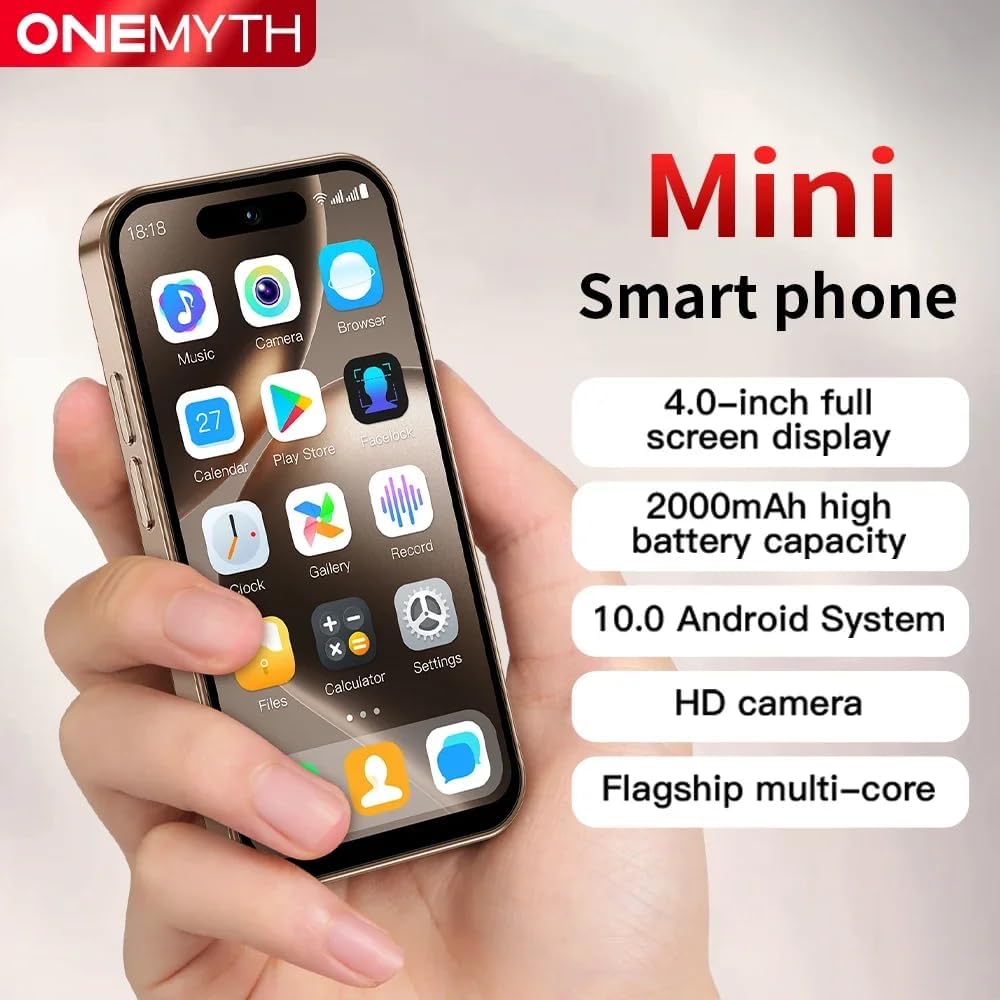
The Truely M16 Pro Mini Smartphone, designed for portability and essential functions.
Sanidi
1. Unboxing na Yaliyomo kwenye Kifurushi
Kabla ya kuanza, hakikisha kuwa vitu vyote vipo kwenye kifurushi:
- Truely M16 Pro Mini Smartphone
- Kebo ya kuchaji ya Type-C ya USB
- Mwongozo wa Mtumiaji (hati hii)
- Kesi ya Simu
- Simu Screen Mlinzi
- Ejector ya Tray ya SIM
2. SIM Card and External Memory Card Installation
The Truely M16 Pro supports dual SIM cards and an external memory card for expanded storage.
- Tafuta trei ya SIM kadi kwenye kando ya simu.
- Ingiza zana ya ejector ya trei ya SIM kwenye shimo dogo karibu na trei na ubonyeze kwa upole hadi trei itoke.
- Carefully place your Nano SIM card(s) and/or Micro SD card into the designated slots on the tray. Refer to the diagram below for correct orientation.
- Sukuma trei kwa upole kwenye simu hadi ibofye mahali pake.

Illustration of the dual SIM and Micro SD card tray for the M16 Pro.
3. Kuwasha na Kuweka Msingi wa Awali
- Press and hold the power button (usually on the right side) until the Truely logo appears.
- Fuata vidokezo kwenye skrini ili kuchagua lugha yako, unganisha kwenye mtandao wa Wi-Fi, na usanidi akaunti yako ya Google.
- You will be guided through setting up security features like pattern, PIN, or password unlock.
Kuendesha Simu Yako Mahiri
1. Urambazaji na Onyesho
The M16 Pro features a 4.0-inch HD display. Navigate by tapping, swiping, and pinching. The Android 10.0 operating system provides an intuitive user interface.

The 4.0-inch HD display offers clear visuals for daily use.
2. Kupiga Simu na Kutuma Ujumbe
- Simu: Tap the Phone icon, enter the number, and tap the call button. For dual SIM, you may be prompted to choose which SIM to use.
- Ujumbe: Gusa aikoni ya Ujumbe, anza mazungumzo mapya, ingiza nambari ya mpokeaji au chagua kutoka kwa anwani, na uandike ujumbe wako.
3. Kazi za Kamera
The phone is equipped with a 5MP rear camera and a 2MP front camera. Open the Camera app to take photos or record videos.
- Gusa ili kuzingatia mada.
- Use the flash in low-light conditions (rear camera only).
- Badilisha kati ya kamera za mbele na nyuma kwa kutumia aikoni kwenye skrini.
This video demonstrates the compact size, camera functionality, and media playback capabilities of the Truely M16 Pro Mini Smartphone.
4. Muunganisho
- Mtandao wa 3G: The phone supports WCDMA (B1/B2/B4/B5/B8) and GSM (850/900/1800/1900) bands for cellular data and calls.
- Bluetooth: Connect to Bluetooth devices like headphones or speakers via the Settings menu.
- Wi-Fi: Unganisha kwenye mitandao isiyotumia waya kwa ufikiaji wa mtandao.
5. Vipengele vya Usalama
Protect your device and data using various unlock methods:
- Kufungua Mchoro: Draw a specific pattern on the screen.
- Kufungua kwa Uso: Use facial recognition for quick and secure access.
- Password/PIN Unlock: Enter a numerical PIN or alphanumeric password.

The M16 Pro offers facial recognition for enhanced security.
6. Usimamizi wa Betri
The M16 Pro is equipped with a 2000mAh battery and supports Type-C fast charging.
- To charge, connect the USB Type-C cable to the phone's charging port and a compatible power adapter.
- To optimize battery life, adjust screen brightness, close unused apps, and enable power-saving modes in Settings.
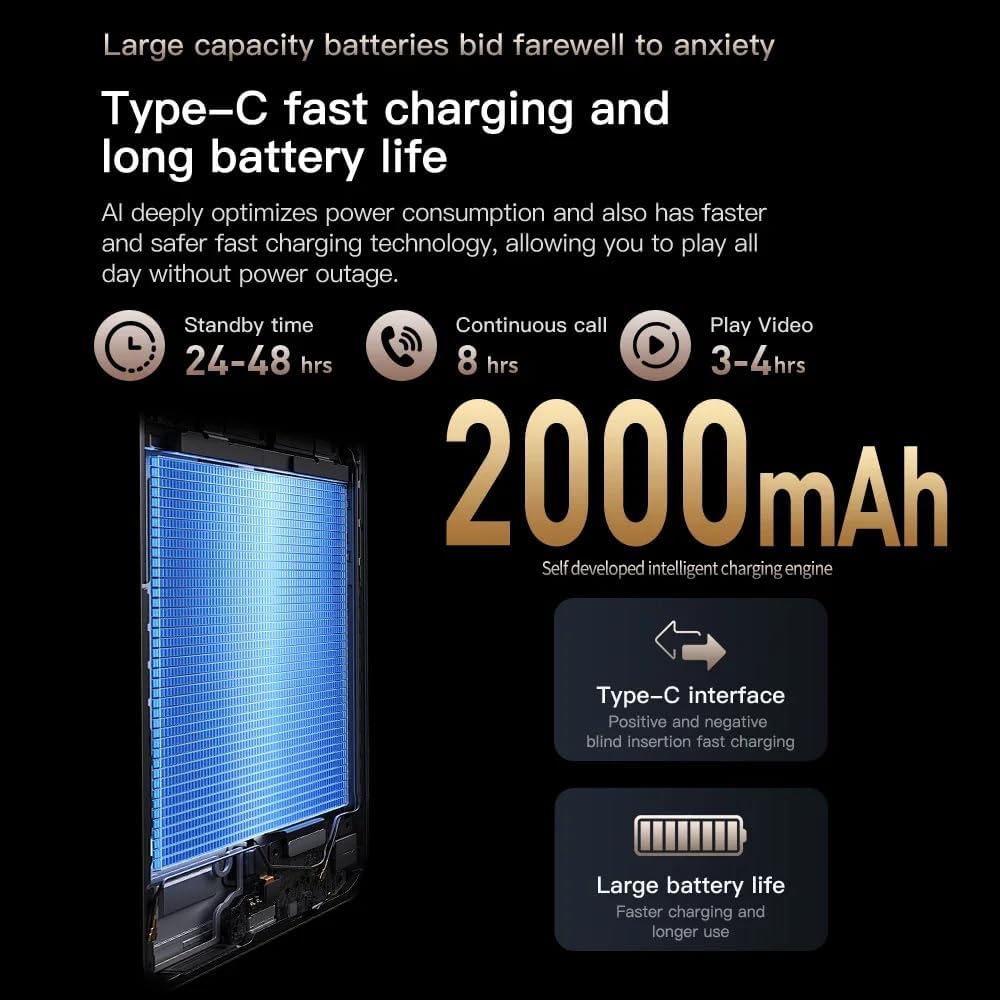
Details on the 2000mAh battery and Type-C fast charging capabilities.
7. Hifadhi
The phone comes with 16GB of internal storage, expandable via a Micro SD card. Manage your storage through the Settings app to view tumia na upate nafasi.
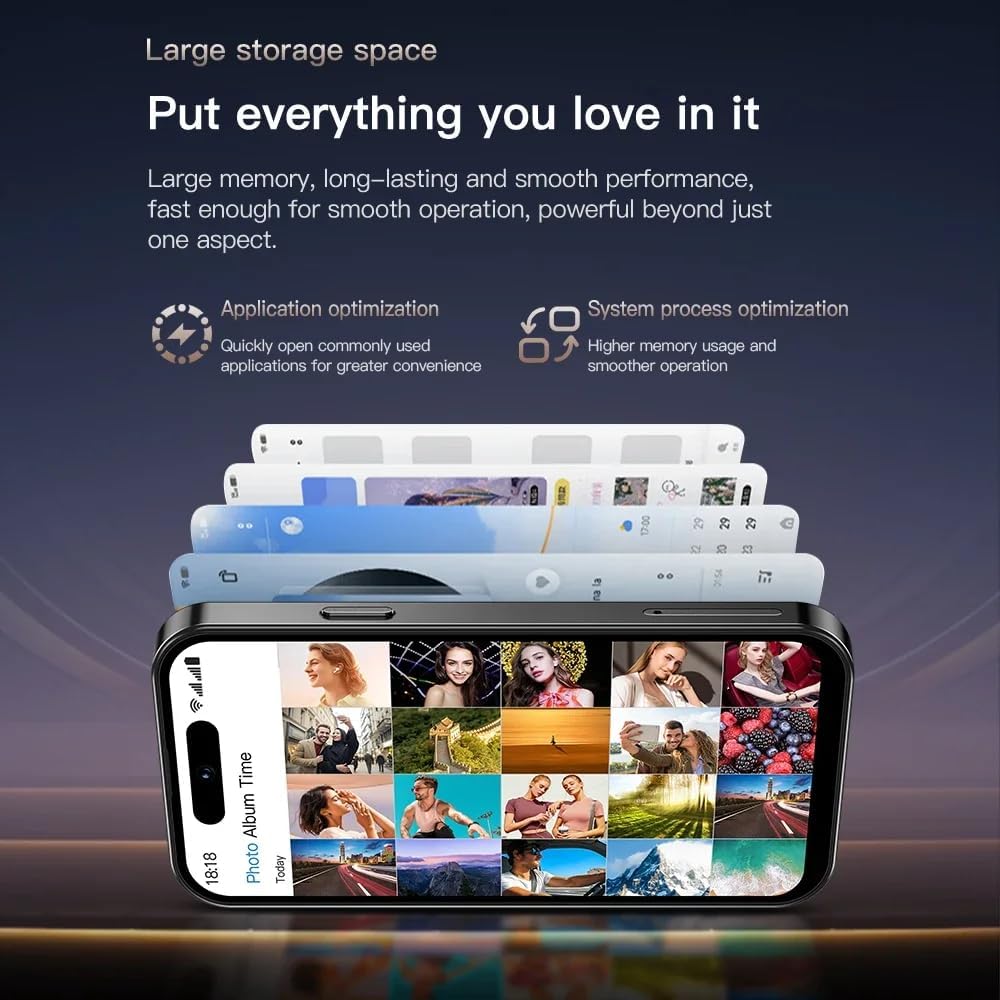
The M16 Pro offers ample storage for applications and media, expandable with a Micro SD card.
Matengenezo
- Kusafisha: Tumia kitambaa laini kisicho na pamba kusafisha skrini na mwili. Epuka kemikali kali.
- Masasisho ya Programu: Angalia na usakinishe masasisho ya mfumo mara kwa mara ili kuhakikisha utendaji na usalama bora. Nenda kwenye Mipangilio > Mfumo > Sasisho la mfumo.
- Utunzaji wa Betri: Epuka halijoto kali. Usiruhusu betri itoe maji mengi mara kwa mara.
- Ulinzi: Use the provided phone case and screen protector to prevent physical damage.
Kutatua matatizo
| Tatizo | Suluhisho |
|---|---|
| Simu haiwashi | Hakikisha kuwa betri imechajiwa. Unganisha kwenye chaja kwa angalau dakika 30, kisha ujaribu kuwasha tena. |
| Haiwezi kuunganisha kwenye Wi-Fi | Check if Wi-Fi is enabled in Settings. Restart your router and phone. Forget the network and reconnect. |
| Ubora duni wa simu | Check your network signal strength. Move to an area with better reception. Ensure SIM card is properly inserted. |
| Programu zinaacha kufanya kazi au kuganda | Funga na ufungue tena programu. Futa akiba ya programu (Mipangilio > Programu > [Jina la Programu] > Hifadhi > Futa akiba). Anzisha upya simu. |
| Betri huisha haraka | Reduce screen brightness, disable unused features (Bluetooth, GPS), close background apps, and check battery usage in Settings. |
Vipimo
| Kipengele | Maelezo |
|---|---|
| Jina la Mfano | M16 Pro |
| Mfumo wa Uendeshaji | Android 10.0 |
| Ukubwa wa skrini | Inchi 4.0 |
| RAM | GB 2 |
| Hifadhi ya Ndani | GB 16 |
| Hifadhi inayoweza kupanuliwa | Yes (Micro SD) |
| Teknolojia ya Simu | 3G (WCDMA B1/B2/B4/B5/B8, GSM 850/900/1800/1900) |
| SIM mbili | Ndiyo |
| Kamera ya Nyuma | 5 Mbunge |
| Kamera ya mbele | 2 Mbunge |
| Uwezo wa Betri | 2000 mAh |
| Kuchaji Bandari | USB Type-C |
| Muunganisho | Bluetooth, wi-fi |
| Vipengele Maalum | Dual SIM, External Memory Card Support, Face Unlock |
Udhamini na Msaada
Your Truely M16 Pro Mini 3G Smartphone comes with a standard manufacturer's warranty. Please refer to the warranty card included in your package for specific terms and conditions. For technical support or service inquiries, please contact Truely customer service through the contact information provided on the product packaging or official webtovuti.


