Utangulizi
This manual provides comprehensive instructions for the safe and efficient use of your Truely M16 Pro Mini 3G Smartphone. Please read this guide thoroughly before operating the device to ensure optimal performance and longevity.

Image: The Truely M16 Pro Mini Smartphone, pink in color, held in a hand, demonstrating its compact size. A credit card is shown behind it for scale. The phone displays various app icons on its screen.
Yaliyomo kwenye Kifurushi
Thibitisha kuwa vipengee vyote vipo kwenye kifurushi:
- Truely M16 Pro Mini Smartphone
- Kebo ya kuchaji ya Type-C ya USB
- Mwongozo wa Mtumiaji (hati hii)
- Kesi ya Simu
- Mlinzi wa skrini
- Ejector ya Tray ya SIM
Sanidi
1. Usakinishaji wa SIM Card na Micro SD
The Truely M16 Pro supports dual SIM cards and an external Micro SD card for expanded storage. Use the provided SIM tray ejector tool to open the SIM tray.
- Locate the SIM tray slot on the side of the phone.
- Ingiza zana ya ejector ya trei ya SIM kwenye shimo dogo karibu na trei na ubonyeze kwa upole hadi trei itoke.
- Vuta kwa uangalifu trei ya SIM.
- Place your Nano SIM card(s) and/or Micro SD card into the designated slots on the tray. Refer to the diagram on the tray for correct orientation.
- Sukuma trei kwa upole ndani ya simu hadi itakapokuwa imechanganyika na upande wa kifaa.

Image: A visual representation of the SIM tray, illustrating how to insert two Nano SIM cards or one Nano SIM card and one Micro SD card into the Truely M16 Pro Mini Smartphone.
2. Uchaji wa Awali
Kabla ya matumizi ya kwanza, inashauriwa kuchaji kifaa kikamilifu.
- Connect the USB Type-C charging cable to the phone's charging port.
- Unganisha ncha nyingine ya kebo kwenye adapta ya umeme ya USB inayooana (haijajumuishwa) na uichomeke kwenye soketi ya umeme.
- Kiashiria cha malipo kitaonekana kwenye skrini.

Image: The Truely M16 Pro Mini Smartphone screen showing a charging icon and battery percentage, indicating the device is being charged.
3. Washa/Zima
- Kuwasha: Press and hold the Power button (located on the right side of the phone) until the Truely logo appears.
- Kuzima: Press and hold the Power button until the power options menu appears on the screen. Select "Power off".
- Ili Kuanzisha Upya: Kutoka kwenye orodha ya chaguzi za nguvu, chagua "Anzisha upya".
Maagizo ya Uendeshaji
1. Urambazaji wa Msingi (Android 10.0)
Your Truely M16 Pro runs on Android 10.0, offering an intuitive user experience.
- Skrini ya Kugusa: Gusa ili kuchagua, telezesha kidole ili kusogeza, bana ili kukuza.
- Skrini ya Nyumbani: Fikia programu na wijeti zako. Telezesha kidole kushoto au kulia ili kusogeza kati ya skrini.
- Paneli ya Arifa: Telezesha kidole chini kutoka juu ya skrini hadi view arifa na mipangilio ya haraka.
- Droo ya Programu: Telezesha kidole juu kutoka chini ya skrini ili kufikia programu zote zilizosakinishwa.
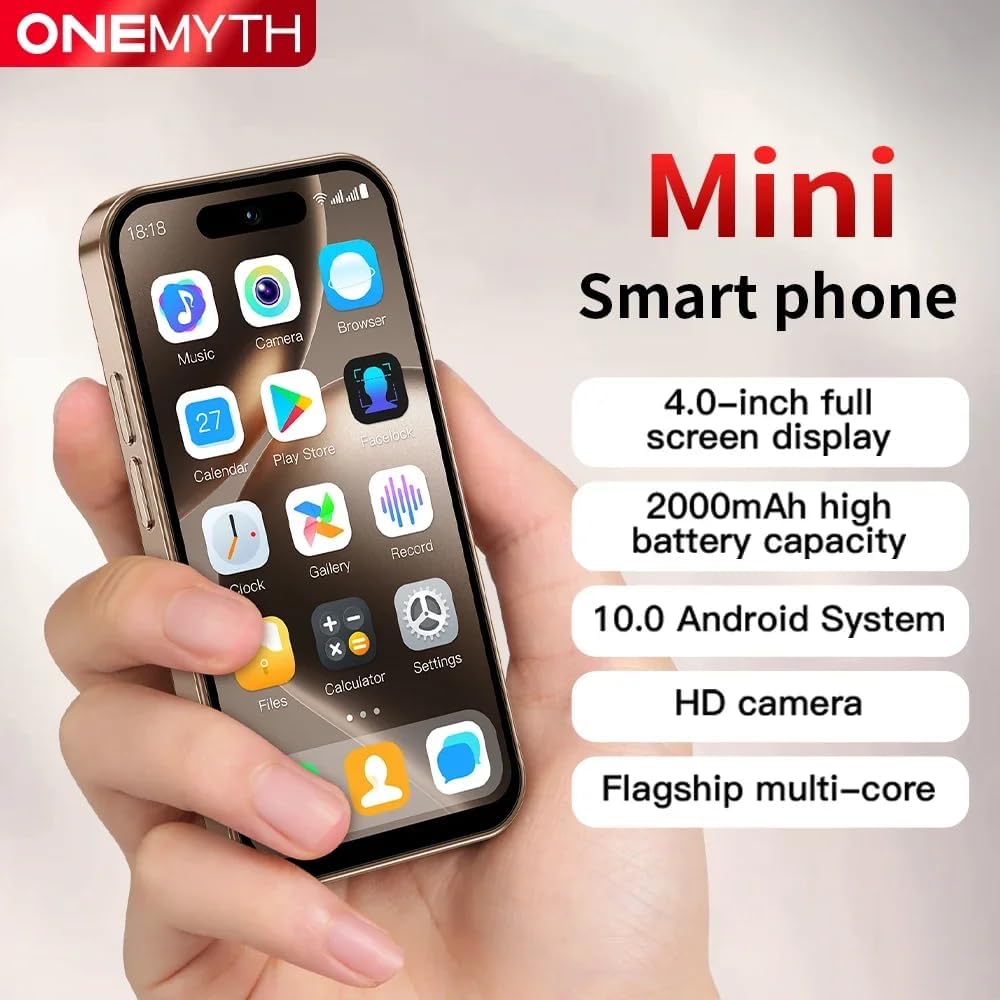
Image: The Truely M16 Pro Mini Smartphone showcasing its 4.0-inch display with a grid of application icons, highlighting its compact design and Android interface.
2. Utendaji Kazi wa SIM Mbili
The device supports two Nano SIM cards, allowing you to manage two different phone numbers or network providers simultaneously.
- Nenda kwa Settings > Network & Internet > SIM cards.
- Here you can configure preferences for each SIM card, such as default SIM for calls, messages, and mobile data.
3. Matumizi ya Kamera
Capture moments with the integrated cameras.
- Fungua Kamera programu kutoka kwenye skrini yako ya nyumbani au droo ya programu.
- Gusa kitufe cha kufunga ili kupiga picha.
- Switch between the 5MP rear camera and 2MP front camera using the camera switch icon.
- The rear flash can be activated for improved low-light photography.
4. Vipengele vya Usalama
Protect your device and data using various unlock methods.
- Nenda kwa Mipangilio > Usalama.
- Chagua kutoka Pattern, PIN, Password, or Face Unlock to secure your device.
- Follow the on-screen instructions to set up your preferred security method.

Image: A graphic illustrating the facial recognition and password unlocking features available on the Truely M16 Pro Mini Smartphone for enhanced security.
5. Muunganisho
The M16 Pro supports 3G cellular networks and Bluetooth connectivity.
- Data ya Simu (3G): Hakikisha SIM kadi yako inafanya kazi na data ya simu imewashwa ndani Mipangilio > Mtandao na Mtandao > Mtandao wa simu.
- Bluetooth: To connect to Bluetooth devices, go to Mipangilio > Vifaa vilivyounganishwa > Bluetooth. Turn Bluetooth on and pair with your desired device.
Matengenezo
1. Utunzaji wa Betri
Ili kuongeza maisha ya betri na utendakazi:
- Epuka halijoto kali.
- Use only compatible chargers and cables.
- Usiruhusu betri kutokeza kikamilifu mara kwa mara.
- For optimal charging, use the Type-C port.
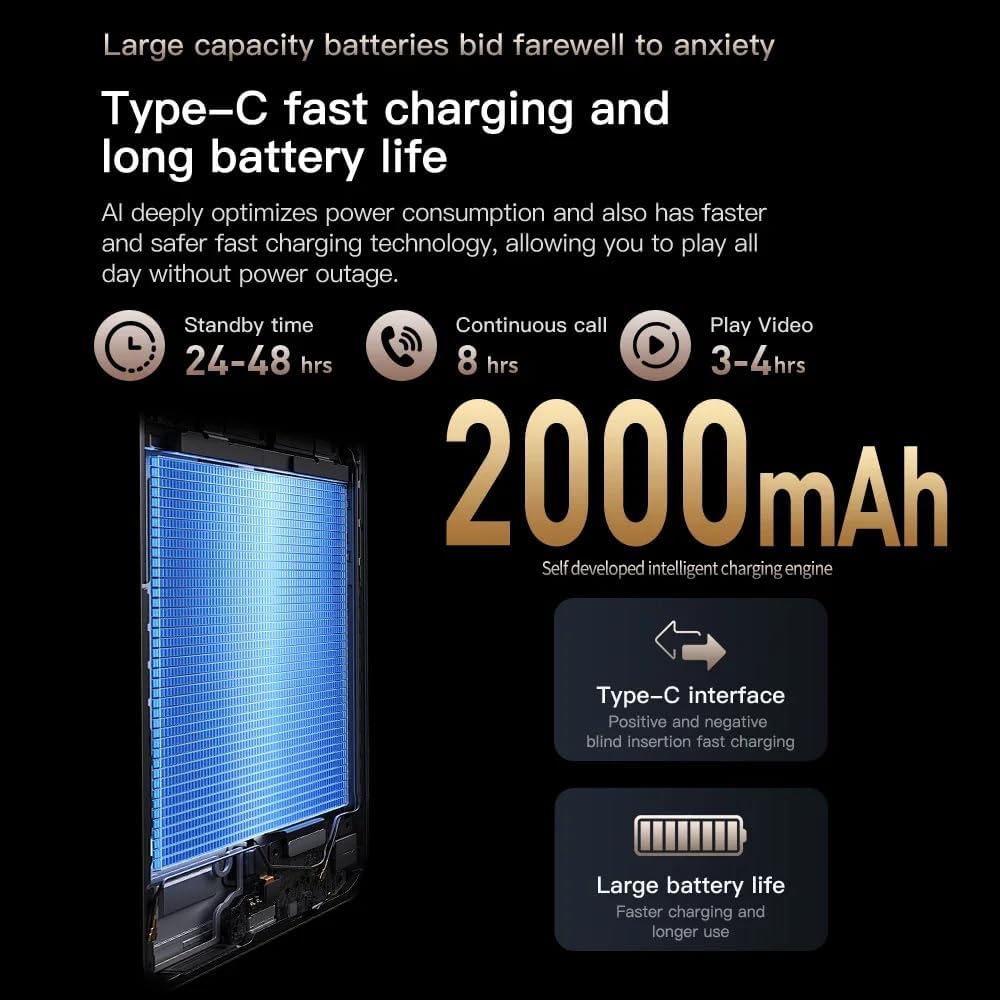
Image: An infographic detailing the 2000mAh battery capacity, Type-C fast charging, and estimated battery life (24-48 hrs standby, 8 hrs continuous call, 3-4 hrs video play) for the Truely M16 Pro Mini Smartphone.
2. Kusafisha
Gently wipe the screen and body of the phone with a soft, lint-free cloth. Avoid using harsh chemicals or abrasive materials.
3. Sasisho za Programu
Mara kwa mara angalia masasisho ya programu ili kuhakikisha kuwa kifaa chako kina vipengele vya hivi punde na alama za usalama. Nenda kwa Mipangilio > Mfumo > Sasisho la mfumo.
Kutatua matatizo
| Tatizo | Suluhisho |
|---|---|
| Kifaa hakiwashi. | Hakikisha kuwa betri imechajiwa. Unganisha chaja na usubiri dakika chache kabla ya kujaribu kuwasha tena. |
| Haiwezi kuunganisha kwenye mtandao wa 3G. | Check if your SIM card is properly inserted and active. Verify mobile data is enabled in settings. Contact your network provider if issues persist. |
| Skrini haifanyi kazi. | Restart the device by holding the power button. If unresponsive, perform a forced restart (refer to device support for specific instructions if standard power off fails). |
| Apps are crashing or slow. | Close background applications. Clear app caches (Settings > Apps > [App Name] > Storage > Clear cache). Consider a factory reset as a last resort (backup data first). |
Vipimo
| Kipengele | Maelezo |
|---|---|
| Jina la Mfano | M16 Pro |
| Chapa | Truely |
| Mfumo wa Uendeshaji | Android 10.0 |
| Ukubwa wa Kuonyesha | Inchi 4.0 |
| RAM | GB 2 |
| Hifadhi ya Ndani | GB 16 |
| Hifadhi inayoweza kupanuliwa | Yes, Micro SD (up to unspecified capacity) |
| Teknolojia ya Simu | 3G (WCDMA B1/B2/B4/B5/B8, GSM 850/900/1800/1900) |
| Msaada wa SIM Kadi | Nano SIM mbili |
| Kamera ya Nyuma | 5 Mbunge |
| Kamera ya mbele | 2 Mbunge |
| Uwezo wa Betri | 2000 mAh |
| Kuchaji Bandari | USB Type-C |
| Muunganisho | Bluetooth |
| Vipimo | Inchi 3.94 x 1.93 x 0.39 (takriban.) |
Udhamini na Msaada
For warranty information and technical support, please refer to the documentation provided with your purchase or contact Truely customer service. Keep your proof of purchase for warranty claims.
For further assistance, visit the official Truely webtovuti au wasiliana na vituo vyao vya usaidizi.


