1. Utangulizi
This manual provides essential instructions for setting up, operating, and maintaining your Truely ONEMYTH S25 Pro Mini Smartphone. Please read this manual thoroughly before using your device to ensure proper function and longevity. The ONEMYTH S25 Pro is a compact 4.0-inch smartphone designed for portability and ease of use, featuring Android 10.0, 2GB RAM, 16GB ROM, and 3G network connectivity.
2. Yaliyomo kwenye Kifurushi
Thibitisha kuwa vipengee vyote vipo kwenye kifurushi:
- 1 x ONEMYTH S25 Pro Mini Smartphone
- 1 x Kebo ya Kuchaji ya USB Aina ya C
- 1 x Mwongozo wa Mtumiaji (hati hii)
- 1 x Uchunguzi wa simu
- Kinga ya Skrini ya Simu 1 x
- 1 x Card Removal Pin
3. Kifaa Kimeishaview
The Truely ONEMYTH S25 Pro is designed for compact functionality. Familiarize yourself with the device's physical features.

Picha ya 3.1: Mbele na nyuma view of the ONEMYTH S25 Pro Mini Smartphone. The front features the 4.0-inch display and front camera, while the back shows the main camera module and device branding.
Picha ya 3.2: The ONEMYTH S25 Pro Mini Smartphone held in a hand, illustrating its compact size and suitability for one-handed operation. The device measures approximately 100mm (3.94 inches) in length and 52mm (2.05 inches) in width.
4. Kuweka
4.1. Kuingiza Kadi za SIM na TF
The ONEMYTH S25 Pro supports dual SIM cards and one TF (microSD) card for expandable storage.
- Tafuta trei ya SIM kadi kwenye kando ya kifaa.
- Insert the provided card removal pin into the small hole on the SIM tray to eject it.
- Carefully place your Nano-SIM cards and/or TF card into the designated slots on the tray. Ensure the metal contacts face downwards.
- Sukuma trei kwa upole kwenye simu hadi ibofye mahali pake.

Picha ya 4.1: Illustration of the SIM card tray, showing slots for two SIM cards and one TF card. The tray is designed for easy insertion and removal using the provided pin.
4.2. Umeme wa Awali na Usanidi wa Msingi
- Press and hold the Power button (located on the right side) until the screen lights up.
- Fuata vidokezo kwenye skrini ili kuchagua lugha yako, eneo na kuunganisha kwenye mtandao wa Wi-Fi.
- Set up your Google account or skip for later.
- Configure screen lock options (pattern, PIN, password, or face unlock).
5. Maagizo ya Uendeshaji
5.1. Urambazaji wa Msingi
The ONEMYTH S25 Pro uses a capacitive touchscreen. Navigate by tapping, swiping, pinching, and spreading fingers on the display.
- Gonga: Chagua kipengee au ufungue programu.
- Telezesha kidole: Tembeza kupitia orodha au ubadilishe kati ya skrini za nyumbani.
- Bana/eneza: Vuta ndani au nje kwenye picha na web kurasa.
5.2. Simu na Ujumbe
To make a call, open the Phone app and dial the number or select a contact. To send a message, open the Messages app, tap 'Start chat', and enter the recipient and message.
5.3. Matumizi ya Kamera
The device features a 5MP rear camera and a 2MP front camera.
- Fungua programu ya Kamera kutoka skrini ya kwanza au droo ya programu.
- Gusa kitufe cha kufunga ili kupiga picha.
- Badili kati ya modi za picha na video inapohitajika.
- Use the rear camera's flashlight as a torch in low-light conditions.

Picha ya 5.1: Detail of the 5MP HD camera module on the rear of the ONEMYTH S25 Pro, designed for clear image capture.
5.4. Vipengele vya Usalama
The ONEMYTH S25 Pro offers multiple security options to protect your data.
- Utambuzi wa Uso: Set up face unlock in the Security settings. This allows you to unlock your phone by simply looking at the front camera.
- Muundo/PIN/Nenosiri: Configure a traditional screen lock method for additional security.

Picha ya 5.2: A user demonstrating the face recognition security feature on the ONEMYTH S25 Pro, which intelligently matches facial features for quick unlocking.
5.5. Usimamizi wa Betri
The device is equipped with a 2000mAh polymer battery.
- Inachaji: Use the provided USB Type-C cable and a compatible charger to charge the device.
- Maisha ya Betri: Expect 24-48 hours standby time, 8 hours of continuous call, and 3-4 hours of video playback.
- Uboreshaji: To extend battery life, reduce screen brightness, close unused apps, and disable unnecessary connectivity features.
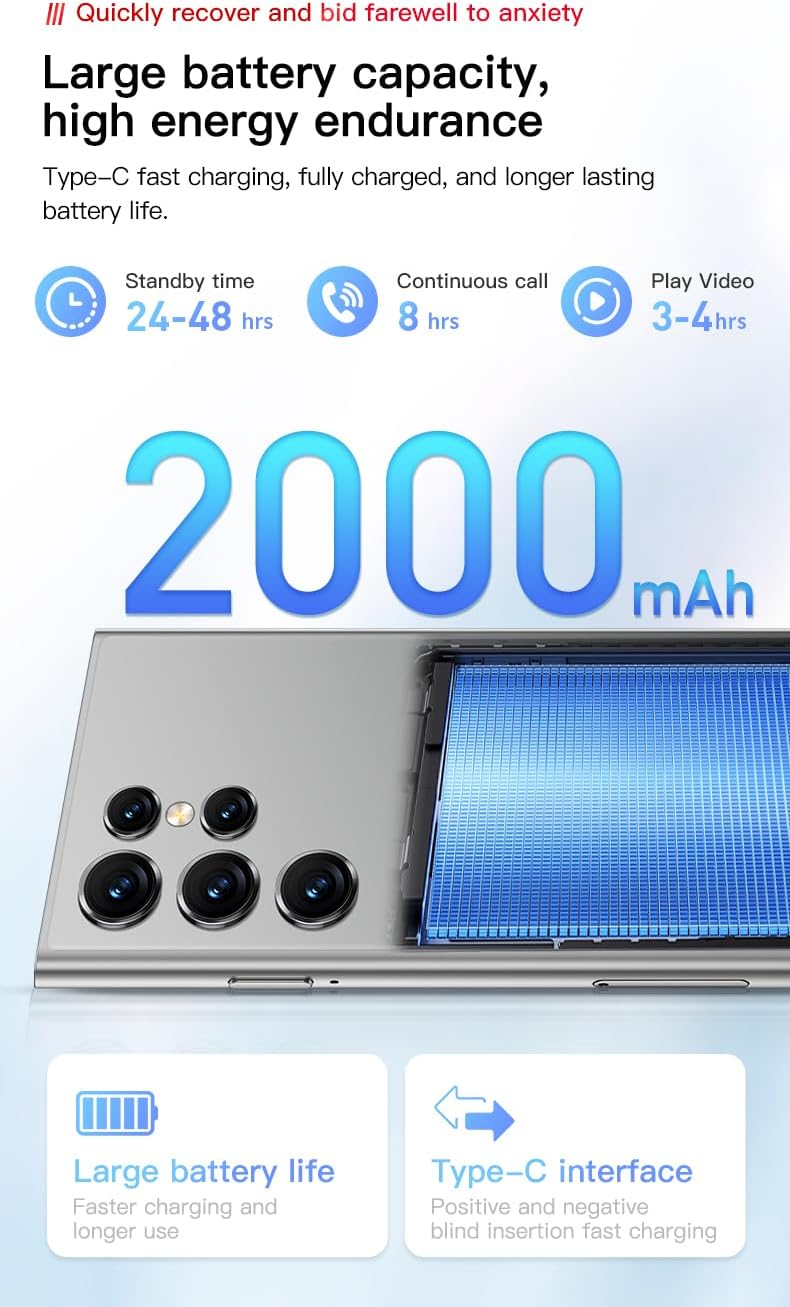
Picha ya 5.3: Visual representation of the 2000mAh battery capacity and estimated usage times for standby, calls, and video playback.
5.6. Muunganisho
The ONEMYTH S25 Pro supports 3G cellular networks and Wi-Fi.
- Wi-Fi: Nenda kwenye Mipangilio > Mtandao na intaneti > Wi-Fi ili kuunganisha kwenye mitandao inayopatikana.
- Mtandao wa 3G: Ensure your SIM card is active and has a data plan. The device supports WCDMA (B1/B2/B4/B5/B8) and GSM (850/900/1800/1900) bands.
6. Matengenezo
- Kusafisha: Tumia kitambaa laini kisicho na pamba kusafisha skrini na mwili. Epuka vifaa vya abrasive au kemikali kali.
- Masasisho ya Programu: Regularly check for system updates in Settings > System > System update to ensure optimal performance and security.
- Usimamizi wa Hifadhi: Futa kashe mara kwa mara, futa bila lazima files, na uondoe programu ambazo hazijatumika ili kupata nafasi ya kuhifadhi.
7. Utatuzi wa shida
- Kifaa hakiwashi: Hakikisha kuwa betri imechajiwa. Unganisha chaja na ujaribu tena.
- Skrini imegoma kujibu: Anzisha upya kifaa kwa kushikilia kitufe cha Kuwasha kwa takriban sekunde 10.
- Haiwezi kuunganisha kwa Wi-Fi: Check if Wi-Fi is enabled. Restart your router and the phone.
- Mawimbi duni ya mtandao: Ensure your SIM card is properly inserted. Move to an area with better network coverage.
- Programu zinaharibika: Clear the app's cache in Settings > Apps & notifications > [App Name] > Storage & cache. If the issue persists, reinstall the app.
8. Vipimo
| Kipengele | Vipimo |
|---|---|
| Jina la Mfano | S25 Pro |
| Mfumo wa Uendeshaji | Android 10.0 |
| Ukubwa wa Kuonyesha | Inchi 4.0 |
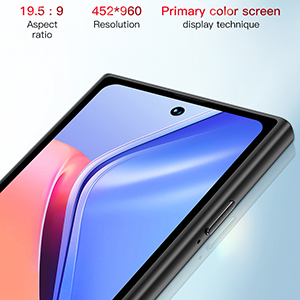
| Azimio | 452 x 960 |
| Kichakataji | MTK6580M Quad-core 1.3GHz |
| RAM | GB 2 |
| Hifadhi ya Ndani | GB 16 |
| Hifadhi inayoweza kupanuliwa | Up to 128GB (TF card not included) |
| Kamera ya Nyuma | 5 Mbunge |
| Kamera ya mbele | 2 Mbunge |
| Uwezo wa Betri | 2000 mAh |
| Muunganisho | 3G (WCDMA B1/B2/B4/B5/B8, GSM 850/900/1800/1900), Wi-Fi |
| Msaada wa SIM | SIM mbili |
| Vipengele vya Usalama | Pattern, Face, Password Unlock |
| Vipimo (Takriban.) | mm 100 x 52 mm |
9. Udhamini na Msaada
Kwa taarifa za udhamini na usaidizi wa kiufundi, tafadhali rejelea hati zilizotolewa wakati wa ununuzi au wasiliana na muuzaji wako. Weka uthibitisho wako wa ununuzi kwa madai ya udhamini.


