1. Utangulizi
This manual provides comprehensive instructions for the CUBOT X1 Smart Watch. Please read this manual carefully before using your device to ensure proper operation and to maximize its features. The CUBOT X1 is designed for durability and smart functionality, suitable for various activities.

Image: The CUBOT X1 Smart Watch displaying its blue digital interface with time, battery, and activity metrics.
2. Ni nini kwenye Sanduku
Baada ya kufungua kifurushi, hakikisha kuwa vitu vyote vifuatavyo vipo:
- CUBOT X1 Smart Watch
- Kebo ya Kuchaji
- Mwongozo wa Mtumiaji (hati hii)
3. Kuweka
3.1. Kuchaji Kifaa
Before initial use, fully charge your CUBOT X1 Smart Watch. The device features an 850 mAh battery, providing an average life of up to 100 days on standby and 20-30 days of work time. A full charge typically takes approximately 2 hours.
- Unganisha kebo ya kuchaji kwenye mlango wa kuchaji nyuma ya saa.
- Unganisha ncha nyingine ya kebo ya kuchaji kwenye adapta ya umeme ya USB (haijajumuishwa) au mlango wa USB wa kompyuta.
- The watch display will indicate charging status. Ensure the watch is fully charged before disconnecting.

Image: The CUBOT X1 Smart Watch screen showing "Charge completed" with a lightning bolt icon, indicating the 850mAh battery capacity and standby/work times.
3.2. Kuoanisha na Smartphone Yako
To unlock the full potential of your CUBOT X1 Smart Watch, pair it with your smartphone via Bluetooth. The watch is compatible with both Android and iOS operating systems.
- Download the official CUBOT companion application from your smartphone's app store (Google Play Store for Android, Apple App Store for iOS).
- Hakikisha kuwa Bluetooth imewashwa kwenye simu yako mahiri.
- Open the CUBOT application and follow the on-screen instructions to search for and connect to your CUBOT X1 Smart Watch.
- Thibitisha ombi la kuoanisha kwenye simu yako mahiri na saa.
4. Maagizo ya Uendeshaji
4.1. Urambazaji wa Msingi
The CUBOT X1 Smart Watch features both buttons and a touchscreen for navigation. Use the touchscreen for swiping and tapping, and the side buttons for quick access to functions such as power and menu navigation.
4.2. Customizing the Interface
Personalize your watch experience with multiple watch faces and display options. The intuitive controls allow for easy customization of the user interface.
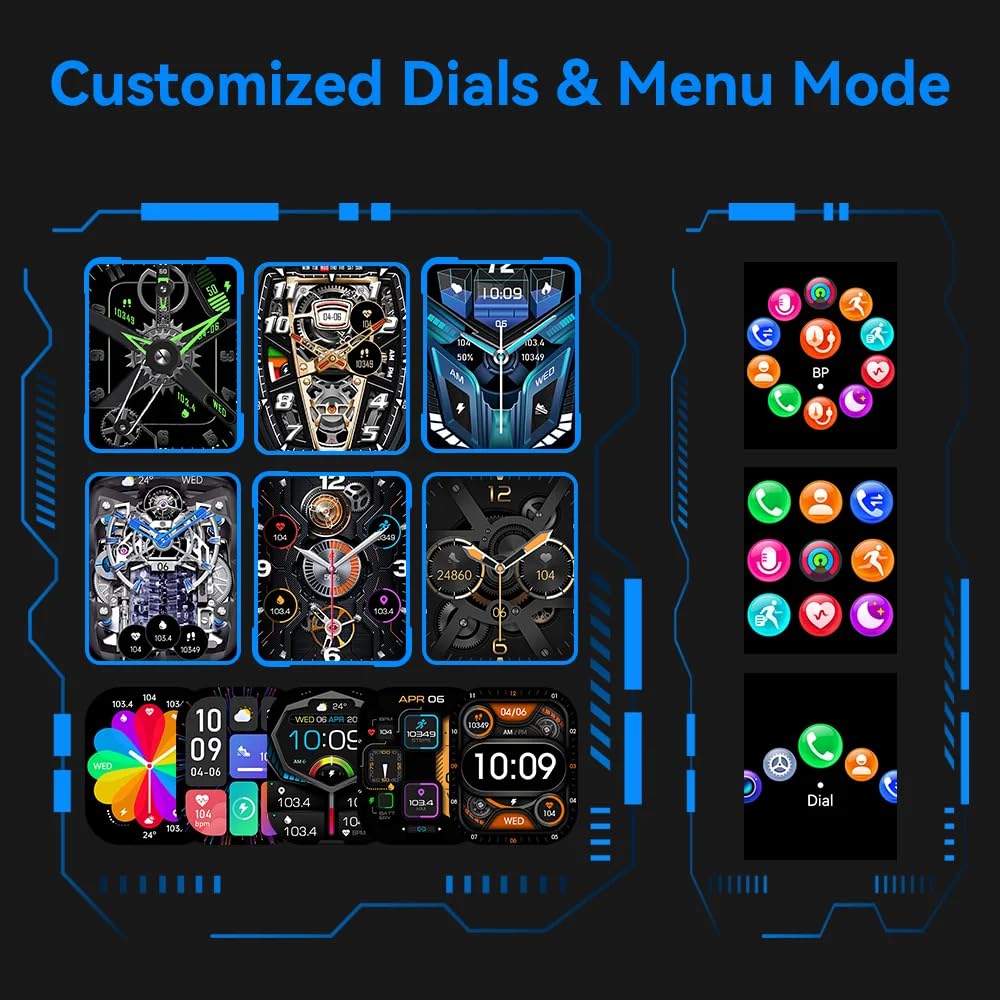
Image: A visual representation of various customizable watch faces and different menu display modes available on the CUBOT X1 Smart Watch.
4.3. Health Assessment System
The CUBOT X1 Smart Watch includes a comprehensive health assessment system to monitor various vital statistics. Access these features through the watch's menu.
- Kiwango cha Moyo: Monitor your heart rate in real-time.
- Oksijeni ya Damu: Pima viwango vya kueneza oksijeni kwenye damu yako.
- Shinikizo la Damu: Track your blood pressure readings.
- Mafunzo ya kupumua: Mazoezi ya kupumua kwa mwongozo kwa kupumzika.
- Ufuatiliaji wa Usingizi: Chambua mifumo yako ya usingizi na ubora.
- Female Ovulation Period: Track and predict female physiological cycles.

Image: Six individual screens of the CUBOT X1 Smart Watch showing data for Heart Rate, Blood Oxygen, Blood Pressure, Breath Training, Sleep, and Female Ovulation Period tracking.
4.4. Njia Nyingi za Michezo
The CUBOT X1 Smart Watch serves as your training partner with over 100 sports modes. Select the appropriate mode for your activity to accurately track your performance and metrics.
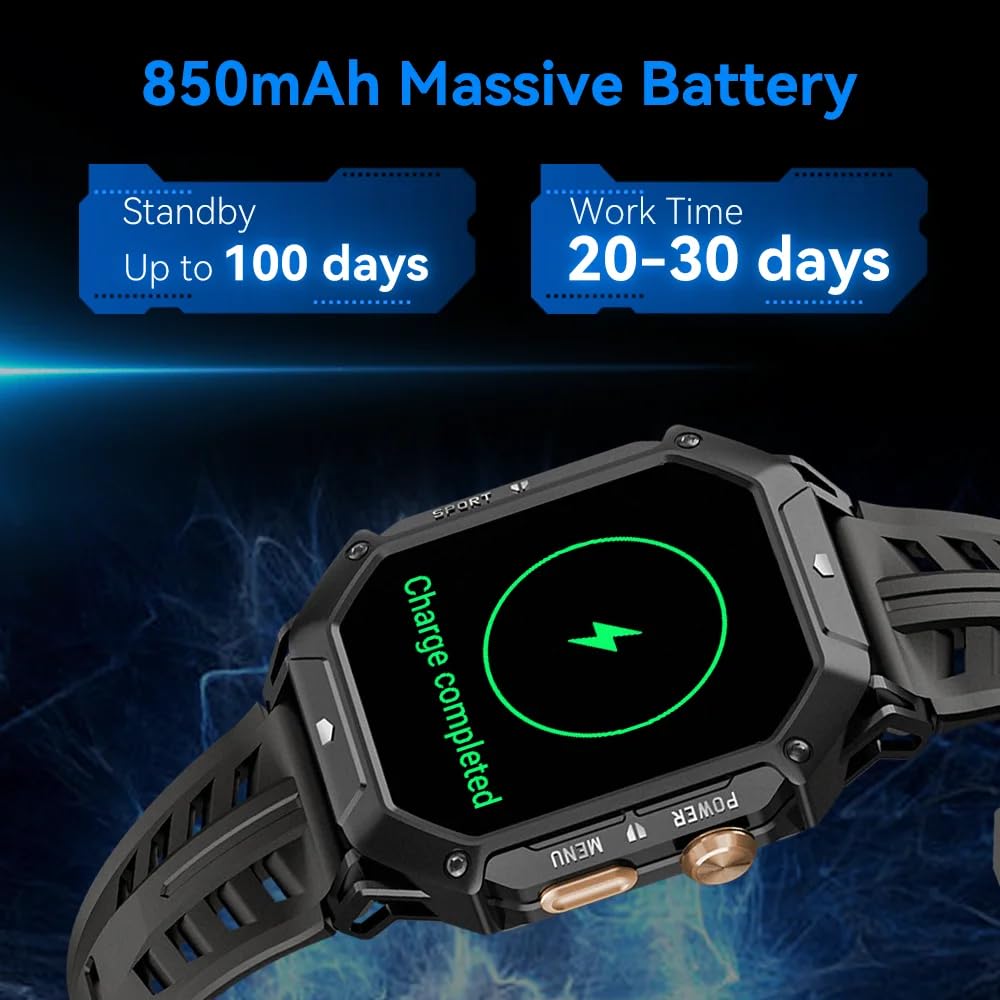
Image: A grid of small icons depicting various sports and activities, illustrating the "100+ Sports modes" feature of the CUBOT X1 Smart Watch.
4.5. Vipengele vya Juu
The CUBOT X1 Smart Watch integrates several advanced features for enhanced utility:
- Simu ya Bluetooth: Piga na upokee simu moja kwa moja kutoka kwa saa yako unapounganishwa na simu yako mahiri.
- 2 ATM Waterproof: The watch is resistant to water up to 2 atmospheres, suitable for activities like swimming and showering, but not deep diving.
- Compass Navigation: Utilize the built-in compass for directional guidance.
- Barometer: Supports measurement of current air pressure and altitude.

Image: A composite image showing four key features of the CUBOT X1 Smart Watch: a user making a Bluetooth call, the watch being used during swimming (2 ATM waterproof), the compass navigation display, and the barometer displaying air pressure and altitude.
5. Matengenezo
Proper maintenance ensures the longevity and optimal performance of your CUBOT X1 Smart Watch.
- Kusafisha: Regularly wipe the watch screen and strap with a soft, dry cloth. For stubborn dirt, use a slightly damp cloth and mild soap, then rinse and dry thoroughly. Avoid harsh chemicals.
- Mfiduo wa Maji: While the watch is 2 ATM waterproof, avoid prolonged exposure to hot water, steam, or high-pressure water jets. Dry the watch completely after exposure to water.
- Halijoto: Do not expose the watch to extreme temperatures (very hot or very cold) for extended periods, as this can affect battery life and internal components.
- Inachaji: Use only the provided charging cable. Avoid overcharging the battery.
6. Utatuzi wa shida
If you encounter issues with your CUBOT X1 Smart Watch, refer to the following common solutions:
- Tazama bila kuwasha: Hakikisha kuwa saa imejaa chaji. Iunganishe kwenye chaja kwa angalau dakika 30.
- Haiwezi kuoanishwa na simu mahiri:
- Hakikisha Bluetooth imewashwa kwenye simu yako mahiri na saa.
- Hakikisha saa iko ndani ya umbali wa Bluetooth kutoka kwa simu yako.
- Anzisha tena saa yako na simu mahiri.
- Clear the Bluetooth cache on your phone (Android) or forget the device and try pairing again (iOS/Android).
- Data ya afya isiyo sahihi: Hakikisha kuwa saa inavaliwa vizuri kwenye kifundo cha mkono wako, sio ya kubana sana au kulegeza sana. Safisha vitambuzi mara kwa mara.
- Skrini imegoma kujibu: Try restarting the watch by pressing and holding the power button. If unresponsive, allow the battery to drain completely and then recharge.
Kwa usaidizi zaidi, tafadhali wasiliana na usaidizi kwa wateja.
7. Vipimo
| Kipengele | Maelezo |
|---|---|
| Chapa | CUBOT |
| Mfano | X1 |
| Nambari ya Mfano wa Kipengee | X1 |
| Mfumo wa Uendeshaji | Android, iOS |
| Vifaa Sambamba | Simu mahiri |
| Vipengele Maalum | Digital Display, Fitness Tracking, Rugged Design, Shock Resistant, Water Resistant |
| Ukubwa wa Kuonyesha Skrini ya Kudumu | Inchi 1.91 |
| Aina ya Kuonyesha | Dijitali |
| Wastani wa Maisha ya Betri | 100 Days (Standby) |
| Muda wa Kuchaji | Saa 2 |
| Uwezo wa Betri | 850 Amp Saa (mAh) |
| Muundo wa Kiini cha Betri | Lithium Polymer |
| Aina ya Wireless | Bluetooth |
| Aina ya kiunganishi | Bluetooth, GPS |
| Kiolesura cha Kifaa - Msingi | Vifungo, Skrini ya Kugusa |
| Uzito wa Kipengee | 85 g |
| Nchi ya Asili | China |
8. Udhamini na Msaada
The CUBOT X1 Smart Watch comes with a standard manufacturer's warranty. For specific warranty terms and conditions, please refer to the documentation included with your purchase or contact the seller.
For product support, inquiries, or warranty claims, you may contact the importer/packer:
PandoraBiz
Khokla Busty, Jaigaon, West Bengal - 736182
Nambari ya Mawasiliano: +91 96793 37014
Barua pepe: hi@pandorabiz.com


