1. Zaidiview
The HOBBYWING Fusion 8ight 2in1 FOC System integrates the Electronic Speed Controller (ESC) and motor into a single unit, simplifying the layout and wiring of your remote-controlled vehicle. This system utilizes Field Oriented Control (FOC) driving mode, which significantly enhances the power delivery for rock crawlers by providing strong low-speed torque and improved control. Its high efficiency minimizes heat generation, extending runtime and ensuring quieter, smoother motor operation. The system is designed with IP67 protection, ensuring reliable performance across various conditions.
Key features include intelligent torque output, closed-loop speed control for precise handling, and active drag brake force adjustment for superior holding power on inclines. A robust built-in switch mode BEC delivers adjustable voltages (6V/7.4V/8.4V) and continuous/peak current of up to 6A/13A, suitable for high-torque and high-voltage servos. Real-time drag brake force adjustment is also possible via your transmitter's AUX channel. The system incorporates multiple protection functions, including low battery voltage, overheat, throttle loss, and lock-up protections. It is compatible with LED and LCD Program Box Pro/G2 for convenient parameter adjustments.

Figure 1: The HOBBYWING Fusion 8ight 2in1 FOC System, an integrated motor and ESC unit.
2. Taarifa za Usalama
Ili kuhakikisha uendeshaji salama na kuzuia uharibifu, tafadhali fuata miongozo ifuatayo ya usalama:
- Carefully check power devices and the manual of your car frame to ensure proper power pairing. Incorrect pairing can lead to overload and motor damage.
- Always wire all equipment parts carefully. Loose connections due to vibration may cause loss of control of your RC model.
- Never apply full throttle without the pinion installed. Extremely high RPMs without load can damage the motor.
- Avoid motor case temperatures exceeding 100 degrees Celsius (212 degrees Fahrenheit) to prevent demagnetization of the magnets.
3. Ni nini kwenye Sanduku
The HOBBYWING Fusion 8ight 2in1 FOC System package typically includes the following components:
- HOBBYWING Fusion 8ight 2in1 FOC System (integrated motor and ESC)
- Mwongozo wa Mtumiaji
- Programming Card Sticker (for LED program cards)
- Double-ended harness (extension for programming)
- Zip ties for cable management
- Mounting tape for the on/off switch

Figure 2: The HOBBYWING Fusion 8ight 2in1 FOC System and included accessories.
Video 1: Unboxing na tenaview of the Quickrun Fusion Pro, demonstrating the contents and initial setup considerations.
4. Bidhaa za Bidhaa
The Fusion 8ight 2in1 FOC System offers advanced features for enhanced performance and control:
- Muundo Uliounganishwa: Combines ESC and motor for simplified installation and wiring.
- FOC Driving Mode: Provides strong low-speed torque and improved control for rock crawlers.
- Ufanisi wa Juu: Reduces heat, extends runtime, and ensures quiet, smooth operation.
- Ulinzi wa IP67: Ensures reliable performance in various environmental conditions.
- Intelligent Torque & Speed Control: Offers precise handling through intelligent torque output and speed closed-loop control.
- Active Drag Brake: Adjustable drag brake force for superior holding power on inclines.
- Powerful BEC: Built-in switch mode BEC with adjustable voltages (6V/7.4V/8.4V) and continuous/peak current of 6A/13A for high-torque servos.
- Real-time Drag Brake Adjustment: Adjust drag brake force on the fly via the transmitter’s AUX channel.
- Ulinzi Nyingi: Includes low battery voltage, overheat, throttle loss, and lock-up protections.
- Inayoweza kuratibiwa: Compatible with LED and LCD Program Box Pro/G2 for easy parameter adjustments.
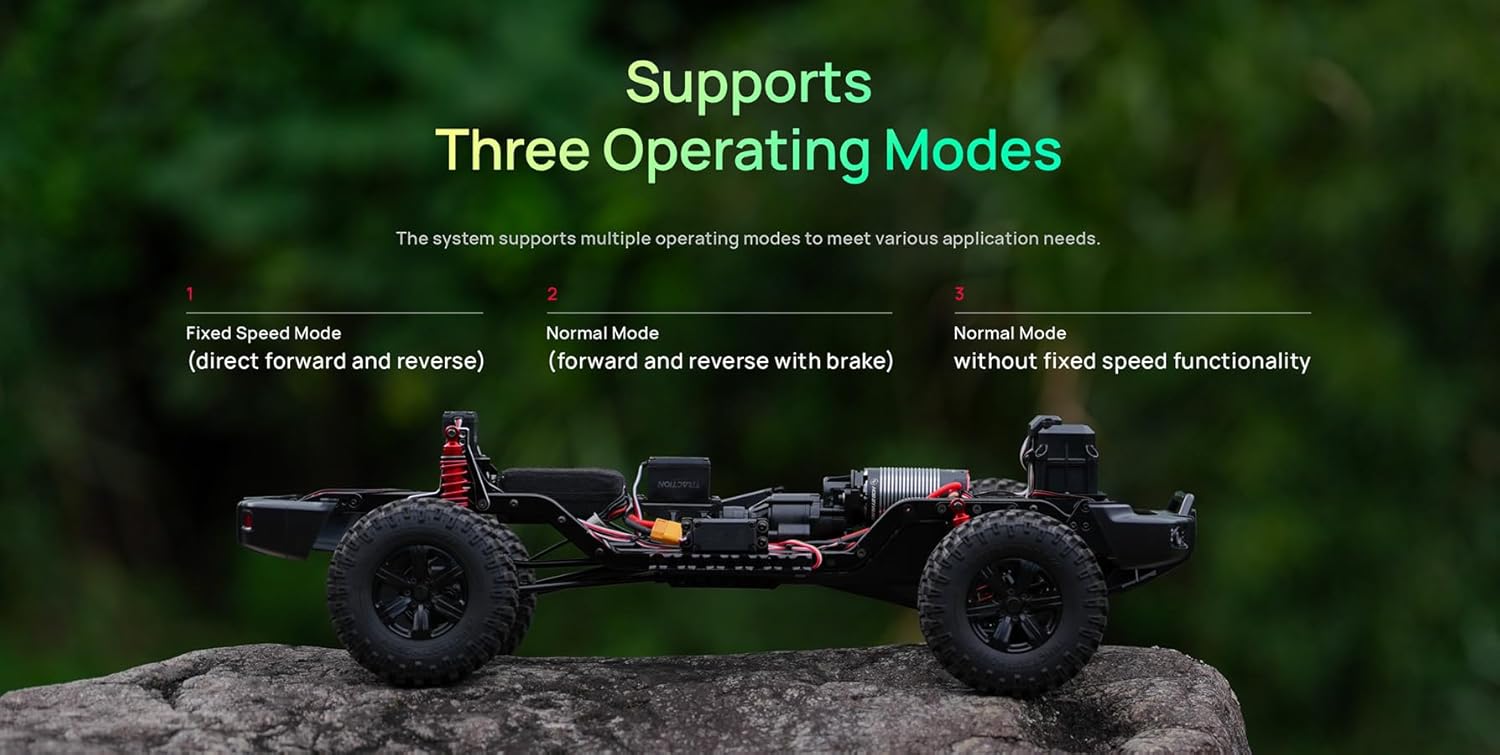
Figure 3: The system supports three operating modes: Fixed Speed Mode, Normal Mode (forward and reverse with brake), and Normal Mode (without fixed speed functionality).
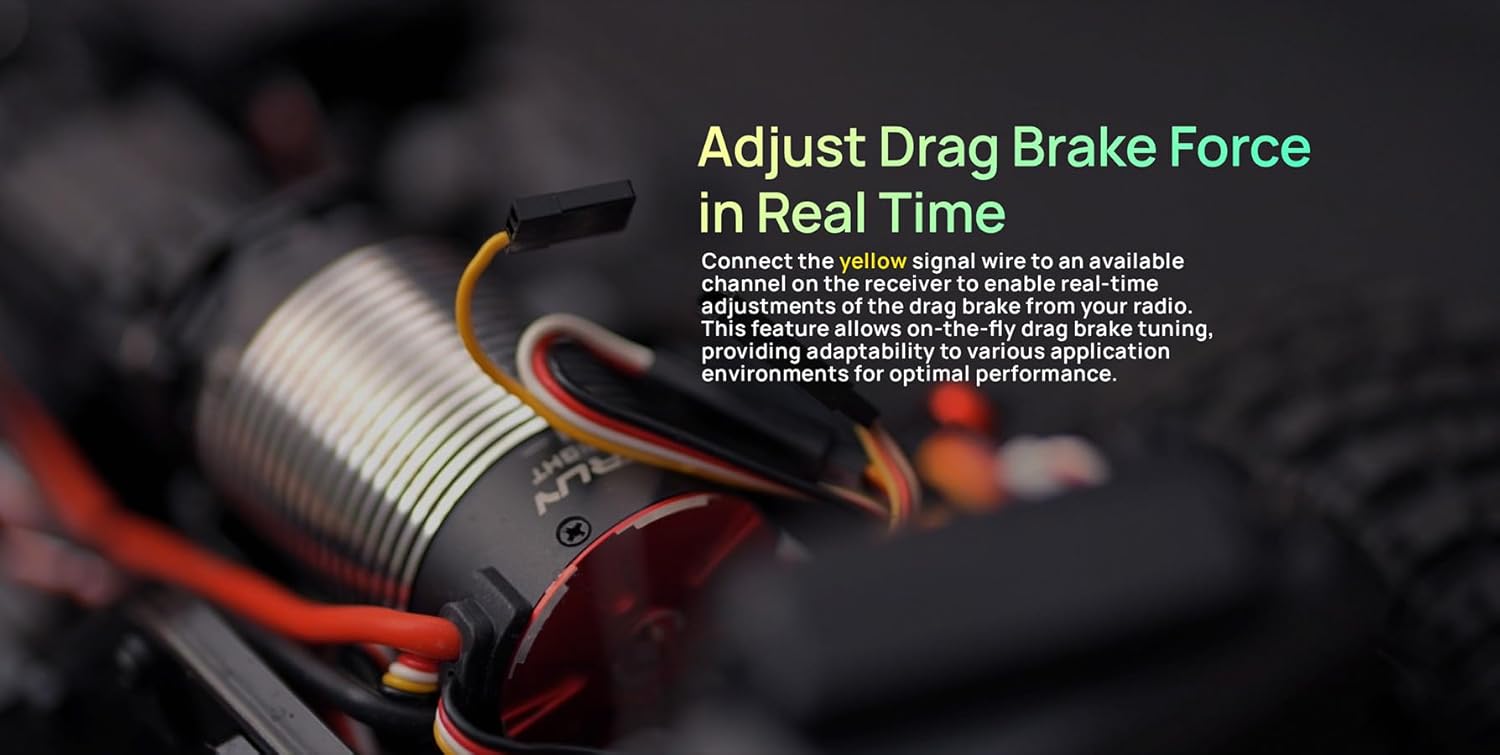
Figure 4: Connect the yellow signal wire to an available channel on the receiver to enable real-time adjustments of the drag brake from your radio.
5. Mipangilio na Usakinishaji
Follow these steps to install and set up your HOBBYWING Fusion 8ight 2in1 FOC System:
- Ufungaji wa Mfumo: Securely mount the integrated motor/ESC unit in your vehicle chassis. Ensure proper ventilation around the unit.
- Viunganisho vya Wiring: Connect the power wires to your battery. Connect the signal wire from the ESC to the throttle channel of your receiver. If using real-time drag brake adjustment, connect the yellow signal wire to an available AUX channel on your receiver.
- Washa/Zima Swichi: Mount the on/off switch in an accessible location using the provided mounting tape.
- Automatic Motor Pairing (Sensor Reset): This process calibrates the motor's sensors with the ESC.
- Ensure the motor is free to rotate (no pinion installed).
- Unganisha betri kwenye ESC.
- Press and hold the on/off button until the LED flashes green (approximately 3-5 seconds).
- Release the button. The motor will emit a series of beeps, indicating successful pairing.
Video 2: Installation guide for a motor, ESC, and transmission system in an RC vehicle chassis.
6. Kupanga na Uendeshaji
The HOBBYWING Fusion 8ight 2in1 FOC System offers extensive programmability to fine-tune performance. You can adjust parameters using either the Multifunction LCD Program Box Pro or the HW Link App via Bluetooth.
6.1. Using the Multifunction LCD Program Box Pro
Connect the program box to the ESC's programming port. Ensure the ESC is powered on. Use the scroll wheel and 'Save' button to navigate and confirm settings.
Video 3: Detailed demonstration of the Multifunction LCD Program Box Pro, including navigation and parameter adjustment.
6.2. Using the HW Link App (Bluetooth)
The Fusion 8ight 2in1 FOC System features built-in Bluetooth connectivity. Download the HW Link App on your smartphone. Connect to the device via Bluetooth to access parameters, firmware updates, and data logs.
6.3. Key Parameter Settings
The system offers 13 adjustable settings to accommodate diverse application requirements:
- Njia ya Kukimbilia: Select between Fixed Speed Mode, Forward/Reverse with Brake (Normal Mode), or Forward/Reverse (Normal Mode without fixed speed).
- Seli za Lipo: Auto-detect or manually set the number of LiPo cells.
- Juzuu ya Cutofftage: Configures the low voltage cutoff protection (Disabled, Low, Medium, High).
- Ulinzi wa Mafuta ya ESC: Sets the ESC overheat protection threshold (Disabled, Low, High).
- Ulinzi wa Moto wa Magari: Sets the motor overheat protection threshold (Disabled, Low, High).
- BEC Juztage: Adjustable BEC output voltage (6V / 7.4V / 8.4V).
- Buruta Kikosi cha Brake: Adjusts the strength of the drag brake (0-100%).
- Buruta Kiwango cha Akaumega: Controls how quickly the drag brake is applied (Level 1-9).
- Upeo. Reverse Force: Sets the maximum reverse power (25-100%).
- Max. Nguvu ya Breki: Sets the maximum braking power when using the brake function (25-100%).
- Kiwango cha Kupunguza kwa RPM: Adjusts the rate at which RPM decreases when throttle is released, affecting the FOC feel.
- Piga ngumi: Controls the initial acceleration response (Level 1-9).
- Masafa ya Neutral: Adjusts the dead zone around the neutral throttle position.

Figure 5: A vast variety of parameters are available for fine-tuning the Fusion 8ight system.
7. Matengenezo
Regular maintenance ensures the longevity and optimal performance of your Fusion 8ight system:
- Keep the motor/ESC unit clean and free from dirt, dust, and moisture.
- Regularly inspect all wiring and connectors for signs of wear or damage.
- Ensure the motor bearings are smooth and free from obstruction.
- Check for any loose screws on the motor or mounting points.
- Store the unit in a dry, cool environment when not in use.
8. Utatuzi wa shida
If you encounter any issues with your Fusion 8ight system, consider the following:
- Motor Overheating/Abnormal Operation: If the motor or ESC overheats or behaves unusually, perform the Automatic Motor Pairing (Sensor Reset) procedure as described in the Setup section. This often resolves sensor-related issues.
- Loss of Control/Intermittent Operation: Check all wiring connections, receiver, and transmitter for proper function. Ensure battery voltage inatosha.
- Incorrect Motor Rotation: If the motor rotates in the wrong direction, adjust the 'Motor Rotation' parameter in the ESC settings (do not adjust via transmitter).
- Lack of Power/Response: Verify battery charge, check all connections, and ensure appropriate gearing for your vehicle. Adjust 'Punch' settings for desired throttle response.
9. Vipimo
| Vipimo | Thamani |
|---|---|
| Maombi kuu | 1/8 crawler |
| Current (Continuous/Peak) | 80A/240A |
| KV Rating | 2300KV |
| Nguzo | 4 Ncha |
| Pato la BEC | 6V/7.4V/8.4V adjustable, 6A continuous (switch mode) |
| Kipenyo cha shimoni | 5 mm |
| Urefu wa Shimoni Uliofichuliwa | 18.5 mm |
| Vipimo (Kipenyo x Urefu) | mm 42 x 69 mm |
| Uzito | 338g (including wires) |
| Vipimo vya Bidhaa (Ufungaji) | Inchi 5.2 x 3.4 x 2.1 |
| Uzito wa Bidhaa (Ufungaji) | 7.4 wakia |
10. Udhamini na Msaada
For warranty information and technical support, please refer to the official Hobbywing webtovuti au wasiliana na huduma kwa wateja wao moja kwa moja. Weka risiti yako ya ununuzi kama uthibitisho wa ununuzi.
Hobbywing Technology is committed to providing high-quality products and customer satisfaction. They reserve the right to change product design, appearance, performance, and user requirements without notice.


