Utangulizi
This manual provides essential information for setting up, operating, and maintaining your NUU N30 smartphone. Please read it thoroughly to ensure optimal performance and longevity of your device.

Figure 1: NUU N30 Smartphone - Front and Rear View
Sanidi
1. Unboxing na Ukaguzi wa Awali
Upon opening the package, verify that all components are present and undamaged. The NUU N30 package includes the smartphone, a power adapter, a USB cable, and a clear TPU transparent phone case.
Video 1: NUU N30 Unboxing. This video demonstrates the contents of the NUU N30 retail package and the initial unboxing experience.
2. Ufungaji wa SIM Kadi
The NUU N30 supports Dual SIM (Nano SIM Card) functionality. Locate the SIM tray on the side of the device. Use the provided SIM ejector tool to open the tray. Insert your Nano SIM card(s) into the designated slots. If expanding storage, insert a microSD card (not included) into its dedicated slot on the triple card tray.

Figure 2: Triple Card Slot and 3.5mm Audio Jack
3. Kuwasha na Usanidi wa Awali
Press and hold the power button until the NUU logo appears. Follow the on-screen prompts to complete the initial setup, including language selection, Wi-Fi connection, and Google account sign-in. The device runs on stock Android 14.
Video 2: NUU N30 Initial Boot-up and Setup. This video shows the phone powering on and the initial setup screens.
Operating Your NUU N30
Maonyesho na Visual
The NUU N30 features a 6.7-inch HD+ display with a resolution of 720 x 1600 pixels and a 90Hz refresh rate, providing smooth and vibrant visuals for various activities including streaming, texting, and casual gaming.

Figure 3: NUU N30 90Hz HD+ Display
Utendaji na Uhifadhi
Powered by an octa-core MediaTek Helio G81 2.0GHz processor and 6GB of RAM (with an additional 6GB virtual RAM for a total of 12GB max), the NUU N30 offers balanced performance for daily tasks. It comes with 128GB of internal storage, expandable up to an additional 256GB via a microSD card (not included).
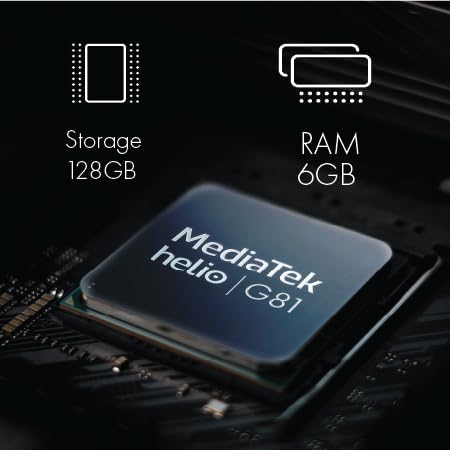
Figure 4: NUU N30 Processor, RAM, and Storage
Mfumo wa Kamera
The NUU N30 is equipped with a versatile camera system, including a 50MP main camera, an 8MP selfie camera, and a 2MP macro camera. It also features AI scene recognition to optimize photo settings automatically.

Figure 5: NUU N30 Camera Specifications
Video 3: NUU N30 Camera Features. This video highlights the camera capabilities and AI scene recognition of the NUU N30.
Betri na Kuchaji
The device is powered by a 5000mAh battery, offering extended usage throughout the day. It supports 18W fast charging, allowing the battery to charge from 30% to 79% in approximately 39 minutes.

Figure 6: NUU N30 Battery and Fast Charging
Vipengele vya Usalama
The NUU N30 includes a fast fingerprint unlock feature for enhanced privacy and convenient access to your device.

Figure 7: NUU N30 Fingerprint ID
Parental Control Compatibility
The NUU N30 is designed to be compatible with any parental control application, including Google Family Link, Bark, Qustodio, and Norton Family. This allows users to monitor and manage device usage effectively.
Video 4: Parental Control Features on NUU N30. This video demonstrates the compatibility with various parental control apps like Google Family Link.
Utangamano wa Mtoa Huduma
The NUU N30 is an unlocked Android phone compatible with major carriers such as T-Mobile, Mint Mobile, Metro, Q Link Wireless, Google Fi, Hello Mobile, Tello Mobile, Lycamobile, Patriot Mobile, Republic Wireless, Simple Mobile, StandUp Wireless, SpeedTalk, and Telcel America. It supports VoLTE/HD Voice. Please note that it is haiendani with Verizon, AT&T, Cricket, Boost Mobile, Tracfone, Pulse Cellular, Union Wireless, Spectrum, or any CDMA Carrier.

Figure 8: NUU N30 US Carrier Compatibility
Matengenezo
To ensure the longevity and optimal performance of your NUU N30, follow these maintenance guidelines:
- Weka kifaa kikiwa safi kwa kutumia kitambaa laini na kikavu. Epuka vifaa vya kukwaruza au kemikali kali.
- Protect the screen with the included TPU case and consider a screen protector to prevent scratches.
- Epuka kuweka simu kwenye halijoto kali, jua moja kwa moja kwa muda mrefu, au unyevu kupita kiasi.
- Futa akiba mara kwa mara na sio lazima files ili kudumisha utendaji wa mfumo.
- Ensure software updates are installed to benefit from the latest security patches and features.
Kutatua matatizo
If you encounter issues with your NUU N30, consider the following basic troubleshooting steps:
- Kifaa hakijibu: Bonyeza na ushikilie kitufe cha kuwasha/kuzima kwa takriban sekunde 10-15 ili kulazimisha kuwasha upya.
- Masuala ya Muunganisho wa Mtandao:
- Angalia kama SIM kadi yako imeingizwa ipasavyo.
- Washa na uzime Hali ya Ndegeni.
- Verify your carrier settings (APN settings) are correct.
- Ensure you are within your carrier's supported network area.
- Betri inaisha haraka:
- Punguza mwangaza wa skrini.
- Funga programu ambazo hazijatumika zinazoendeshwa chinichini.
- Zima Wi-Fi, Bluetooth, au GPS wakati haitumiki.
- Masuala ya Programu: If an app is crashing or not responding, try clearing its cache and data in the phone's settings, or uninstall and reinstall the app.
For more complex issues, refer to the official NUU Mobile support resources or contact customer service.
Vipimo
| Kipengele | Maelezo |
|---|---|
| Jina la Mfano | N30 |
| Mfumo wa Uendeshaji | Android 14 |
| Ukubwa wa Kuonyesha | Inchi 6.7 |
| Azimio | 720 x 1600 |
| Kiwango cha Kuonyesha upya | 90 Hz |
| Mfano wa CPU | MediaTek Helio G81 |
| Kasi ya CPU | GHz 2 |
| Kumbukumbu ya RAM Ukubwa Imewekwa | 6 GB (up to 12GB virtual RAM) |
| Uwezo wa Kuhifadhi Kumbukumbu | GB 128 (inaweza kupanuliwa hadi 256GB na microSD) |
| Uwezo wa Betri | Milioni 5000amp Saa |
| Jack ya sauti | 3.5 mm |
| Vipengele Maalum | Fast Charging Support, Dual SIM, Expandable Memory, Built-In GPS, Mobile Hotspot Capability, Fingerprint Unlock |
| Ni nini kwenye sanduku | Power Adapter, Phone Case, USB Cable |
Video 5: NUU N30 Specifications Overview. This video provides a visual summary of the NUU N30's key specifications.
Udhamini na Msaada
The NUU N30 comes with a 12 MONTHS manufacturer warranty. For any questions or support regarding your product, please contact NUU Mobile customer services with your order ID. They are available to assist you.
For additional information and resources, you may visit the official NUU Store on Amazon: NUU Mobile Store.


