1. Utangulizi
Thank you for choosing the iTOMA White Noise Machine 318. This device is designed to create a relaxing and comfortable environment conducive to sleep, relaxation, focus, and meditation. It offers a variety of soothing sounds, a convenient sleep timer, adjustable volume, and Bluetooth connectivity for personalized audio playback.

Kielelezo 1: Mbele view of the iTOMA White Noise Machine 318.
2. Bidhaa za Bidhaa
- Muundo Sana na Rafiki Mtumiaji: Engineered for ease of use and portability, suitable for various settings.
- 30 Soothing Sound Options: Includes 10 white noises, 10 fan sounds, and 10 nature sounds (Rain, Sea waves, Brook, Bird, etc.) to cater to diverse preferences.
- Viwango vya Sauti Vinavyoweza Kurekebishwa: Offers a wide range of volume settings, from very low to adequately high, to effectively mask disturbing noises.
- Auto-Off Sleep Timer: Features 4 timer settings (15, 30, 60, or 90 minutes) for automatic shutdown, ideal for naps or bedtime routines. Continuous play option is also available.
- Muunganisho wa Bluetooth: Built-in Bluetooth speaker allows connection to smartphones or tablets for playing personal music or audio during relaxation, yoga, or meditation.
3. Yaliyomo kwenye Kifurushi
- 1 × iTOMA White Noise Machine 318
- 1 × Adapta ya Nguvu
- 1 × Mwongozo wa Mtumiaji (hati hii)
4. Bidhaa Imeishaview
The iTOMA White Noise Machine 318 features an intuitive design with easily accessible controls. The main unit is compact and spherical, with a speaker grille on the front and control knobs on the side.

Figure 2: The mechanical knob design for volume and sound selection.
Vidhibiti:
- Kitovu cha Sauti: Located on the side, this knob allows you to adjust the sound output level.
- Sound Selection Knob: Also on the side, this knob is used to cycle through the different sound categories (White Noises, Fan Sounds, Nature Sounds) and individual sounds within each category.
- Kitufe cha Kipima Muda: A dedicated button to set the auto-off timer.
- Kitufe cha Bluetooth: Huwasha hali ya kuoanisha ya Bluetooth.
5. Kuweka
- Unpack the iTOMA White Noise Machine 318 and its accessories from the packaging.
- Weka kifaa kwenye uso thabiti, gorofa.
- Unganisha adapta ya umeme iliyotolewa kwenye mlango wa DC IN nyuma ya kifaa.
- Plug the power adapter into a standard electrical outlet. The device is now ready for use.
6. Maagizo ya Uendeshaji
6.1 Washa/Zima
To power on the device, rotate the main knob on the side. Rotate it again to power off.
6.2 Uchaguzi wa Sauti
Rotate the sound selection knob to cycle through the 30 available sounds. Sounds are categorized into White Noises, Fan Sounds, and Nature Sounds.
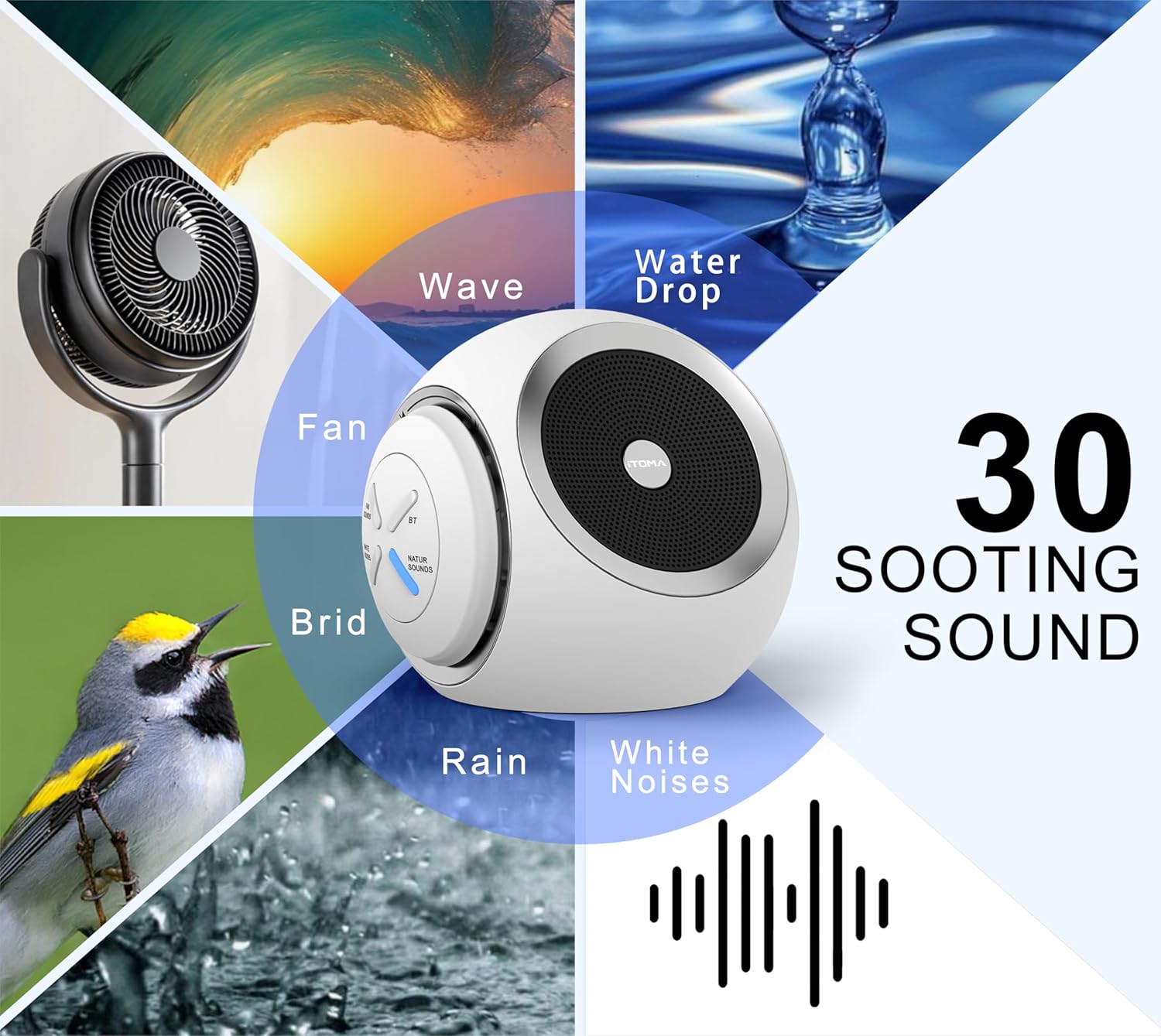
Figure 3: Visual representation of the 30 available soothing sounds.
6.3 Marekebisho ya Kiasi
Use the volume knob to increase or decrease the sound output. The device offers 16 distinct volume levels.
6.4 Muda wa Kulala
Press the Timer button to activate the auto-off function. Each press cycles through the available timer settings: 15 minutes, 30 minutes, 60 minutes, 90 minutes, or continuous play. An indicator light will confirm the selected timer duration.

Figure 4: Sleep timer options for the device.
6.5 Kuoanisha Bluetooth
To use the device as a Bluetooth speaker:
- Press the Bluetooth button on the device. The Bluetooth indicator light will flash, indicating pairing mode.
- Kwenye simu mahiri au kompyuta yako kibao, washa Bluetooth na utafute vifaa vinavyopatikana.
- Chagua "iTOMA 318" kutoka kwenye orodha ya vifaa vya kuoanisha.
- Once paired, the Bluetooth indicator light will remain solid, and you can play audio through the device.
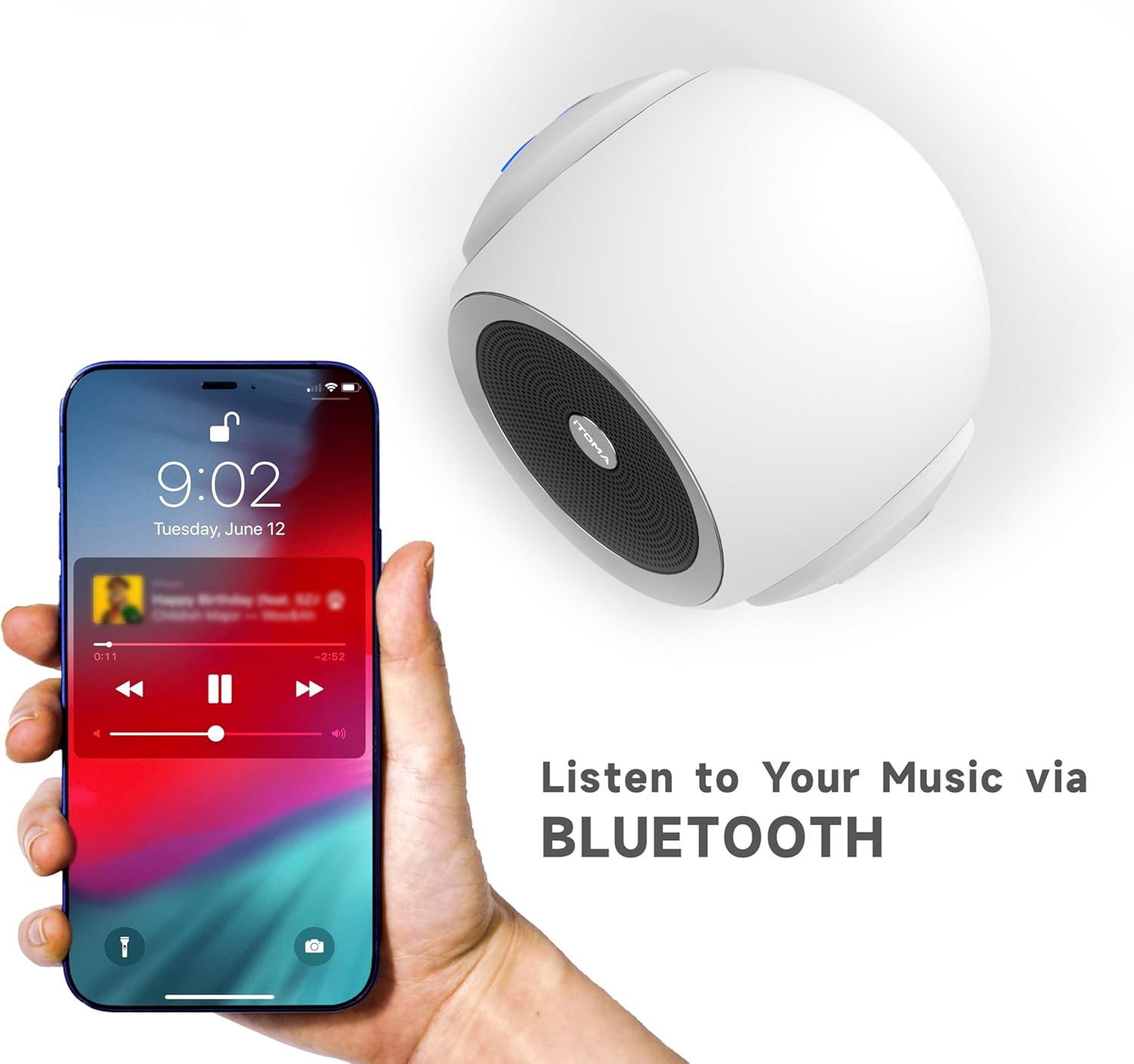
Figure 5: Bluetooth connectivity for playing personal audio.
6.6 Video ya Bidhaa
Video 1: An official product video demonstrating the iTOMA White Noise Machine 318's features and operation.
7. Matengenezo
- Kusafisha: Futa kifaa kwa kitambaa laini na kikavu. Usitumie visafishaji vya kioevu au vifaa vya kukwaruza.
- Hifadhi: Hifadhi kifaa mahali pa baridi, kavu wakati haitumiki.
- Epuka Maji: Weka kifaa mbali na maji na unyevu.
8. Utatuzi wa shida
| Suala | Sababu inayowezekana | Suluhisho |
|---|---|---|
| Kifaa hakiwashi | Haijaunganishwa vizuri na umeme. | Ensure the power adapter is securely plugged into the device and a working electrical outlet. |
| Hakuna pato la sauti | Sauti iko chini sana au imezimwa. | Increase the volume using the volume knob. |
| Bluetooth haiunganishi | Device is not in pairing mode or out of range. | Press the Bluetooth button to enter pairing mode. Ensure your smartphone/tablet is within range (approx. 10 meters) and Bluetooth is enabled. |
| Sound quality is poor via Bluetooth | Kuingilia kati au umbali kutoka kwa kifaa kilichooanishwa. | Move the paired device closer to the white noise machine. Avoid obstacles between devices. |
9. Vipimo
- Jina la Mfano: 318
- Chapa: iTOMA
- Vipimo vya Bidhaa: Inchi 6.2 x 2.3 x 3.5
- Uzito wa Kipengee: Pauni 1.37
- Nyenzo: Acrylonitrile Butadiene Styrene (ABS), Plastiki
- Chanzo cha Nguvu: Umeme wa Cord
- Chaguo za Sauti: 30 (10 White Noises, 10 Fan Sounds, 10 Nature Sounds)
- Viwango vya sauti: 16
- Muda wa Kulala: 15, 30, 60, 90 minutes, or Continuous Play
- Muunganisho: Bluetooth

Figure 6: Product dimensions of the iTOMA White Noise Machine 318.
10. Taarifa Muhimu za Usalama
Taarifa kuhusu virutubisho vya chakula hazijatathminiwa na FDA na hazikusudiwa kutambua, kutibu, kuponya, au kuzuia ugonjwa wowote au hali ya afya.
Always ensure the device is used in a safe environment and according to the instructions provided. Keep out of reach of children and pets. Do not disassemble or attempt to repair the device yourself.
11. Udhamini na Msaada
For warranty information or technical support, please refer to the contact details provided with your purchase or visit the official iTOMA webtovuti. Weka risiti yako ya ununuzi kama uthibitisho wa ununuzi.


