1. Utangulizi
This manual provides detailed instructions for the Headwolf WPad5 Android 14 Tablet. Please read this guide thoroughly before using your device to ensure proper operation and to maximize its features. Keep this manual for future reference.
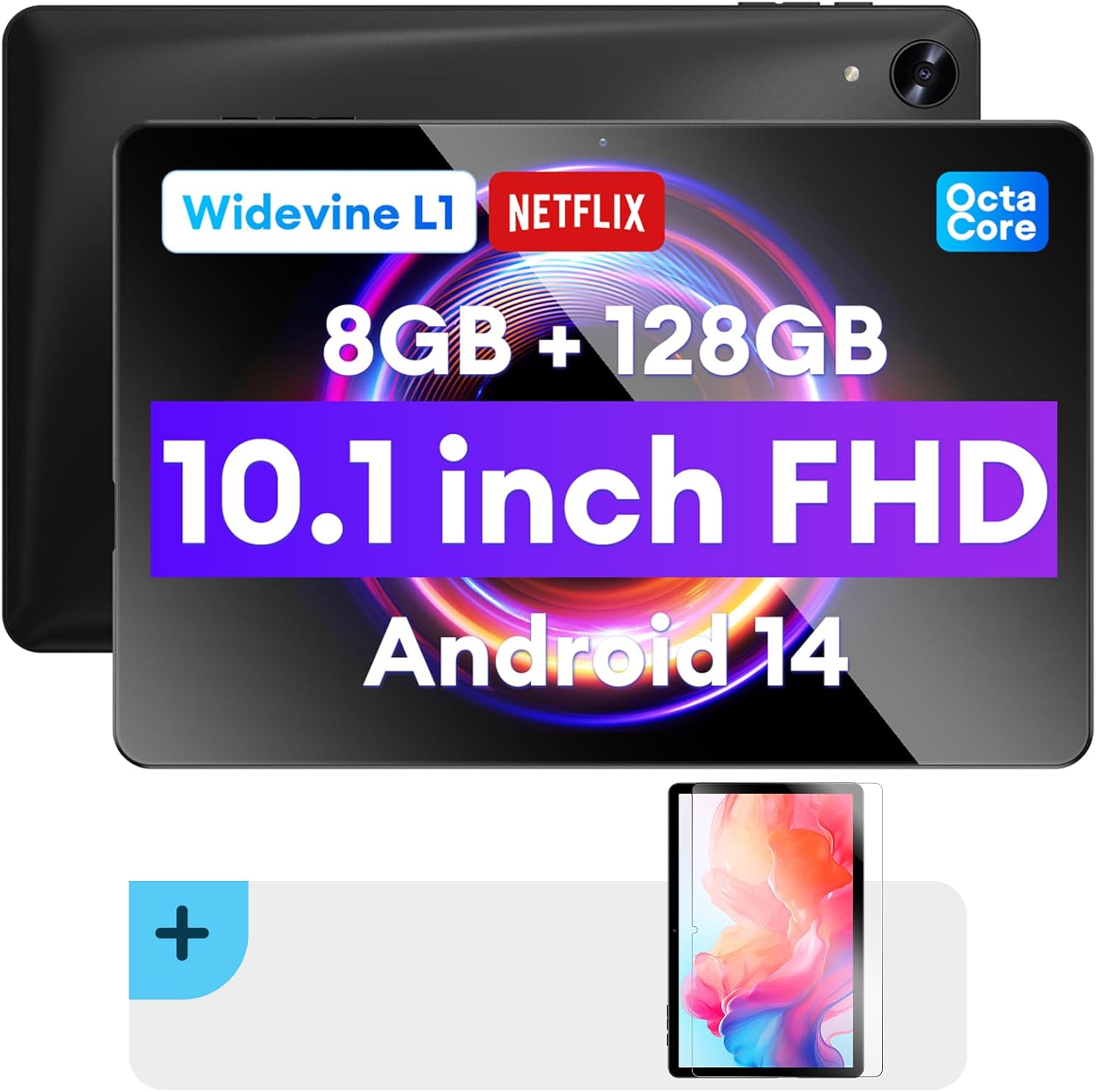
Picha: mbele na nyuma view of the Headwolf WPad5 tablet, showcasing its 10.1-inch FHD display, 8GB RAM + 128GB ROM, Widevine L1 support, Octa-Core processor, and Android 14 operating system.

Picha: Mwishoview of the Headwolf WPad5 tablet's main features, including its 10.1-inch 1920x1200 IPS FHD display, Unisoc T606 Octa-Core CPU, 8GB RAM + 128GB ROM, 5500mAh battery, 2.4G/5G WiFi, Android 14, dual stereo speakers, dual camera, and Widevine L1 support for Netflix.
2. Kuweka
2.1 Ni nini kwenye Sanduku
Upon unboxing your Headwolf WPad5 tablet, please verify that all the following items are included:
- Headwolf WPad5 Tablet
- Cable ya Aina ya C
- Adapta ya AC
- Mwongozo wa Mtumiaji
- 2-pack Screen Protector

Image: A visual representation of the Headwolf WPad5 tablet and its accessories (manual, Type-C cable, AC adapter). It also highlights the tablet's physical features such as the 3.5mm headphone jack, rear camera, power button, volume buttons, TF card slot, and Type-C port.
2.2 Kuchaji Kompyuta Kibao
Before initial use, fully charge your tablet. Connect the Type-C cable to the tablet's Type-C port and the other end to the AC adapter. Plug the AC adapter into a power outlet. The battery indicator on the screen will show charging status.
2.3 Kuwasha / Kuzima
- Kuwasha: Press and hold the Power button located on the side of the tablet until the Headwolf logo appears on the screen.
- Kuzima: Bonyeza na ushikilie kitufe cha Kuwasha/Kuzima hadi menyu ya kuwasha ionekane. Chagua "Zima" kutoka kwa chaguo.
- Ili Kuanzisha Upya: Kutoka kwenye menyu ya kuwasha, chagua "Anzisha upya".
2.4 Screen Protector Installation
Your tablet comes with two screen protectors. Follow these steps for installation:
- Clean the tablet screen thoroughly with a microfiber cloth to remove dust and smudges.
- Peel off the protective film from the adhesive side of the screen protector.
- Carefully align the screen protector with the tablet's screen, ensuring the cutouts for the camera and sensors match.
- Gently lay the protector onto the screen, starting from one edge and slowly lowering it.
- Use a soft card (e.g., a credit card wrapped in cloth) to smooth out any air bubbles, pushing them towards the edges.
- Remove the top protective film (if present).

Image: The Headwolf WPad5 tablet with an "Ultra Clear" advanced HD clarity tempered glass screen protector being shown, indicating its protective function and clear display.
3. Kuendesha Tablet yako
3.1 Mfumo Endeshi wa Android 14
The Headwolf WPad5 runs on the latest Android 14 operating system, offering enhanced performance, improved privacy features, and a customizable user interface.
- GMS Free App Download: Fikia mamilioni ya programu kupitia Duka la Google Play.
- Kipengele cha Kugawanya Skrini: Boresha tija kwa kutumia programu mbili kwa wakati mmoja.
- Ubinafsishaji wa Kiolesura: Personalize your interface with various themes, widgets, and settings.
- Ulinzi wa Faragha: Advanced features to ensure your personal data remains secure and confidential.
- Personalized Screen Settings: Empower all users with enhanced usability options.

Image: A graphic illustrating the key features of the Android 14 system on the Headwolf WPad5, such as GMS free app download, UI customization, personalized screen settings, and privacy protection, enhancing user experience.
3.2 Display and Widevine L1 Certification
The tablet features a 10.1-inch FHD 1920x1200 IPS display, providing clear and vibrant visuals. With Widevine L1 certification, you can stream high-definition content from popular platforms like Netflix, Amazon Prime Video, Disney+, and YouTube without interruptions or quality degradation.

Image: A visual demonstrating the Widevine L1 certification on the Headwolf WPad5 tablet, showing high-quality streaming from services like YouTube, Netflix, Amazon Prime Video, Disney+, and Hulu, ensuring a premium viewuzoefu.
3.3 Utendaji na Uhifadhi
Powered by an octa-core Unisoc T606 CPU, the WPad5 ensures smooth multitasking and gaming. It comes with 8GB RAM (achieved via 4GB physical RAM + 4GB expansion) and 128GB of internal storage. The storage can be expanded up to 2TB using a microSD card (not included).

Image: A diagram detailing the Unisoc T606 Octa-Core CPU with 2.0 GHz peak frequency and Mali-G57 GPU, highlighting its high performance, efficient processing, and low heat generation for gaming and high-quality display.

Image: A graphic illustrating the generous storage capacity of the Headwolf WPad5, featuring 8GB RAM (4+4GB) and 128GB ROM, expandable up to 2TB via TF card, suitable for storing software, photos, music, videos, and e-books.
3.4 Muunganisho
The WPad5 offers versatile connectivity options:
- Wi-Fi: Dual-band (2.4GHz/5GHz) 802.11ac for fast and stable internet connection.
- Bluetooth: Toleo la 5.0 la kuunganisha vifaa visivyotumia waya.
- Jack ya Kipokea sauti cha 3.5mm: Kwa ajili ya kutoa sauti kwa waya.
- GPS: 4-mode satellite positioning for precise location services. For offline navigation, download maps via Wi-Fi before traveling to areas without internet access.

Image: The Headwolf WPad5 tablet displaying a navigation map, illustrating its 4-mode satellite positioning capability for precise location services and route guidance.
3.5 Kamera
The tablet is equipped with dual cameras:
- Kamera ya Nyuma: 8MP kwa ajili ya kunasa picha na video.
- Kamera ya mbele: 5MP, ideal for video calls and online meetings.

Picha: Onyesho la kolagiasing the capabilities of the Headwolf WPad5's 8MP rear camera for capturing landscapes and moments, and the 5MP front camera for video conferencing and meetings, demonstrating its versatility.
3.6 Maisha ya Betri
The WPad5 is powered by a 5500mAh battery, providing approximately 6-8 hours of playtime per charge, depending on usage.
Sifa 3.7 za Ziada
- Gawanya Skrini: Endesha programu mbili sambamba kwa ajili ya kuongeza tija.
- Kufungua kwa Uso: Fungua kompyuta yako kibao kwa usalama kwa kutumia utambuzi wa uso.
- Kuakisi skrini: Cast your tablet's display to a larger screen wirelessly.
- Dual Box Stereo Speakers: Enjoy immersive audio with enhanced sound quality.
Picha: Onyesho la pichaasing various features of the Headwolf WPad5 tablet, including Split Screen functionality for multitasking, 2.4G/5G Dual Band WiFi for connectivity, Face Unlock for security, and Screen Mirroring for casting content to external displays.
4. Matengenezo
4.1 Utunzaji wa Betri
- Epuka kumaliza kabisa betri mara kwa mara.
- Usiweke kibao kwenye halijoto kali.
- Tumia tu chaja iliyotolewa au chaja inayooana iliyoidhinishwa.
- The 5500mAh battery includes overcurrent, short circuit, over-discharge, and output protection for safety.

Image: A visual highlighting the 5500mAh battery of the Headwolf WPad5 and its built-in protection features: overcurrent protection, short circuit protection, over-discharge protection, and output protection, ensuring safe and reliable power.
4.2 Kusafisha Kompyuta yako ya Kompyuta
- Tumia kitambaa laini kisicho na pamba kusafisha skrini na mwili wa kompyuta kibao.
- Kwa smudges mkaidi, kidogo dampfunika kitambaa kwa maji au kifaa cha kusafisha skrini kilichoundwa mahsusi kwa ajili ya vifaa vya elektroniki.
- Epuka kutumia kemikali kali, vifaa vya abrasive au vinyunyuzi vya erosoli.
4.3 Usasisho wa Programu
Angalia na usakinishe masasisho ya programu mara kwa mara ili kuhakikisha kompyuta yako kibao ina vipengele vipya zaidi, viraka vya usalama, na maboresho ya utendaji. Kwa kawaida unaweza kupata chaguo hili kwenye menyu ya Mipangilio ya kompyuta kibao chini ya "Mfumo" au "Kuhusu kompyuta kibao".
5. Utatuzi wa shida
5.1 Masuala ya Kawaida na Suluhu
| Suala | Suluhisho linalowezekana |
|---|---|
| Kompyuta kibao haiwaki | Ensure the battery is charged. Connect the charger and wait a few minutes before attempting to power on again. If unresponsive, press and hold the power button for 10-15 seconds to force a restart. |
| Matatizo ya muunganisho wa Wi-Fi | Restart your Wi-Fi router and the tablet. Forget the Wi-Fi network on your tablet and reconnect. Ensure you are within range of the Wi-Fi signal. |
| Programu zinaacha kufanya kazi au kuganda | Clear the app's cache and data in Settings > Apps. Update the app to its latest version. If the issue persists, uninstall and reinstall the app. |
| Utendaji polepole | Close unnecessary background apps. Clear cache data regularly. Consider uninstalling unused apps. Ensure sufficient free storage space. |
| Skrini haifanyi kazi | Anzisha upya kompyuta kibao. Ikiwa tatizo litaendelea, fanya urejeshaji wa mipangilio ya kiwandani (data itapotea). |
5.2 Rudisha Kiwanda
A factory reset will erase all data from your tablet and restore it to its original factory settings. Hifadhi nakala ya data zote muhimu kabla ya kuendelea.
- Nenda kwa Mipangilio.
- Nenda kwa Mfumo > Weka upya chaguo.
- Chagua Futa data yote (rejesha mipangilio ya kiwandani).
- Thibitisha chaguo lako na ufuate maagizo yaliyo kwenye skrini.
6. Vipimo
| Kipengele | Maelezo |
|---|---|
| Jina la Mfano | WPad5 |
| Mfumo wa Uendeshaji | Android 14 |
| Ukubwa wa skrini | Inchi 10.1 |
| Azimio la skrini | 1920 x 1200 (FHD) |
| Kichakataji | Unisoc T606 Octa-Core |
| RAM | GB 8 (Upanuzi wa GB 4 + GB 4) |
| Hifadhi ya Ndani | 128GB |
| Hifadhi inayoweza kupanuliwa | Hadi 2TB kupitia microSD kadi |
| Kamera ya Nyuma | 8 Mbunge |
| Kamera ya mbele | 5 Mbunge |
| Uwezo wa Betri | 5500mAh |
| Muunganisho wa Waya | 802.11ac (Dual-band 2.4GHz/5GHz) |
| Bluetooth | Bluetooth 5.0 |
| Bandari | Aina-C, Jacki ya Vipokea Masikioni ya 3.5mm |
| Rangi | Nyeusi |
| Vipengele Maalum | Widevine L1, GPS, Face Unlock, Dual Stereo Speakers, Split Screen, Screen Mirroring |
7. Udhamini na Msaada
Headwolf provides a one-year repair and replacement warranty for your WPad5 tablet. For any technical assistance, product inquiries, or warranty claims, please contact our dedicated customer service and technical support team.
- Huduma kwa Wateja: Available 24 hours. Please refer to the contact information provided with your purchase or on the official Headwolf webtovuti.
- Usaidizi wa Kiufundi: Available for assistance with setup, troubleshooting, and feature usage.
- Rasilimali za Mtandaoni: Tembelea Headwolf Store on Amazon kwa maelezo ya ziada ya bidhaa na usaidizi.