1. Bidhaa Imeishaview
The CaDA CJV1010 is a 2.4 GHz Receiver/Battery Box designed to power and control your CaDA building block models. It integrates both a power source and a wireless receiver into a single compact unit, allowing for remote control functionality and efficient power distribution within your creations.
This unit is essential for models requiring wireless control and provides a stable power supply for motors, lights, and other electronic components.
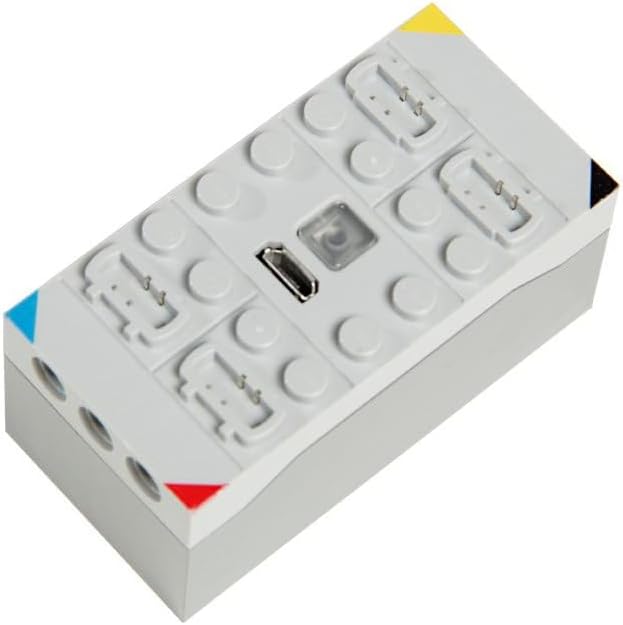
Figure 1: The CaDA CJV1010 2.4 GHz Receiver/Battery Box. This image shows the top view of the grey receiver/battery box with connection ports and a USB charging port.
Ni nini kwenye Sanduku
- 1 x CaDA CJV1010 2.4 GHz Receiver/Battery Box
- 1 x Kebo ya Kuchaji ya USB
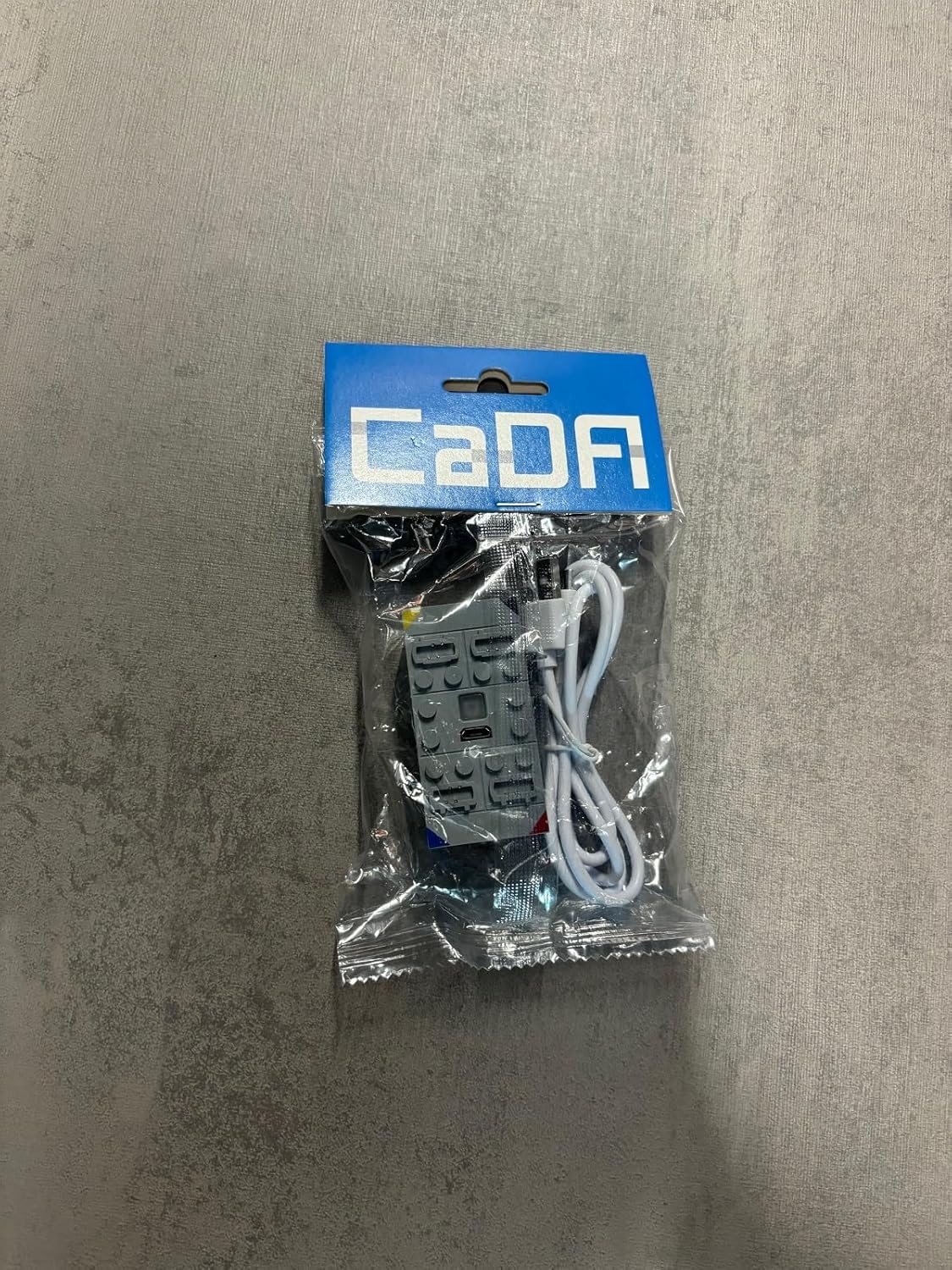
Figure 2: The CaDA CJV1010 Receiver/Battery Box in its retail packaging. The clear plastic bag contains the grey receiver unit and a white USB charging cable.
2. Kuweka
2.1 Charging the Battery Box
Before first use, fully charge the CaDA CJV1010 Receiver/Battery Box. Locate the USB charging port on the unit (refer to Figure 1). Connect the provided USB charging cable to the port on the battery box and the other end to a standard USB power adapter (not included) or a computer USB port.
- A red indicator light will typically illuminate during charging.
- The light will turn off or change color (e.g., green) when charging is complete.
- Muda wa kuchaji unaweza kutofautiana kulingana na chanzo cha nishati.
2.2 Connecting to CaDA Components
The CaDA CJV1010 features multiple output ports for connecting motors, lights, and other CaDA electronic components. Ensure the power is off before connecting or disconnecting any components.
- Identify the appropriate ports on the receiver/battery box for your components (e.g., motor ports, light ports).
- Carefully insert the connectors of your CaDA components into the corresponding ports. Ensure a secure fit.
- Once all components are connected, you can proceed to power on the unit.
2.3 Pairing with a Remote Control
The CJV1010 operates on a 2.4 GHz frequency and requires pairing with a compatible CaDA remote control (sold separately) for wireless operation.
- Ensure the receiver/battery box is powered on.
- Turn on your CaDA 2.4 GHz remote control.
- Follow the specific pairing instructions provided with your CaDA remote control. Typically, this involves pressing a pairing button on both the receiver and the remote control within a short timeframe.
- A successful pairing is usually indicated by a solid light on the receiver/battery box.
3. Maagizo ya Uendeshaji
3.1 Kuwasha / Kuzima
Locate the power button on the CaDA CJV1010 Receiver/Battery Box. Press and hold the button for a few seconds to power on the unit. The indicator light will illuminate. To power off, press and hold the button again until the light turns off.
3.2 Controlling Your Model
Once the receiver/battery box is paired with your remote control and components are connected, you can control your CaDA model. Refer to your specific CaDA remote control's manual for detailed instructions on operating motors, lights, and other functions.
- Hakikisha kuwa kidhibiti cha mbali kina betri mpya.
- Maintain a clear line of sight between the remote control and the receiver for optimal performance.
- Avoid operating in areas with significant 2.4 GHz interference.
4. Matengenezo
4.1 Kusafisha
To clean the CaDA CJV1010, gently wipe the surface with a soft, dry cloth. Do not use harsh chemicals, abrasive cleaners, or immerse the unit in water. Ensure the unit is powered off and disconnected from any power source before cleaning.
4.2 Hifadhi
When not in use for extended periods, store the receiver/battery box in a cool, dry place away from direct sunlight and extreme temperatures. It is recommended to partially charge the battery (around 50%) before long-term storage to maintain battery health.
5. Utatuzi wa shida
| Tatizo | Sababu inayowezekana | Suluhisho |
|---|---|---|
| Kitengo hakiwashi. | Betri imeisha. | Charge the battery box using the provided USB cable. |
| Kitengo hakiwashi. | Kitufe cha nguvu hakijabonyezwa kwa usahihi. | Press and hold the power button for a few seconds until the indicator light illuminates. |
| No response from model. | Not paired with remote control. | Fuata maagizo ya kuoanisha katika Sehemu ya 2.3. |
| No response from model. | Remote control battery low/dead. | Badilisha betri katika rimoti. |
| No response from model. | Components not securely connected. | Ensure all motors, lights, etc., are firmly plugged into the receiver ports. |
| Muda mfupi wa uendeshaji. | Betri haijajazwa kikamilifu. | Ensure the battery box is fully charged before use. |
6. Vipimo
| Kipengele | Maelezo |
|---|---|
| Nambari ya Mfano | CJV1010 |
| Chapa | CaDA |
| Wireless Frequency | GHz 2.4 |
| Vipimo vya Bidhaa | 14.9 x 12.9 x 4.6 cm |
| Uzito wa Kipengee | 65 g |
| Nyenzo | Plastiki |
| Chanzo cha Nguvu | Betri Iliyounganishwa Inayoweza Kuchajiwa tena |
| Kuchaji Bandari | USB |
7. Udhamini na Msaada
7.1 Taarifa ya Udhamini
CaDA products are manufactured to high-quality standards. For specific warranty terms and conditions, please refer to the warranty card included with your purchase or visit the official CaDA webtovuti. Weka uthibitisho wako wa ununuzi kwa madai ya udhamini.
7.2 Usaidizi kwa Wateja
If you encounter any issues or have questions regarding your CaDA CJV1010 Receiver/Battery Box that are not covered in this manual, please contact CaDA customer support. Contact information can typically be found on the product packaging or the official CaDA webtovuti.
When contacting support, please have your product model number (CJV1010) and a detailed description of the issue ready.


