1. Utangulizi na Zaidiview
This manual provides comprehensive instructions for the setup, operation, and maintenance of your Maxview Alphatronics SL Line+ Smart TV. Designed for mobile use, this versatile television operates on both 12v and 240v power, making it ideal for motorhomes, caravans, trucks, and boats. It features a Full HD LED display, integrated DVD player, Wi-Fi, Bluetooth, and access to popular streaming services via WebMfumo wa Uendeshaji.

Picha: Mbele view of the Maxview Alphatronics SL Line+ Smart TV, highlighting its smart features and integrated DVD player.
Vipengele muhimu ni pamoja na:
- Full HD LED Smart TV with Freeview.
- WebOS for access to Netflix, Amazon Prime, Disney+, iPlayer, ITVX, Sky Store, YouTube, and more.
- Dual power compatibility (12v or 240v).
- Built-in DVD Player, Bluetooth, Wi-Fi, and Ethernet.
- Multiple connectivity options: 2 HDMI ports, USB Port, and AV connections.
2. Ni nini kwenye Sanduku
Tafadhali angalia yaliyomo kwenye kifurushi chako kulingana na orodha iliyo hapa chini:
- Alphatronics TV (TVSL/22)
- Udhibiti wa Kijijini
- 240v Mains Lead
- Adapta ya Nguvu ya 12v
- Mwongozo wa Mtumiaji (hati hii)

Image: The included remote control for the Maxview Alphatronics Smart TV.
3. Kuweka
3.1. Kuweka na Kuweka
Choose a stable and flat surface for your TV. Ensure adequate ventilation around the unit. If mounting, refer to your specific wall mount instructions and ensure the mount is compatible with VESA standards for your TV size.

Picha: Example of the TV installed within a caravan interior.
3.2. Uunganisho wa Nguvu
The TV can be powered by either 12v DC or 240v AC.
- For 240v AC: Connect the supplied 240v Mains Lead to the TV's AC input and then to a standard wall socket.
- For 12v DC: Connect the supplied 12v Power Adapter to the TV's DC input and then to a 12v power source (e.g., vehicle's 12v socket).
Ensure the correct power source is used to prevent damage.
3.3. Kuunganisha Vifaa vya Nje
TV ina milango mbalimbali ya kuunganisha vifaa vya nje:
- Bandari za HDMI (x2): For high-definition audio and video devices like satellite receivers, game consoles, or laptops.
- Mlango wa USB: Kwa kuunganisha vifaa vya hifadhi ya USB ili kucheza midia files.
- AV Connections: Kwa vifaa vya zamani vinavyotumia video ya mchanganyiko na sauti ya stereo.
- Ingizo la Antena/Setilaiti: Connect your terrestrial antenna or satellite dish cable for Freeview or satellite TV reception.

Image: Rear panel of the TV displaying available connection ports.
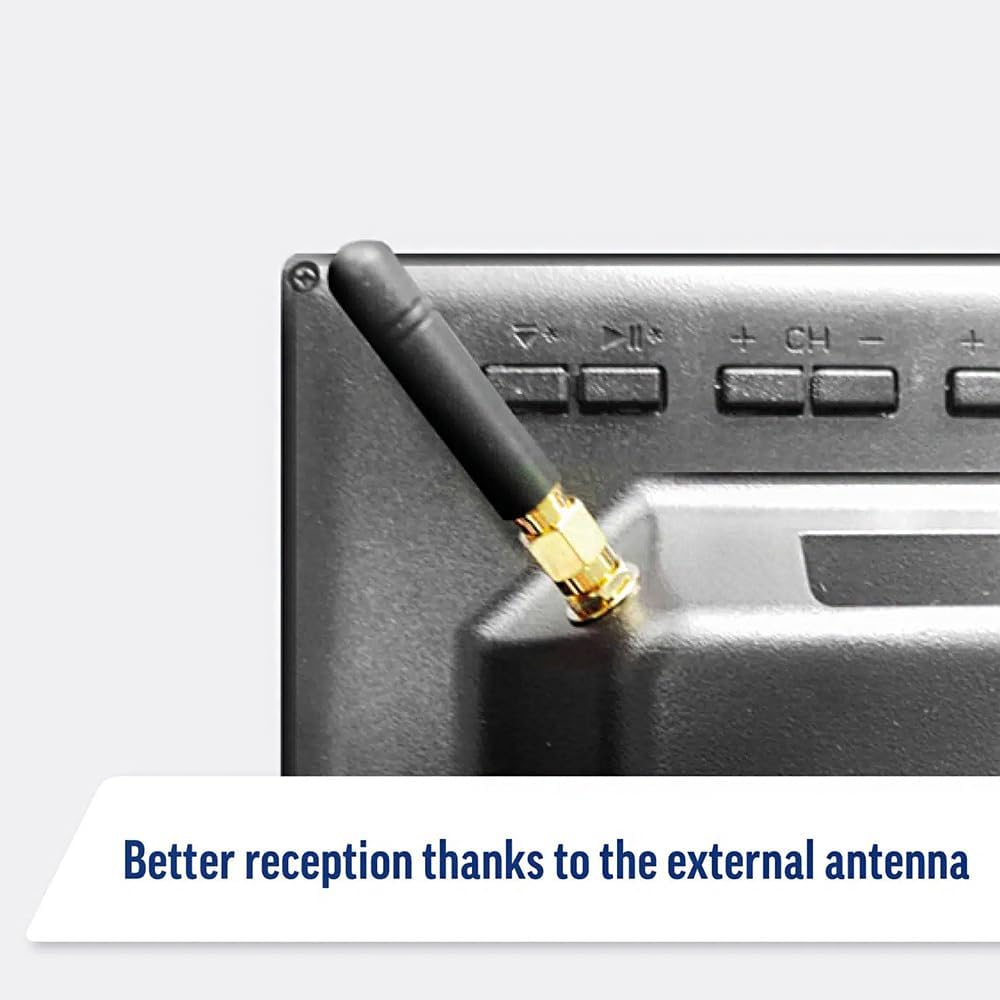
Image: Detail of the external antenna connection for improved signal reception.
3.4. Mchawi wa Kuweka Awali
Ukiwasha kwa mara ya kwanza, TV itakuongoza kupitia mchawi wa usanidi wa awali. Hii inajumuisha:
- Uteuzi wa Lugha: Chagua lugha unayopendelea.
- Muunganisho wa Mtandao: Connect to your Wi-Fi network or via Ethernet for internet access. This is crucial for Smart TV features.
- Kuchanganua Kituo: Scan for available Freeview or satellite channels.
- Mipangilio ya Wakati na Tarehe: Weka eneo la saa na tarehe sahihi.
4. Kuendesha TV
4.1. Udhibiti wa Msingi
Use the supplied remote control to navigate the TV. Common functions include:
- Kitufe cha Nguvu: Huwasha/kuzima TV au kusubiri.
- Sauti Juu/Chini: Hurekebisha kiwango cha sauti.
- Kituo Juu/Chini: Inabadilisha vituo vya TV.
- Chanzo/Ingizo: Selects the input source (HDMI, AV, TV, DVD).
- Vifungo vya Kuelekeza (Vifunguo vya Vishale, Sawa): Nenda kwenye menyu na uchague chaguo.
- Kitufe cha Nyumbani: Inafikia WebSkrini ya kwanza ya OS Smart TV.
- Vifungo vya Ufikiaji Haraka: Dedicated buttons for Netflix and Amazon Prime Video for direct access.
4.2. Vipengele vya Smart TV (WebOS)
Your Maxview Alphatronics TV runs on WebOS, providing a user-friendly interface for accessing a wide range of applications and content.
- Dashibodi ya Nyumbani: Bonyeza kwa Nyumbani button to access the main dashboard, where you can find installed apps, input sources, and settings.
- Duka la Programu: Pakua na usakinishe programu za ziada kutoka duka la programu lililojumuishwa.
- Huduma za Utiririshaji: Easily access popular services like Netflix, Amazon Prime Video, Disney+, BBC iPlayer, ITVX, and YouTube.
- Kushiriki skrini: Share content from your smartphone or tablet to the TV screen.
Image: Using a smartphone as a remote control for the TV.
4.3. Uendeshaji wa Kicheza DVD
The integrated DVD player allows you to enjoy your movie collection on the go.
- Ingiza diski ya DVD kwenye nafasi iliyo pembeni mwa TV.
- TV inapaswa kubadili kiotomatiki hadi kwenye ingizo la DVD. Ikiwa sivyo, bonyeza Chanzo/Ingizo button on your remote and select "DVD".
- Use the remote control's playback buttons (Play, Pause, Stop, Fast Forward, Rewind) to control the DVD.
- To eject the disc, press the Eject button on the remote or the TV.
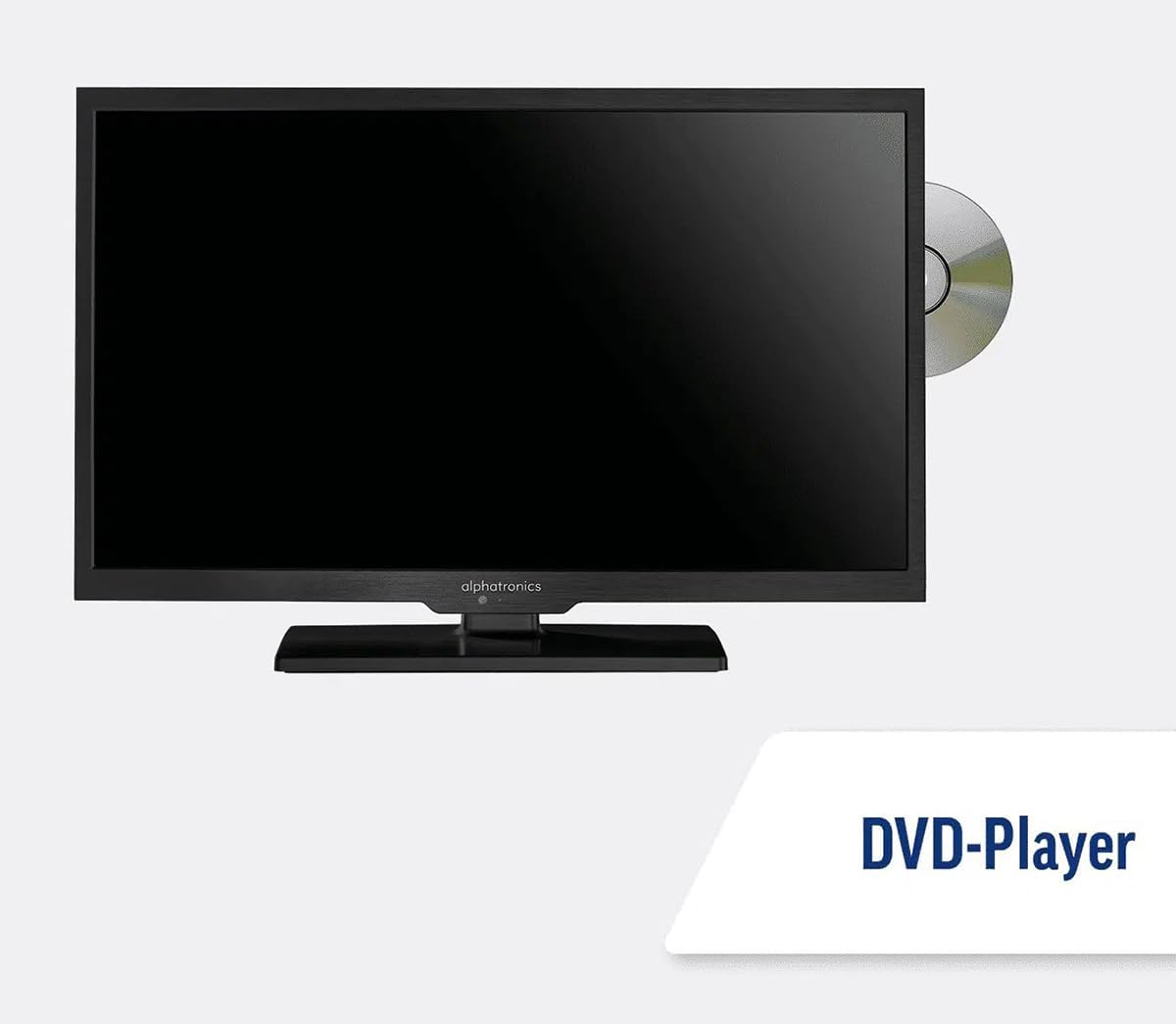
Image: The TV with a DVD disc being inserted into its built-in player.
5. Matengenezo
5.1. Kusafisha
To clean the TV screen, gently wipe it with a soft, lint-free cloth. For stubborn marks, dampen the cloth slightly with water or a screen-cleaning solution. Do not spray liquid directly onto the screen. Clean the TV casing with a dry, soft cloth.
Tahadhari: Daima chomoa TV kutoka kwa chanzo cha umeme kabla ya kusafisha.
5.2. Sasisho za Programu
Your Maxview Alphatronics Smart TV supports automatic software updates via the internet. Ensure your TV is connected to a stable Wi-Fi or Ethernet network to receive the latest firmware and feature enhancements.
- To check for updates manually, navigate to the Mipangilio menu on your TV, then look for Sasisho la Programu or Taarifa za Mfumo.
- Follow the on-screen prompts to download and install any available updates. Do not power off the TV during an update process.

Image: The TV screen indicating a software update in progress.
6. Utatuzi wa shida
If you encounter issues with your TV, please refer to the following common problems and solutions before contacting support.
| Tatizo | Sababu inayowezekana | Suluhisho |
|---|---|---|
| Hakuna Nguvu | Power cable disconnected; no power from outlet/source. | Check power connections. Ensure outlet/source is active. Try a different outlet. |
| Hakuna Ishara | Incorrect input selected; antenna/cable disconnected or faulty. | Bonyeza Chanzo/Ingizo to select correct input. Check antenna/cable connections. Perform a channel scan. |
| Hakuna Muunganisho wa Mtandao | Wi-Fi password incorrect; router issue; TV too far from router. | Re-enter Wi-Fi password. Restart your router. Move TV closer to router or use Ethernet. |
| DVD Haichezi | Disc dirty or scratched; incorrect input selected; region code mismatch. | Clean the disc. Ensure "DVD" input is selected. Check disc region compatibility. |
| Udhibiti wa Mbali Haifanyi kazi | Batteries low/dead; obstruction between remote and TV; remote not paired (if Bluetooth). | Badilisha betri. Ondoa vizuizi. Oanisha tena kidhibiti cha mbali ikiwa ni lazima (rejea mipangilio ya TV). |
If the problem persists after trying these solutions, please contact Maxview msaada kwa wateja.
7. Vipimo
| Kipengele | Maelezo |
|---|---|
| Nambari ya Mfano | TVSL/22 |
| Ukubwa wa skrini | Inchi 22 (sentimita 56 kwa ulalo) |
| Teknolojia ya Kuonyesha | LED |
| Azimio | 1080p (HD Kamili) |
| Vipimo vya Bidhaa (D x W x H) | 12D x 58W x sentimita 38H |
| Ingizo la Nguvu | 12v DC / 240v AC |
| Muunganisho | Wi-Fi, Bluetooth, Ethaneti |
| Bandari | 2x HDMI, 1x USB, AV connections, Antenna/Satellite input |
| Vipengele Maalum | Smart TV (WebOS), Built-in DVD Player |
| Uwiano wa kipengele | 16:9 |
| Mtengenezaji | Alphatronics |
8. Udhamini na Msaada
Your Maxview Alphatronics SL Line+ Smart TV comes with a Udhamini wa Miaka 3, providing peace of mind regarding your purchase. This warranty covers manufacturing defects and ensures reliable operation.
For warranty claims, technical support, or further assistance, please contact Maxview customer service. You can typically find contact information on the official Maxview webkwenye tovuti au kwenye vifaa vya kufungashia.
Please have your model number (TVSL/22) and proof of purchase ready when contacting support.
Kumbuka: Hakuna video rasmi za bidhaa kutoka kwa muuzaji zilizopatikana katika data iliyotolewa ili kupachikwa katika mwongozo huu.


