Utangulizi
The BEITONG Asura 3S Game Controller is a versatile wireless gamepad designed for an enhanced gaming experience across multiple platforms. Featuring advanced technologies such as Hall Effect triggers, sensitivity-adjustable joysticks, and mechanical keys, this controller offers precision, durability, and customization for serious gamers. It supports PC, Nintendo Switch, iOS, and Android devices, providing flexible connectivity options including Bluetooth 5.0, 2.4G wireless USB dongle, and wired connection.

Kielelezo 1: Mbele view of the BEITONG Asura 3S Game Controller.
Yaliyomo kwenye Kifurushi
Tafadhali thibitisha kuwa vipengee vyote vipo kwenye kifurushi:
- BEITONG Asura 3S Game Controller
- 2.4GHz Wireless Receiver (USB Dongle)
- Kebo ya Kuchaji ya USB-C
- Round D-PAD Replacement
- 4pcs Counterweights (2x 7g, 2x 15g)
- Mwongozo wa Mtumiaji (hati hii)
Sanidi
Before first use, ensure the controller is fully charged. Connect the USB-C cable to the controller and a power source (e.g., PC USB port, USB wall adapter).
Mdhibiti Zaidiview

Figure 2: BEITONG Asura 3S Controller layout with key features labeled.
- Rotatable Radial Dial: Instant sensitivity adjustment for joysticks.
- Left Thumbsticks & D-pad: Function switchable.
- 3 Gears Trigger Locks: Adjust RT/LT trigger travel.
- Type C Charging Port: Kwa ajili ya kuchaji na kuunganisha kwa waya.
- Mwangaza wa RGB: 9 colors and flow direction selectable.
- Grip Case Removable: To add 7g/15g counterweights.
- Dual Rumble Motors: For immersive haptic feedback.
- Replaceable Diamond Concave D-pad: Suitable for fighting or racing games.
- Two Advanced Gaming Buttons (M1, M2): For on-the-fly button mapping.
- Laser Textured Anti-slip Grip: Kwa utunzaji salama.
Muunganisho
The BEITONG Asura 3S controller offers multiple connection methods for broad compatibility.
Mifumo Inayotumika:
- Kompyuta: Windows 7 or later (via 2.4G Wireless USB Dongle or Wired USB-C)
- Nintendo Switch: (kupitia Bluetooth)
- iOS: iOS 14.0 or later (via Bluetooth, supports native game only)
- Android: Android 4.0 or later (via Bluetooth, supports native game only)
- Steam Deck: (via 2.4G Wireless USB Dongle or Wired USB-C)
Note: This controller DOES NOT SUPPORT XBOX CONSOLES, PS4, or PS5.

Figure 3: The BEITONG Asura 3S controller is compatible with PC, Switch, iOS, and Android devices.
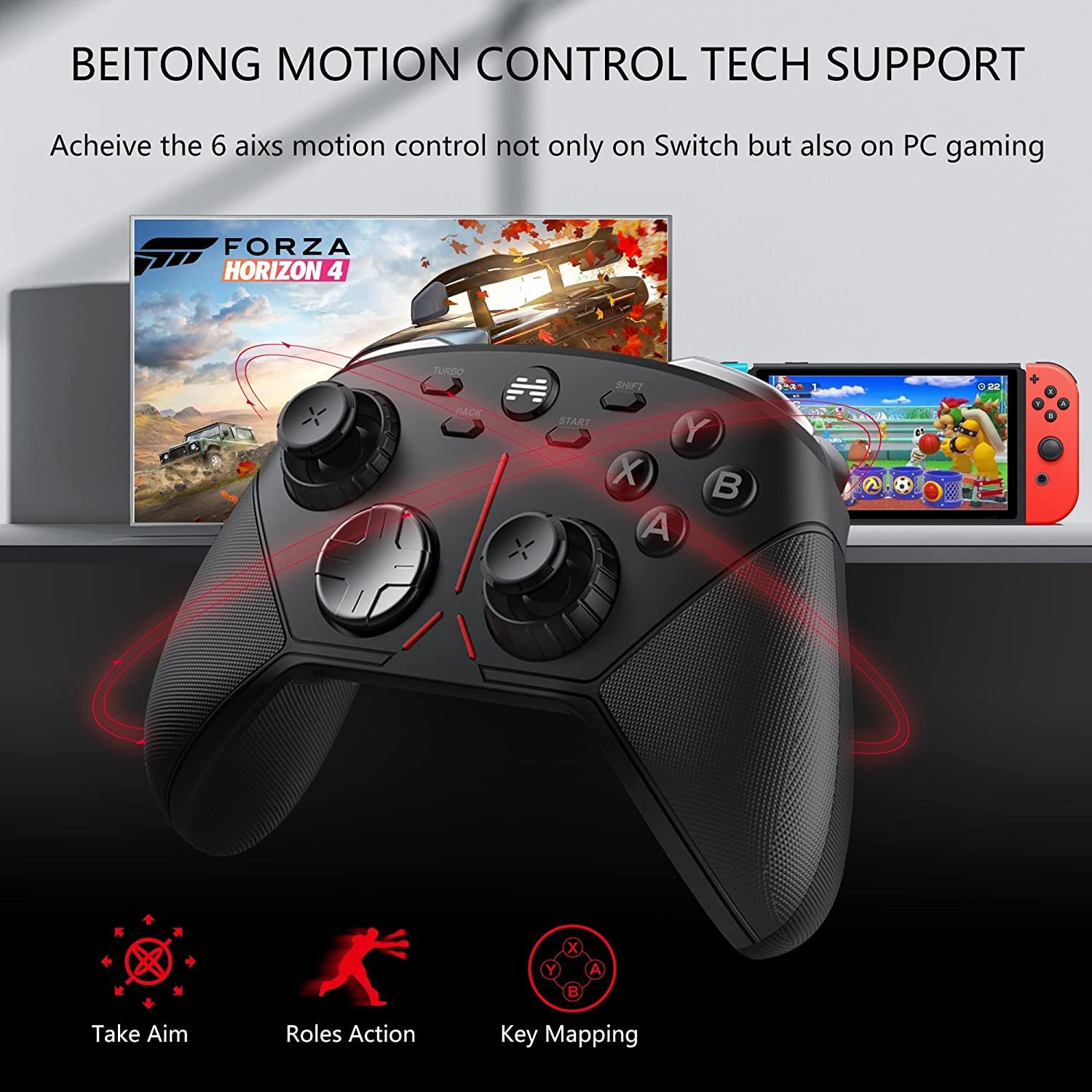
Figure 4: Detailed diagram showing various connectivity options and supported devices.
Inaunganisha kwa Vifaa:
- 2.4G Wireless (PC/Steam Deck):
- Insert the 2.4GHz USB receiver into an available USB port on your PC or Steam Deck.
- Turn on the controller. It should automatically connect to the receiver. The controller has onboard storage for the USB dongle.
- Bluetooth (Switch/iOS/Android):
- Hakikisha kuwa kidhibiti kimewashwa.
- On your device, go to Bluetooth settings and search for new devices.
- Select "BEITONG Asura 3S" from the list to pair.
- Wired Connection (PC):
- Connect the USB-C cable from the controller to a USB port on your PC.
- The controller will be recognized automatically.
Key Features and Operation
Sensitivity-Adjustable Anti-wear Joystick
The controller features self-developed technology allowing physical adjustment of joystick sensitivity without software. A large radial dial around each thumbstick enables on-the-fly sensitivity changes, ideal for precision aiming in FPS games.

Figure 5: Adjusting joystick sensitivity in real-time using the physical knob.

Figure 6: Diagram illustrating the anti-wear technology applied to the joysticks.
Switchable Hall Effect Triggers
Hall Effect triggers provide a 0.7mm trigger stroke, 35% faster than traditional triggers, driven by electromagnetic induction. Three gear trigger locks allow adaptation to various game types:
- Micro Lock: Ideal for shooting games.
- Mid Lock: Suitable for sports games.
- Kufuli Kamili: Best for racing games.

Figure 7: Comparison of Hall sensor triggers vs. traditional physical triggers, and the three trigger lock settings.
Funguo za Mitambo
The controller features upgraded mechanical buttons with frictionless operation, offering superior tactile feedback and durability compared to traditional conductive adhesive keys. They are designed for a longer lifespan and faster response.

Figure 8: Diagram illustrating the internal mechanism and benefits of mechanical keys.
6-Axis Gyro Motion Control
A built-in 6-axis gyro sensor provides quick response for motion-sensing games, enhancing control and immersion, especially on Nintendo Switch and PC.

Figure 9: The 6-axis gyro enables precise motion control for various in-game actions.
Button Customization & Macro Programming
The configurable LB, RB, M1, and M2 buttons allow for efficient operation and one-click activation of complex commands. Rear paddles can also be customized. Download the "BEITONG Gamepad Assistant" program from www.betop-cn.com/en/#/down for advanced macro programming and button remapping.

Figure 10: Interface of the BEITONG Gamepad Assistant software for button customization and macro settings.
Marekebisho ya Uzani
The handle cases are removable, allowing you to add or remove included 7g and 15g counterweights. This feature enables users to adjust the controller's weight to their preference for different gaming styles or grip comfort.

Figure 11: Illustration of the removable grip cases and the counterweights for weight adjustment.
Replaceable D-Pad
The controller comes with an additional diamond texture concave D-pad that can be replaced. This allows users to select the best D-pad type based on their gaming habits, offering improved precision and comfort for fighting or racing games.

Figure 12: The controller includes a replaceable D-pad for customized gaming experience.
Maagizo ya Uendeshaji
This section provides general guidance for using your BEITONG Asura 3S controller.
- Washa/Zima: Press and hold the Home button (BEITONG logo) for 3 seconds to power on or off the controller.
- Kubadilisha Modi: The controller may have different modes for various platforms. Refer to the specific connection instructions for your device.
- Inachaji: Connect the USB-C cable to the controller and a power source. The indicator light will show charging status. A full charge provides extended gaming sessions.
- Marekebisho ya Unyeti: Rotate the radial dial around the joysticks clockwise to increase sensitivity (for finer control) or counter-clockwise to decrease sensitivity (for broader movements).
- Anzisha Marekebisho ya Kufuli: Use the physical switches on the back of the triggers to select between Micro, Mid, and Full lock positions based on your game type.
- Kuchora Kitufe: Utilize the BEITONG Gamepad Assistant software for advanced button remapping and macro creation for the M1, M2, LB, and RB buttons.
Matengenezo
Proper care will extend the life of your BEITONG Asura 3S controller.
- Kusafisha: Tumia kitambaa laini na kavu kuifuta kidhibiti. Kwa uchafu mkaidi, kidogo dampsw kitambaa na maji. Epuka kutumia kemikali kali au visafishaji vya abrasive.
- Hifadhi: Hifadhi kidhibiti mahali pa baridi, pakavu mbali na jua moja kwa moja na joto kali.
- Utunzaji wa Betri: Ili kudumisha afya ya betri, epuka kutoa betri nzima mara kwa mara. Chaji kidhibiti mara kwa mara, hata kama hakitumiki kwa muda mrefu.
- Epuka Matone: Protect the controller from physical impact, which can damage internal components.
Kutatua matatizo
If you encounter issues with your BEITONG Asura 3S controller, please refer to the following common solutions:
| Tatizo | Suluhisho linalowezekana |
|---|---|
| Kidhibiti hakiwashi. | Hakikisha kidhibiti kimechajiwa. Kiunganishe kwenye chanzo cha umeme kwa kutumia kebo ya USB-C. |
| Controller does not connect wirelessly. |
|
| Vifungo au vijiti vya kuchezea havijibu. |
|
| Motion control is not working. | Ensure the game supports motion control and that the controller is properly connected to a compatible platform (e.g., Nintendo Switch). |
For further assistance, please visit the BEITONG official webtovuti au wasiliana na usaidizi kwa wateja.
Vipimo
| Kipengele | Maelezo |
|---|---|
| Nambari ya Mfano | BTP-2650S/BTP-2650NS |
| Muunganisho | Bluetooth 5.0, 2.4G Wireless USB Dongle, Wired USB-C |
| Uwezo wa Betri | 950mAh Lithium Ion (imejumuishwa) |
| Vipimo | Inchi 6.5 x 4.1 x 2.5 |
| Uzito wa Kipengee | 1.32 pounds (adjustable with counterweights) |
| Aina ya Joystick | Sensitivity-Adjustable Anti-wear Joystick |
| Anzisha Aina | Hall Effect Triggers with 3-gear locks |
| Vifungo | Mechanical Keys, Configurable LB/RB/M1/M2, Rear Paddles |
| Sensorer ya Mwendo | 6-Axis Gyro |
| Mfumo wa uendeshaji unaotumika | PC (Windows 7+), Nintendo Switch, iOS (14.0+), Android (4.0+) |
Udhamini na Msaada
BEITONG technology team is committed to providing support for any issues you may encounter with your controller. For warranty information, technical assistance, or customer service, please refer to the contact details provided in your product packaging or visit the official BEITONG webtovuti.
Rasmi Webtovuti: www.betop-cn.com


