Utangulizi
Thank you for choosing the NEWDERY 20000mAh Portable Charger. This versatile power bank is designed to keep your devices charged on the go, featuring built-in cables, PD 20W fast charging, and a dedicated wireless charging module for Apple Watch. Please read this manual carefully to ensure proper use and maximize the lifespan of your device.
Ni nini kwenye Sanduku
- 1 x NEWDERY 20000mAh Portable Charger with Built-in Cables
- 1 x USB-C hadi USB-C Cable
- 1 x Mwongozo wa Mtumiaji
Mbele view of the NEWDERY 20000mAh Portable Charger retail box.
Nyuma view of the retail box, showing product specifications and certifications.
Bidhaa Imeishaview
The NEWDERY 20000mAh Portable Charger is designed for maximum convenience and compatibility.
- Uwezo wa Juu: Betri ya 20000mAh hutoa malipo mengi kwa vifaa mbalimbali.
- Kebo zilizojengwa ndani: Includes integrated Lightning and USB-C cables for direct charging without extra accessories.
- Wireless Apple Watch Charging: Features a magnetic wireless charging module for Apple Watch (Series 1-10, Ultra, SE).
- Bandari Nyingi za Pato: Equipped with USB-A and USB-C output ports for broad device compatibility.
- PD 20W Inachaji Haraka: Supports Power Delivery (PD) for rapid charging of compatible devices.
- Onyesho Mahiri la LED: Digital display shows remaining battery percentage na hali ya malipo.
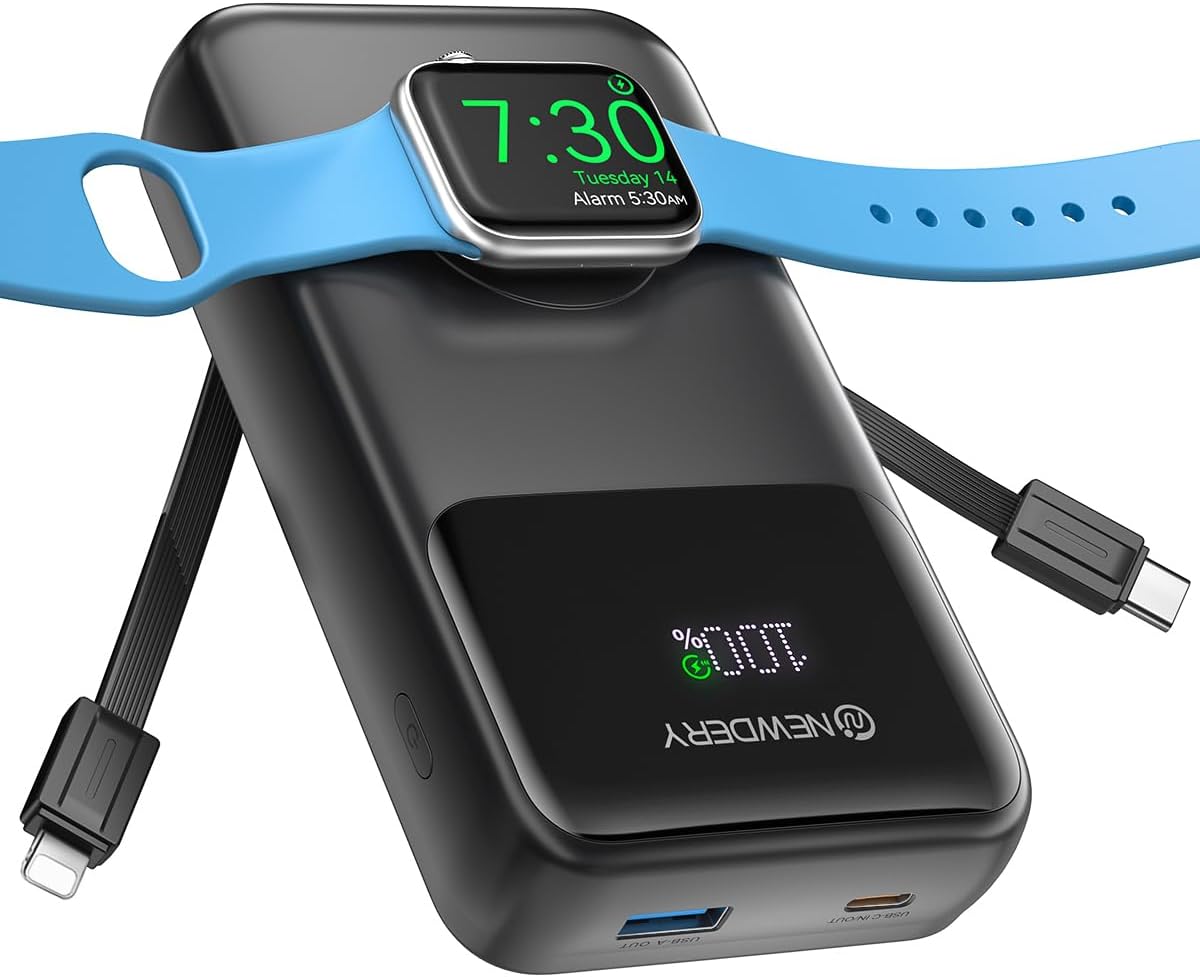
The NEWDERY 20000mAh Portable Charger with an Apple Watch magnetically attached for wireless charging.

Illustration of the 20000mAh capacity, showing approximate charge cycles for various devices like iPhones, iWatch, and AirPods.

The smart LED display provides real-time battery percentage, ensuring you always know the power bank's charge status.

Compact design for easy portability, ideal for travel and daily use.
Sanidi
Utozaji wa Awali wa Benki ya Nishati
Before first use, fully charge the power bank. Connect the provided USB-C to USB-C cable to the power bank's USB-C port and plug the other end into a compatible USB-C power adapter (e.g., 30W PD adapter) or a device like a MacBook Pro. The LED display will show the charging progress.
Note: The power bank charges via its USB-C port. USB-A ports are for output only.
Maagizo ya Uendeshaji
Vifaa vya Kuchaji
The power bank offers multiple ways to charge your devices:
- Kutumia Kebo Zilizojengewa Ndani: Pull out the integrated Lightning or USB-C cable and connect it directly to your device.
- Using USB-A/USB-C Ports: Connect your device's charging cable to the appropriate USB-A or USB-C output port on the power bank.
- Kuchaji bila waya kwa Apple Watch: Place your Apple Watch onto the magnetic wireless charging module. Press the power button once and wait 3-10 seconds for wireless charging to activate. The LED display may show a charging indicator.

The power bank supports 20W Power Delivery (PD) fast charging via its USB-C port, allowing for quick recharges of compatible smartphones.
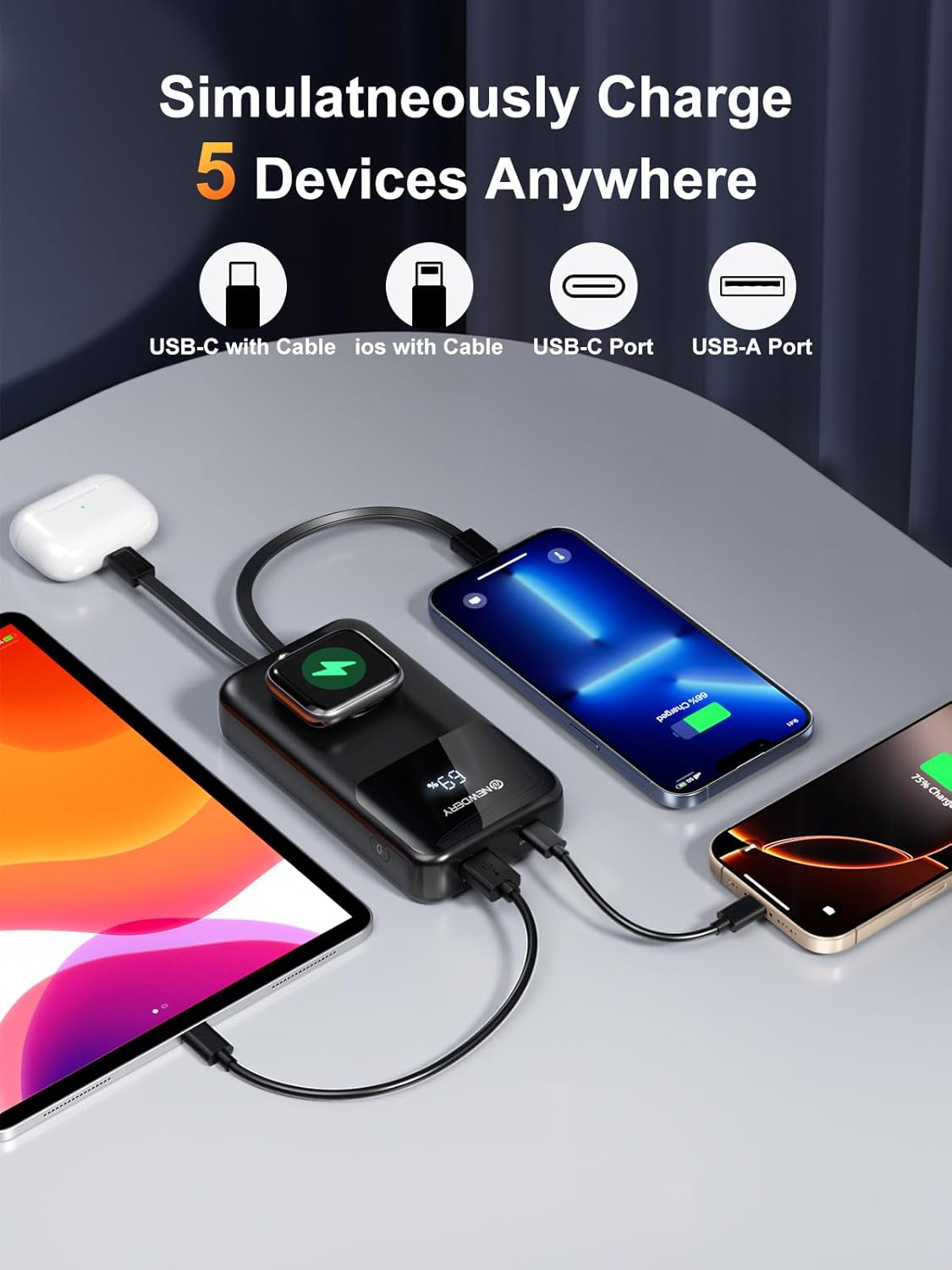
Charge up to 5 devices simultaneously using the built-in cables, USB-A, USB-C ports, and the Apple Watch wireless charger.
Uchaji wa Kupitisha
The power bank supports pass-through charging, allowing you to charge your devices while the power bank itself is being recharged. When the power bank is connected to a power source and devices are attached, the devices will charge first to 100%, and then the power bank will begin to recharge.

Illustrates the pass-through charging capability, where the power bank charges connected devices first, then recharges itself.
Inaangalia Kiwango cha Betri
Press the power button once to activate the LED display, which will show the remaining battery percentage.
Matengenezo
- Kusafisha: Use a soft, dry cloth to clean the power bank. Avoid liquid cleaners.
- Hifadhi: Hifadhi benki ya umeme mahali penye baridi, kavu mbali na jua moja kwa moja na joto kali.
- Utunzaji wa Betri: Ili kuongeza muda wa matumizi ya betri, chaji kikamilifu benki ya umeme angalau mara moja kila baada ya miezi mitatu ikiwa haitumiki mara kwa mara.
Kutatua matatizo
- Kifaa hakichaji: Ensure the power bank is charged. Check cable connections. Try a different cable or port.
- Apple Watch not charging wirelessly: Ensure the Apple Watch is correctly placed on the magnetic module. Remember to press the power button once to activate wireless charging. Wait 3-10 seconds for it to initiate.
- Inachaji polepole: Ensure your device and cable support fast charging. Some devices may charge slower depending on their battery status or if multiple devices are connected.
- Power bank haichaji: Ensure the USB-C input cable is securely connected to a compatible power adapter. Try a different power adapter or cable.
Vipimo
| Kipengele | Maelezo |
|---|---|
| Nambari ya Mfano | N2002 |
| Uwezo wa Betri | Milioni 20000amp Saa |
| Vipimo vya Bidhaa | Inchi 5.91 x 5.91 x 5.91 |
| Uzito wa Kipengee | 12.5 wakia |
| Teknolojia za Kuunganisha | USB C |
| Vipengele Maalum | Portable charger with built-in cables, USB C Input&Output, USB A Output, 20W USB C Fast Charging, Digital Display, support pass-through charging, charge multiple devices simultaneously, Wireless Charging iWatch |
| Rangi | Nyeusi |
| Mtengenezaji | Shenzhen Zhenghaixin Technology Co., Ltd. |
Taarifa za Usalama
- Usiwaweke benki ya umeme kwenye halijoto kali (moto au baridi), jua moja kwa moja, au unyevunyevu mwingi.
- Usitenganishe, kufungua au kupasua pakiti ya betri.
- Weka mbali na watoto.
- Epuka kuangusha au kuweka benki ya nguvu kwenye athari kali.
- Usitumie ikiwa benki ya umeme imeharibika au imevimba.
- Tupa bidhaa kwa uwajibikaji kulingana na kanuni za ndani.
Udhamini & Msaada
NEWDERY offers comprehensive customer support for your product:
- 24-Hour Professional and Friendly Support: Contact NEWDERY customer service for any questions or assistance.
- 30-Day Return Service: Enjoy a 30-day return period for your purchase.
- 12-Month Replacement Promise: Benefit from a 12-month replacement warranty for manufacturing defects.
For more information or to contact support, please visit the official NEWDERY store: NEWDERY Amazon Store


