1. Utangulizi
This manual provides detailed instructions for the installation, operation, and maintenance of your WESECUU Light Bulb Security Camera Model 8050. Please read this manual thoroughly before using the product to ensure proper function and safety.

Image 1.1: WESECUU Light Bulb Security Camera Model 8050 (Two Pack) and smartphone interface.
2. Taarifa za Usalama
- Hakikisha ugavi wa umeme umekatika kabla ya usakinishaji au matengenezo.
- The camera is designed for E27 light sockets (100V~240V). Use only with compatible sockets.
- Avoid exposing the camera to extreme temperatures, humidity, or direct water spray. While rated IP65 for outdoor use, proper placement is crucial to prevent water ingress into the socket.
- Usijaribu kutenganisha au kutengeneza kamera mwenyewe. Wasiliana na huduma kwa wateja kwa usaidizi.
- Weka mbali na watoto.
3. Yaliyomo kwenye Kifurushi
Thibitisha kuwa vipengee vyote vipo kwenye kifurushi chako:
- WESECUU Light Bulb Security Camera(s)
- E27 Light Socket Adapter
- Mwongozo wa Maagizo (hati hii)
4. Bidhaa Imeishaview
The WESECUU Light Bulb Security Camera Model 8050 offers comprehensive surveillance features in a discreet light bulb form factor. Key features include:
- 2K FHD Resolution: Hutoa video wazi na ya kina footage.
- WiFi ya Bendi mbili: Husaidia mitandao isiyotumia waya ya 2.4GHz na 5GHz kwa muunganisho unaonyumbulika.
- Ufikiaji wa 360°: Pan 355° and Tilt 90° for a wide vieweneo la ing.
- Maono ya Usiku ya Rangi: Equipped with floodlights and IR lights for clear, colored images in low-light conditions.
- Mazungumzo ya Njia Mbili: Maikrofoni na spika iliyojengewa ndani kwa ajili ya mawasiliano ya muda halisi.
- Smart Human Detection: Reduces false alarms by focusing on human shapes.
- Kufuatilia kwa Motion: Automatically follows detected objects.
- 24/7 Kurekodi: Supports cloud storage and local TF card storage (up to 128GB, not included).
- Utangamano wa Alexa: Integrate with Amazon Alexa for voice control and viewing.


Picha 4.1: Mbalimbali views of the WESECUU Light Bulb Security Camera.
5. Maagizo ya Kuweka
5.1 Ufungaji wa Kimwili
- Zima umeme: Ensure the power to the light socket is turned off at the circuit breaker before beginning installation.
- Ongeza: Carefully screw the WESECUU Light Bulb Security Camera into a standard E27 light socket. If your existing socket is not E27, use the provided E27 light socket adapter.
- Washa: Restore power to the light socket. The camera will power on and initiate its self-test.

Image 5.1: Easy installation into an E27 light socket.
5.2 Upakuaji wa Programu na Muunganisho
- Pakua App: Tafuta the 'Eseecloud' app in your smartphone's app store (iOS or Android) and download it.
- Sajili Akaunti: Open the Eseecloud app and follow the on-screen instructions to register a new account or log in if you already have one.
- Ongeza Kifaa: Katika programu, gusa aikoni ya '+' ili kuongeza kifaa kipya.
- Bluetooth Quick Connection: Enable Bluetooth on your smartphone. The app will guide you through the Bluetooth quick connection process to detect and pair with the camera.
- Usanidi wa WiFi: Select your 2.4GHz or 5GHz WiFi network and enter the password. Ensure your phone is connected to the same WiFi network during this step.
- Kukamilika: Ukishaunganishwa, unaweza kuipa kamera yako jina na kuanza kuishi viewing.

Image 5.2: The camera supports both 2.4GHz and 5GHz WiFi networks.
6. Maagizo ya Uendeshaji
6.1 Ishi View na Uchezaji
- Open the Eseecloud app and select your camera from the device list to access the live view.
- Tumia kitendakazi cha uchezaji ili kurudiaview foo iliyorekodiwatage from your cloud storage or TF card.
6.2 Udhibiti wa Pan, Tilt, na Zoom (PTZ)
The camera offers a 355° horizontal pan and 90° vertical tilt. Use the controls within the Eseecloud app to adjust the camera's viewpembe.

Image 6.1: Camera demonstrating auto-tracking and PTZ capabilities.
6.3 Mazungumzo ya Njia Mbili
Ili kutumia kipengele cha mazungumzo ya pande mbili, gusa aikoni ya maikrofoni kwenye kipindi cha moja kwa moja view interface of the Eseecloud app. You can speak through your phone, and your voice will be projected through the camera's speaker. Similarly, you can hear audio from the camera's location through your phone.

Image 6.2: Illustration of the two-way voice communication feature.
6.4 Utambuzi wa Mwendo na Tahadhari
- Wezesha Ugunduzi: In the app settings, enable motion detection and smart human detection. This will filter alerts to primarily notify you of human presence.
- Tahadhari: When motion or a human is detected, the camera will send real-time notifications to your smartphone.
- Kufuatilia kwa Motion: If enabled, the camera will automatically track the detected object within its field of view.
- king'ora: An audible siren can be activated via the app to deter intruders.

Image 6.3: Human detection and real-time alert functionality.
6.5 Maono ya Usiku
The camera automatically switches between day and night vision modes. It utilizes six floodlights and six IR lights to provide clear, colored images even in complete darkness.
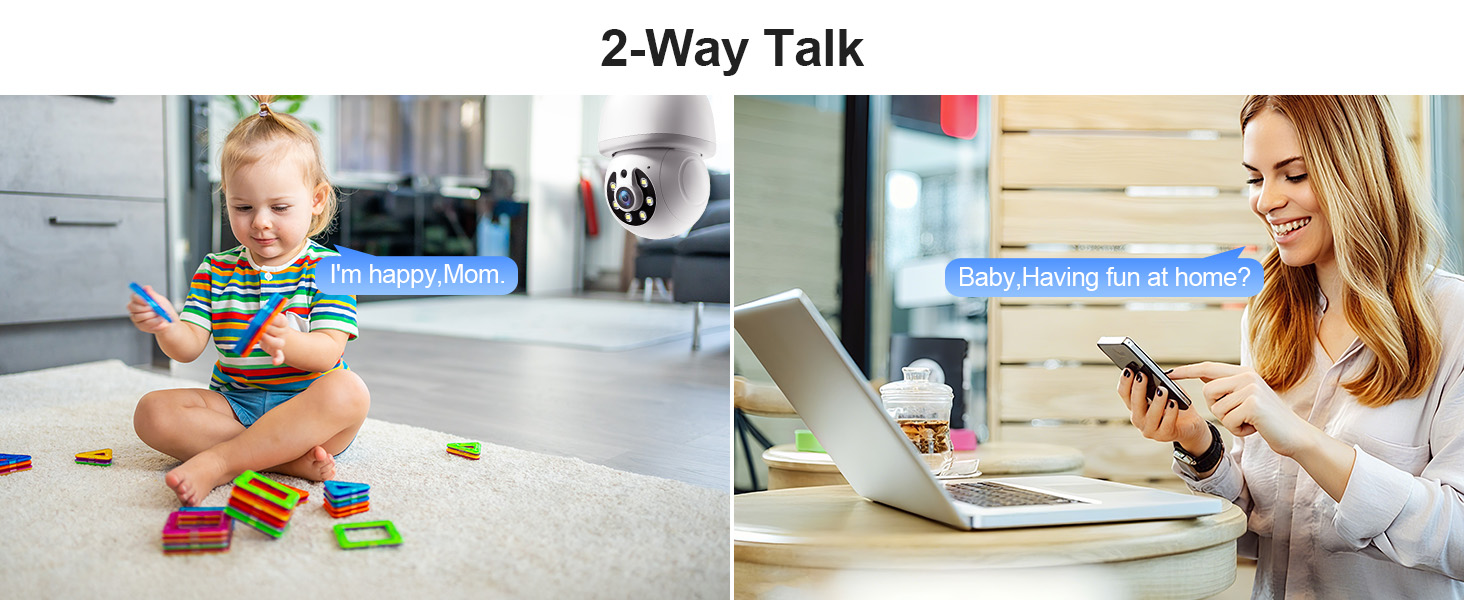
Image 6.4: Comparison of infrared and 2K full-color night vision.
6.6 Kurekodi na Kuhifadhi
The camera supports continuous 24/7 recording. You have two storage options:
- Hifadhi ya Wingu: Subscribe to the Eseecloud app's cloud storage service for remote access to your recordings.
- Uhifadhi wa Kadi ya TF: Insert a TF (microSD) card (up to 128GB, not included) into the camera's slot for local recording.

Image 6.5: 24/7 recording options with cloud and SD card storage.
6.7 Ujumuishaji wa Alexa
The WESECUU camera is compatible with Amazon Alexa. To connect:
- Fungua programu ya Alexa kwenye simu yako mahiri.
- Go to 'Skills & Games' and search for 'Eseecloud'.
- Enable the Eseecloud skill and link your Eseecloud account.
- Discover devices. You can then use voice commands like "Alexa, show me the [camera name]" on compatible Alexa devices with screens.

Image 6.6: Camera integration with Amazon Alexa.
6.8 Patrol Guard Mode
The Patrol Guard mode allows you to set multiple distinct viewpoints (presets). The camera will automatically cycle through these preset positions at custom intervals, providing continuous monitoring of different areas.

Image 6.7: Visualization of the Patrol Guard mode with multiple presets.
7. Matengenezo
- Kusafisha: Futa kwa upole lenzi ya kamera na mwili kwa kitambaa laini na kavu. Usitumie kemikali kali au visafishaji vya abrasive.
- Sasisho za Firmware: Regularly check the Eseecloud app for available firmware updates to ensure optimal performance and security.
- Hifadhi: Ikiwa utahifadhi kamera kwa muda mrefu, ikate kutoka kwa umeme na uihifadhi mahali pakavu na penye baridi.
8. Utatuzi wa shida
| Tatizo | Sababu inayowezekana | Suluhisho |
|---|---|---|
| Camera not connecting to WiFi | Incorrect WiFi password; camera too far from router; incorrect WiFi band selected. | Verify WiFi password. Move camera closer to router. Ensure you are connecting to a 2.4GHz or 5GHz network as supported. Restart camera and router. |
| Ubora wa picha duni | Lenzi chafu; mwanga usiotosha; matatizo ya kipimo data cha mtandao. | Clean the camera lens. Ensure adequate lighting for optimal color night vision. Check your internet speed. |
| Hakuna arifa za kugundua mwendo | Motion detection disabled; sensitivity too low; app notifications blocked. | Enable motion detection and human detection in the app. Adjust sensitivity settings. Check your phone's notification settings for the Eseecloud app. |
| Mazungumzo ya pande mbili hayafanyi kazi | Microphone/speaker permissions not granted; volume too low. | Check app permissions on your phone. Adjust volume settings in the app and on your phone. |
| TF card not recording | TF card full or corrupted; not inserted correctly. | Format the TF card in the app. Reinsert the TF card. Replace with a new TF card if corrupted. |
9. Vipimo
| Kipengele | Vipimo |
|---|---|
| Jina la Mfano | 8050 |
| Matumizi ya Ndani/Nje | Indoor, Outdoor (IP65 rated) |
| Azimio la Kukamata Video | 2K (3 MP Maximum WebUbora wa Picha ya kamera) |
| Teknolojia ya Uunganisho | Wireless (Wi-Fi 2.4G/5G) |
| Chanzo cha Nguvu | Corded Electric (E27 light socket, 100V~240V) |
| Aina ya Kidhibiti | Amazon Alexa |
| Aina ya Kuweka | Mlima wa dari |
| Vipengele Maalum | 2-Way Audio, Image Sensor, Color Night Vision, Human Detection, Motion Tracking |
| Chaguzi za Hifadhi | Cloud Storage, TF Card (up to 128GB, not included) |
| Vipimo vya Bidhaa | Inchi 1 x 1 x 1 |
| Uzito wa Kipengee | Pauni 1.1 |
10. Msaada kwa Wateja
For technical assistance, troubleshooting not covered in this manual, or warranty inquiries, please contact WESECUU customer support through the contact information provided with your purchase or on the official WESECUU webtovuti.