1. Utangulizi
Thank you for choosing the Maxcom FW58 Vanad Pro Smartwatch. This manual provides essential information for setting up, operating, and maintaining your device. The FW58 Vanad Pro is designed to enhance your daily life by offering comprehensive health monitoring, seamless communication, and robust activity tracking capabilities. Its lightweight design and customizable features make it an ideal companion for both busy individuals and active sports enthusiasts.
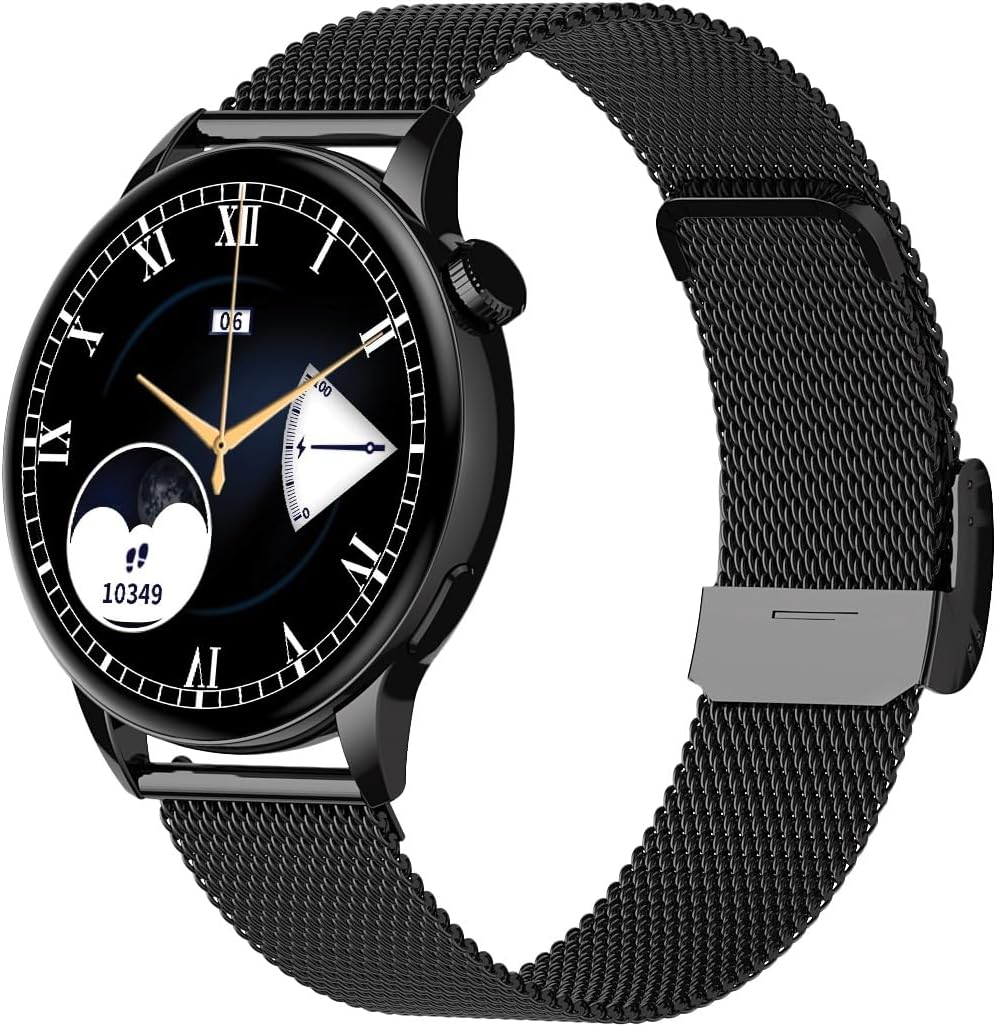
Image 1.1: Maxcom FW58 Vanad Pro Smartwatch, showcasing its elegant design with a black mesh strap and a classic watch face.
2. Kuweka
2.1. Yaliyomo kwenye Kifurushi
Kabla ya kuanza, tafadhali hakikisha kuwa bidhaa zote zipo kwenye kifurushi chako:
- Maxcom FW58 Vanad Pro Smartwatch
- Cable ya Kuchaji Magnetic
- Additional Silicone Strap
- Mwongozo wa Mtumiaji (hati hii)
2.2. Kuchaji Smartwatch
For optimal performance, fully charge your smartwatch before first use.
- Unganisha kebo ya kuchaji yenye sumaku kwenye viunganishi vya kuchaji vilivyo nyuma ya saa janja. Hakikisha pini zimepangiliwa ipasavyo.
- Chomeka ncha ya USB ya kebo kwenye adapta ya kawaida ya umeme ya USB (inapendekezwa 5V/1A) au mlango wa USB wa kompyuta.
- Onyesho la saa litaonyesha hali ya kuchaji. Chaji kamili huchukua takriban saa 2.

Picha ya 2.1: Nyuma view of the Maxcom FW58 Smartwatch, highlighting the optical sensor for health monitoring and the magnetic charging contacts.
2.3. Kuoanisha na Smartphone Yako
To unlock all features, pair your smartwatch with the dedicated Maxcom smartwatch application on your smartphone.
- Download the official Maxcom smartwatch application from your smartphone's app store (e.g., Google Play Store or Apple App Store). Tafuta "Maxcom Smartwatch" or refer to the QR code in the quick start guide if provided.
- Hakikisha kuwa Bluetooth imewashwa kwenye simu yako mahiri.
- Open the Maxcom app and follow the on-screen instructions to add a new device.
- Select "FW58" from the list of available devices. Confirm the pairing request on both your phone and the smartwatch.
3. Kuendesha Smartwatch
3.1. Urambazaji wa Msingi
The Maxcom FW58 features a responsive touchscreen and a side button/crown for navigation.
- Skrini ya kugusa: Telezesha kidole kushoto/kulia, juu/chini ili kupitia menyu na vipengele. Gusa ili kuchagua.
- Kitufe/Taji ya Upande: Press to wake the screen, return to the home screen, or access the app menu. Rotate the crown (if applicable) to scroll through lists or adjust settings.

Picha ya 3.1: Pro wa upandefile of the Maxcom FW58 Smartwatch, illustrating the physical crown and button for intuitive control and navigation.
3.2. Vipengele vya Mawasiliano
- Kupiga/Kupokea Simu: Once paired, you can answer incoming calls directly from your smartwatch. You can also initiate calls from your watch's call log or contacts (synced via the app).
- Arifa: Receive real-time notifications for SMS messages, app alerts, emails, social media updates, and news directly on your wrist. Manage notification settings through the Maxcom app.
3.3. Ufuatiliaji wa Afya
The smartwatch provides various health metrics to help you monitor your well-being.
- Kiwango cha Moyo: Ufuatiliaji wa mapigo ya moyo unaoendelea au unapohitaji.
- Shinikizo la Damu: Measure your blood pressure (for reference only, not a medical device).
- Oksijeni ya Damu (SpO2): Monitor your blood oxygen saturation levels.
- Ufuatiliaji wa Usingizi: Automatically monitors your sleep patterns, including deep sleep, light sleep, and awake times.
3.4. Activity Tracking & Sports Modes
Fuatilia shughuli zako za kila siku na mazoezi maalum.
- Shughuli za Kila Siku: Records steps taken, calories burned, and distance traveled (mileage).
- Mbinu za Michezo: Select from various sports modes such as fitness, hiking, running, badminton, cycling, and football to track specific workout data.
3.5. Udhibiti wa Muziki
Control music playback on your connected smartphone directly from your smartwatch. Play, pause, skip tracks, and adjust volume without needing to access your phone.
3.6. Kubinafsisha
Personalize your smartwatch experience.
- Nyuso za Kuangalia: Choose from over 100 pre-installed watch face models or download more via the Maxcom app to match your style or mood.
- Mtindo wa Menyu: Customize the layout and appearance of your smartwatch menu.
- Uingizwaji wa Kamba: Easily change between the included mesh and silicone straps to suit different occasions or activities.

Image 3.2: A digital watch face on the Maxcom FW58 Smartwatch, showing steps and heart rate data.

Image 3.3: The Maxcom FW58 Smartwatch showcasing a dynamic and colorful digital watch face option.
4. Matengenezo
4.1. Cleaning the Smartwatch
Regular cleaning helps maintain the device's appearance and functionality.
- Futa skrini na mwili kwa kitambaa laini kisicho na pamba.
- Kwa smudges mkaidi, kidogo dampsw kitambaa na maji. Epuka kutumia kemikali kali au vifaa vya abrasive.
- Clean the sensor area on the back of the watch regularly to ensure accurate readings.
4.2. Utunzaji wa Betri
Kuongeza maisha ya betri:
- Epuka halijoto kali.
- Usiache saa ikiwa imezimwa kwa muda mrefu.
- Chaji kifaa kwa kutumia kebo ya kuchaji iliyotolewa pekee.
4.3. Ustahimilivu wa Maji (IP67)
The Maxcom FW58 Vanad Pro Smartwatch is rated IP67, meaning it is protected against dust ingress and can withstand immersion in water up to 1 meter for up to 30 minutes. While it is suitable for daily use and splashes, it is not recommended for swimming, diving, or high-pressure water activities.
5. Utatuzi wa shida
If you encounter issues with your smartwatch, try the following solutions:
| Tatizo | Suluhisho |
|---|---|
| Saa haiwashi | Ensure the watch is fully charged. Press and hold the side button for 5-10 seconds. |
| Haiwezi kuoanishwa na simu mahiri | Ensure Bluetooth is on. Restart both the watch and phone. Clear app cache/data. Try pairing again. |
| Usomaji usio sahihi wa afya | Ensure the watch is worn snugly on your wrist. Clean the sensor area. Remain still during measurements. |
| Arifa hazijapokelewa | Check app notification permissions on your phone. Ensure the watch is connected via Bluetooth. Verify notification settings within the Maxcom app. |
5.1. Rudisha Kiwanda
If problems persist, you may need to perform a factory reset. This will erase all data on the smartwatch and restore it to its original settings. Navigate to 'Settings' on your smartwatch, then look for 'System' or 'Reset' options.
6. Vipimo
| Kipengele | Maelezo |
|---|---|
| Nambari ya Mfano | FW58 |
| Ukubwa wa Kuonyesha | inchi 1.5 |
| Maisha ya Betri | 6-10 days (intensive use) |
| Uzito | 46g |
| Vipimo vya Kesi | 44 x 38 x 10 mm |
| Saizi ya kamba | 255 x 20 mm |
| Upinzani wa Maji | IP67 (hadi mita 1 kwa dakika 30) |
| Muunganisho | Bluetooth |
| Pamoja na Kamba | Mesh and Silicone |
7. Udhamini na Msaada
7.1. Taarifa za Udhamini
Maxcom products are manufactured to the highest quality standards. For detailed warranty terms and conditions, please refer to the warranty card included with your purchase or visit the official Maxcom webtovuti. Weka uthibitisho wako wa ununuzi kwa madai ya udhamini.
7.2. Msaada kwa Wateja
If you require further assistance or have questions not covered in this manual, please contact Maxcom customer support:
- Webtovuti: Visit the official Maxcom support website for FAQs, software updates, and contact forms.
- Barua pepe/Simu: Refer to the contact information provided on the Maxcom webtovuti au ufungaji wa bidhaa yako.


