Utangulizi
Thank you for choosing the KZ VXS Pro Bluetooth Earbuds. These earbuds are designed to provide a high-quality wireless audio experience, featuring a custom-designed 10mm dynamic driver and the Qualcomm QCC5171 chip for powerful performance. They offer two performance modes, CVC 9.0 noise cancellation, and an extended battery life. This manual will guide you through the setup, operation, and maintenance of your new earbuds.
Yaliyomo kwenye Kifurushi
Tafadhali thibitisha kuwa bidhaa zote zilizoorodheshwa hapa chini zipo kwenye kifurushi chako:
- KZ VXS Pro Bluetooth Earbuds
- Kesi ya Kuchaji
- Vidokezo vya Masikio (saizi mbalimbali)
- Mwongozo wa Mtumiaji
- Kebo ya Kuchaji
Note: The product includes a user manual, charging station (case), and ear tips. A charging cable is typically included with such devices.
Mwongozo wa Kuweka
1. Kuchaji vifaa vya masikioni na Kipochi
Before first use, fully charge the KZ VXS Pro earbuds and their charging case.
- Place the earbuds into the charging case, ensuring they are correctly seated in their respective slots.
- Connect the charging case to a power source using a compatible USB cable. The indicator light on the case will illuminate to show charging status.
- Allow approximately 1-2 hours for a full charge. The indicator light will change or turn off when charging is complete.

Image: KZ VXS Pro earbuds inside their charging case, with a green indicator light visible, suggesting charging or power on. The earbuds are black and fit snugly into the circular charging slots.
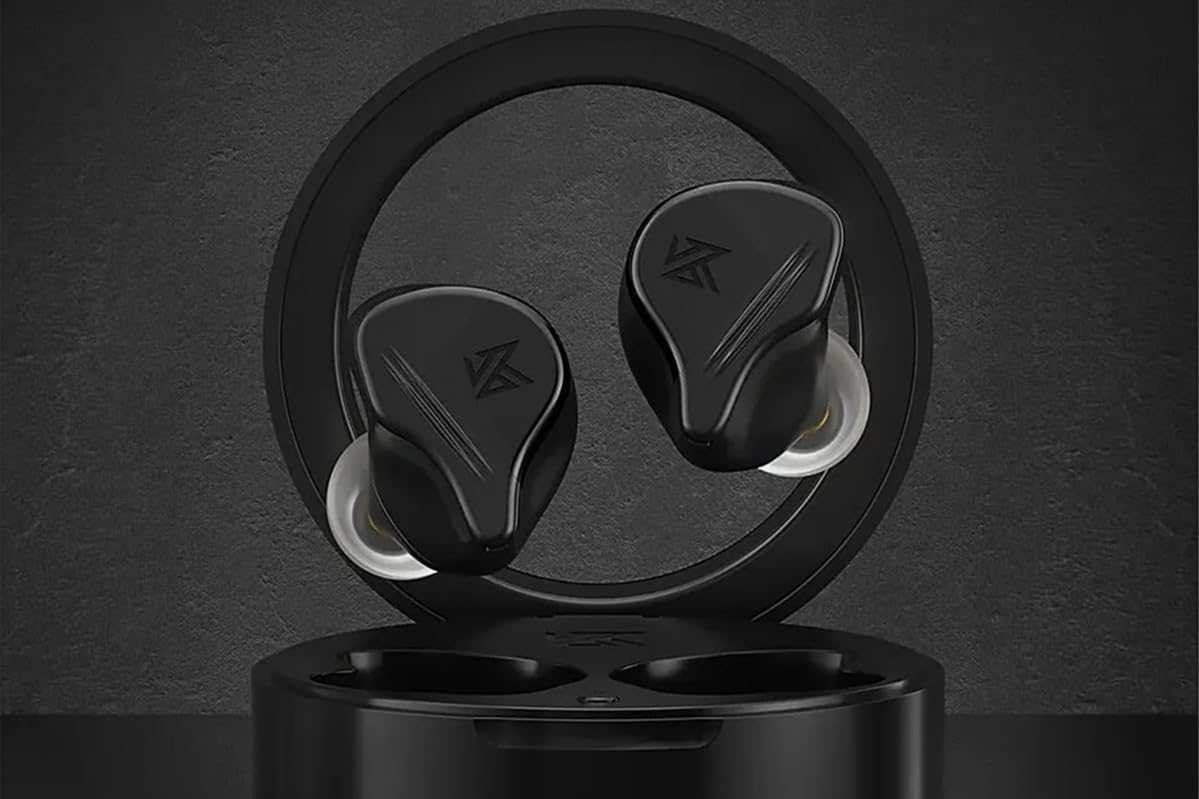
Picha: Juu-chini view of the KZ VXS Pro charging case with earbuds inside, showing a single green indicator light. This indicates the charging status or power level of the case.
2. Uoanishaji wa Awali
Vifaa vya masikioni vitaingia kiotomatiki katika hali ya kuoanisha vinapotolewa kwenye kisanduku cha kuchaji.
- Fungua kipochi cha kuchaji na uondoe vifaa vya sauti vya masikioni vyote viwili. Watawasha kiotomatiki na kuingia katika hali ya kuoanisha.
- Kwenye kifaa chako kilichowezeshwa na Bluetooth (smartphone, kompyuta kibao, kompyuta ndogo), nenda kwenye mipangilio ya Bluetooth.
- Tafuta available devices and select "KZ VXS Pro" from the list.
- Once connected, you will hear an audio prompt, and the indicator lights on the earbuds will change (e.g., turn off or solid).

Image: KZ VXS Pro earbuds resting in their open charging case, ready for pairing or use. The case is black and circular, holding the two black earbuds securely.

Image: Two KZ VXS Pro earbuds placed on a dark surface, with the charging case blurred in the background. This shows the earbuds themselves, highlighting their design.
3. Kuvaa vifaa vya masikioni
Kwa ubora bora wa sauti na faraja, hakikisha kutoshea vizuri.
- Select the ear tips that provide the best seal and comfort for your ears. Different sizes are included.
- Gently insert each earbud into your ear canal and twist slightly to secure them. The ergonomic design provides physical noise isolation.
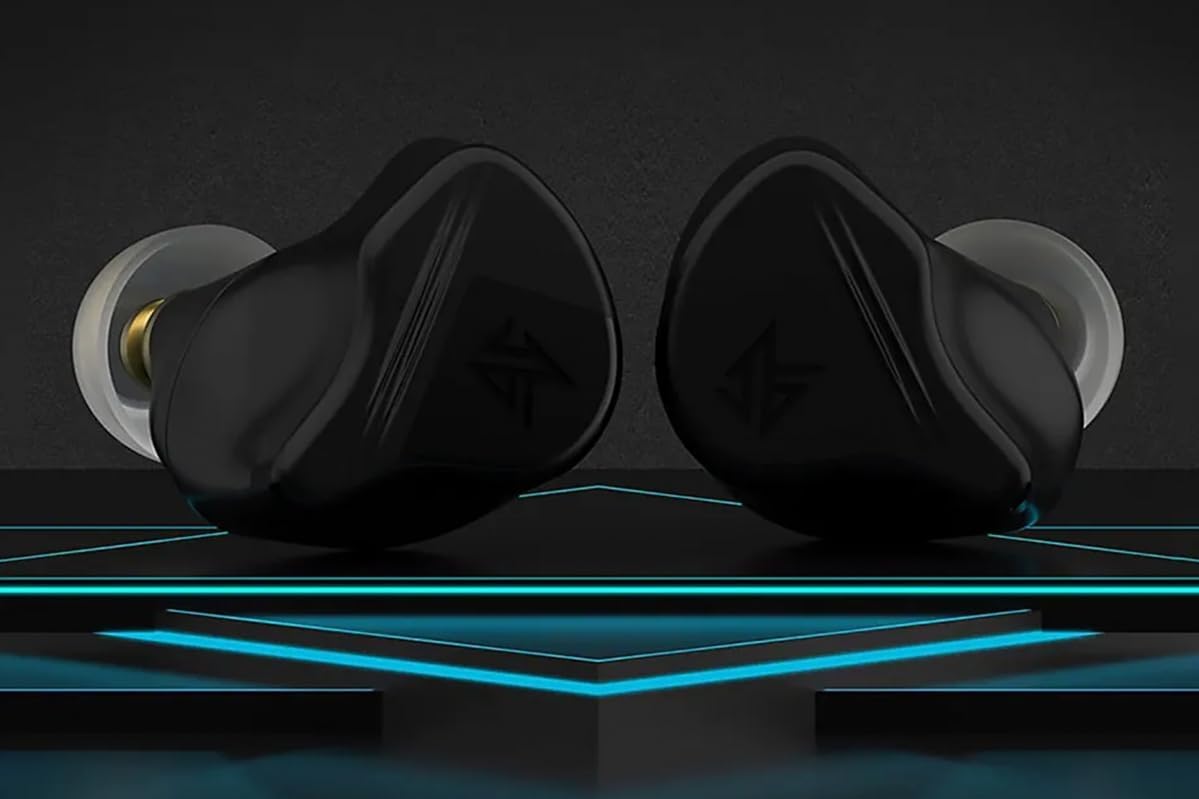
Picha: Karibu view of two KZ VXS Pro earbuds, showcasing their ergonomic design and ear tips. The black earbuds have a distinctive shape designed for a secure and comfortable fit.
Maagizo ya Uendeshaji
Muunganisho wa Bluetooth
The KZ VXS Pro earbuds utilize Bluetooth wireless technology for connection. They support quick connection and stability with a transmission range of approximately 15 meters.
- Muunganisho Upya wa Kiotomatiki: Once paired, the earbuds will automatically reconnect to the last paired device when removed from the charging case, provided Bluetooth is enabled on the device.
- Connecting to a New Device: To pair with a new device, disconnect the earbuds from the current device. The earbuds will then enter pairing mode, allowing you to search for them on the new device.

Image: A KZ VXS Pro earbud next to a smartphone displaying a music player interface, indicating successful Bluetooth connection and media playback. This illustrates the earbuds in use with a mobile device.
Vidhibiti na Kazi
The KZ VXS Pro earbuds feature touch controls for various functions. Specific gestures for playback, calls, and mode switching are typically managed via the earbud's surface. Refer to the quick start guide included in your package for detailed touch control instructions.
- Uchezaji wa Muziki: Cheza/Sitisha, Wimbo Unaofuata, Wimbo Uliotangulia.
- Usimamizi wa Simu: Jibu/Katisha Simu, Kataa Simu.
- Msaidizi wa Sauti: Washa msaidizi wa sauti wa kifaa chako.
- Mbinu za Utendaji: The earbuds support two performance modes. Consult the quick start guide for instructions on how to switch between these modes to optimize for different listening experiences (e.g., low latency for gaming, high-fidelity for music).
- Maikrofoni: The integrated microphone allows for clear hands-free calls. CVC 9.0 technology assists in reducing background noise during calls.
Sound Quality and Features
Equipped with a custom-designed 10mm dynamic driver and the Qualcomm QCC5171 chip, the KZ VXS Pro delivers exceptional audio performance.
- Sauti ya Uaminifu wa Juu: Designed to reproduce various music genres accurately, including rich bass, clear vocals, and detailed instrumental music.
- DSP Effect Gain Adjustment: Supports 10 levels of DSP sound effect gain adjustment with a range of up to ±8 dB, allowing for personalized sound tuning.
- Physical Noise Isolation: The ergonomic design provides over 23 dB of physical noise cancellation, reducing ambient sounds without relying on electronic noise cancellation.
Matengenezo na Utunzaji
Proper maintenance ensures the longevity and optimal performance of your KZ VXS Pro earbuds.
- Kusafisha: Safisha vifaa vya masikioni na kipochi cha kuchaji mara kwa mara kwa kitambaa laini, kikavu na kisicho na pamba. Usitumie visafishaji vya abrasive au vimumunyisho.
- Vidokezo vya Masikio: Ondoa ncha za masikio na uzisafishe kwa tangazoamp cloth or mild soap and water. Ensure they are completely dry before reattaching.
- Inachaji Anwani: Periodically check and clean the charging contacts on both the earbuds and the case to ensure a good connection.
- Hifadhi: Wakati haitumiki, hifadhi vifaa vya sauti vya masikioni kwenye kipochi chao cha kuchaji ili kuvilinda dhidi ya vumbi na uharibifu.
- Upinzani wa Maji: Bidhaa ni isiyozuia maji. Avoid exposure to water, rain, or excessive moisture.
- Halijoto: Avoid exposing the earbuds to extreme temperatures (hot or cold).
Kutatua matatizo
If you encounter issues with your KZ VXS Pro earbuds, try the following solutions:
| Tatizo | Suluhisho linalowezekana |
|---|---|
| Vifaa vya sauti vya masikioni havioanishi |
|
| Hakuna sauti kutoka kwa kifaa kimoja cha sauti cha masikioni |
|
| Kesi ya kuchaji haichaji |
|
| Ubora duni wa sauti |
|
Vipimo
| Kipengele | Maelezo |
|---|---|
| Jina la Mfano | KZ VXS Pro Bluetooth Earbuds with microphone |
| Nambari ya Mfano | VXS Pro |
| Chapa | KZ |
| Teknolojia ya Uunganisho | Isiyo na waya (Bluetooth) |
| Chip ya Bluetooth | Qualcomm QCC5171 |
| Aina ya Dereva | Custom-designed 10mm Dynamic Driver |
| Maikrofoni | Included (with CVC 9.0) |
| Kutengwa kwa Sauti | Acoustic Isolation (Physical Noise Cancellation >23dB) |
| Kiwango cha Upinzani wa Maji | Sio kuzuia Maji |
| Aina ya Maambukizi | Takriban mita 15 |
| Maisha ya Betri | Extremely long (specific hours not provided) |
| Vifaa Sambamba | Smartphones, tablets, laptops, desktops, Bluetooth-compatible devices |
| Rangi | Nyeusi |
| Kipengele cha Fomu | Kweli Wireless |
Udhamini na Msaada
Taarifa ya Udhamini
The KZ VXS Pro earbuds are covered by a manufacturer's warranty against defects in materials and workmanship. Please refer to the warranty card included in your product packaging for specific terms, conditions, and duration. For purchases made through Amazon, a 30-day return/replacement policy is typically offered.
Usaidizi wa Wateja
For technical assistance, troubleshooting beyond this manual, or warranty claims, please contact KZ Audio customer support.
- Mtengenezaji: KZ Audio
- Maelezo ya Mawasiliano: Please visit the official KZ Audio website or refer to the contact details provided in your product packaging for the most up-to-date support channels.