Utangulizi
This manual provides comprehensive instructions for the Headwolf Fpad3 Mini Tablet. It covers essential information regarding product setup, operation, maintenance, and troubleshooting to ensure optimal performance and longevity of your device. Please read this manual thoroughly before using the tablet.

Picha: Mbele view of the Headwolf Fpad3 Mini Tablet, showcasing onyesho lake.
Sanidi
1. Yaliyomo kwenye Kifurushi
Unapoondoa sanduku, thibitisha kuwa vitu vifuatavyo vimejumuishwa:
- Headwolf Fpad3 Mini Tablet
- Kebo ya kuchaji ya Type-C ya USB
- PD10W Charger
- Zana ya Kuzuia SIM
- Mwongozo wa Mtumiaji (hati hii)
2. Kimwili Zaidiview

Image: Diagram illustrating the location of the headphone jack, rear camera, volume button, reset button, power button, SIM/SD card slot, and Type-C port on the Headwolf Fpad3 Mini Tablet.
Jizoeshe na vipengele halisi vya kompyuta kibao:
- Kitufe cha Nguvu: Iko pembeni, inayotumika kuwasha/kuzima au kuamsha/kulala kifaa.
- Vifungo vya Sauti: Rekebisha sauti ya sauti.
- Mlango wa USB Aina ya C: Kwa malipo na uhamisho wa data.
- Jack ya Kipokea sauti cha 3.5mm: Kwa kuunganisha vichwa vya sauti vya waya.
- Nafasi ya SIM/MicroSD Kadi: For inserting Nano SIM cards and a MicroSD card.
- Kamera ya mbele: Located above the screen.
- Kamera ya Nyuma: Iko nyuma ya kompyuta kibao.
3. Kuchaji Kifaa
Before first use, fully charge the tablet. Connect the provided USB Type-C cable to the tablet's Type-C port and the other end to the PD10W charger. Plug the charger into a power outlet. The charging indicator will typically appear on the screen.
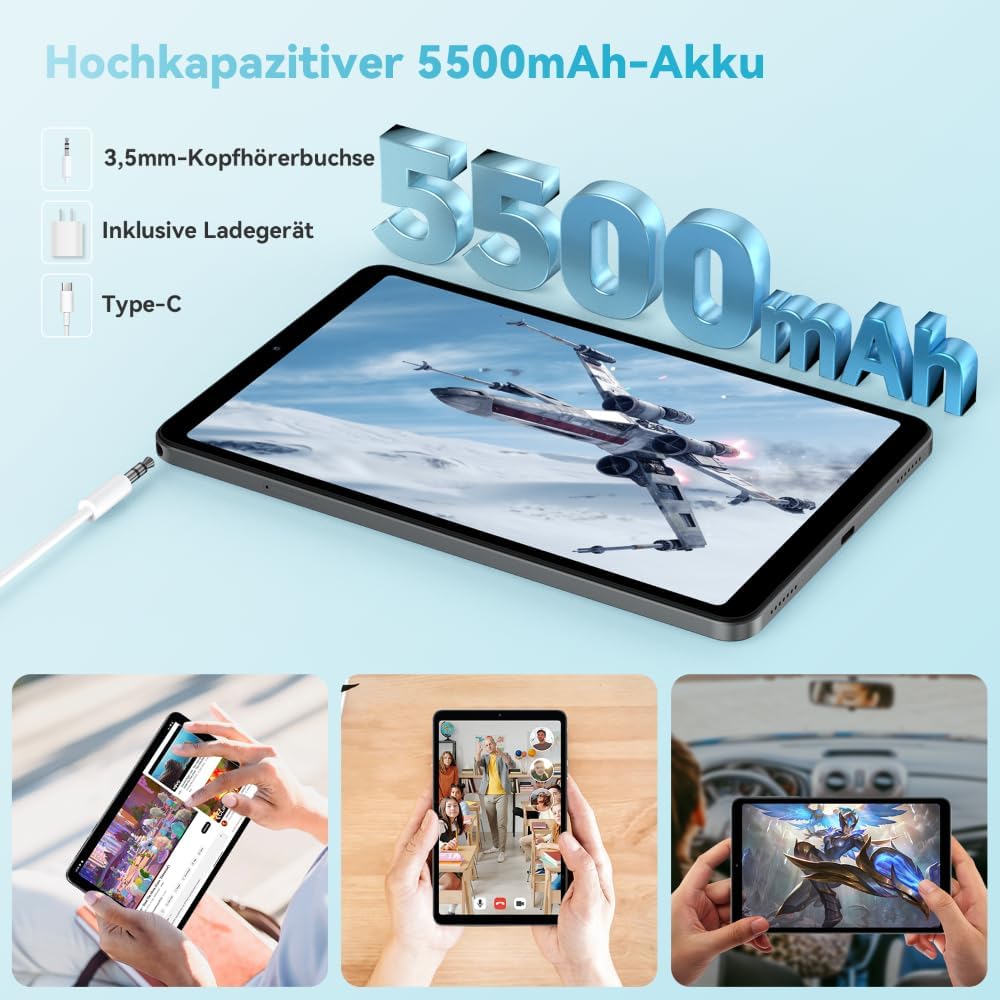
Image: The Headwolf Fpad3 Mini Tablet connected to a charger, highlighting its 5500mAh battery capacity and Type-C charging port.
4. Kuwasha/Kuzima
- Kuwasha: Press and hold the Power button until the Headwolf logo appears.
- Kuzima: Bonyeza na ushikilie kitufe cha Nguvu hadi menyu ya chaguzi za nguvu itaonekana, kisha uchague "Zima".
- Ili Kuanzisha Upya: Bonyeza na ushikilie kitufe cha Nguvu hadi menyu ya chaguzi za nguvu itaonekana, kisha uchague "Anzisha tena".
5. Usanidi wa Awali
Upon first power-on, the tablet will guide you through the initial setup process. This includes selecting your language, connecting to a Wi-Fi network, setting up your Google account, and configuring security options. The tablet runs on Android 13 and is Google GMS certified, ensuring access to Google Play services.
6. Ufungaji wa Kadi ya SIM na Kadi ya MicroSD
The Headwolf Fpad3 supports dual Nano SIM cards for 4G LTE connectivity and a MicroSD card for expandable storage up to 2TB.
- Tafuta nafasi ya kadi ya SIM/MicroSD pembeni mwa kompyuta kibao.
- Ingiza kifaa cha kutoa SIM kwenye shimo dogo karibu na trei ili kuifungua.
- Vuta tray kwa uangalifu.
- Weka kadi yako ya Nano SIM na/au kadi ya MicroSD kwenye nafasi zilizotengwa kwenye trei, ukihakikisha mwelekeo sahihi.
- Sukuma trei kwa upole ndani ya kompyuta kibao hadi itakapobonyeza mahali pake.
Maagizo ya Uendeshaji
1. Onyesho na Uzoefu wa Kuonekana
The tablet features an 8.4-inch FHD IPS In-Cell display with a resolution of 1920 x 1200 pixels, offering clear and vibrant visuals. It supports Widevine L1 for high-definition streaming from compatible services.

Image: The Headwolf Fpad3 Mini Tablet display showing high-definition content, emphasizing Widevine L1 support for streaming services like YouTube, Prime Video, Disney+, Hulu, and HBO Max.
2. Utendaji na Uhifadhi
Powered by an Unisoc T616 Octa-Core processor (2x A75 at 2.0GHz + 6x A55 at 1.8GHz) and 8GB of RAM (4GB + 4GB virtual expansion), the Fpad3 ensures smooth multitasking and efficient operation. It comes with 128GB of UFS 2.2 internal storage, which can be expanded up to 2TB using a MicroSD card.

Image: An illustration detailing the Headwolf Fpad3 Mini Tablet's powerful Octa-Core Unisoc T616 processor, Mali-G57 GPU, and Android 13 operating system, with a benchmark comparison.

Image: A visual representation of the Headwolf Fpad3 Mini Tablet's 8GB RAM (with 4GB virtual expansion) and 128GB ROM, highlighting its expandability up to 2TB via an SD card.
3. Muunganisho
The tablet offers versatile connectivity options:
- Wi-Fi: Supports dual-band 2.4G/5G Wi-Fi for stable and fast internet access.
- 4G LTE: Dual Nano SIM support for cellular data and phone call functionality.
- Bluetooth 5.0: For connecting wireless peripherals like headphones, keyboards, and mice.
- GPS: Integrated GPS, Beidou, and Galileo for accurate navigation.
- OTG (Ukiwa Unaendelea): Allows connecting USB devices such as flash drives or external keyboards.
4. Kamera
Capture moments with the tablet's dual cameras:
- Kamera ya Nyuma: MP 13
- Kamera ya mbele: MP 8
The tablet also supports Face Unlock for convenient and secure access.

Picha: Ililipuka view of the Headwolf Fpad3 Mini Tablet's dual cameras (8MP front, 13MP rear) and the Face Unlock feature, with examples of usage scenarios.
5. Sauti
Experience immersive audio with dual box speakers. A 3.5mm headphone jack is also available for private listening.
6. Nafasi ya Google Kids
The tablet includes support for Google Kids Space, providing a safe and engaging environment for children with access to over 10,000 real-time resources.
Matengenezo
1. Kusafisha Kifaa
Tumia kitambaa laini kisicho na pamba kusafisha skrini na mwili wa kompyuta kibao. Epuka kutumia kemikali kali au nyenzo za abrasive ambazo zinaweza kuharibu uso.
2. Sasisho za Programu
Regularly check for and install system updates to ensure your tablet has the latest features, security patches, and performance improvements. Navigate to Mipangilio > Mfumo > Sasisho la mfumo kuangalia kwa sasisho.
3. Utunzaji wa Betri
- Epuka kuweka tembe kwenye halijoto kali.
- Usiruhusu betri itoe kabisa mara kwa mara.
- Tumia chaja na kebo asilia kwa ajili ya kuchaji vyema.
- Kwa uhifadhi wa muda mrefu, chaji betri hadi takriban 50-60%.
Kutatua matatizo
Masuala ya Kawaida na Suluhisho
| Tatizo | Suluhisho linalowezekana |
|---|---|
| Kifaa hakiwashi. | Ensure the battery is charged. Press and hold the Power button for at least 10-15 seconds. If unresponsive, connect to charger and try again. |
| Haiwezi kuunganisha kwenye Wi-Fi. | Check if Wi-Fi is enabled in settings. Restart the tablet and the Wi-Fi router. Ensure you are entering the correct password. |
| Programu zinaacha kufanya kazi au kuganda. | Clear the app's cache (Settings > Apps > [App Name] > Storage > Clear cache). Restart the tablet. Ensure the app is updated to its latest version. |
| Kompyuta kibao ni polepole au haijibu. | Close unnecessary background apps. Clear cache of frequently used apps. Restart the tablet. Consider performing a factory reset as a last resort (backup data first). |
| SIM kadi haijatambuliwa. | Ensure the SIM card is correctly inserted into the tray. Restart the tablet. Check if the SIM card is active with your carrier. |
Ikiwa matatizo yataendelea, tafadhali wasiliana na huduma kwa wateja.
Vipimo
| Kipengele | Maelezo |
|---|---|
| Chapa | Mbwa mwitu |
| Nambari ya Mfano | FPad3 Ulta |
| Mfumo wa Uendeshaji | Android 13 |
| Chapa ya Kichakataji | Unisoc |
| Mfano wa Kichakataji | T616 Octa-Core |
| RAM | GB 8 (4GB + 4GB pepe) |
| Hifadhi ya Ndani | GB 128 UFS 2.2 |
| Hifadhi inayoweza kupanuliwa | Hadi TB 2 kupitia MicroSD |
| Ukubwa wa skrini | Inchi 8.4 |
| Azimio la skrini | 1920 x 1200 Pixels (FHD IPS In-Cell) |
| Chapa ya Chipset ya Michoro | Arm Mali G57 |
| Kamera ya Nyuma | 13 Mbunge |
| Kamera ya mbele | 8 Mbunge |
| Uwezo wa Betri | 5500 mAh Lithium-polima |
| Kuchaji Bandari | USB Type-C (PD10W Fast Charging) |
| Muunganisho wa Waya | 802.11a/b/g/n/ac (2.4G/5G WiFi), Bluetooth 5.0 |
| Muunganisho wa Simu | Dual 4G LTE (Nano SIM) |
| Urambazaji | GPS, Beidou, Galileo |
| Vipengele Maalum | Stereo Speakers, Expandable Storage, Phone Call Functionality, Fast Charging, Card Reader, Face ID, Widevine L1 |
| Vipimo (L x W x H) | 25.4 x 15.24 x 7.62 cm |
| Uzito | gramu 610 |
Udhamini na Msaada
The Headwolf Fpad3 Mini Tablet comes with a one-year warranty from the date of purchase. For any technical assistance, product inquiries, or warranty claims, please contact Headwolf customer service. We offer 24/7 customer support to assist you.
Please refer to your purchase documentation for specific warranty terms and contact information, or visit the official Headwolf webtovuti.


