1. Utangulizi
This manual provides essential information for the proper installation, operation, and maintenance of your LC-Power FHD 32 inch 165Hz Curved Gaming Monitor (Model: LC-M32-FHD-165-C-A). Please read this manual thoroughly before using the product to ensure optimal performance and safety.

Kielelezo 1.1: Mbele view of the LC-Power 32-inch curved gaming monitor.
2. Taarifa za Usalama
Fuata tahadhari zifuatazo za usalama ili kuzuia uharibifu wa kifuatiliaji na uhakikishe usalama wa mtumiaji:
- Usiweke kidhibiti kwenye mvua, unyevu, au halijoto kali.
- Hakikisha uingizaji hewa sahihi karibu na kufuatilia. Usizuie fursa za uingizaji hewa.
- Tumia tu adapta ya nguvu iliyotolewa na kufuatilia.
- Epuka kuweka vitu vizito kwenye kamba ya nguvu.
- Tenganisha kebo ya umeme kutoka kwenye soketi wakati wa dhoruba za radi au inapotumika kwa muda mrefu.
- Usijaribu kutengeneza kifuatiliaji mwenyewe. Waelekeze wafanyakazi wote waliohitimu huduma.
3. Yaliyomo kwenye Kifurushi
Thibitisha kuwa vipengee vyote vipo kwenye kifurushi:
- LC-Power 32 inch Curved Gaming Monitor
- Kufuatilia Stand (Msingi na Shingo)
- Adapta ya Nguvu na Cable ya Nguvu
- Kebo ya HDMI
- Mwongozo wa Mtumiaji
- Screws za Bunge la Kudumu
4. Kuweka
4.1 Kukusanya Stendi
- Ondoa kwa uangalifu mfuatiliaji kutoka kwa kifurushi chake, ukiihifadhi kwenye uso laini.
- Ambatisha shingo ya kusimama kwenye paneli ya kifuatiliaji kwa kutumia skrubu zilizotolewa.
- Connect the stand base to the stand neck and secure it with the remaining screws.
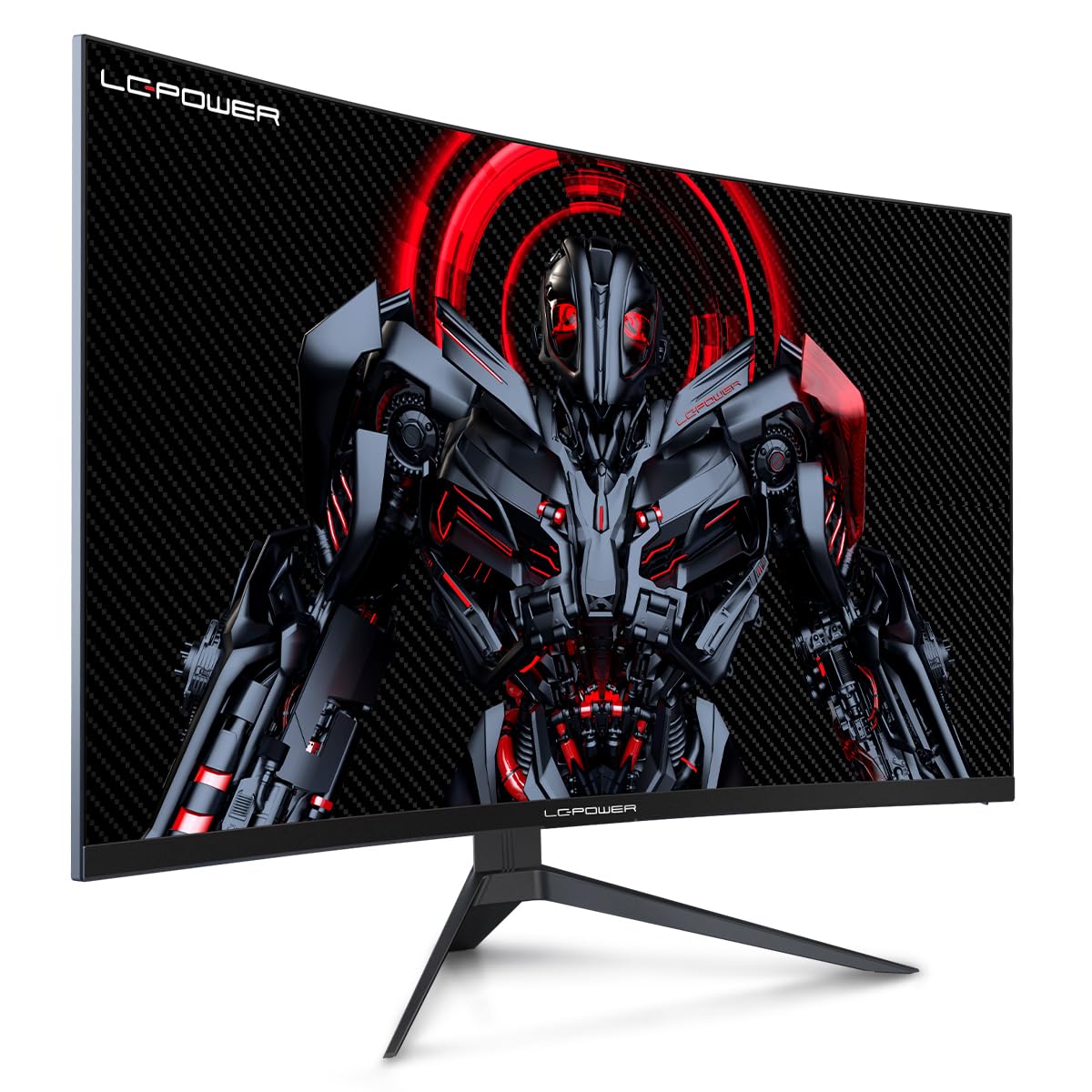
Figure 4.1: LC-Power monitor with stand assembled.
4.2 Kuunganisha nyaya
Unganisha nyaya zinazohitajika kwenye milango ya nyuma ya kifuatiliaji:
- Nguvu: Connect the power adapter to the monitor's DC input and then to a power outlet.
- Input ya Video: Connect an HDMI or DisplayPort cable from your computer's graphics card to the corresponding port on the monitor.

Kielelezo cha 4.2: Nyuma view ya mfuatiliaji na bandari za kuingiza.
4.3 Upachikaji wa VESA (Si lazima)
The monitor supports VESA 100x100mm mounting. To use a VESA mount, remove the stand and attach the monitor to a compatible VESA bracket using appropriate screws (not included).
5. Maagizo ya Uendeshaji
5.1 Washa/Zima
Press the power button, typically located on the back or bottom of the monitor, to turn the monitor on or off. The power indicator light will illuminate when the monitor is on.
5.2 Menyu ya Onyesho la Skrini (OSD).
The OSD menu allows you to adjust various monitor settings. Use the control buttons (joystick or individual buttons) on the monitor to navigate the menu.
Mipangilio ya kawaida ya OSD:
- Mipangilio ya Picha: Rekebisha mwangaza, utofautishaji, ukali, na halijoto ya rangi.
- Chaguo la Kuingiza: Badili mwenyewe kati ya ingizo za HDMI na DisplayPort.
- Sauti: Adjust volume if external speakers are connected via the monitor's audio output.
- Mipangilio ya Mchezo: Access features like Overdrive, GamePlus (crosshair overlays), FPS/RTS modes, and Adaptive Sync.
- Mipangilio ya Maonyesho: Adjust aspect ratio, resolution, and refresh rate. Ensure your graphics card is configured to output 1920x1080 resolution at 165Hz for optimal performance.
- Low Blue Light & Flicker-Free: These features are designed to reduce eye strain during prolonged use. They can be enabled or disabled in the OSD menu.
6. Matengenezo
6.1 Kusafisha Monitor
- Daima ondoa kufuatilia kabla ya kusafisha.
- Tumia kitambaa laini kisicho na pamba kidogo dampimefungwa kwa maji au kisafishaji skrini kisicho na abrasive.
- Usinyunyize kisafishaji moja kwa moja kwenye skrini.
- Avoid using benzene, thinner, or ammonia-based cleaners.
6.2 Hifadhi
If storing the monitor for an extended period, disconnect all cables, pack it in its original packaging, and store it in a cool, dry place away from direct sunlight.
7. Utatuzi wa shida
Rejelea jedwali lifuatalo kwa maswala ya kawaida na suluhisho zao:
| Tatizo | Sababu inayowezekana | Suluhisho |
|---|---|---|
| Hakuna picha kwenye skrini | Power cable disconnected; Video cable disconnected; Incorrect input selected | Check power and video cable connections; Select correct input via OSD menu |
| Picha inapepea | Faulty video cable; Graphics card driver issue; Refresh rate mismatch | Replace video cable; Update graphics drivers; Set refresh rate to 165Hz in OS display settings |
| Rangi zinaonekana sio sahihi | Color settings in OSD; Graphics card settings | Adjust color settings in OSD; Calibrate colors via graphics card control panel |
| Ufuatiliaji hauwashi | Power cable not connected; Power adapter faulty | Ensure power cable is securely connected; Test power outlet; Contact support if adapter is suspected faulty |
8. Vipimo
Detailed technical specifications for the LC-Power LC-M32-FHD-165-C-A monitor:
| Kipengele | Vipimo |
|---|---|
| Chapa | LC-Nguvu |
| Mfano | LC-M32-FHD-165-CA |
| Ukubwa wa skrini | Inchi 32 |
| Azimio la skrini | 1920 x 1080 (FHD 1080p) |
| Kiwango cha Kuonyesha upya | 165 Hz |
| Muda wa Majibu | Sekunde 1 |
| Mviringo | 1500R |
| Uwiano wa kipengele | 16:9 |
| Teknolojia ya Kuonyesha | LCD |
| ViewAngle | 178 Digrii |
| Kiunzi cha vifaa | HDMI, DisplayPort |
| Vipengele Maalum | Curved, Flicker-Free, Low Blue Light, GamePlus, Overdrive, FPS/RTS |
| Utangamano wa VESA | 100x100 mm |
| Vipimo vya Bidhaa | 14.3 x 53.8 x 40.6 cm (L x W x H) |
| Uzito wa Kipengee | 8.24 kg |
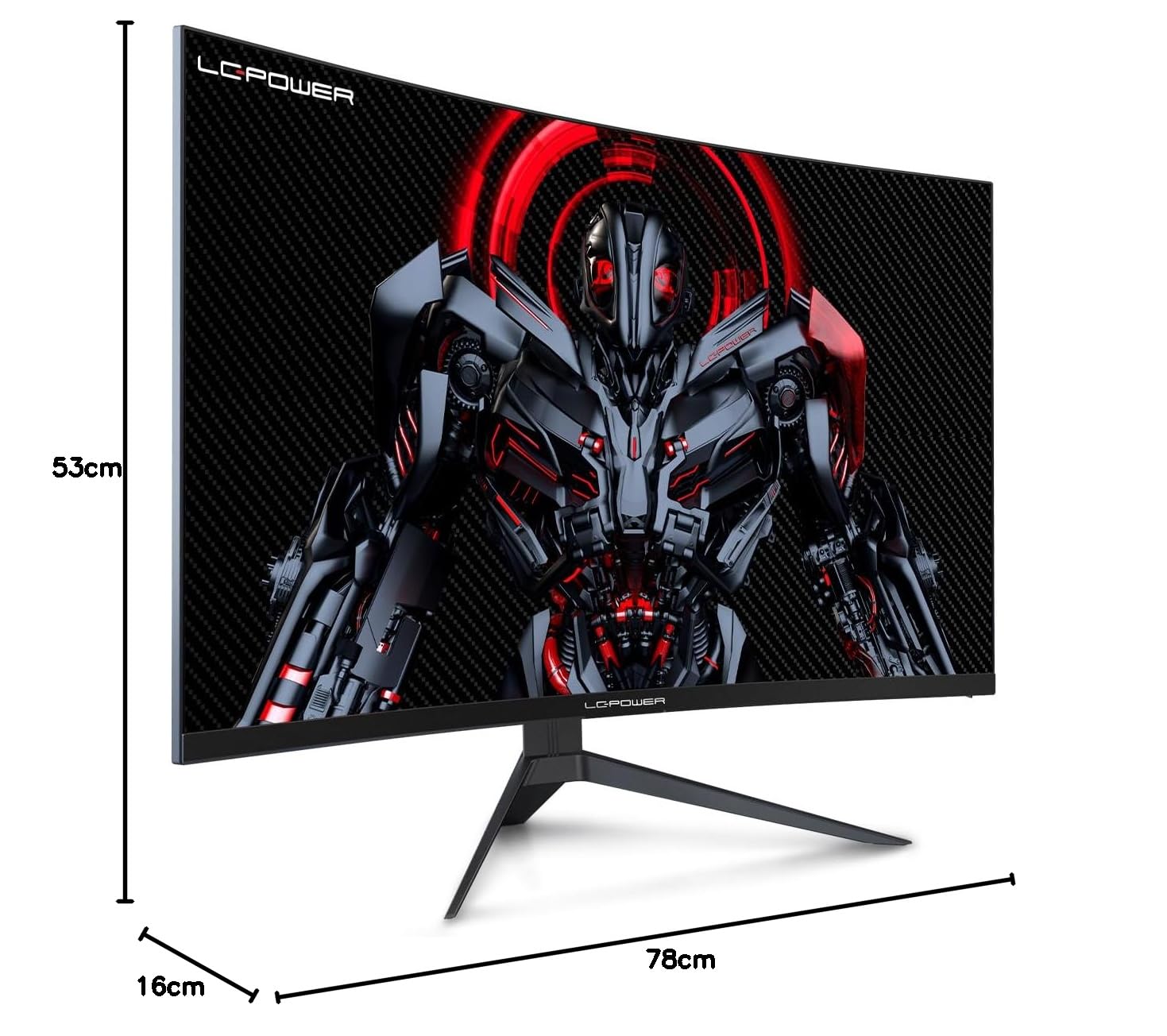
Figure 8.1: Monitor dimensions for planning installation space.
9. Udhamini na Msaada
LC-Power provides a three-year warranty for this product. Additionally, a twelve-month replacement service is available. For technical assistance or inquiries regarding damage, defects, or missing parts, please contact LC-Power customer support. Telephone technical support is also available.


