1. Utangulizi
The Testo 625 Digital Hygrometer is a compact instrument designed for precise measurement of air temperature and relative humidity. It also calculates dew point and wet bulb temperature, providing comprehensive data for assessing air quality in various environments, such as storage rooms or offices. Its robust design and long battery life make it suitable for both quick checks and long-term data collection.
2. Yaliyomo kwenye Kifurushi
Thibitisha kuwa vipengee vyote vipo wakati wa kufungua:
- Testo 625 instrument
- Kesi ya kubeba
- Itifaki ya urekebishaji
- 3 x betri za AA
3. Bidhaa Imeishaview
The Testo 625 features a clear display and intuitive controls for easy operation. The integrated probe measures humidity and temperature directly.

Kielelezo cha 1: Mbele view of the Testo 625 Digital Hygrometer, showing the display and control buttons.

Kielelezo cha 2: Dimensions of the Testo 625 Digital Hygrometer, approximately 8.19 inches in height and 2.36 inches in width.
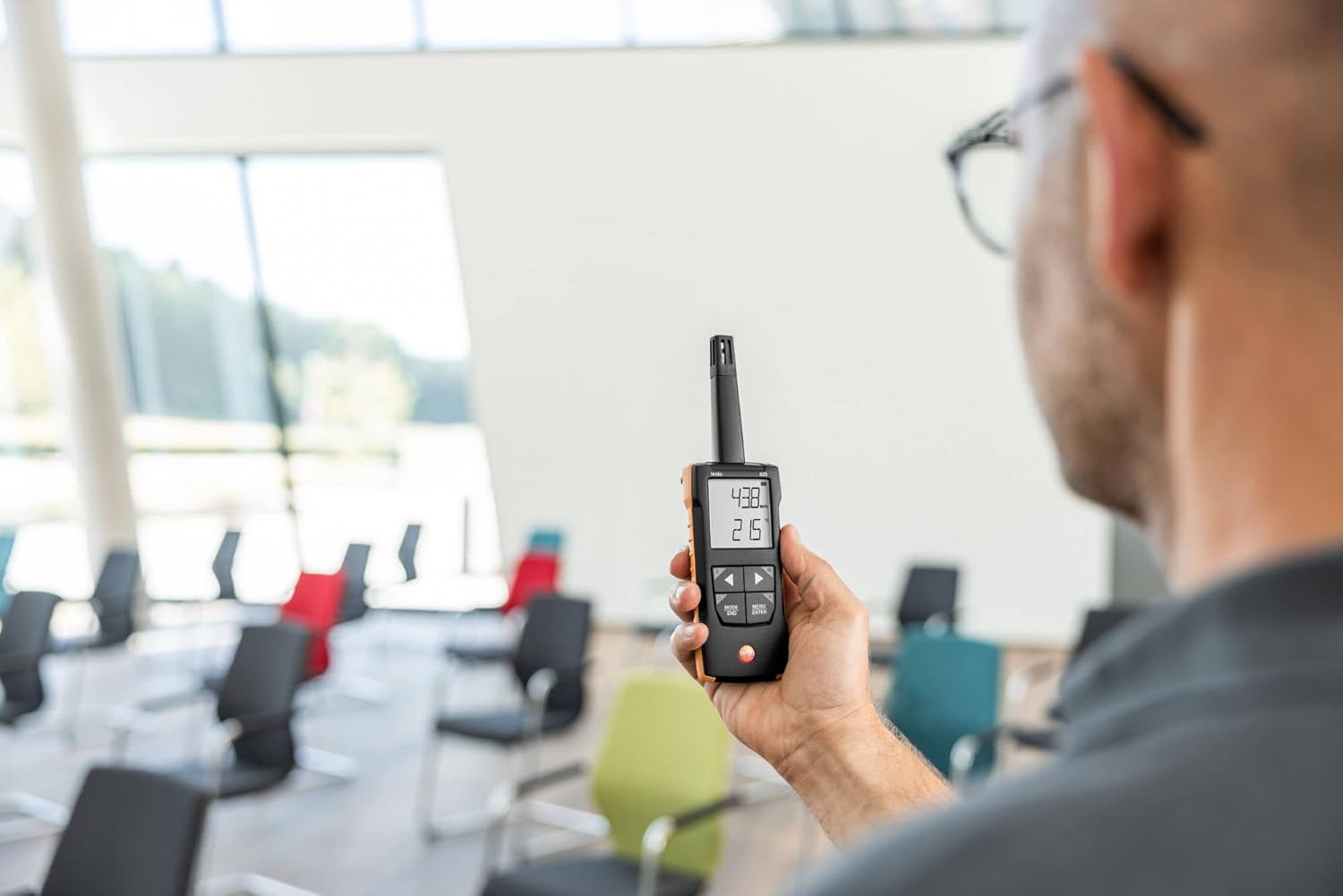
Kielelezo cha 3: The Testo 625 Digital Hygrometer being used by a person in an indoor environment, demonstrating its portability.
4. Kuweka
4.1 Ufungaji wa Betri
- Tafuta sehemu ya betri nyuma ya kifaa.
- Fungua kifuniko cha compartment.
- Insert the three AA batteries, ensuring correct polarity.
- Funga kifuniko cha sehemu ya betri kwa usalama.
4.2 Kuwasha / Kuzima
Bonyeza kwa Nguvu button (usually marked with a circle and a vertical line) to turn the device on or off.
5. Maagizo ya Uendeshaji
5.1 Kipimo cha Msingi
Upon powering on, the Testo 625 will immediately begin measuring air temperature and relative humidity. These values are displayed on the screen.
5.2 Displaying Dew Point and Wet Bulb Temperature
The instrument automatically calculates dew point and wet bulb temperature. Refer to the user interface for specific button presses (e.g., MODE/MWISHO or MENU/INGIA) to cycle through display modes and view these calculated values.
5.3 Kazi ya Kengele
The Testo 625 includes an audible alarm to indicate when user-defined limit values for humidity or temperature are exceeded. Consult the device's menu options to set or adjust these limits.
6. Muunganisho wa Programu
The Testo 625 is compatible with the Testo Smart App, which enhances its functionality. The app allows you to:
- View and document measurement results.
- Sanidi mipangilio ya chombo.
- Store measured values.
- Use your smartphone as a second display for real-time readings.
Download the Testo Smart App from your device's app store and follow the in-app instructions for pairing with your Testo 625.
7. Vipimo
| Kigezo | Thamani |
|---|---|
| Safu ya Kupima Joto | -20 to +140 °F / -20 to +60 °C |
| Usahihi wa Joto | ±0.9 °F / ±0.5 °C |
| Azimio la Joto | 0.1 °F / 0.1 °C |
| Safu ya Kupima Unyevu | 0 hadi 100 %rH |
| Usahihi wa unyevu | ±2.5 %rH (5 to 95 %rH) |
| Azimio la Unyevu | 0.1%rH |
| Uzito | 7 oz. g 199 |
| Dimensions (Instrument) | 8.19 x 2.36 x 1.10 ndani. / 208 x 60 x 28 mm |
| Operating Temperature (Instrument) | -4 to +122 °F / -20 to +50 °C |
| Operating Temperature (Probe) | -4 to +158 °F / -20 to +70 °C |
| Nyenzo ya Makazi | ABS + PC / TPE |
| Darasa la Ulinzi | IP40, IP20 |
| Aina ya Betri | 3x AA (Alkaline) |
| Maisha ya Betri | 100 masaa |
| Joto la Uhifadhi | -4 to +122 °F / -20 to +50 °C |
8. Matengenezo
8.1 Kusafisha
Clean the instrument housing with a damp cloth. Do not use abrasive cleaners or solvents. Ensure no moisture enters the sensor area.
8.2 Ubadilishaji wa Betri
When the battery indicator appears on the display, replace the batteries as described in Section 4.1. Use only AA alkaline batteries.
8.3 Urekebishaji
The Testo 625 comes with a calibration protocol. Regular calibration is recommended to ensure continued accuracy. Refer to Testo's official guidelines or contact their service department for calibration procedures.
9. Utatuzi wa shida
9.1 Kifaa Hakiwashi
- Angalia ikiwa betri zimeingizwa kwa usahihi na polarity sahihi.
- Ensure the batteries are not depleted. Replace them if necessary.
9.2 Masomo Isiyo Sahihi
- Allow the instrument to stabilize in the measurement environment for a few minutes.
- Ensure the sensor is clean and free from obstructions.
- Consider if calibration is due.
9.3 Masuala ya Muunganisho wa Programu
- Hakikisha Bluetooth imewashwa kwenye simu mahiri/kompyuta yako kibao.
- Make sure the Testo 625 is within range of your device.
- Restart both the instrument and the Testo Smart App.
10. Udhamini na Msaada
For detailed warranty information, please refer to the documentation included with your product or visit the official Testo website. For technical support, service, or spare parts, please contact Testo customer service directly. Contact information can typically be found on the Testo webtovuti au katika ufungaji wa bidhaa.


