1. Utangulizi
The Lenco PDR-046GY is a portable DAB+ radio designed to provide high-quality digital audio reception. This device also functions as a portable Bluetooth speaker, allowing wireless streaming from compatible devices. Featuring an integrated rechargeable battery, it offers portability for use in various locations. The PDR-046GY incorporates sustainable design principles, utilizing eco-friendly materials and packaging.
2. Taarifa za Usalama
- Usiweke kifaa kwenye mvua au unyevu ili kuzuia moto au mshtuko wa umeme.
- Do not expose the unit to direct sunlight, heat sources, or extreme temperatures.
- hakikisha uingizaji hewa sahihi; usizuie fursa za uingizaji hewa.
- Use only the specified power adapter/USB-C cable for charging.
- Usijaribu kutenganisha au kurekebisha kitengo. Rufaa kwa wafanyakazi waliohitimu katika huduma.
- Weka kitengo mbali na sehemu zenye nguvu za sumaku.
- Safisha kitengo kwa kitambaa laini na kavu. Usitumie visafishaji vya abrasive au vimumunyisho.
3. Yaliyomo kwenye Kifurushi
Thibitisha kuwa vipengee vyote vipo wakati wa kufungua:
- Lenco PDR-046GY DAB+ Portable Radio
- Kebo ya Kuchaji ya USB-C
- Quick Start Guide (Full manual available online)
4. Bidhaa za Bidhaa
- DAB+ na Redio ya FM: Enjoy digital and analog radio broadcasts.
- Bluetooth 5.0: Wireless audio streaming from smartphones, tablets, and other Bluetooth-enabled devices.
- Betri Iliyounganishwa Inayoweza Kuchajiwa: Provides up to 7 hours of wireless playback.
- Onyesho la Rangi la LCD la inchi 2.4: Shows station information, track details, time, and other relevant data.
- Dual 2.5W Speakers with Passive Cooler: Delivers clear audio with enhanced bass.
- Kazi ya Saa ya Kengele: Features dual alarms, snooze, and dimmable display.
- 30 Preset Stations: Store your favorite DAB+ and FM stations for quick access.
- Muda wa Kulala: Automatically turns off the radio after a set duration.
- Uingizaji wa AUX: Connect external audio devices via a 3.5mm cable.
- Jackphone ya Kichwa: Kwa usikilizaji wa faragha.
5. Vidhibiti na Maonyesho
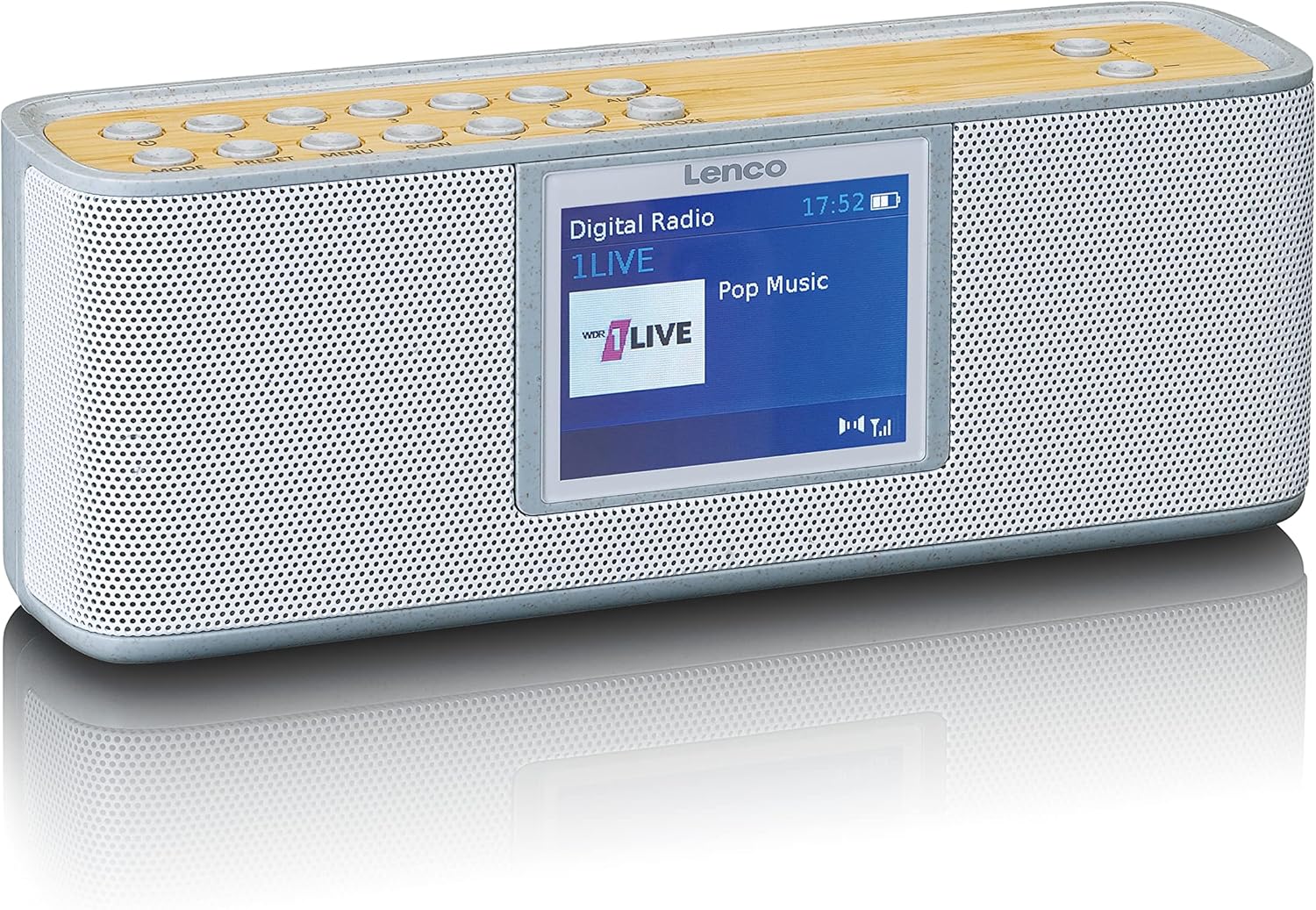
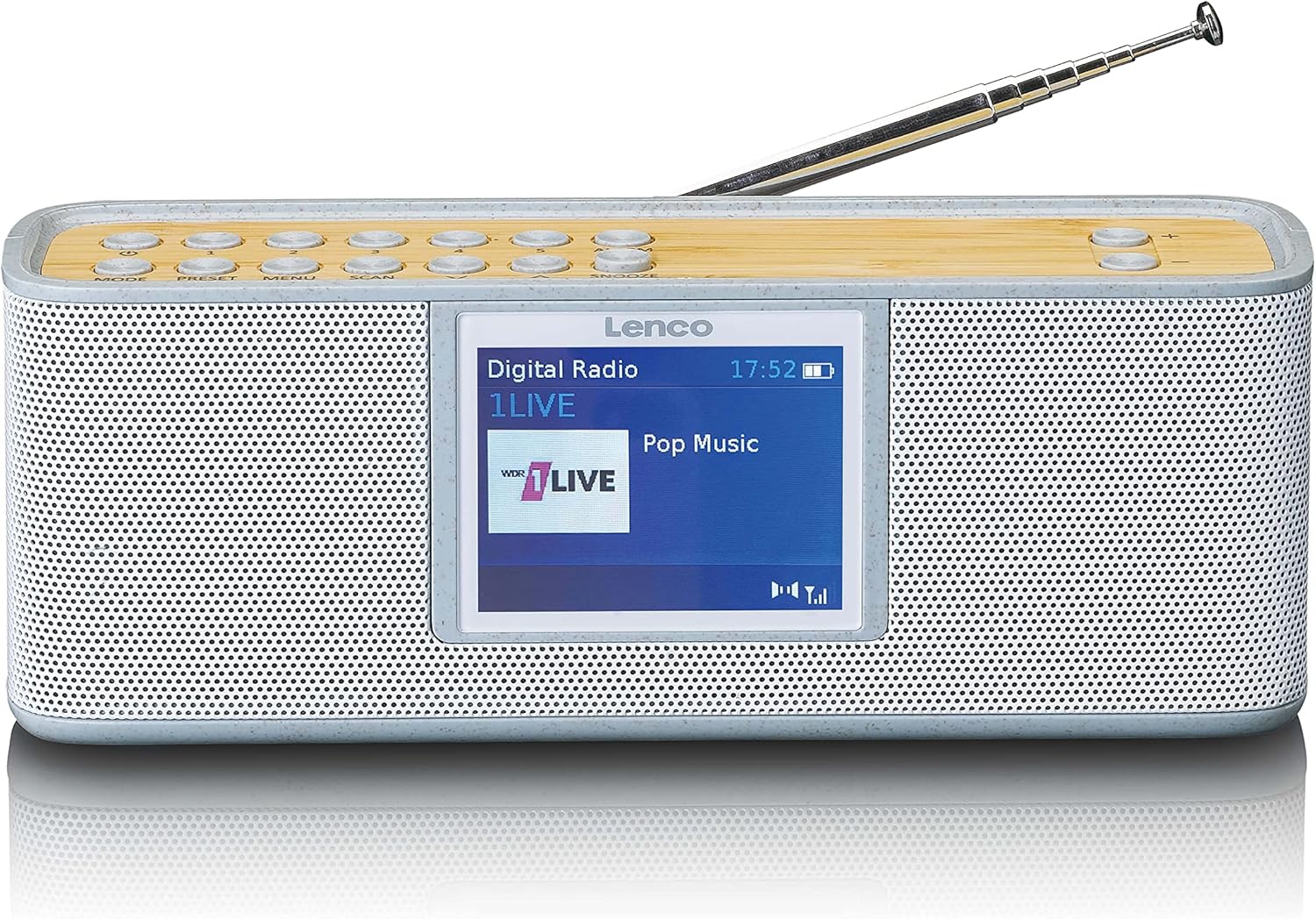
Control Buttons (Top Panel)
- mAELEKEZO: Hubadilisha kati ya hali za DAB+, FM, Bluetooth, na AUX.
- WEKA TENA: Inafikia na kuhifadhi vituo vya redio vilivyowekwa mapema.
- MENU: Enters the system menu for settings and options.
- SAKATA: Initiates a scan for available radio stations.
- ALAMU: Sets and manages alarm functions.
- KUSAHAU: Huzima kengele kwa muda.
- Kiasi +/-: Hurekebisha sauti ya sauti.
- Vifungo vya Kuelekeza: Used for navigating menus and tuning stations.
Onyesho
The 2.4-inch color LCD display provides visual feedback on the current mode, station information, track details, time, and menu options.
6. Kuweka
6.1. Kuchaji Betri
- Connect the supplied USB-C cable to the charging port on the back or side of the radio.
- Connect the other end of the USB-C cable to a compatible USB power adapter (not included) or a powered USB port.
- The charging indicator on the display will show the charging status. A full charge typically takes several hours.
- Once fully charged, disconnect the USB-C cable.
6.2. Nguvu ya Awali Imewashwa
- Panua antena ya teleskopu kikamilifu kwa ajili ya upokeaji bora.
- Press and hold the Power button (usually combined with MODE) to turn on the radio.
- Upon first use, the radio may automatically perform a DAB+ scan to find available stations.
7. Maagizo ya Uendeshaji
7.1. DAB+ Radio Mode
- Bonyeza kwa MODE button until "DAB+" is displayed.
- If it's the first time or if stations need updating, press SAKATA to perform a full scan.
- Use the navigation buttons to browse through the list of available stations.
- Bonyeza kwa SELECT/OK button to choose a station.
- Ili kuhifadhi kituo kama kipangilio kilichowekwa awali, bonyeza na ushikilie TAYARISHA button, then use navigation to select a preset number and confirm.
7.2. Njia ya Redio ya FM
- Bonyeza kwa MODE kitufe hadi "FM" itakapoonyeshwa.
- Bonyeza SAKATA to automatically search for and store available FM stations.
- Alternatively, use the navigation buttons to manually tune to a frequency.
- Ili kuhifadhi kituo kama kipangilio kilichowekwa awali, bonyeza na ushikilie TAYARISHA button, then use navigation to select a preset number and confirm.
7.3. Njia ya Bluetooth
- Bonyeza kwa MODE button until "Bluetooth" is displayed. The radio will enter pairing mode, indicated by a flashing Bluetooth icon.
- Kwenye simu mahiri au kompyuta yako kibao, washa Bluetooth na utafute vifaa vinavyopatikana.
- Select "Lenco PDR-046GY" from the list of devices.
- Once paired, the Bluetooth icon will stop flashing, and you can stream audio from your device to the radio.
7.4. Hali ya Kuingiza AUX
- Connect one end of a 3.5mm audio cable (not included) to the AUX IN port on the radio.
- Unganisha ncha nyingine kwenye jeki ya vipokea sauti vya masikioni au kifaa chako cha sauti cha nje.
- Bonyeza kwa MODE kitufe hadi "AUX" itakapoonyeshwa.
- Dhibiti uchezaji na sauti kutoka kwa kifaa chako cha nje.
7.5. Kazi ya Saa ya Kengele
- Bonyeza kwa ALARM button to access alarm settings.
- Use navigation buttons to set Alarm 1 or Alarm 2.
- Configure the alarm time, source (buzzer, DAB+, FM), volume, and frequency (daily, weekdays, weekends, once).
- Bonyeza SELECT/OK ili kudhibitisha mipangilio.
- Kengele inapolia, bonyeza KUSUA to temporarily pause it, or press the Power button to turn it off.
7.6. Muda wa Kulala
- Bonyeza kwa MENU kitufe.
- Navigate to the "Sleep Timer" option.
- Select a duration (e.g., 15, 30, 45, 60, 90 minutes). The radio will automatically turn off after the selected time.
8. Matengenezo
- Kusafisha: Wipe the radio with a soft, dry, lint-free cloth. Do not use liquid cleaners or aerosols.
- Antena: Handle the telescopic antenna carefully to avoid damage.
- Hifadhi: If storing for an extended period, ensure the battery is partially charged (around 50%) and store in a cool, dry place.
9. Utatuzi wa shida
| Tatizo | Sababu inayowezekana | Suluhisho |
|---|---|---|
| No power/Unit does not turn on | Betri imeisha. | Chaji betri kwa kutumia kebo ya USB-C. |
| Mapokezi duni ya DAB+/FM | Antena haijapanuliwa au eneo duni la ishara. | Extend the telescopic antenna fully. Try repositioning the radio. Perform a full scan. |
| Kifaa cha Bluetooth hakiwezi kuoanisha | Redio haiko katika hali ya kuoanisha au kifaa kiko mbali sana. | Ensure the radio is in Bluetooth mode and flashing. Move the device closer. Forget the device on your phone and try pairing again. |
| Hakuna sauti kutoka kwa ingizo la AUX | Cable not connected properly or incorrect mode. | Ensure the 3.5mm cable is fully inserted. Select AUX mode on the radio. Check volume on both the radio and the external device. |
| Kengele haisikiki | Kengele haijawashwa au haijawekwa vibaya. | Verify alarm settings (time, source, volume, frequency). Note: Alarm function may require AC power for continuous operation in some models. |
10. Vipimo
- Mfano: PDR-046GY
- Kitafuta Redio: DAB+, FM
- Pato la Sauti: Stereo 2.0
- Vituo vilivyowekwa mapema: 30
- Toleo la Bluetooth: 5.0
- Aina ya Bluetooth: Hadi mita 10 (futi 33)
- Spika: 2 x 2.5 W with passive cooler
- Ingizo: Ingizo la AUX la mm 3.5
- Matokeo: 3.5 mm Jack Headphone
- Betri: Integrated rechargeable 2000 mAh Lithium-ion
- Maisha ya Betri: Up to 7 hours (wireless listening)
- Vipimo (H x W x D): Sentimita 6.8 x 18 x 5.50 (inchi 2.68 x 7.09 x 2.17)
- Chanzo cha Nguvu: Battery powered / USB-C (for charging)
11. Udhamini na Msaada
Lenco products are designed and manufactured to the highest quality standards. For warranty information, please refer to the warranty card included with your product or visit the official Lenco website. For technical support or service inquiries, please contact Lenco customer service through their official channels. Keep your proof of purchase for warranty claims.
Rasilimali za Mtandaoni: For the most up-to-date information, full manuals, and support, please visit the official Lenco webtovuti: www.lenco.com


