1. Utangulizi
The HyperX DuoCast is a versatile USB condenser microphone designed for clear audio capture across various applications, including gaming, streaming, podcasting, and voiceovers. It features customizable RGB lighting, multiple polar patterns, and convenient controls for an optimized user experience.

Picha 1.1: Mbele view of the HyperX DuoCast microphone with its integrated stand and RGB light ring.
2. Yaliyomo kwenye Kifurushi
Thibitisha kuwa vipengee vyote vipo kwenye kifurushi:
- HyperX DuoCast USB Condenser Microphone
- Aina ya C ya USB kuwa Kebo ya Aina-A
- Mwongozo wa Kuanza Haraka

Image 2.1: Contents of the HyperX DuoCast retail package, including the microphone, USB cable, and documentation.
3. Maagizo ya Kuweka
3.1 Kuunganisha Maikrofoni
- Connect the USB Type-C end of the provided cable to the USB-C port on the back of the HyperX DuoCast microphone.
- Connect the USB Type-A end of the cable to an available USB port on your PC, PS5, PS4, or Mac.
- The microphone will automatically be detected by your operating system.
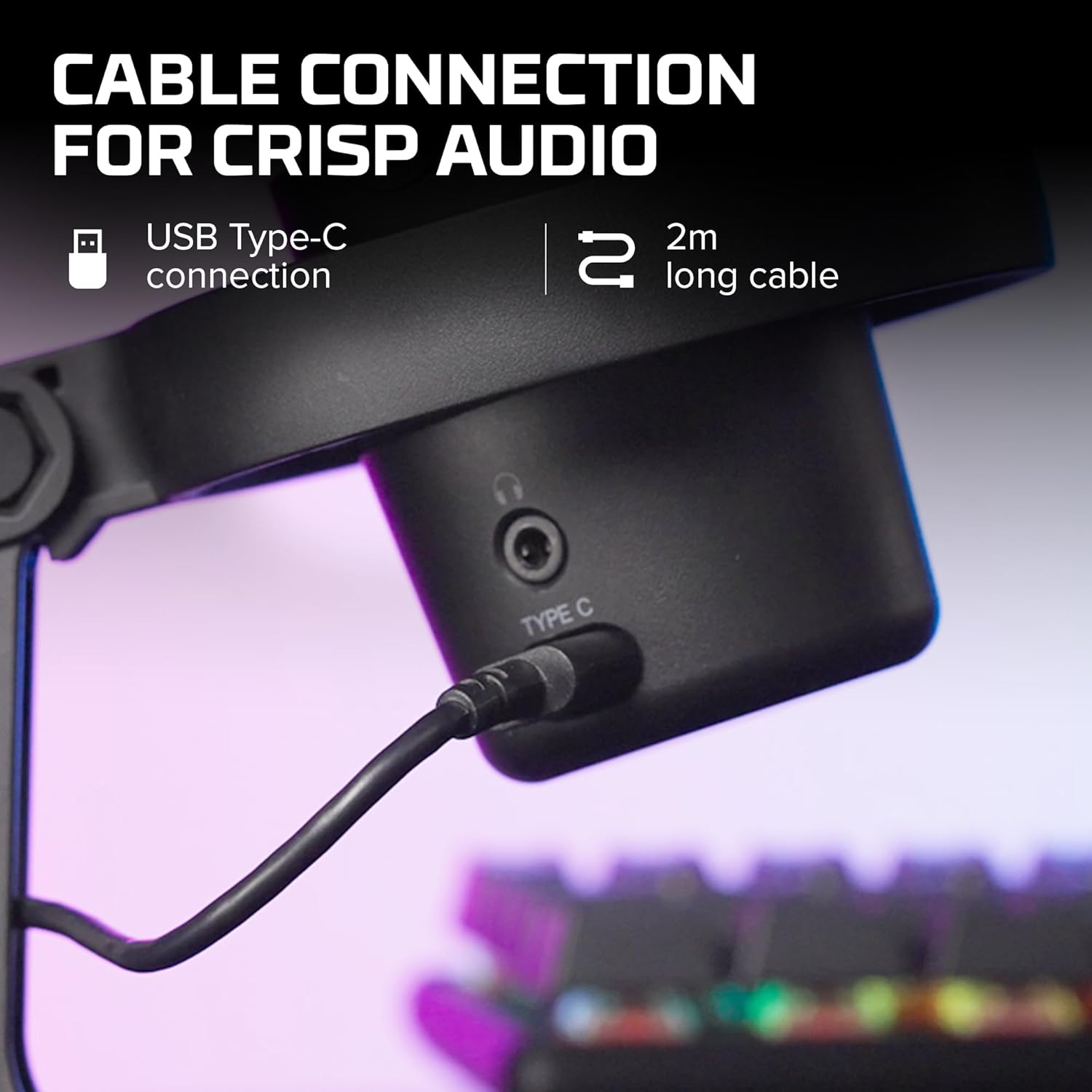
Picha 3.1: Karibu view of the USB Type-C connection port on the HyperX DuoCast microphone.
3.2 Positioning the Microphone
The DuoCast features a low-profile shock mount to reduce unwanted vibrations. For optimal audio quality, position the microphone directly in front of you, approximately 6-12 inches (15-30 cm) from your mouth.

Image 3.2: HyperX DuoCast microphone positioned on a boom arm for optimal recording, with a user wearing headphones.
3.3 Usakinishaji wa Programu (Si lazima)
For advanced customization of RGB lighting and other settings, download and install the HyperX NGENUITY Software from the official HyperX webtovuti. Programu hii inaoana na mifumo endeshi ya Windows.

Image 3.3: User customizing the RGB lighting of the HyperX DuoCast microphone using the HyperX NGENUITY software interface on a computer screen.
4. Kuendesha Maikrofoni
4.1 Mifumo ya Polar
The DuoCast offers two selectable polar patterns: Cardioid and Omnidirectional. Switch between these patterns using the button located on the microphone.
- Ugonjwa wa Moyo: Ideal for single-person recording, such as streaming, podcasts, and voiceovers. It captures sound primarily from the front, reducing background noise.
- Uhamasishaji: Suitable for multi-person recordings, conference calls, or capturing ambient sounds, as it picks up sound equally from all directions.

Image 4.1: Diagram illustrating the Cardioid and Omnidirectional polar patterns and their recommended use cases.
4.2 Tap-to-Mute Sensor
The microphone features a convenient tap-to-mute sensor on the top. Tapping the top of the microphone will instantly mute or unmute your audio. The RGB light ring will change color to indicate the mute status.

Image 4.2: Close-up of the microphone's top showing the tap-to-mute sensor and the gain control knob.
4.3 Gain Control Adjustment
Adjust the microphone's input sensitivity (gain) using the control knob located on the microphone. Rotate the knob to increase or decrease the gain to achieve optimal audio levels and prevent distortion.
Taa ya RGB ya 4.4
The DuoCast features a customizable RGB light ring with two zones. The lighting can be personalized using the HyperX NGENUITY Software (Windows only) to match your setup or preference.
4.5 Kipokea sauti cha sauti
A 3.5mm headphone jack is integrated into the microphone for direct monitoring of your audio output. Connect your headphones to this port to hear your voice in real-time.
5. Matengenezo
To ensure the longevity and optimal performance of your HyperX DuoCast microphone, follow these maintenance guidelines:
- Kusafisha: Use a soft, dry cloth to clean the microphone's exterior. Avoid using harsh chemicals, solvents, or abrasive materials.
- Hifadhi: When not in use, store the microphone in a clean, dry environment away from extreme temperatures and humidity.
- Kushughulikia: Shikilia maikrofoni kwa uangalifu. Epuka kuiangusha au kuiathiri kwa nguvu, ambayo inaweza kuharibu vipengele vya ndani.
6. Utatuzi wa shida
If you encounter issues with your HyperX DuoCast microphone, refer to the following common solutions:
| Tatizo | Sababu inayowezekana | Suluhisho |
|---|---|---|
| Hakuna ingizo la sauti | Maikrofoni haijaunganishwa vizuri Incorrect input device selected Maikrofoni imenyamazishwa | Hakikisha kebo ya USB imeunganishwa vizuri. Verify the DuoCast is selected as the default input device in your system settings. Tap the top of the microphone to unmute. |
| Sauti ya chini ya sauti | Gain setting too low System input volume too low | Adjust the gain control knob on the microphone. Increase the microphone input volume in your system's sound settings. |
| Sauti iliyopotoka | Gain setting too high Maikrofoni iko karibu sana na chanzo cha sauti | Decrease the gain control knob on the microphone. Sogeza maikrofoni mbali zaidi na chanzo cha sauti. |
| Kelele nyingi za chinichini | Incorrect polar pattern selected High gain setting | Switch to Cardioid polar pattern for single-person use. Reduce the gain setting. Hakikisha uko katika mazingira tulivu. |
| Taa ya RGB haifanyi kazi | Suala la programu Tatizo la muunganisho wa USB | Ensure HyperX NGENUITY Software is installed and updated (Windows only). Unganisha tena kebo ya USB. |
7. Vipimo
| Kipengele | Maelezo |
|---|---|
| Aina ya Maikrofoni | USB Condenser |
| Miundo ya Polar | Cardioid, Omnidirectional |
| Vifaa vya Sensitivity | 6 decibels |
| Signal-kwa-kelele uwiano | 70 dB |
| Majibu ya Mara kwa mara | 20 Hz - 20 kHz |
| Azimio la Kurekodi | 24-bit / 96kHz |
| Muunganisho | USB (Type-C to Type-A) |
| Vifaa Sambamba | PC, PS5, PS4, Mac |
| Vipengele Maalum | Customizable RGB Light Ring, Tap-to-Mute Sensor, Gain Control, Low-profile Shock Mount, Internal Pop Filter, 3.5mm Headphone Output |
| Vipimo (L x W x H) | Inchi 5.5 x 9.3 x 5 (140 x 236 x 127 mm) |
| Uzito wa Kipengee | Wakia 8.6 (gramu 243.2) |
| Nambari ya Mfano | 4P5E2AA |

Image 7.1: Diagram showing the physical dimensions (width, height, depth) and weight of the HyperX DuoCast microphone.
8. Udhamini na Msaada
For warranty information and technical support, please visit the official HyperX website or contact HyperX customer service. Keep your proof of purchase for warranty claims.
Msaada mkondoni: www.hyperx.com/support


