1. Utangulizi
This manual provides comprehensive instructions for the installation, operation, and maintenance of your YoLink Outdoor Motion Sensor Kit. This kit includes two YoLink Outdoor Motion Sensors (Model YS7805) and one YoLink SpeakerHub (Model YS1604), designed to enhance your property's security and convenience through advanced LoRa wireless technology.
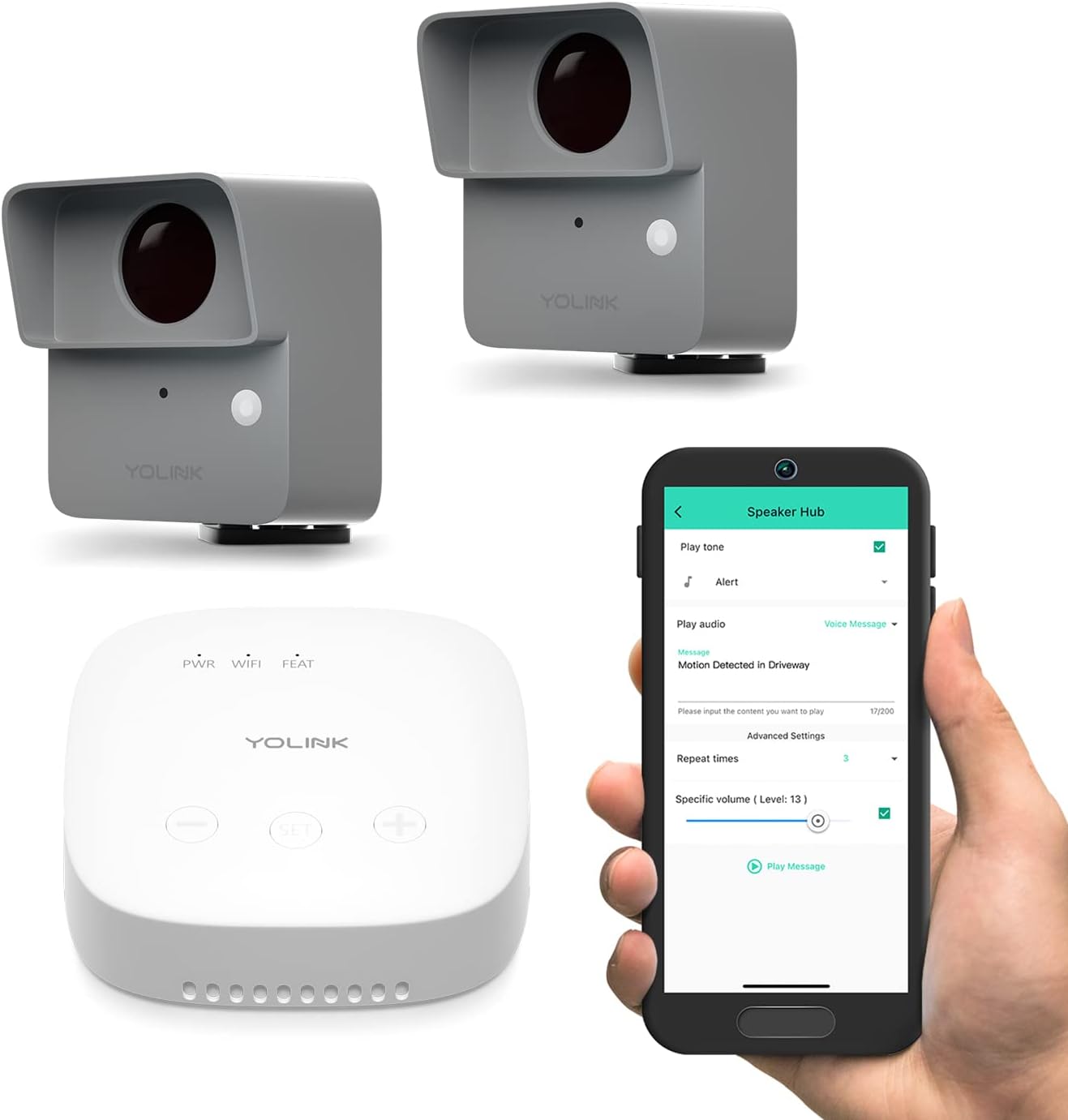
Figure 1: YoLink Outdoor Motion Sensor Kit components.
2. Bidhaa Imeishaview
2.1 YoLink Outdoor Motion Sensor (Model YS7805)
The YoLink Outdoor Motion Sensor is a battery-powered, passive infrared (PIR) sensor designed for outdoor use. It detects motion from vehicles and people, providing alerts for driveway and perimeter security. Its robust IP67-rated enclosure ensures durability in various weather conditions.

Figure 2: YoLink Outdoor Motion Sensor (Model YS7805) features.
- Matumizi ya ndani / nje: Inafaa kwa mazingira ya ndani na nje.
- IP67 Rated Enclosure: Provides protection against dust and water immersion.
- Masafa ya Ugunduzi: Hadi futi 30.
- Chanjo: 80° horizontal, 20° vertical.
- Safu Isiyo na Waya: Up to 1/4 mile (open-air) using LoRa technology.
- Maisha ya Betri: Up to 2+ years typical service with AA batteries.
2.2 YoLink SpeakerHub (Model YS1604)
The SpeakerHub acts as an audio gateway for your YoLink devices, providing audible alerts and text-to-speech capabilities. It can play pre-defined tones, sounds, uploaded MP3 files, and read out messages from alerts, enhancing your notification system.

Figure 3: YoLink SpeakerHub (Model YS1604) overview.
- Audio Hub: Features a built-in speaker for audible notifications.
- Maandishi-hadi-Hotuba: Converts alert messages into spoken words.
- Sauti Inayoweza Kubinafsishwa: Plays from a library of tones/sounds or user-uploaded MP3 files.
- Nguvu: Inaendeshwa na USB.
- Muunganisho: Requires a 2.4GHz Wi-Fi internet connection.
- Utangamano: Compatible with all YoLink hubs and devices.
2.3 Vipengele vya Mfumo
- Long-Range LoRa Wireless: Offers extended communication range, ideal for large properties.
- D2D Direct Pairing: Allows devices to communicate directly without internet or power, ensuring reliability.
- Arifa Zinazobadilika: Receive app push notifications, emails, and SMS alerts.
- Ujumuishaji wa Smart Home: Create Alexa routines or link with other YoLink devices for automated actions like chimes, lights, and sirens.
- Mfumo ikolojia unaoweza kupanuka: The SpeakerHub supports over 300 devices, allowing for future expansion of your smart home system.
3. Kuweka
Setting up your YoLink Outdoor Motion Sensor Kit is a straightforward process. Ensure you have the YoLink app installed on your smartphone (available for iOS and Android).
- Fungua Vipengee: Ondoa kwa uangalifu vitu vyote kutoka kwa kifurushi.
- Install Batteries in Motion Sensors: Each Outdoor Motion Sensor requires 2 AA batteries (included). Open the battery compartment and insert the batteries, observing polarity.
- Power On SpeakerHub: Connect the SpeakerHub to a power source using the provided USB cable and adapter. The power indicator light will illuminate.
- Download YoLink App: If you haven't already, download the YoLink app from your device's app store.
- Add Devices to App: Open the YoLink app and follow the on-screen instructions to add your SpeakerHub and Motion Sensors. This typically involves scanning a QR code on each device for quick pairing.
- Mount Motion Sensors: Choose appropriate locations for your motion sensors, such as driveways, gates, or remote buildings. The sensors come with simple mounting hardware. Ensure the sensor has a clear line of sight to the area you wish to monitor.
Video 1: Building Your Smart Home with YoLink. This video provides a general overview of YoLink products and their setup process, demonstrating how various sensors and hubs integrate into a smart home system.
4. Uendeshaji
Once your devices are set up, you can begin utilizing the kit's features for enhanced security and convenience.
4.1 Utambuzi wa Mwendo na Tahadhari
The Outdoor Motion Sensors detect movement within their specified range. Upon detection, the system can trigger various notifications:
- Arifa za Utumaji Programu: Instant alerts sent to your smartphone.
- Arifa za Barua Pepe: Arifa zilizotumwa kwa anwani yako ya barua pepe iliyosajiliwa.
- Tahadhari za SMS: Text messages sent to your phone (limited free messages per month).
- Audible Alerts (via SpeakerHub): The SpeakerHub will play a pre-selected tone, sound, or text-to-speech message, such as "Motion Detected in Driveway!"
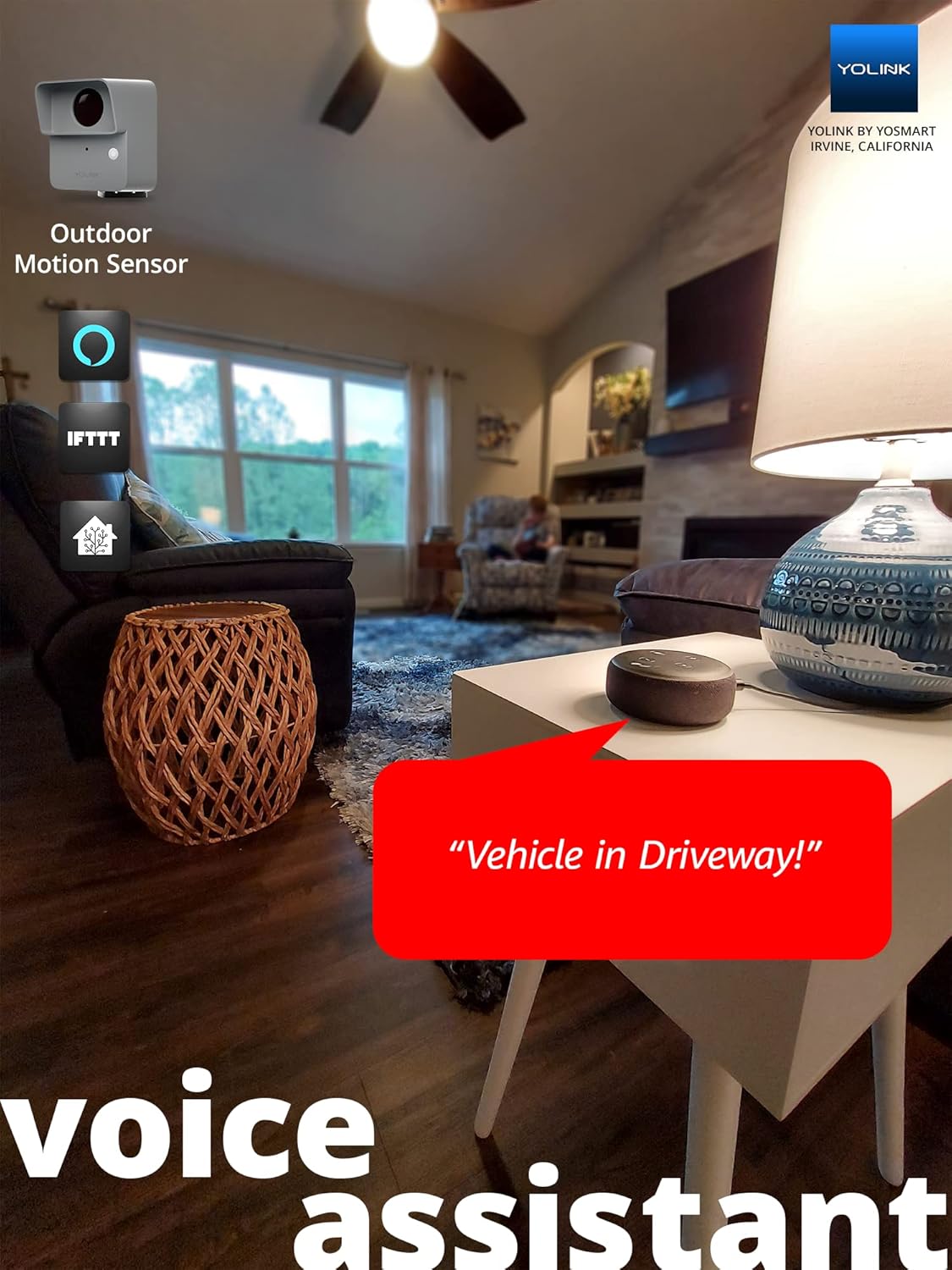
Figure 4: SpeakerHub providing an audible alert for motion detection.
4.2 Smart Home Integration and Automation
The YoLink system integrates with popular smart home platforms and allows for advanced automation:
- Ratiba za Alexa: Create custom routines with Amazon Alexa to trigger actions based on motion detection (e.g., "Alexa, a vehicle is in the driveway!").
- IFTTT & Home Assistant: Compatible with IFTTT (If This Then That) and Home Assistant for broader automation possibilities.
- Device-to-Device (D2D) Pairing: Directly link two or more YoLink devices to perform actions without relying on internet connectivity or the app. For example, a motion sensor could directly trigger a YoLink siren or light.

Figure 5: Voice assistant integration for motion alerts.
5. Matengenezo
Regular maintenance ensures the longevity and optimal performance of your YoLink devices.
- Ubadilishaji wa Betri: The Outdoor Motion Sensors are designed for long battery life (2+ years). When the battery level is low, you will receive a notification via the YoLink app. Replace the 2 AA batteries promptly to ensure continuous operation.
- Kusafisha: Periodically wipe down the exterior of the motion sensors and SpeakerHub with a soft, dry cloth to remove dust and debris. Avoid using harsh chemicals or abrasive materials.
- Sasisho za Firmware: Ensure your devices' firmware is up-to-date through the YoLink app to benefit from the latest features and security enhancements.
6. Utatuzi wa shida
If you encounter issues with your YoLink Outdoor Motion Sensor Kit, refer to the following common solutions:
| Tatizo | Sababu inayowezekana | Suluhisho |
|---|---|---|
| Hakuna arifa za kugundua mwendo. | Low battery, incorrect sensor placement, or sensor out of range. | Check battery level in app and replace if necessary. Adjust sensor angle or relocate to ensure clear detection path. Verify sensor is within range of the SpeakerHub. |
| SpeakerHub not connecting to Wi-Fi. | Nenosiri lisilo sahihi la Wi-Fi, mtandao wa 5GHz, au mawimbi dhaifu. | Ensure correct 2.4GHz Wi-Fi network and password. Move SpeakerHub closer to the router. Restart router and SpeakerHub. |
| Arifa hazijapokelewa. | App settings, phone notifications disabled, or internet connectivity issues. | Check notification settings within the YoLink app and your phone's system settings. Ensure SpeakerHub has stable internet connection. |
| D2D pairing not working. | Utaratibu usio sahihi wa kuoanisha. | Refer to the D2D pairing instructions in the YoLink app or online resources for the specific devices you are trying to pair. |
For more detailed troubleshooting or specific issues, please refer to the official YoLink support resources or the full user guide PDF.
7. Vipimo
| Kipengele | Vipimo |
|---|---|
| Chapa | YoLink |
| Nambari ya Mfano | YS1604+2YS7805 |
| Rangi | Grey, Nyeupe |
| Chanzo cha Nguvu | Battery Powered (Sensors), USB Powered (SpeakerHub) |
| Uzito wa Kipengee | Wakia 14.7 |
| Masafa ya Juu | 0.25 Miles (open-air) / 1000 feet (open-air) |
| Aina ya Kuweka | Mlima wa Ukuta |
| Maelezo ya Betri | Alkali (AA) |
| Maisha ya Betri | 2 years (typical service) |
| Vifaa Sambamba | Alexa, IFTTT, Home Assistant, Raedius Web Console |
| Vipimo vya Bidhaa | 1.97"D x 2.6"W x 2.83"H (Motion Sensor) |
| Idadi ya Betri | 4 AA batteries required (2 per sensor) |
| Matumizi Yanayopendekezwa | Ndani/Nje |
| Mtengenezaji | YoSmart |
| UPC | 850024791824 |
| Nyenzo | Plastiki |
| Njia ya Ufungaji | DIY isiyo na waya |
| Kiasi cha Kifurushi cha Bidhaa | 1 |
| Matumizi | Nje; Mtaalamu |
| Vipengee vilivyojumuishwa | Detector (Motion Sensors), SpeakerHub |
8. Udhamini na Msaada
YoLink provides warranty coverage for its products:
- SpeakerHub: Udhamini wa Miaka 1
- Outdoor Motion Sensor: Udhamini wa Miaka 2
For further assistance, technical support, or to access the full user guide, please visit the official YoLink website or refer to the provided PDF document:


