Utangulizi
This manual provides detailed instructions for the proper use, setup, and maintenance of your FiiO JadeAudio JH3 Wired In-Ear Monitors. Please read this manual thoroughly before using the product to ensure optimal performance and longevity.
Bidhaa Imeishaview
Yaliyomo kwenye Kifurushi
- FiiO JadeAudio JH3 In-Ear Monitors
- Headphone Cable (with 0.78mm 2-pin connectors and 3.5mm jack)
- Kesi ya kubeba
- Balanced Ear Tips (3 pairs: S, M, L)
- Bass Ear Tips (3 pairs: S, M, L)
- Foam Ear Tips (1 pair: M)
- Mwongozo wa Maagizo
Sifa Muhimu
- Hybrid Driver System: Equipped with a 13.6mm bass dynamic driver and two balanced armature (BA) drivers for clear treble and mids, suitable for various music genres.
- Detachable 0.78mm 2-Pin Connectors: Ensures broad compatibility with different cables, including wireless Bluetooth connections like the FiiO UTWS3 (sold separately).
- Jack ya Kipokea sauti cha 3.5mm: Compatible with Android, iOS, Windows, and Mac devices, including smartphones, laptops, computers, and music players.
- Sauti ya Hi-Res Imethibitishwa: Certified by JAS and CEA for accurate, high-fidelity audio reproduction.
- Ujenzi wa kudumu: Features a copper material for durability.

Figure 1: FiiO JadeAudio JH3 In-Ear Monitors. These earphones feature a sleek design with a detachable cable.
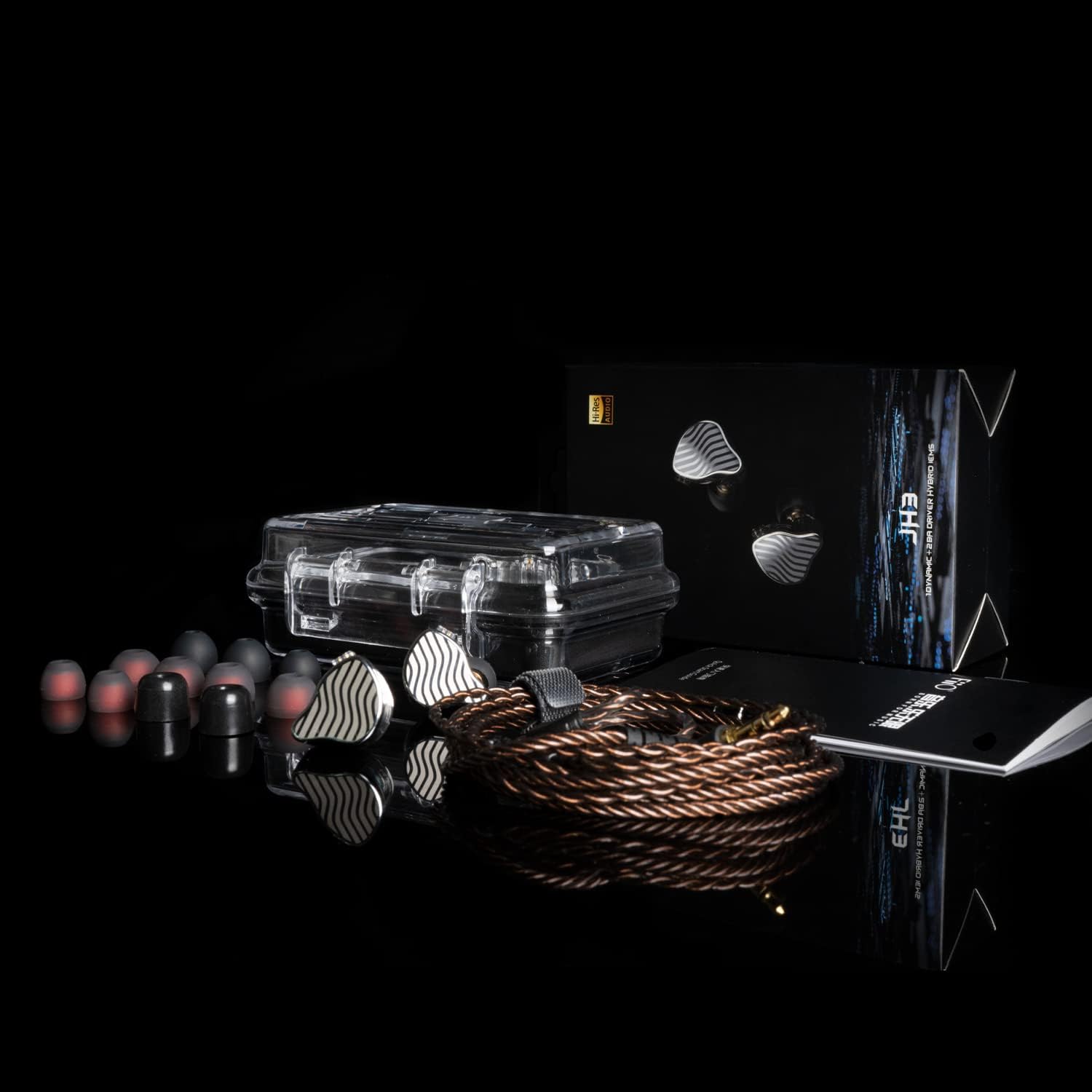
Figure 2: Included accessories for the FiiO JadeAudio JH3, featuring various ear tips, a carrying case, and the headphone cable.
Video 1: An unboxing video demonstrating the contents and initial presentation of the FiiO JadeAudio JH3 in-ear monitors.
Kuanzisha na Muunganisho
Connecting the Cable to the Earphones
- Identify the left (L) and right (R) earpieces and the corresponding connectors on the cable. The connectors are typically color-coded (e.g., blue for left, red for right) or marked with 'L' and 'R'.
- Align the 0.78mm 2-pin connector with the port on the earpiece.
- Gently push the connector straight into the earpiece port until it is securely seated. Do not force the connection.
- Repeat for the other earpiece.
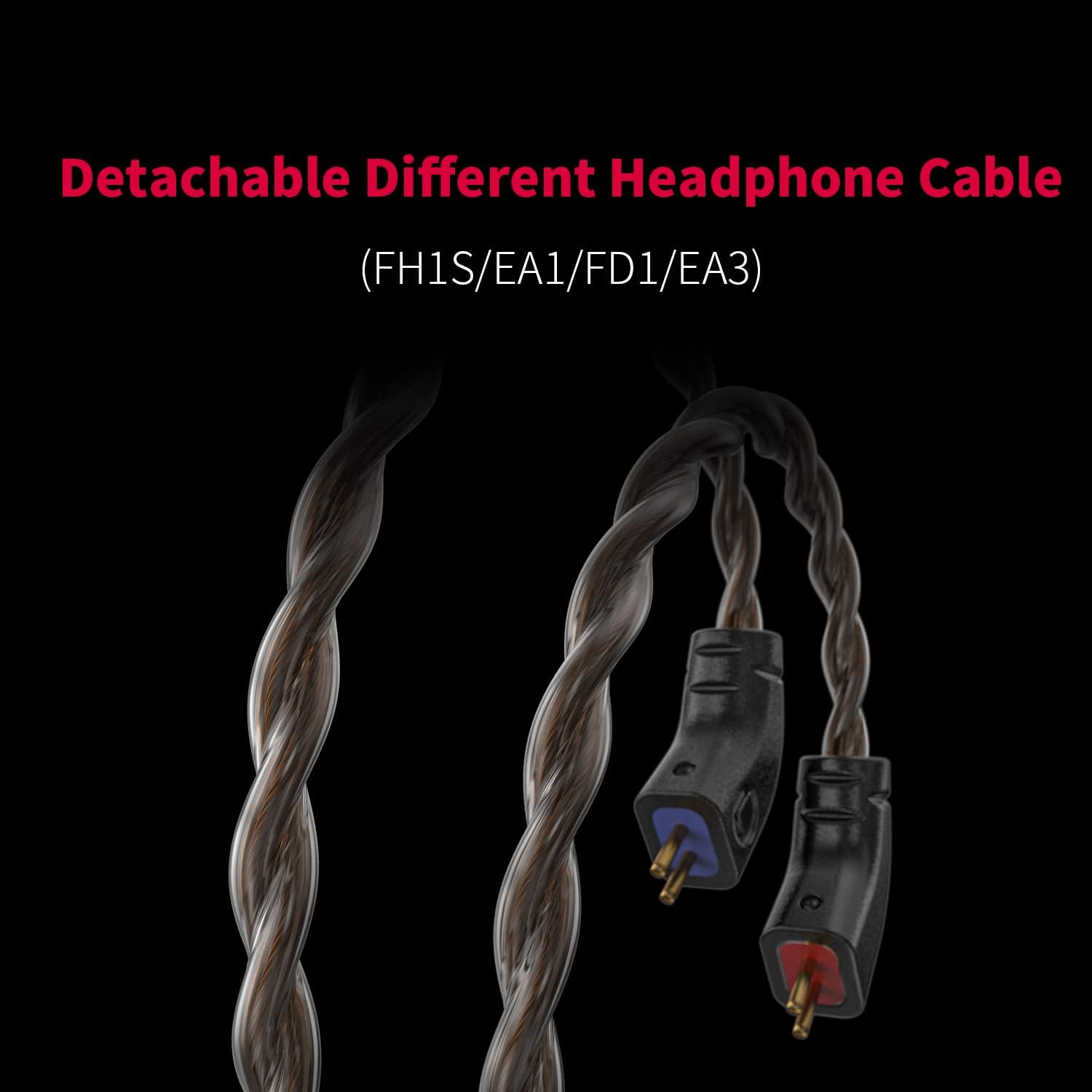
Kielelezo 3: Karibu view of the detachable 0.78mm 2-pin connectors, illustrating how the cable connects to the earphone units.
Inaunganisha kwa Chanzo cha Sauti
- Insert the 3.5mm jack of the headphone cable into the audio output port of your smartphone, laptop, computer, or music player.
- Ensure the connection is firm to prevent audio interruptions.

Figure 4: The 3.5mm headphone jack, ready for connection to a compatible audio device such as a smartphone or laptop.
Optional Wireless Connection
The FiiO JadeAudio JH3 earphones are compatible with wireless Bluetooth connections, such as the FiiO UTWS3 or UTWS5 (sold separately). If you wish to use a wireless connection, detach the standard cable and connect the earphones to the compatible wireless module following its specific instructions.

Figure 5: The FiiO UTWS3/UTWS5 wireless Bluetooth device, demonstrating the potential for wireless connectivity with the JH3 earphones (earphones sold separately).
Uendeshaji
Kuvaa earphone
- Select the appropriate size and type of ear tips for a comfortable and secure fit. A good seal is crucial for optimal sound quality, especially bass response.
- Insert the earpieces into your ears, ensuring the cable loops over your ear for stability. The ergonomic design is intended for a secure fit.
Audio Playback and Control
Once connected to your audio device, you can control media playback (e.g., play, pause, skip tracks) and volume directly from your device. The JH3 earphones themselves do not feature integrated media controls on the cable.
Matengenezo
Kusafisha
- Regularly clean the ear tips with a soft, dry cloth to remove earwax and debris. For silicone tips, they can be gently washed with mild soap and water, then thoroughly dried before reattaching.
- Wipe the earpieces and cable with a soft, lint-free cloth. Avoid using harsh chemicals or abrasive materials.
Hifadhi
When not in use, store the earphones in the provided carrying case to protect them from dust, moisture, and physical damage. Avoid extreme temperatures.
Kutatua matatizo
No Sound or Intermittent Audio
- Angalia Viunganisho: Ensure the 0.78mm 2-pin connectors are firmly attached to the earpieces and the 3.5mm jack is fully inserted into the audio source.
- Kiwango cha Sauti: Verify that the volume on your audio device is not muted or set too low.
- Test with Another Device/Cable: Try connecting the earphones to a different audio device or using a different compatible cable to determine if the issue lies with the earphones, cable, or source device.
Poor Sound Quality (e.g., weak bass, muffled sound)
- Ear Tip Seal: Ensure the ear tips create a proper seal in your ear canal. Experiment with different sizes and types of ear tips to find the best fit.
- Clean Ear Tips/Nozzles: Accumulated earwax or debris can obstruct sound. Clean the ear tips and check the earphone nozzles for blockages.
- Ubora wa Chanzo cha Sauti: Hakikisha chanzo cha sauti file or streaming quality is high resolution.
Vipimo
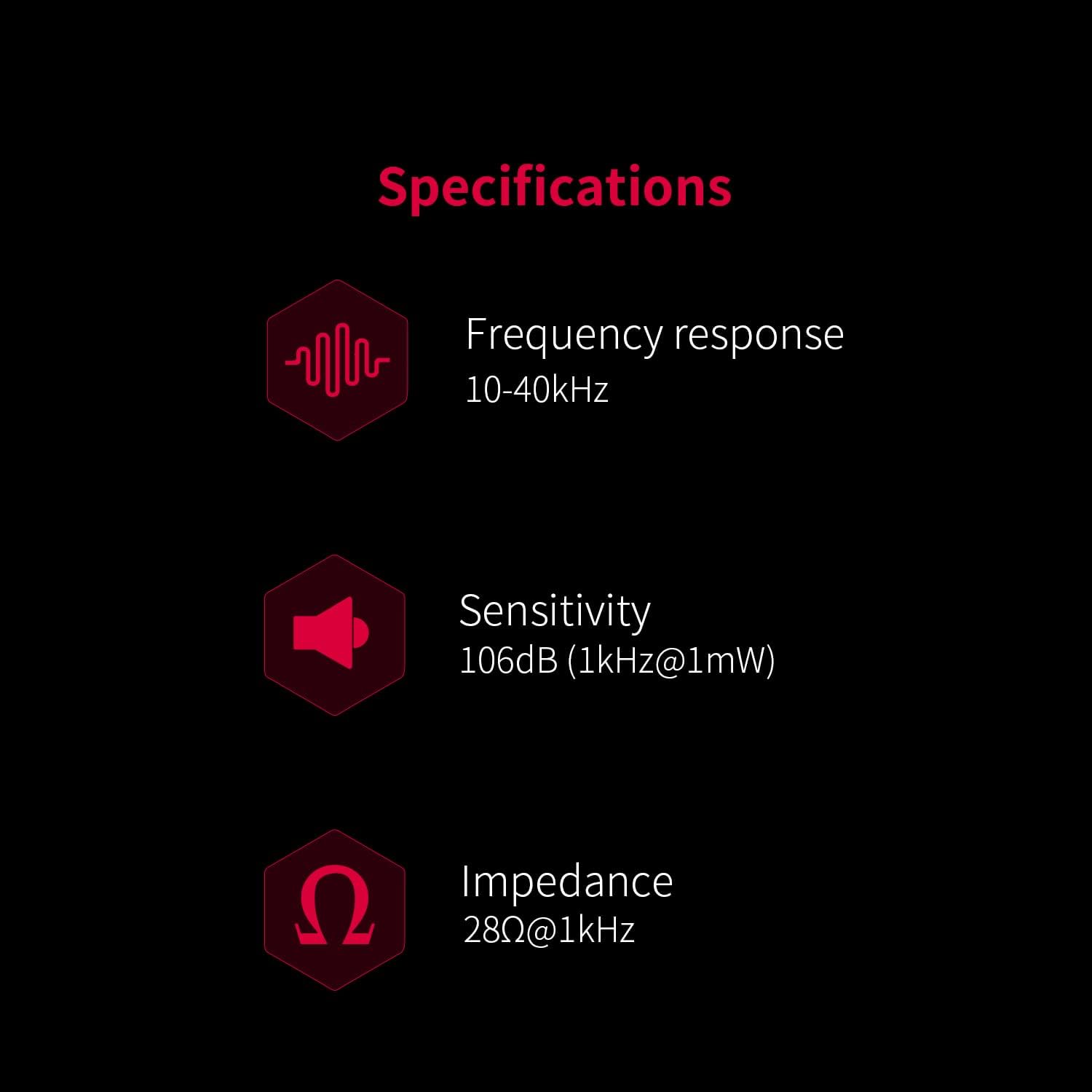
Figure 6: Visual representation of key specifications for the FiiO JadeAudio JH3 earphones.
| Kipengele | Vipimo |
|---|---|
| Jina la Mfano | JadeAudio JH3 |
| Usanidi wa Dereva | 1 Dynamic Driver + 2 Balanced Armature Drivers |
| Dynamic Driver Size | 13.6 mm |
| Majibu ya Mara kwa mara | 10-40kHz |
| Impedans | 28Ω |
| Unyeti | 106dB (1kHz@1mW) |
| Teknolojia ya Uunganisho | Inayotumia Waya (Jack ya 3.5mm) |
| Kiunganishi cha Cable | 0.78mm 2-pin (detachable) |
| Vifaa Sambamba | Android, iOS, Windows, Mac (Smartphones, PC, Laptops, Music Players) |
| Nyenzo | Shaba |
| Uzito wa Kipengee | 5.9 wakia |
| Vipimo vya Bidhaa | Inchi 3.15 x 1.57 x 5.91 |
Udhamini na Msaada
Kwa maelezo ya udhamini na usaidizi wa kiufundi, tafadhali rejelea FiiO rasmi webtovuti au wasiliana na msambazaji wako wa karibu. Hifadhi risiti yako ya ununuzi kwa madai ya udhamini.


