Utangulizi
This manual provides essential instructions for the installation, operation, and maintenance of your PowerBass XL-650 Amplified Soundbar. Designed for powersports and golf cart applications, this soundbar delivers high-quality audio in challenging environments. Please read this manual thoroughly before use to ensure proper function and longevity of your device.
Taarifa za Usalama
- Ensure all wiring is correctly connected to prevent electrical hazards.
- Do not expose the soundbar to extreme temperatures beyond its operational limits.
- Avoid disassembling the unit; refer servicing to qualified personnel.
- Securely mount the soundbar to prevent movement during vehicle operation.
- This product is IPX6 rated for water resistance; however, avoid submersion.
Yaliyomo kwenye Kifurushi
Thibitisha kuwa vipengee vyote vipo kabla ya kuanza usakinishaji:
- PowerBass XL-650 Amplbar Sauti
- XL-SBSCLAMP Square Soundbar Clamps (for 0.75", 1.0", 1.25" square bars)
- Vifaa vya Kuweka
- Power/Ground Wiring Harness
- 3.5mm Auxiliary Input Cable
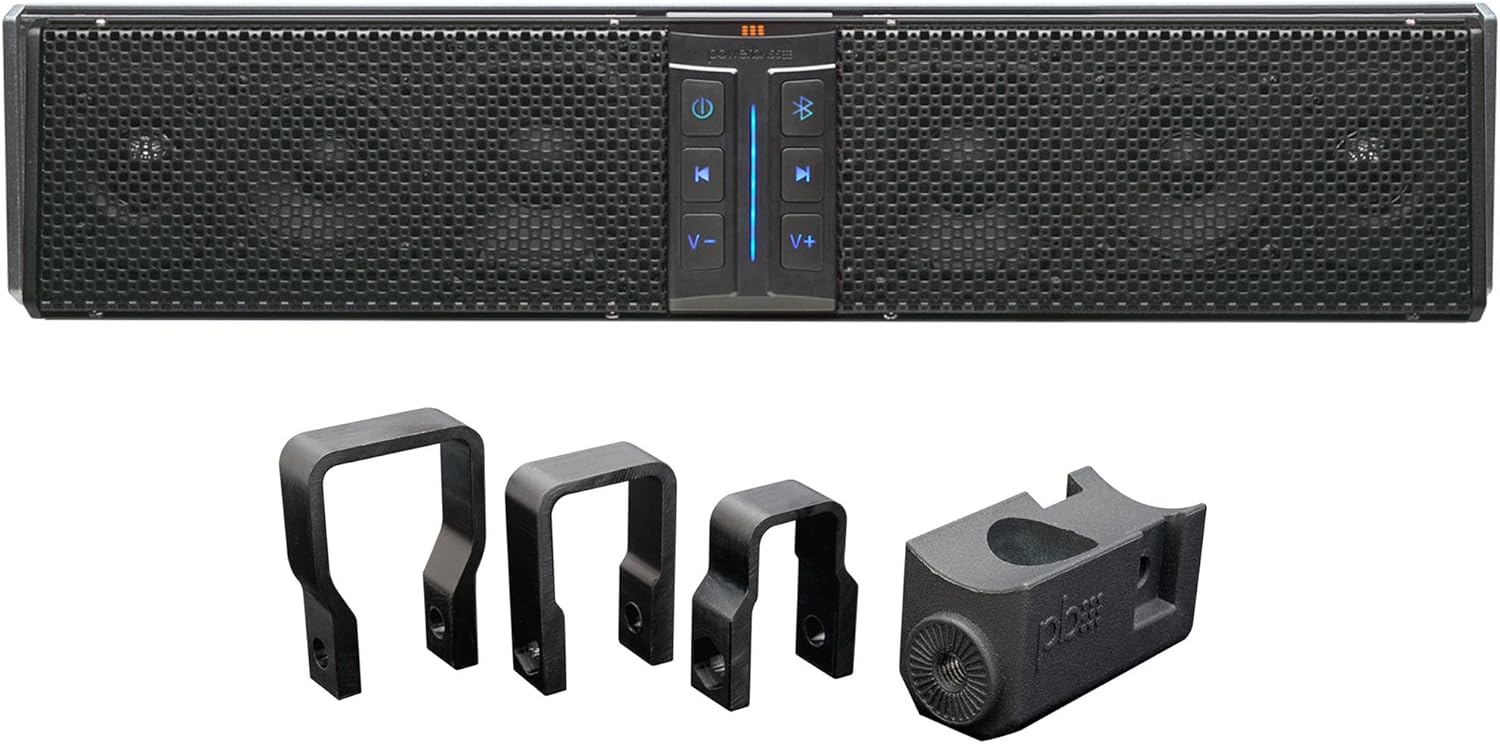
Image: The PowerBass XL-650 soundbar shown with its included square mounting clamps. The soundbar features a black grille and a central control panel.
Kuweka na Kuweka
1. Mounting the Soundbar
- Chagua Mahali pa Kupachika: Choose a secure location on your golf cart or powersports vehicle that allows for optimal sound dispersion and does not obstruct visibility or vehicle operation.
- Ambatanisha Clamps: Use the provided XL-SBSCLAMP square clamps. Select the appropriate clamp size for your vehicle's square bars (0.75", 1.0", or 1.25"). Securely fasten the clamps to the soundbar using the included hardware.
- Weka kwenye Gari: Position the soundbar with attached clamps onto the desired square bar. Tighten all mounting hardware to ensure the soundbar is firmly secured and will not vibrate or shift during use.

Picha: Karibu view of the PowerBass XL-SBSCLAMP square soundbar clamps, designed for secure mounting on various bar sizes.
2. Viunganisho vya Wiring
The XL-650 soundbar requires a 3-wire connection:
- Nguvu (Waya Nyekundu): Connect to a constant 12V DC power source.
- Ardhi (Waya Nyeusi): Unganisha kwenye sehemu ya ardhi yenye chasisi imara.
- Switched 12V Input (Blue Wire): Connect to a switched 12V source (e.g., ignition or a dedicated rocker switch) to allow the soundbar to turn on/off with your vehicle's power.
Hakikisha miunganisho yote ni salama na imewekewa maboksi ili kuzuia nyaya fupi.
Maagizo ya Uendeshaji
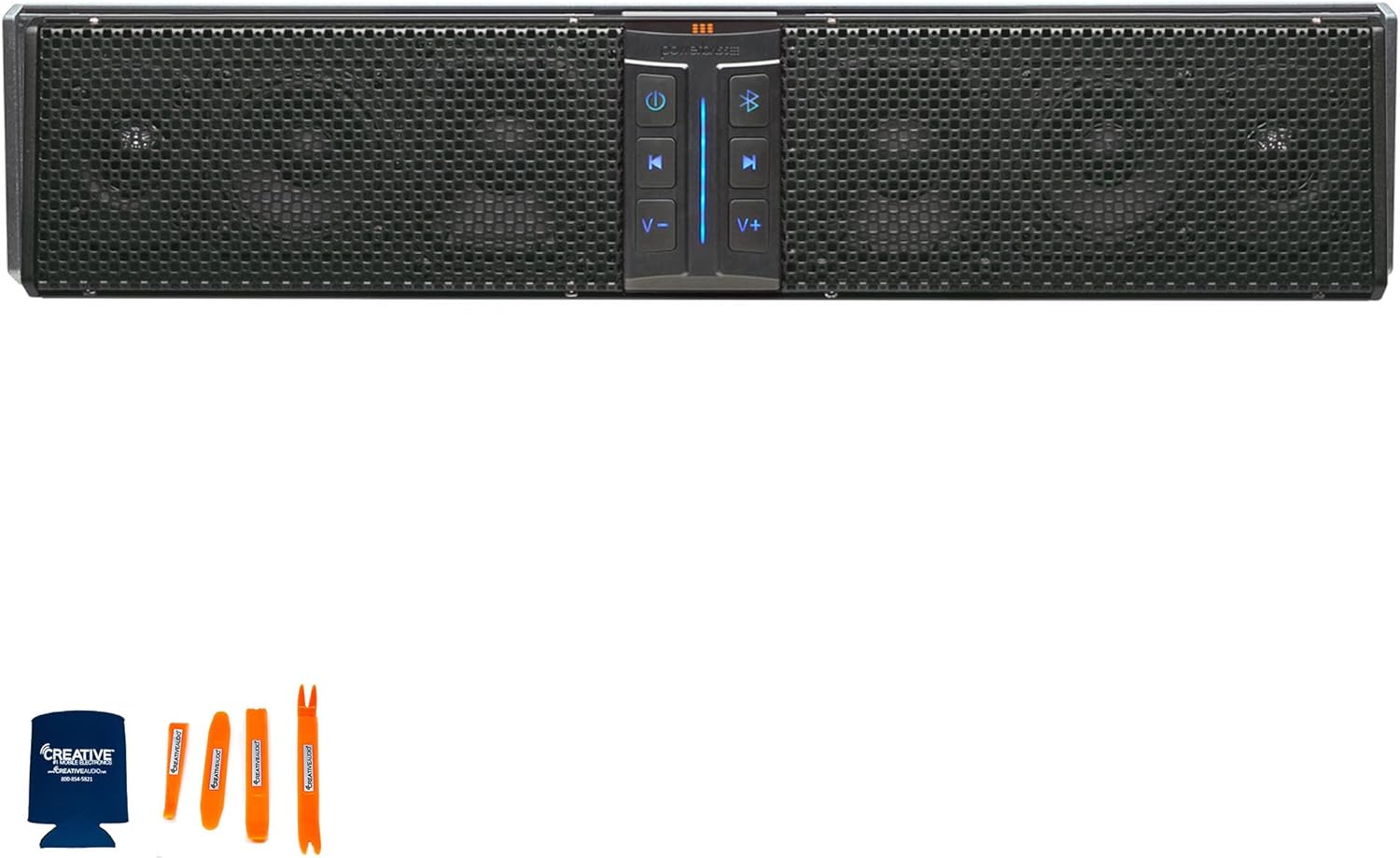
Image: The PowerBass XL-650 soundbar with its LED back-lit control panel visible, showing power, Bluetooth, track, and volume controls.
Majukumu ya Paneli ya Kudhibiti:
- Kitufe cha Nguvu: Bonyeza ili kuwasha au kuzima upau wa sauti.
- Kitufe cha Bluetooth: Bonyeza ili kuingiza modi ya kuoanisha ya Bluetooth.
- Kitufe cha Cheza/Sitisha: Udhibiti uchezaji wa media.
- Track Skip Buttons (Forward/Backward): Husogeza kati ya nyimbo.
- Vitufe vya Juu / Chini: Hurekebisha kiwango cha kutoa sauti.
1. Kuoanisha Bluetooth
- Hakikisha upau wa sauti umewashwa.
- Bonyeza kwa Kitufe cha Bluetooth on the control panel. The Bluetooth indicator light will flash, indicating pairing mode.
- On your mobile device (smartphone, tablet), navigate to the Bluetooth settings.
- Select "PowerBass XL-650" from the list of available devices.
- Once connected, the Bluetooth indicator light will become solid. You can now stream audio wirelessly.
2. Ingizo la Usaidizi
For devices without Bluetooth, use the 3.5mm auxiliary input:
- Connect one end of a 3.5mm audio cable (not included) to the auxiliary input port on the soundbar.
- Unganisha ncha nyingine kwenye jeki ya kipaza sauti au pato la sauti la kifaa chako.
- The soundbar will automatically switch to auxiliary mode when a cable is detected.
Matengenezo
- Kusafisha: Tumia laini, damp cloth to clean the exterior of the soundbar. Avoid harsh chemicals or abrasive cleaners.
- Viunganisho: Periodically check all wiring connections for tightness and corrosion, especially in marine or off-road environments.
- Hifadhi: If storing the vehicle for extended periods, ensure the soundbar is powered off and protected from extreme conditions.
Kutatua matatizo
| Tatizo | Sababu inayowezekana | Suluhisho |
|---|---|---|
| Hakuna Nguvu | Loose power/ground connection; Blown fuse; Switched 12V not active. | Check all wiring connections. Verify fuse integrity. Ensure the switched 12V source is active. |
| Hakuna Toleo la Sauti | Volume too low; Incorrect source selected; Device not paired (Bluetooth) or cable not connected (Aux). | Increase volume. Ensure correct input mode. Re-pair Bluetooth device or check Aux cable connection. |
| Kukatika kwa Bluetooth | Kifaa kiko nje ya eneo; Kuingilia kati. | Move device closer to the soundbar. Avoid sources of strong electromagnetic interference. |
Vipimo
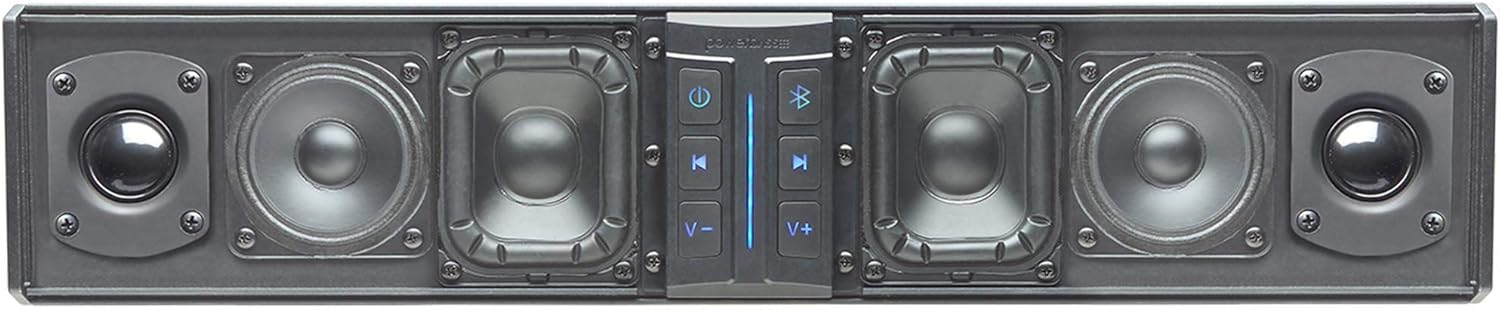
Picha: ya ndani view of the PowerBass XL-650 soundbar, showcasing its four square poly cone woofers and two SD Mylar tweeters.
| Kipengele | Maelezo |
|---|---|
| Mfano | XL-650 |
| Usanidi wa Spika | 6 Speakers (4 x 3.5" Square Poly Cone Woofers, 2 x 1" SD Mylar Tweeters) |
| Amplifier Nguvu | 250 Watts (RMS), 1000 Watts (Max) |
| Muunganisho | Bluetooth, 3.5mm Auxiliary Input |
| Ukadiriaji wa Upinzani wa Maji | IPX6 (Weatherproof) |
| Makazi | Heavy Duty Extruded Aluminum |
| Jopo la Kudhibiti | LED Back-lit |
| Uingizaji Voltage | 12 Volts DC |
| Uzito wa Kipengee | Pauni 15 |
| Aina ya Kuweka | Bar Mount (Square Clamps included for 0.75", 1.0", 1.25" bars) |
Kumbuka: Maelezo yanaweza kubadilika bila taarifa.
Taarifa ya Udhamini
The PowerBass XL-650 Amplified Soundbar comes with a Udhamini mdogo. For specific terms and conditions, including duration and coverage details, please refer to the warranty card included with your product or visit the official PowerBass webtovuti. Weka uthibitisho wako wa ununuzi kwa madai ya udhamini.
Usaidizi wa Wateja
If you encounter any issues or have questions regarding your PowerBass XL-650 Soundbar that are not covered in this manual, please contact PowerBass customer support. Refer to the product packaging or the official PowerBass webtovuti kwa maelezo ya sasa ya mawasiliano.


