1. Bidhaa Imeishaview
The idinio® Smart Ceiling Light is an innovative lighting solution designed to integrate seamlessly with your smart home ecosystem. It features an integrated docking station compatible with Amazon Echo Dot (3rd/4th Gen) and Google Nest Mini (2nd Gen), allowing for voice control of both the light and your smart home devices. Its central placement in a room provides optimal conditions for the smart speaker.
This versatile light offers adjustable color temperature from extra warm white (2000K) to neutral white (4000K) for the main light. Additionally, it includes a separately controllable RGB backlight, enabling you to create dynamic color accents on your ceiling. Advanced features such as music synchronization, scheduled on/off times, and simulated sunrise for a biorythmic alarm are also available through the idinio app.

Image: Three idinio smart ceiling lights, showcasing their modern design and how they appear when installed.
2. Ni nini kwenye Sanduku
Tafadhali angalia yaliyomo kwenye kifurushi kwa makini. Ikiwa bidhaa yoyote haipo au imeharibika, wasiliana na huduma kwa wateja.
- idinio® Smart Ceiling Light (x3 for this set)
- Kituo Kilichojumuishwa cha Docking
- Vifaa vya Kuweka (screws, plugs za ukuta)
- Mwongozo wa Mtumiaji (hati hii)
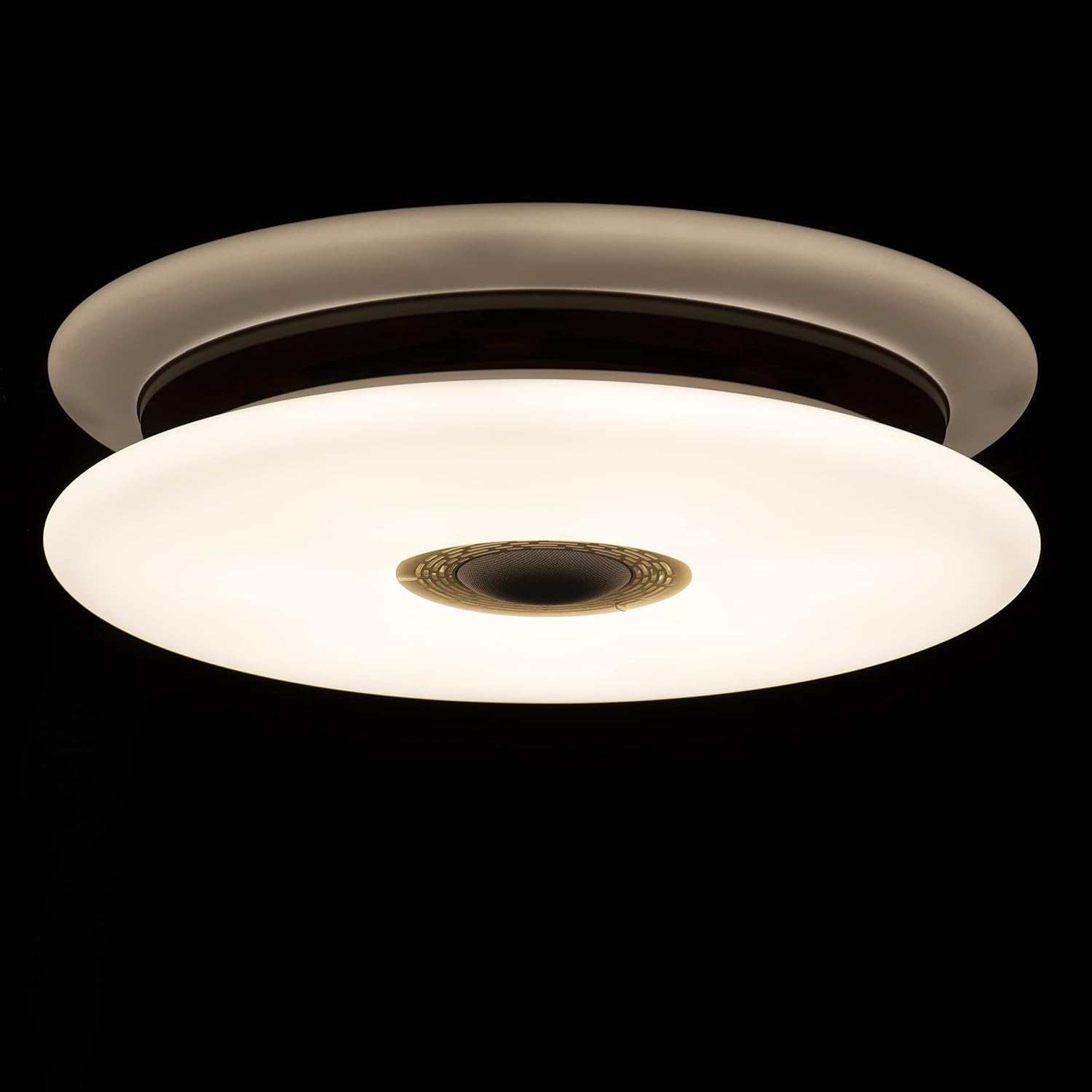
Image: Packaging of the idinio smart ceiling lights, indicating the contents of the set.
3. Kuweka na Kuweka
3.1 Tahadhari za Usalama
- Hakikisha nguvu imezimwa kwenye kivunja mzunguko kabla ya kusakinisha.
- Ufungaji unapaswa kufanywa na fundi umeme aliyehitimu ikiwa huna uhakika.
- Do not connect the light to a dimmer switch not designed for smart lighting.
3.2 Mounting the Ceiling Light
- Zima usambazaji mkuu wa umeme kwenye kivunja mzunguko.
- Attach the mounting bracket to the ceiling using the provided screws and wall plugs.
- Connect the electrical wires (Live, Neutral, Earth) from your ceiling to the corresponding terminals on the light fixture. Ensure connections are secure.
- Weka taa kwenye mabano ya kupachika.
- Washa usambazaji wa nguvu kuu.
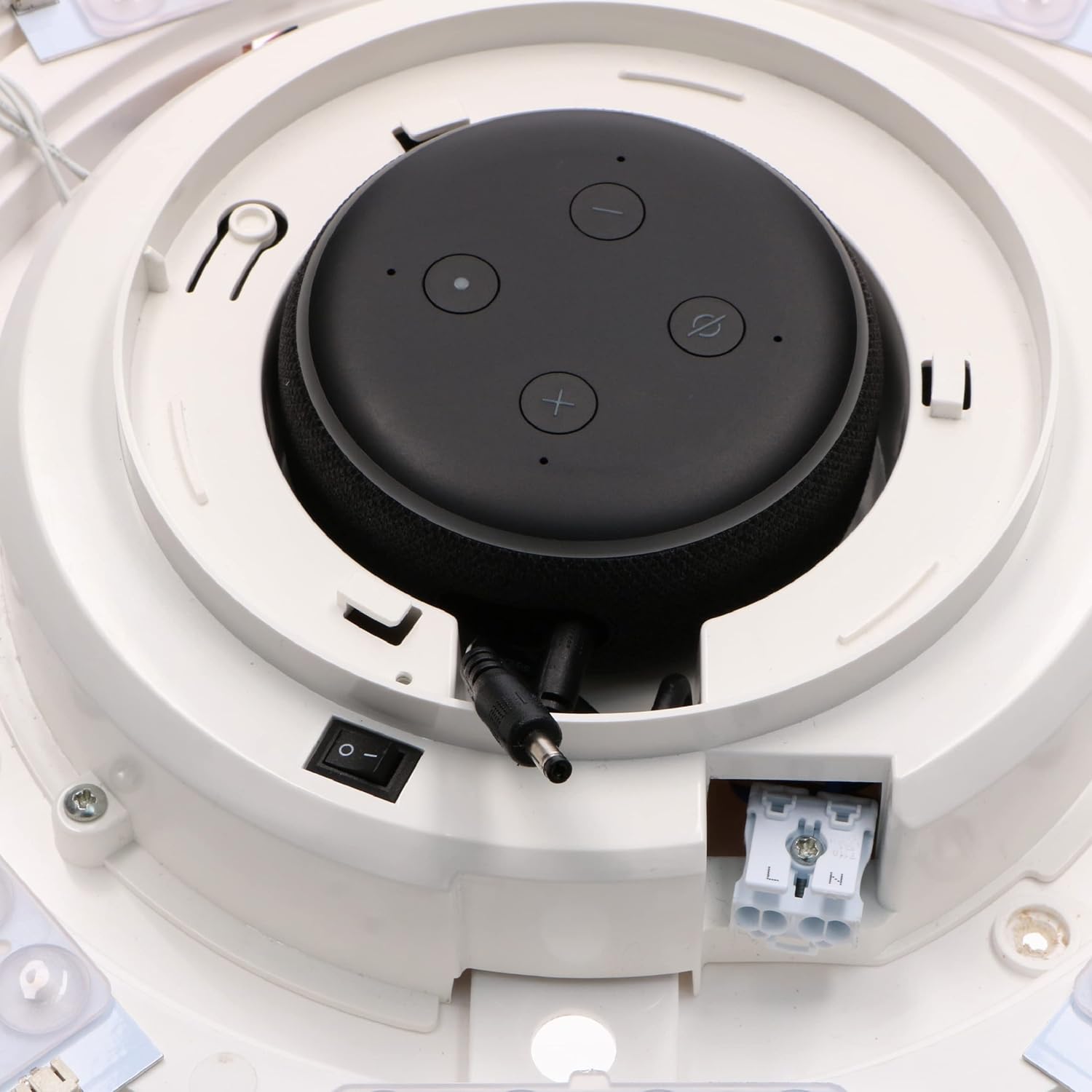
Picha: Ndani view of the light fixture showing wiring terminals and LED arrangement.
3.3 Integrating Your Smart Speaker
The idinio Smart Ceiling Light is designed with a central docking station for compatible smart speakers. Different diaphragms are included to ensure a perfect fit and aesthetic integration.
- Select the appropriate diaphragm for your smart speaker (Echo Dot 3rd/4th Gen or Nest Mini 2nd Gen).
- Carefully place your smart speaker into the docking station. Ensure it sits securely.
- Connect the smart speaker's power cable to the integrated power output within the docking station.

Image: Echo Dot 3rd Generation installed.

Image: Echo Dot 4th Generation installed.

Image: Google Nest Mini 2nd Generation installed.

Picha: Ndani view with smart speaker installed and connected.
3.4 Muunganisho wa Programu
To unlock the full potential of your idinio Smart Ceiling Light, download the idinio app from the App Store (iOS) or Google Play Store (Android).
- Download and install the "idinio" app on your smartphone or tablet.
- Jisajili kwa akaunti mpya au ingia ikiwa tayari unayo.
- Hakikisha kuwa mtandao wako wa Wi-Fi ni 2.4GHz.
- Follow the in-app instructions to add your new idinio Smart Ceiling Light. This typically involves putting the light into pairing mode (often by cycling power) and confirming its discovery in the app.
- Once connected, you can control the light and integrate it with Amazon Alexa or Google Assistant through the app's settings.
4. Maagizo ya Uendeshaji
4.1 Udhibiti wa Mwanga wa Msingi
- Washa/Zima: Use the idinio app or voice commands via your integrated smart speaker to turn the light on or off.
- Kupunguza: Adjust the brightness level from 1% to 100% using the app or voice commands.
4.2 Color Temperature Adjustment (Main Light)
The main light can be adjusted from a warm white to a neutral white tone.
- Open the idinio app and select your ceiling light.
- Navigate to the "White Light" or "Color Temperature" section.
- Adjust the slider or select a preset to change the color temperature between 2000K (warm white) and 4000K (neutral white).

Image: The idinio smart ceiling light emitting light, showcasing its illumination capabilities.
4.3 Udhibiti wa Mwangaza wa Nyuma wa RGB
The light features a separate RGB backlight to create ambient color effects on your ceiling.
- In the idinio app, select your ceiling light.
- Go to the "RGB" or "Color" section.
- Choose from a wide spectrum of colors or select dynamic scenes.
4.4 Smart Features via App
- Ratiba: Set timers for the light to turn on/off automatically at specific times.
- Simulated Sunrise: Configure a gradual increase in light intensity to simulate a sunrise for a gentle wake-up.
- Udhibiti wa Muziki: Synchronize the light's effects with music playing through your smart speaker.
- Uundaji wa Scene: Create custom lighting scenes for different moods or activities.
- Kushiriki Kifaa: Share control of the light with family members through the idinio app.
4.5 Voice Control (with Smart Speaker)
Once your smart speaker is integrated and connected to the idinio app (via Alexa Skill or Google Home integration), you can use voice commands:
- "Alexa, washa taa ya sebule."
- "Hey Google, set the kitchen light to 50% brightness."
- "Alexa, change the bedroom light to warm white."
- "Hey Google, make the office light blue."
5. Matengenezo
5.1 Cleaning the Light Fixture
To maintain the appearance and performance of your idinio Smart Ceiling Light, follow these cleaning guidelines:
- Always turn off the power supply to the light fixture before cleaning.
- Tumia laini, kavu, au d kidogoamp cloth to wipe the surface of the light.
- Usitumie visafishaji vya kukwaruza, miyeyusho, au kemikali kali, kwani hizi zinaweza kuharibu umaliziaji.
- Hakikisha taa imekauka kabisa kabla ya kurejesha umeme.
6. Utatuzi wa shida
| Tatizo | Sababu inayowezekana | Suluhisho |
|---|---|---|
| Nuru haiwashi. | No power supply; loose wiring; light not paired. | Check circuit breaker. Ensure wiring is secure. Re-pair the light with the app. |
| Haiwezi kuunganisha kwenye Wi-Fi. | Nenosiri lisilo sahihi la Wi-Fi; mtandao wa 5GHz; mbali sana na kipanga njia. | Verify password. Ensure 2.4GHz network. Move router closer or use a Wi-Fi extender. |
| Udhibiti wa sauti haufanyi kazi. | Smart speaker not connected; idinio skill/action not enabled; microphone off. | Check smart speaker connection. Enable idinio skill/action in Alexa/Google Home app. Ensure smart speaker microphone is on. |
| Mwanga huzima au kutenda kwa njia isiyo ya kawaida. | Unstable power; interference; faulty unit. | Check power supply stability. Reduce interference from other devices. Contact support if problem persists. |
7. Vipimo
| Kipengele | Maelezo |
|---|---|
| Chapa | idinio |
| Mfano | Smart Ceiling Light with Integrated Smart Speaker Dock |
| Matumizi ya Nguvu | LED max. 24W / Total max. 45W |
| Voltage | 120 Volts |
| Joto la Rangi | 2000K (Warm White) - 4000K (Neutral White) |
| Kielezo cha Utoaji wa Rangi (CRI) | 80 |
| Mwangaza wa Flux | 1700 Lumens |
| Angle ya Boriti | 120° |
| Muda wa Maisha (LED) | Saa 30,000 |
| Aina ya Ulinzi | IP20 |
| Nyenzo | Alumini |
| Muunganisho | Wi-Fi (802.11b, 802.11g, 802.11n) 2.4GHz |
| Smart Home Platform | idinio-App, Google Assistant, Amazon Alexa |
| Smart Home Protocol | Tuya |
| Compatible Smart Speakers | Amazon Echo Dot (3rd/4th Gen), Google Nest Mini (2nd Gen) |
8. Taarifa za Urejelezaji
This product contains electronic components and should not be disposed of with household waste. Please follow local regulations for the proper recycling of electronic products and light bulbs. For more information on recycling light bulbs, please consult your local waste management authority or recycling centers.
9. Udhamini na Msaada
For warranty information and technical support, please refer to the warranty card included with your product or visit the official idinio website. You can also contact idinio customer service directly for assistance with product setup, operation, or troubleshooting.
Mawasiliano ya Usaidizi kwa Wateja: Please refer to the contact details provided on the idinio packaging or official webtovuti.


