1. Utangulizi
This manual provides detailed instructions for the installation, operation, and maintenance of your ESLYYDS Double Din Car Stereo. This advanced multimedia system offers a wide range of features including Apple CarPlay, Android Auto, Bluetooth connectivity, a high-definition touchscreen, and support for a backup camera, enhancing your in-car entertainment and navigation experience.

Figure 1.1: ESLYYDS Double Din Car Stereo Overview
2. Yaliyomo kwenye Kifurushi
Tafadhali thibitisha kuwa bidhaa zote zilizoorodheshwa hapa chini zimejumuishwa kwenye kifurushi chako:
- ESLYYDS Double Din Car Stereo Unit
- Seti ya Mabano ya Kupachika
- Camera Wire A
- Camera Wire B
- Steering Wheel Control Unit
- Kiunga cha Waya A
- Kiunga cha Waya B
- Nyuma-view Kamera
- Udhibiti wa Kijijini
- Mwongozo wa Mtumiaji (hati hii)

Figure 2.1: Stereo Dimensions and Included Accessories
3. Bidhaa za Bidhaa
The ESLYYDS Double Din Car Stereo is equipped with a variety of features designed for convenience and enhanced driving experience:
- Apple CarPlay na Utangamano wa Android Auto: Seamlessly integrate your smartphone for navigation, music, calls, and messages using voice control.
- 7-inch HD Capacitive Touch Screen: A responsive and accurate display supporting 1080P video playback.
- Bluetooth 5.2: For stable and clear hands-free calling and audio streaming.
- Phone Mirror Link: Display your smartphone's screen directly on the stereo.
- Dual USB Interface: One port for media playback and another with 2.1A fast charging capability.
- Nyuma View Ingizo la Kamera: Supports the included 12 HD LED light, night vision, 170° viewing angle waterproof backup camera for safer reversing.
- Udhibiti wa Gurudumu la Uendeshaji (SWC): Compatible with existing steering wheel controls for convenient operation.
- AM/FM Audio Receiver: Access to radio stations with user-friendly digital control.
- AUX IN Connectivity: For external audio devices.
- 7 Color LED Buttons: Customizable button illumination.
3.1 Apple CarPlay na Android Auto
Connect your smartphone via USB to access navigation, phone contacts, email, notifications, and music directly on the stereo display. This feature utilizes voice control technology for safe operation while driving.
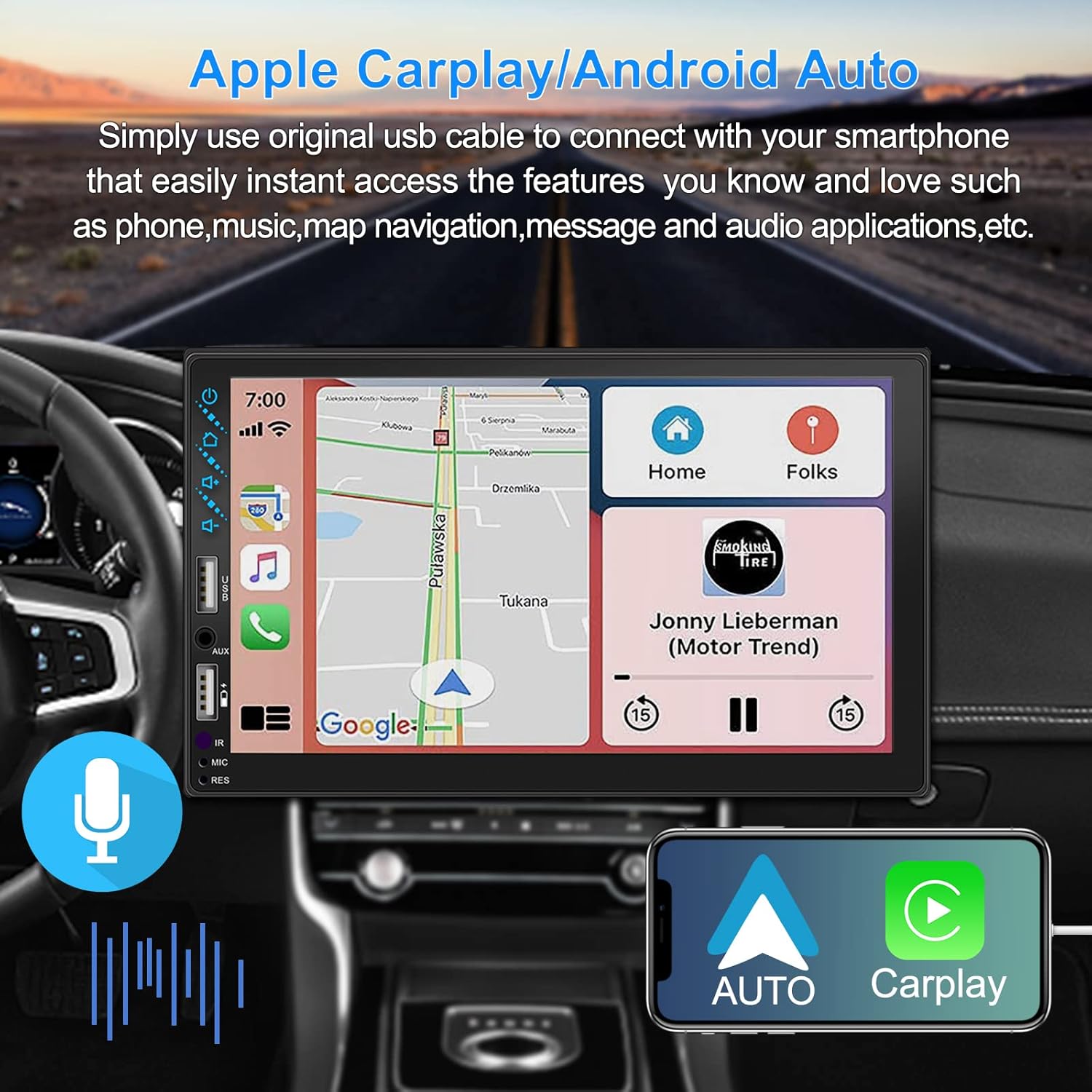
Mchoro wa 3.1: Kiolesura cha Apple CarPlay na Android Auto
3.2 Udhibiti wa Sauti
Utilize voice commands to control various functions such as making calls, playing music, and navigating, allowing you to keep your hands on the wheel and eyes on the road.

Mchoro 3.2: Utendaji Kazi wa Kudhibiti Sauti
3.3 Phone Mirror Link
The Mirror Link function allows you to display your smartphone's screen directly onto the stereo's touchscreen. This supports Android devices (version 10.1 and below) and iPhone devices (version 14.5 and below, including iPhone 12, 11, XR, and 8 series and below) with resolutions up to 1920x1080 pixels.
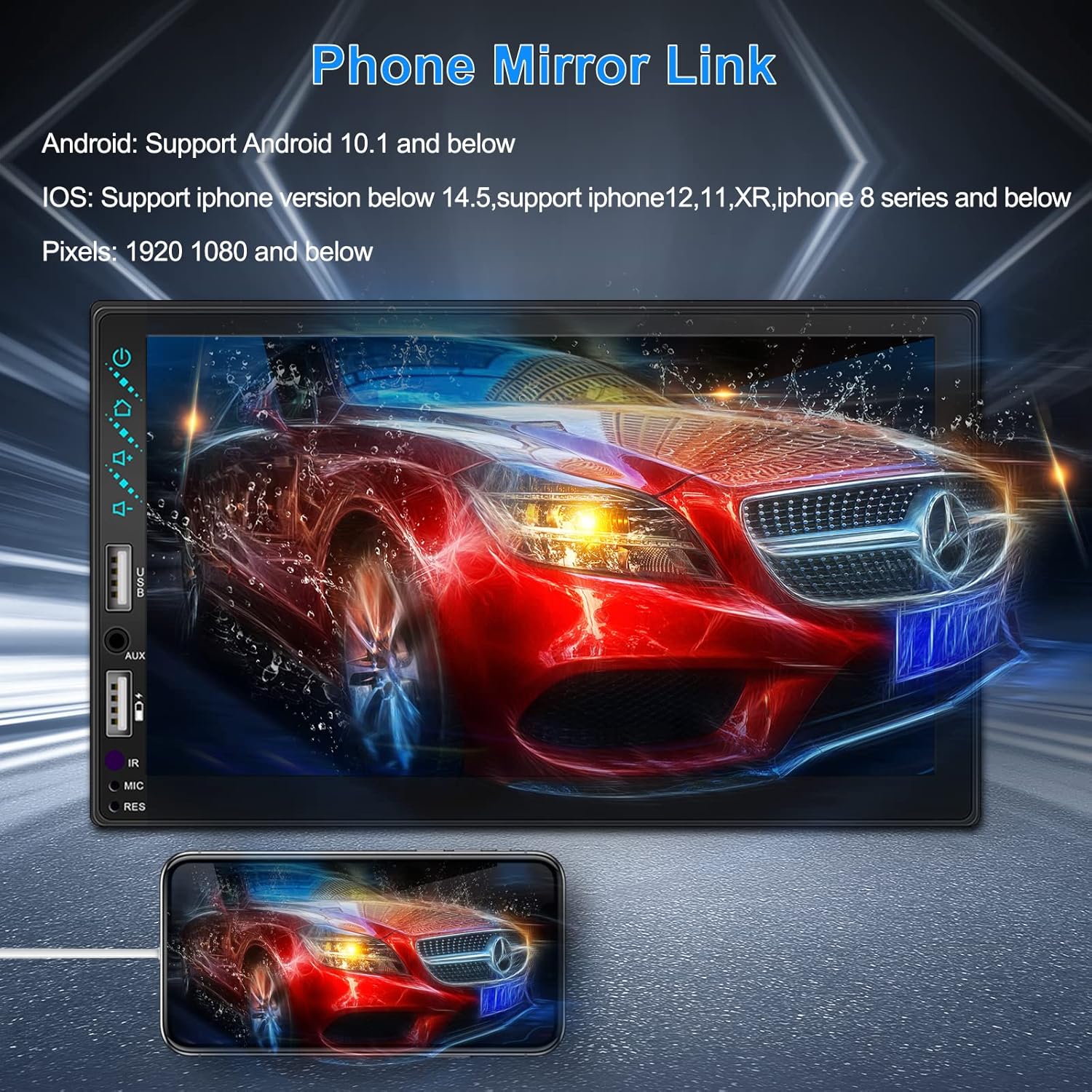
Figure 3.3: Phone Mirror Link
3.4 Nyuma View Kamera
The included waterproof backup camera features 12 HD LED lights for night vision and a 170° viewing angle. When you shift into reverse, the system automatically displays the camera feed on the screen, providing optimal visibility in various weather conditions.
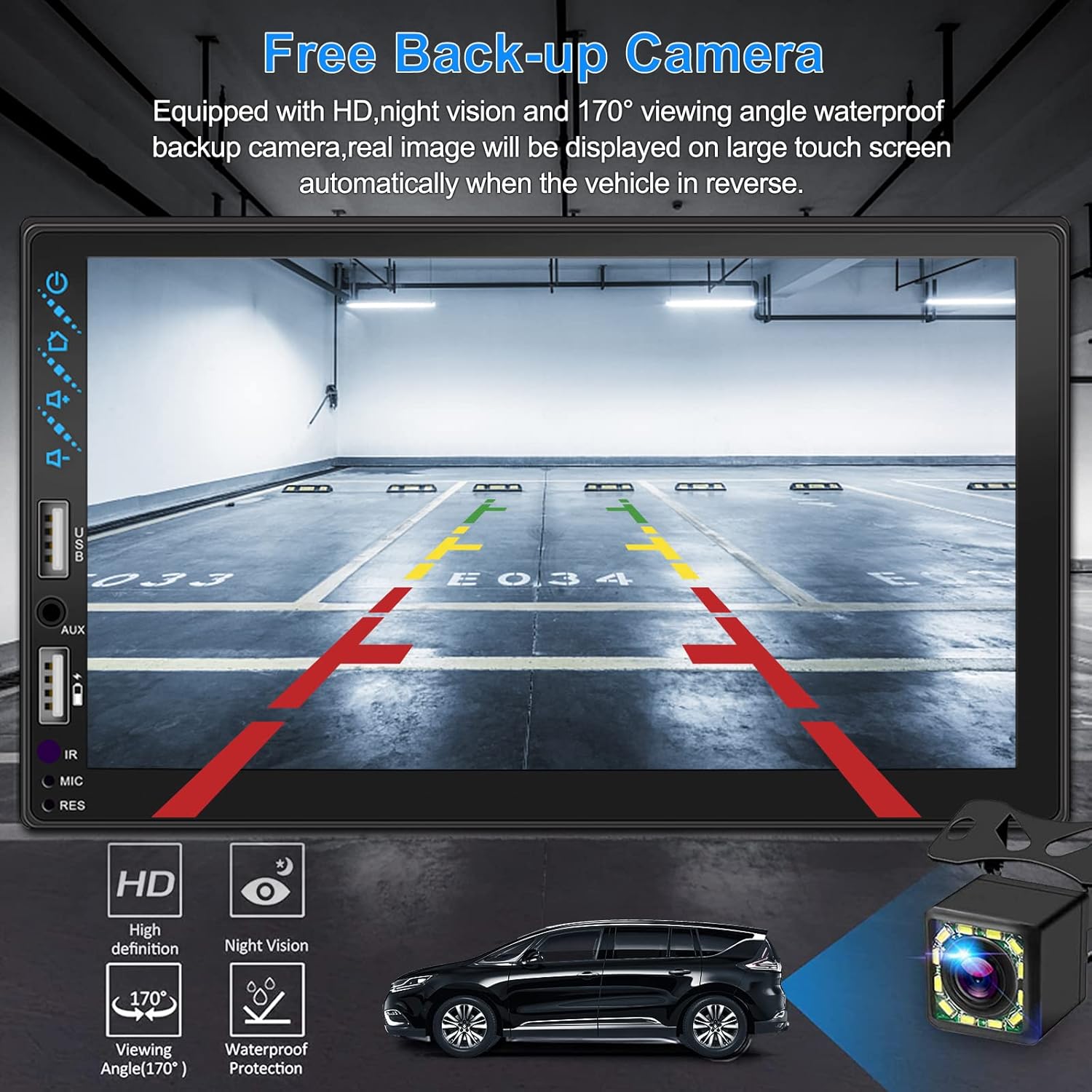
Kielelezo cha 3.4: Nyuma View Onyesho la Kamera
4. Mwongozo wa Ufungaji
Proper installation is crucial for optimal performance. It is recommended to have the unit installed by a professional if you are unfamiliar with car audio wiring.
4.1 Vipimo
The stereo unit has a standard double din size. Refer to Figure 2.1 for detailed dimensions.
- Upana: 178mm (inchi 7)
- Urefu: 102mm (inchi 4)
- Kina: 60mm (inchi 2.6)
4.2 Mchoro wa Wiring
Carefully follow the wiring diagram below to connect the stereo to your vehicle's electrical system. Ensure all connections are secure to prevent malfunctions.
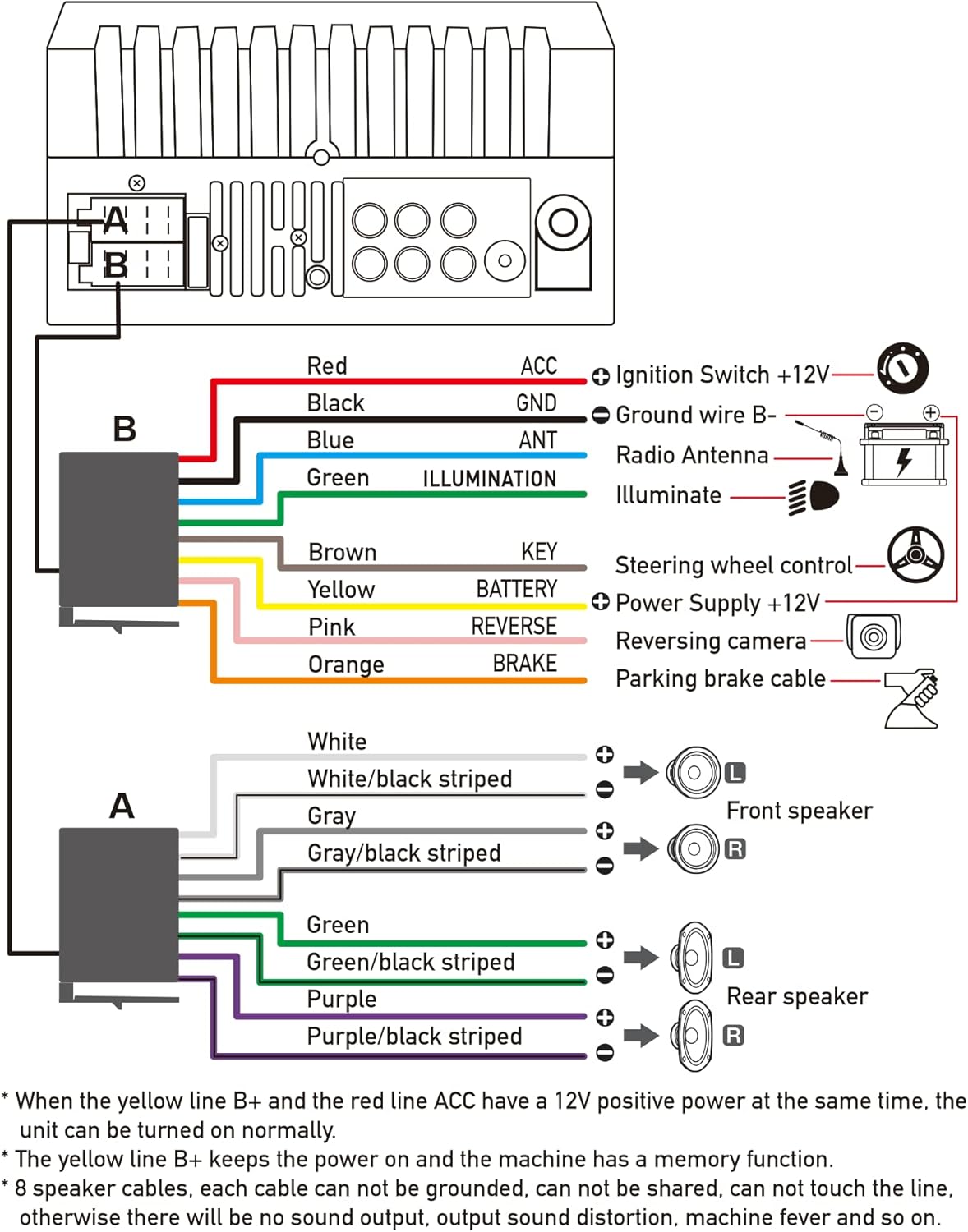
Figure 4.1: Main Wiring Diagram
- Red (ACC): Connect to Ignition Switch +12V.
- Nyeusi (GND): Connect to Ground wire B-.
- Blue (ANT): Connect to Radio Antenna (if applicable).
- Green (ILLUMINATION): Connect to Illuminate wire.
- Brown (KEY): Connect to Steering wheel control.
- Yellow (BATTERY): Connect to Power Supply +12V.
- Pink (REVERSE): Connect to Reversing camera input.
- Orange (BRAKE): Connect to Parking brake cable.
Speaker Connections (8 speakers supported):
- White / White/black striped: Spika wa Mbele Kushoto
- Gray / Gray/black striped: Msemaji Mbele Kulia
- Green / Green/black striped: Spika wa nyuma Kushoto
- Purple / Purple/black striped: Spika wa nyuma wa kulia
Vidokezo Muhimu:
- The unit requires both the Yellow (BATTERY) and Red (ACC) wires to have a 12V positive power supply simultaneously for normal operation.
- The Yellow (BATTERY) wire keeps the power on and maintains memory functions.
- For speaker connections, each cable must not be grounded or shared with other cables. Incorrect wiring can lead to no sound output, sound distortion, or damage to the machine.
5. Maagizo ya Uendeshaji
5.1 Shughuli za Msingi
- Washa/Zima: Bonyeza kitufe cha kuwasha/kuzima kwenye paneli ya mbele au kidhibiti cha mbali.
- Udhibiti wa Sauti: Use the volume buttons on the front panel, steering wheel controls, or remote control.
- Uteuzi wa Chanzo: Tap the 'Source' or 'Mode' icon on the touchscreen to switch between Radio, Bluetooth, USB, AUX, CarPlay, and Android Auto.
5.2 Apple CarPlay / Android Auto Usage
- Connect your compatible iPhone or Android smartphone to the stereo's USB port using a certified USB cable.
- The stereo will automatically detect the connection and prompt you to launch CarPlay or Android Auto.
- Fuata maagizo kwenye skrini ili kukamilisha usanidi.
- Once connected, you can access supported apps like Maps, Phone, Messages, and Music directly from the stereo's touchscreen or via voice commands.
5.3 Kuoanisha Bluetooth
- Washa Bluetooth kwenye simu yako mahiri.
- On the stereo, navigate to the Bluetooth menu.
- Tafuta available devices on your smartphone. The stereo's Bluetooth name will typically be 'ESLYYDS' or similar.
- Select the stereo from your smartphone's list and confirm the pairing code if prompted.
- Baada ya kuoanishwa, unaweza kupiga/kupokea simu na kutiririsha sauti bila waya.
5.4 Phone Mirror Link Usage
- Connect your smartphone to the stereo's USB port.
- Select the 'Mirror Link' option on the stereo's screen.
- Follow the specific instructions displayed on the stereo for your phone's operating system (Android or iOS) to enable screen mirroring. This may involve enabling USB debugging for Android or trusting the device for iOS.
5.5 Uendeshaji wa Redio
- Select the 'Radio' source.
- Use the 'Scan' function to automatically search and save stations, or manually tune using the frequency controls.
- Hifadhi vituo unavyopenda ili kuweka vitufe vilivyowekwa mapema kwa ufikiaji wa haraka.
5.6 Uchezaji wa USB
- Insert a USB drive containing audio or video files into the designated USB playback port.
- The stereo will automatically switch to USB mode or prompt you to select it.
- Browse and play your media files using the touchscreen controls.
6. Matengenezo
Ili kuhakikisha uimara na utendaji bora wa stereo ya gari lako, fuata miongozo hii ya matengenezo:
- Kusafisha: Use a soft, dry cloth to clean the screen and exterior. For stubborn smudges on the screen, use a screen cleaner specifically designed for electronic displays. Avoid abrasive cleaners or solvents.
- Halijoto: Epuka kuhatarisha kifaa kwenye halijoto kali, joto na baridi, kwa muda mrefu.
- Unyevu: Keep the unit dry. Do not expose it to water or excessive humidity.
- Sasisho za Firmware: Angalia mtengenezaji webtovuti mara kwa mara kwa masasisho yoyote ya programu dhibiti yanayopatikana ili kuboresha utendakazi na kuongeza vipengele vipya.
7. Utatuzi wa shida
If you encounter issues with your ESLYYDS car stereo, please refer to the following common problems and solutions. If the problem persists, contact customer support.
| Tatizo | Sababu inayowezekana | Suluhisho |
|---|---|---|
| Hakuna nguvu | Wiring isiyo sahihi; Fuse iliyopigwa; Tatizo la betri ya gari. | Check power (Yellow and Red) and ground (Black) wire connections. Inspect vehicle fuses. Ensure vehicle battery is charged. |
| Hakuna sauti | Speaker wires incorrectly connected; Volume too low; Mute function active. | Verify all speaker wire connections (ensure no shorts or grounds). Increase volume. Check if mute is enabled. |
| Bluetooth haiunganishi | Bluetooth not enabled on phone/stereo; Incorrect pairing process. | Ensure Bluetooth is active on both devices. Delete previous pairings and re-attempt pairing process. |
| CarPlay/Android Auto not launching | Faulty USB cable; Phone not compatible; Software issue. | Use a high-quality, certified USB cable. Ensure your phone's OS version is compatible. Restart both phone and stereo. |
| Kamera ya nyuma haionekani | Camera wire disconnected; Reverse trigger wire not connected. | Check the camera's video input and power connections. Ensure the Pink (REVERSE) wire is correctly connected to the vehicle's reverse light trigger. |
| USB not reading media | Haitumiki file format; Corrupted USB drive; USB port issue. | Hakikisha vyombo vya habari files are in supported formats (e.g., MP3, MP4, MKV). Try a different USB drive. |
8. Vipimo
| Kipengele | Vipimo |
|---|---|
| Vipimo vya Bidhaa | Inchi 7 x 2.6 x 3.94 |
| Uzito wa Kipengee | Pauni 2.33 |
| Nambari ya Mfano | L3 |
| Ukubwa wa Kuonyesha | Inchi 7 (sentimita 18) |
| Aina ya Kuonyesha | Skrini ya Kugusa ya HD yenye Uwezo wa Kugusa |
| Teknolojia ya Uunganisho | Carplay, Android Auto, Mirror-Link, Bluetooth 5.2, USB, AUX |
| Aina ya Kidhibiti | Google Assistant, iOS, Android |
| Vipengele Maalum | Touchscreen, RDS, Steering Wheel Control (SWC), Fast Charging USB (2.1A) |
| Vifaa Sambamba | Simu mahiri |
| Aina ya kiunganishi | USB |
| Njia ya Pato la Sauti | Mzunguko |
| Usanidi wa Idhaa ya Sauti inayozunguka | 5.1 |
| Usaidizi wa Usimbaji Video | MKV |
| Rangi | Nyeusi |
| Tarehe ya Kwanza Inapatikana | Septemba 25, 2021 |
9. Udhamini na Msaada
ESLYYDS is committed to providing excellent customer service and technical support. For any inquiries or assistance, please contact our professional technical team.
- Dhamana ya Kurejeshewa Pesa: 30-day period from purchase.
- Dhamana ya Kubadilisha: 12-month period for product replacement.
- Usaidizi wa Kiufundi: Life-time technical support is provided.
Please refer to your purchase documentation for specific contact details or visit the official ESLYYDS webtovuti kwa maelezo ya usaidizi.


