Utangulizi
This manual provides detailed instructions for the installation, operation, and maintenance of your Morimoto M LED 2.0 Bi-LED Projector. Designed for custom automotive retrofits, this universal projector lens offers both low beam and high beam functionality with an ECE-compliant RHD (Right-Hand Drive) beam pattern and cutoff. Please read this manual thoroughly before beginning any installation or operation to ensure proper function and safety.
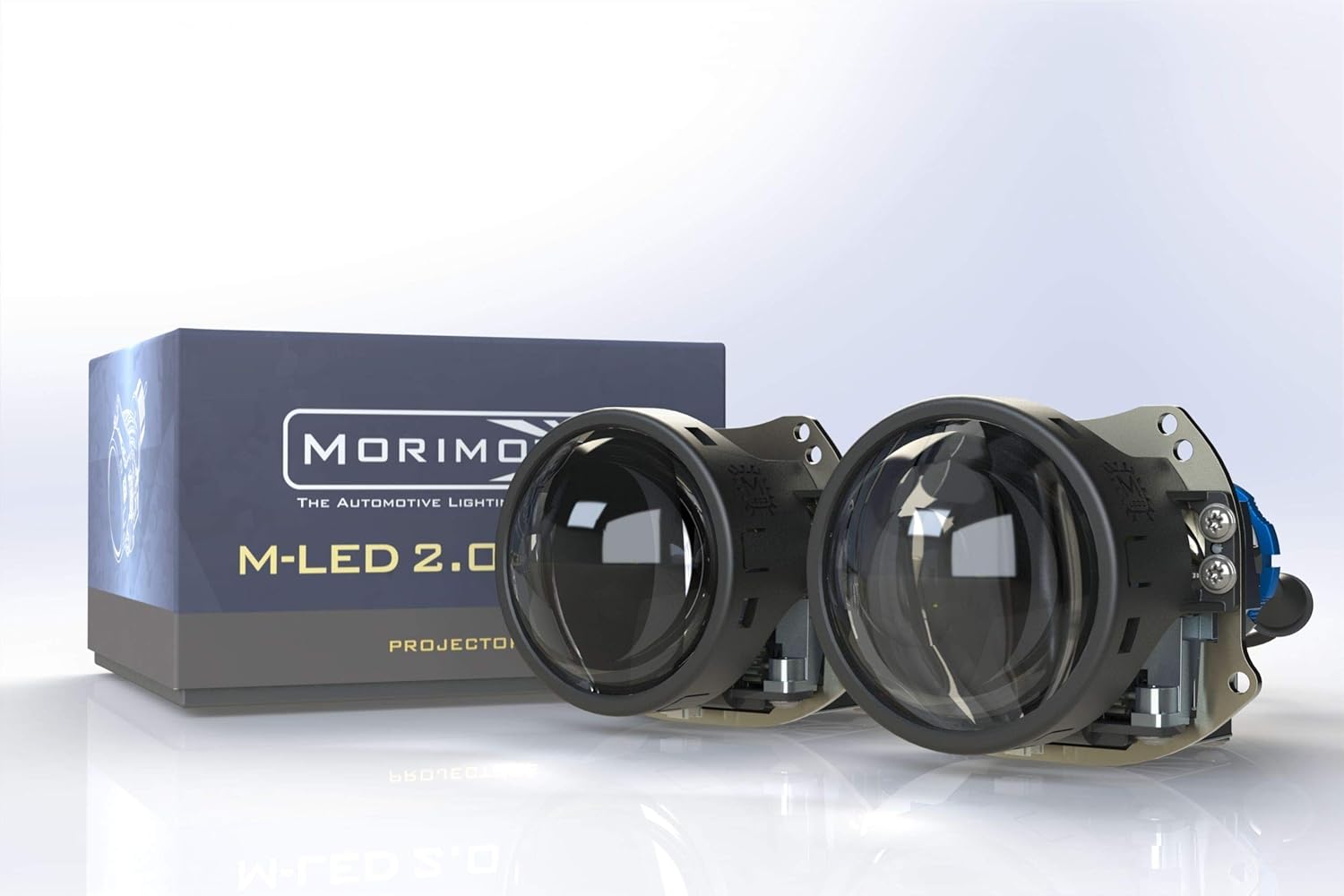
Image: The Morimoto M LED 2.0 Bi-LED Projectors, showcasing the compact design and the product packaging.
Nini Pamoja
Thibitisha kuwa vipengele vyote vipo na havijaharibika kabla ya kuendelea na usakinishaji.
- Projector: 1x Morimoto M LED 2.0 Bi-LED RHD Projector
- Dereva: 1x M LED 1.0 Driver
- Vifaa: 1x Threaded shaft with lock ring
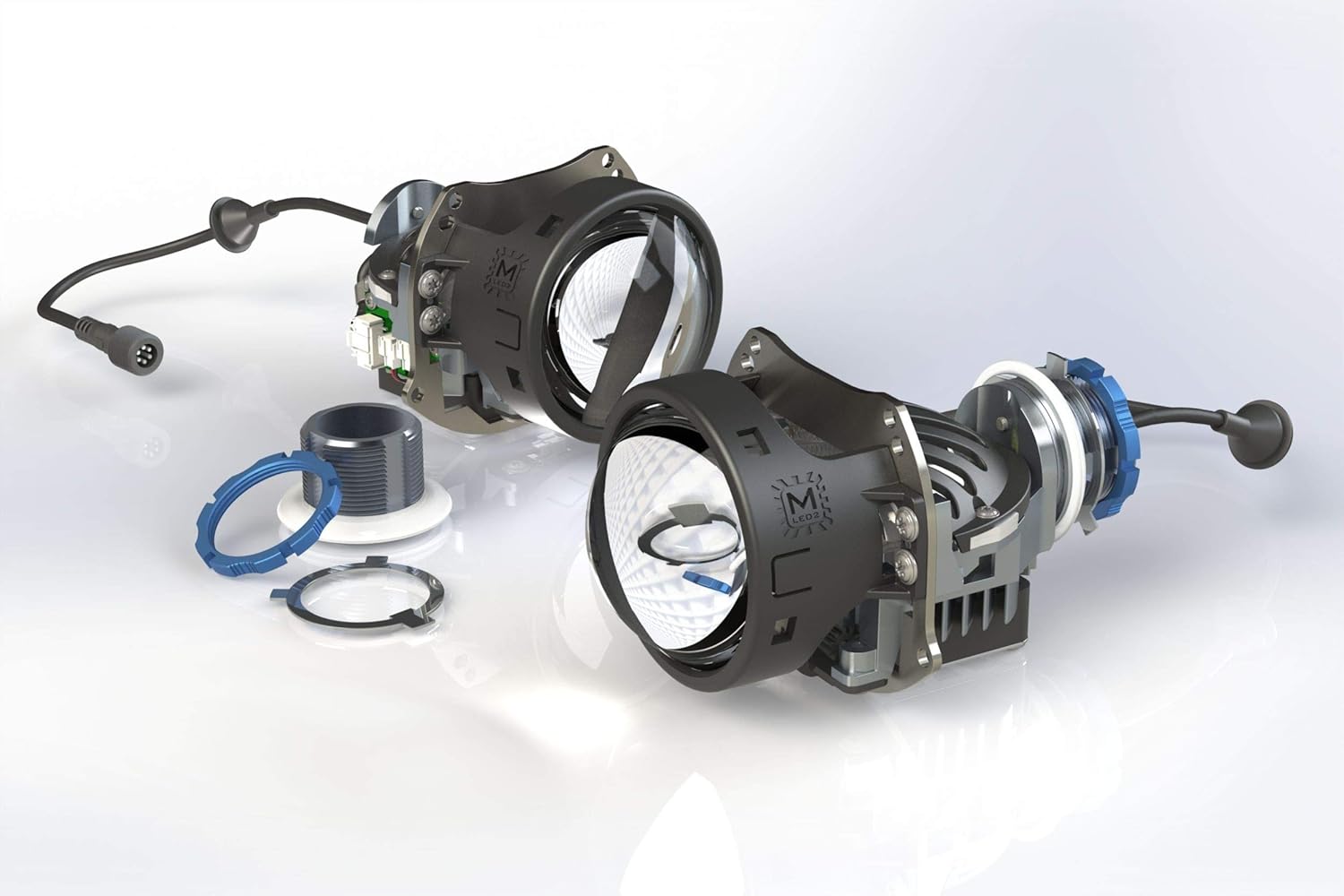
Picha: Ililipuka view of the projector components, illustrating the lens, housing, and associated hardware.
Kuweka na Kuweka
The Morimoto M LED 2.0 Bi-LED Projector is designed for universal fitment in custom automotive retrofit applications. Due to the specialized nature of headlight retrofitting, professional installation is highly recommended. This section provides general guidance.
Hundi za Kusakinisha Mapema
- Hakikisha betri ya gari imekatika kabla ya kuanza kazi yoyote ya umeme.
- Confirm the projector fits within the intended headlight housing.
- Kagua vipengele vyote kwa dalili zozote za uharibifu.
Kuweka Projector
The projector utilizes a threaded shaft for secure mounting. This allows for precise adjustment and locking into place within the headlight assembly.
- Carefully insert the projector into the headlight housing opening.
- Secure the projector using the provided threaded shaft and lock ring from the rear of the housing.
- Ensure the projector is oriented correctly for the RHD beam pattern.
Viunganisho vya Umeme
Connect the M LED 1.0 Driver to the projector and then to the vehicle's electrical system. The system operates on a 9-30V DC input.
- Connect the projector's cable to the input port on the M LED 1.0 Driver.
- Connect the driver's power input to the vehicle's low beam and high beam wiring. Consult a vehicle-specific wiring diagram if unsure.
- Hakikisha miunganisho yote ni salama na imewekewa maboksi ipasavyo ili kuzuia nyaya fupi.

Image: The M LED 2.0 Bi-LED drivers, essential components for power regulation and function of the projectors.
Uendeshaji
The Morimoto M LED 2.0 is a Bi-LED projector, meaning it provides both low beam and high beam functionality from a single projector unit. The transition between low and high beam is controlled by an internal cutoff shield mechanism.
Low Beam Function
When the low beams are activated, the internal cutoff shield is in place, creating a sharp, ECE-compliant RHD cutoff line. This prevents glare for oncoming traffic while providing ample illumination of the road ahead.
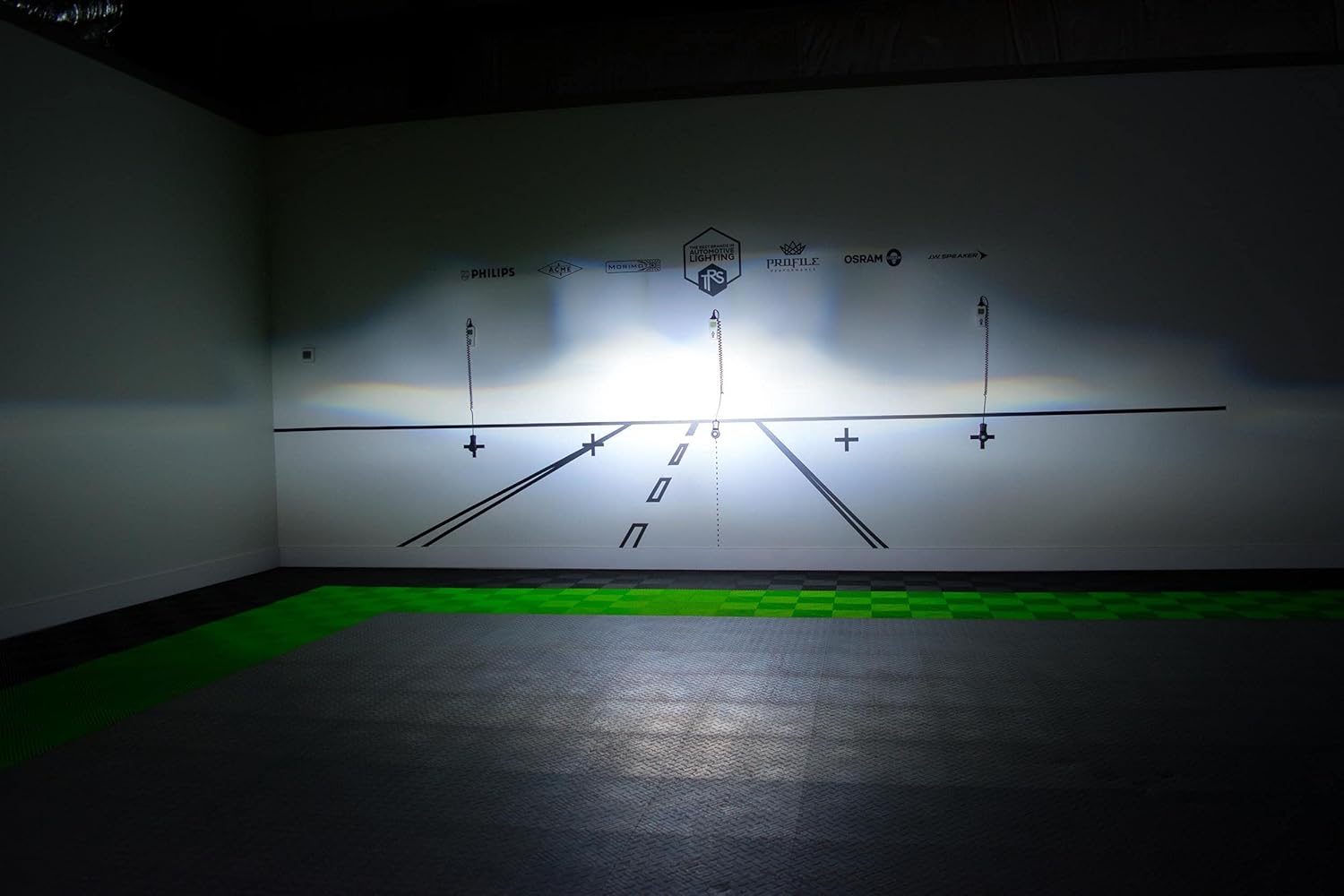
Picha: Example of the RHD beam pattern with a distinct cutoff line, as projected on a test wall.
High Beam Function
When the high beams are activated, the cutoff shield retracts, allowing the full light output to be projected. This provides maximum illumination for increased visibility during night driving in areas without oncoming traffic.
Light Path and Cutoff Mechanism
The projector utilizes a sophisticated optical system, including a sub-reflector and cutoff shield, to precisely control the light output and beam pattern. The RHD beam pattern ensures proper illumination for right-hand drive vehicles.

Image: Technical diagram explaining the internal optics and how the light is managed to create the desired beam patterns.
Matengenezo
The Morimoto M LED 2.0 Bi-LED Projector is designed for long-term, maintenance-free operation. However, periodic checks can help ensure optimal performance.
- Kusafisha: Keep the exterior lens of the headlight assembly clean from dirt and debris. Use a soft cloth and mild cleaning solution. Do not use abrasive cleaners.
- Ukaguzi: Periodically check the wiring connections for any signs of wear or corrosion.
- Kipengele cha kuzuia maji: The projector is designed to be waterproof. Ensure that the headlight housing itself is properly sealed after installation to protect the internal components from moisture.
Kutatua matatizo
If you encounter issues with your Morimoto M LED 2.0 Bi-LED Projector, refer to the following common problems and solutions:
| Tatizo | Sababu inayowezekana | Suluhisho |
|---|---|---|
| Projector does not illuminate | No power, loose connection, faulty driver. | Check all wiring connections. Verify power supply to the driver. Test the driver if possible. |
| High beam not activating | Wiring issue to high beam trigger, faulty driver. | Ensure high beam trigger wire is correctly connected to the driver. Check driver functionality. |
| Improper beam pattern/cutoff | Projector not seated correctly, internal component misalignment. | Re-check projector mounting and orientation. If issue persists, contact support. |
For issues not listed here or if troubleshooting steps do not resolve the problem, please contact Morimoto customer support.
Vipimo vya Kiufundi
| Kipengele | Maelezo |
|---|---|
| Mfano | PR353 |
| Chanzo cha Nuru | HML-3 7545 LED |
| Joto la Rangi | 6300K |
| Kazi | Bi-LED (Low Beam & High Beam) |
| Traffic Pattern | RHD (Right-Hand Drive) with ECE Cutoff |
| Uzito | 70,000 cd |
| Nguvu | 29.5W |
| Uingizaji Voltage | 9-30VDC |
| Kipenyo cha Lenzi | inchi 3.0 |
| Nyenzo ya Lenzi | Kioo cha Sapphire |
| Vipimo (H x W x D) | 82mm x 95mm x 124mm (150mm with shaft) |
| Kipenyo cha shimoni | 35 mm |
| Uzito wa Kipengee | pound 1 |
| Vipengele Maalum | Kuzuia maji |
| Aina ya Kifaa cha Magari | Universal Fit |
Udhamini na Msaada
Taarifa ya Udhamini
The Morimoto M LED 2.0 Bi-LED Projector comes with a Udhamini wa Miaka 5. This warranty covers defects in materials and workmanship under normal use. Please retain your proof of purchase for warranty claims. For full warranty terms and conditions, please refer to the official Morimoto webtovuti au wasiliana na huduma kwa wateja wao.
Usaidizi wa Wateja
For technical assistance, troubleshooting, or warranty inquiries, please contact Morimoto customer support. You can typically find contact information on the official Morimoto webtovuti au kupitia muuzaji wako aliyeidhinishwa.
Rasilimali za Mtandaoni: Tembelea Morimoto Store on Amazon kwa maelezo ya ziada ya bidhaa na rasilimali.


