1. Utangulizi
The COMPUTHERM T-32 room thermostat is designed for controlling most boilers and air conditioners available in the EU. It can be easily connected to any gas boiler with a two-wire thermostatic connection point, and to all air conditioning systems or electrical appliances, whether they have a 24V or 230V control circuit.
This digital thermostat allows for more precise temperature measurement and adjustment compared to traditional thermostats. It helps reduce energy costs while maintaining comfort by regulating the connected appliance (e.g., a gas boiler or pump) based on the measured and set temperatures.
Sifa Muhimu:
- Udhibiti Sahihi wa Halijoto: Easily set desired temperature between 5°C and 30°C in 0.5°C increments.
- Constant Indoor Temperature: Switching sensitivity of ±0.2°C or 0.1°C ensures a uniform and stable room temperature.
- Utangamano mwingi: Suitable for boilers with a two-wire connection and various HVAC systems (24V or 230V).
- Njia za kupokanzwa na kupoeza: Supports both heating and cooling functions.
- Kuonyesha kwa Digital: Provides clear and accurate temperature readings.
2. Kuweka na Kuweka
Muhimu: Kifaa lazima kisakinishwe na mtu mwenye uwezo.
2.1 Yaliyomo kwenye Kifurushi
Thibitisha kuwa vipengele vyote vipo:
- 1x COMPUTHERM T-32 Digital Room Thermostat
- 2x Betri za AAA
- Vifaa vya kupachika (skrubu na plagi za ukutani)

Figure 1: Package contents including the thermostat, batteries, and mounting hardware.
2.2 Ufungaji wa Betri
- Carefully remove the back cover of the thermostat.
- Insert the two AAA batteries into the battery compartment, ensuring correct polarity (+/-).
- Badilisha kifuniko cha nyuma.
2.3 Kuweka na Wiring
The thermostat is designed for wall mounting in a room. Choose a location away from direct sunlight, drafts, or heat sources that could affect temperature readings.
- Separate the front panel from the back plate.
- Weka alama kwenye nafasi unayotaka ya kuweka kwenye ukuta.
- Piga mashimo na uingize plugs za ukuta.
- Funga bamba la nyuma ukutani kwa kutumia skrubu zilizotolewa.
- Connect the two-wire control circuit from your boiler or HVAC system to the terminals on the back plate. Refer to the wiring diagram on the back of the thermostat for correct connections.
- Carefully reattach the front panel to the back plate.

Kielelezo cha 2: Nyuma view of the thermostat with wiring terminals and battery compartment details.
3. Uendeshaji
3.1 Onyesha Juuview
The digital display shows the current room temperature and the set desired temperature. The thermostat features three control buttons below the display.

Kielelezo 3: Mbele view of the COMPUTHERM T-32 thermostat with its digital display and three control buttons.
3.2 Kuweka Halijoto Inayotakiwa
Use the temperature control buttons (typically marked with up and down arrows or similar symbols) to adjust the desired temperature. Each press changes the temperature by 0.5°C within a range of 5°C to 30°C.
- Bonyeza kwa Mshale wa Juu kitufe ili kuongeza halijoto inayotakiwa.
- Bonyeza kwa Mshale wa Chini kitufe ili kupunguza halijoto inayotakiwa.
The thermostat will automatically regulate the connected heating or cooling appliance to maintain the set temperature within its switching sensitivity of ±0.2°C.
3.3 Heating Mode Operation
In heating mode, if the measured room temperature falls below the set temperature minus the switching sensitivity (e.g., 22°C - 0.2°C = 21.8°C), the thermostat will activate the heating appliance. It will deactivate the heating when the room temperature rises above the set temperature plus the switching sensitivity (e.g., 22°C + 0.2°C = 22.2°C).
3.4 Cooling Mode Operation
In cooling mode, the operation is reversed. If the measured room temperature rises above the set temperature plus the switching sensitivity, the thermostat will activate the cooling appliance. It will deactivate cooling when the room temperature falls below the set temperature minus the switching sensitivity.
Note: After a temperature change using the thermostat's adjustment buttons, the switching sensitivity is temporarily not considered, allowing the thermostat to react to a difference of ±0.1°C for immediate response.
4. Matengenezo
- Kusafisha: Futa kidhibiti joto kwa kitambaa laini na kikavu. Usitumie visafishaji au viyeyusho vyenye kukwaruza.
- Ubadilishaji wa Betri: Badilisha betri wakati kiashiria cha betri ya chini kinapoonekana kwenye onyesho. Tumia betri mpya za alkali za AAA kila wakati.
- Epuka Vikwazo: Ensure no objects block the thermostat's ventilation slots or sensor, as this can affect temperature accuracy.
5. Utatuzi wa shida
| Tatizo | Sababu inayowezekana | Suluhisho |
|---|---|---|
| Onyesho la kidhibiti halijoto ni tupu. | Betri zilizokufa au zilizosakinishwa vibaya. | Badilisha betri, hakikisha polarity sahihi. |
| Mfumo wa kuongeza joto/upoeshaji haufanyi kazi. | Incorrect wiring; system power off; thermostat in wrong mode. | Check wiring connections (consult a professional); ensure system power is on; verify thermostat is set to appropriate mode (heating/cooling). |
| Usomaji wa joto usio sahihi. | Thermostat located near heat source/draft; sensor obstructed. | Relocate thermostat if possible; ensure no obstructions around the sensor. |
| Temperature fluctuates too much. | High switching sensitivity setting (not applicable for T-32 as it's fixed). | The T-32 has a fixed sensitivity of ±0.2°C. Ensure proper placement and insulation of the room. |
6. Vipimo
- Mfano: T32
- Chanzo cha Nguvu: 2x AAA 1.5V Alkaline Batteries (included)
- Udhibiti Voltage: 24V AC au 230V AC
- Uwezo wa Kupakia: 8 Amperes
- Upimaji wa kipimo cha Joto: 5°C hadi 30°C
- Kiwango cha Kuweka Joto: 5°C hadi 30°C
- Temperature Setting Increment: 0.5°C
- Kubadilisha Unyeti: ±0.2°C (or ±0.1°C after manual adjustment)
- Vipimo (L x W x H): 8.5 x 8.5 x 2.8 cm
- Uzito: gramu 160
- Muunganisho: Wired
- Rangi: Nyeupe


Figure 4: Dimensions of the COMPUTHERM T-32 thermostat.
7. Udhamini
The COMPUTHERM T-32 Digital Room Thermostat comes with a Udhamini wa mtengenezaji wa mwaka 5. Tafadhali hifadhi uthibitisho wako wa ununuzi kwa madai ya udhamini. Udhamini hufunika kasoro katika vifaa na utengenezaji chini ya matumizi ya kawaida.
8. Msaada
For further assistance or if you encounter issues not covered in this manual, please refer to the official COMPUTHERM website or contact your retailer. Always ensure that any electrical work is performed by a qualified professional.
For more information, you may visit the manufacturer's webtovuti: www.calorsol.de
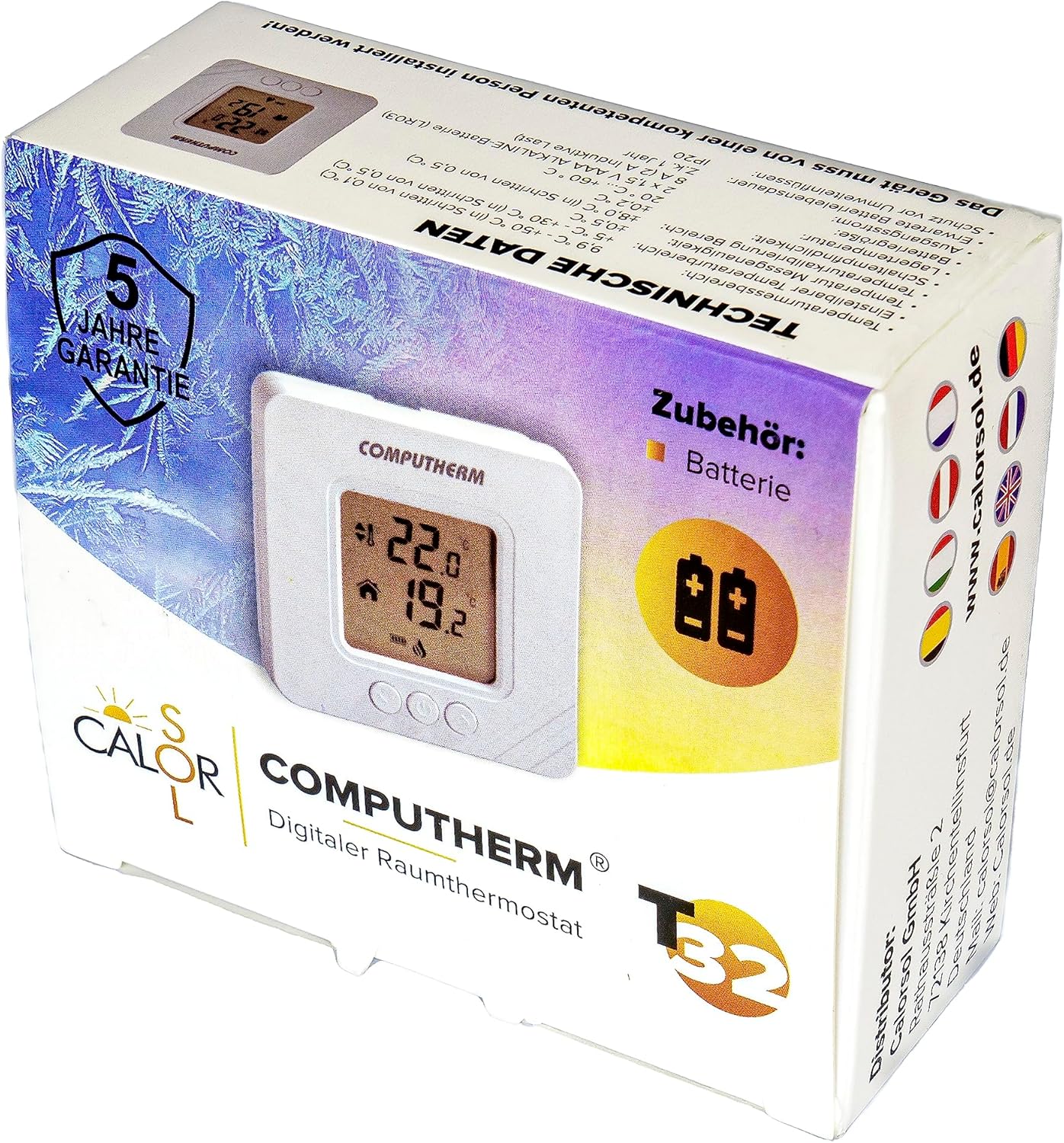
Figure 5: Product packaging displaying warranty information and technical data.


