1. Utangulizi
This manual provides comprehensive instructions for the setup, operation, and maintenance of your LG 27UK670-B 27-inch UHD (3840 x 2160) IPS Display. This monitor is designed to deliver a high-quality visual experience with its sRGB 99% Color Gamut, HDR10 support, and a 3-Side Virtually Borderless Design. It also offers flexible connectivity including USB Type-C with 40W Power Delivery and an adjustable stand for ergonomic comfort.

Kielelezo 1: Mbele view of the LG 27UK670-B monitor.
2. Yaliyomo kwenye Kifurushi
Verify that all items are present in the package before proceeding with the setup.
- Monitor Display Panel
- Kufuatilia Stand (Msingi na Shingo)
- Kamba ya Nguvu
- Cable Type-C ya USB
- Kebo ya HDMI
- DisplayPort Cable
- Mwongozo wa Mtumiaji (hati hii)
3. Kuweka
3.1 Kukusanya Stendi
- Carefully place the monitor display panel face down on a soft, clean surface to prevent scratches.
- Ambatanisha shingo ya kusimama nyuma ya jopo la kufuatilia. Hakikisha inabofya mahali pake kwa usalama.
- Unganisha msingi wa kusimama kwenye shingo ya kusimama. Kaza skrubu chini ya msingi ili kuifunga vizuri.
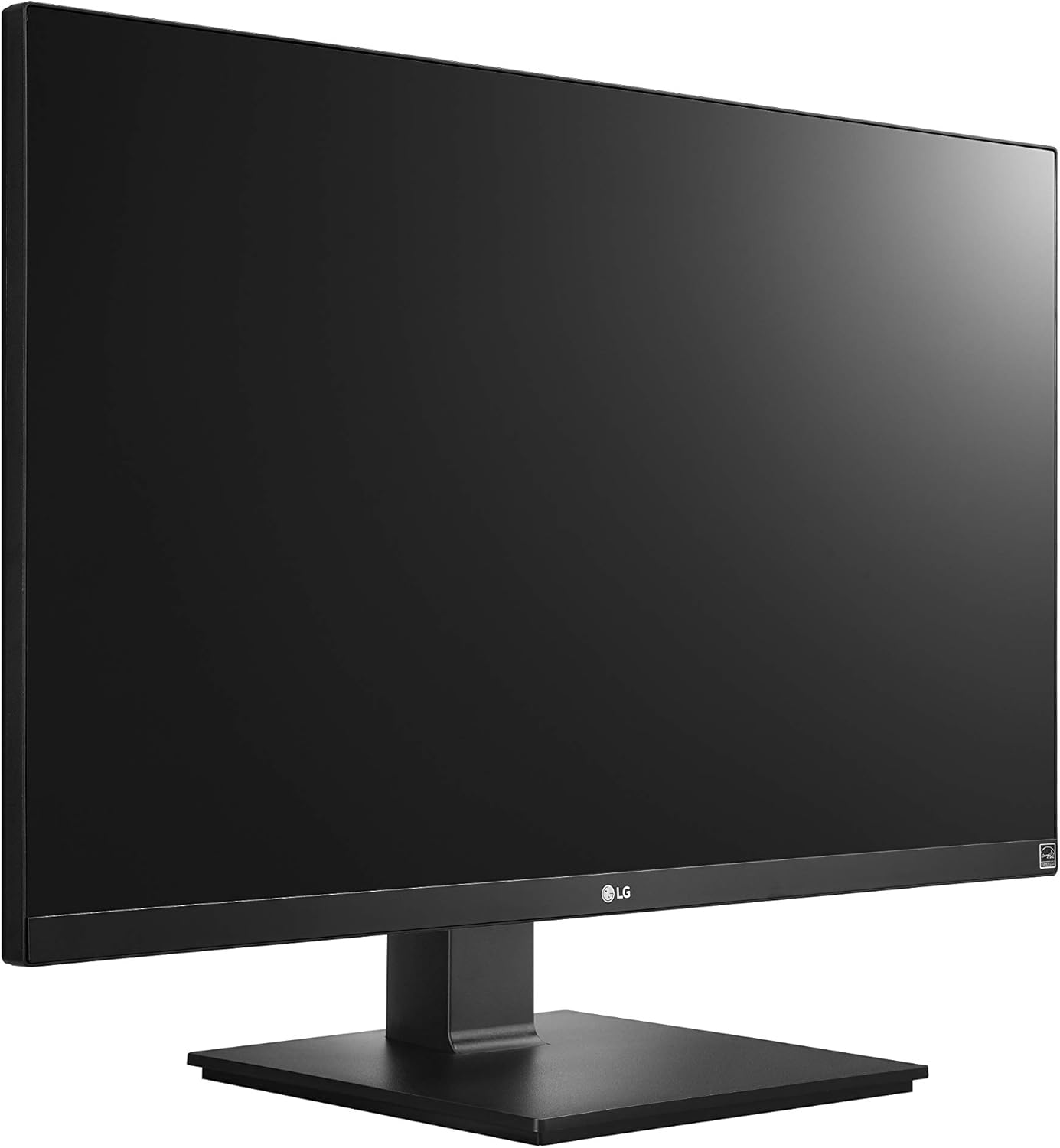
Figure 2: Assembled LG 27UK670-B monitor.
3.2 Kuunganisha kwa Kompyuta
The LG 27UK670-B monitor offers multiple connectivity options.
- Muunganisho wa USB Aina ya C: Connect one end of the USB Type-C cable to the USB-C port on the monitor and the other end to your computer's USB-C port. This connection supports video, data transfer, and power delivery (up to 40W) to your connected device.
- Muunganisho wa HDMI: Use an HDMI cable to connect the monitor to your computer's HDMI output.
- Muunganisho wa DisplayPort: Use a DisplayPort cable to connect the monitor to your computer's DisplayPort output.
- Muunganisho wa Nishati: Unganisha waya ya umeme kwenye pembejeo ya nguvu ya kifuatiliaji na kisha kwenye sehemu ya ukuta.

Kielelezo cha 3: Nyuma view ya kifuatiliaji chenye miunganisho ya milango.
3.3 Kurekebisha Stendi
Kifaa cha kufuatilia huruhusu marekebisho mbalimbali ya ergonomic:
- Marekebisho ya Urefu: Gently push or pull the monitor up or down to achieve your desired viewurefu.
- Marekebisho ya Tilt: Tilt the monitor screen forward or backward to optimize your viewpembe.
- Marekebisho ya Egemeo: Zungusha kifuatiliaji digrii 90 ili ubadilishe kati ya mwelekeo wa mandhari na picha.
- Marekebisho ya Swivel: Rotate the monitor left or right on its base to share your screen or adjust your viewmsimamo.
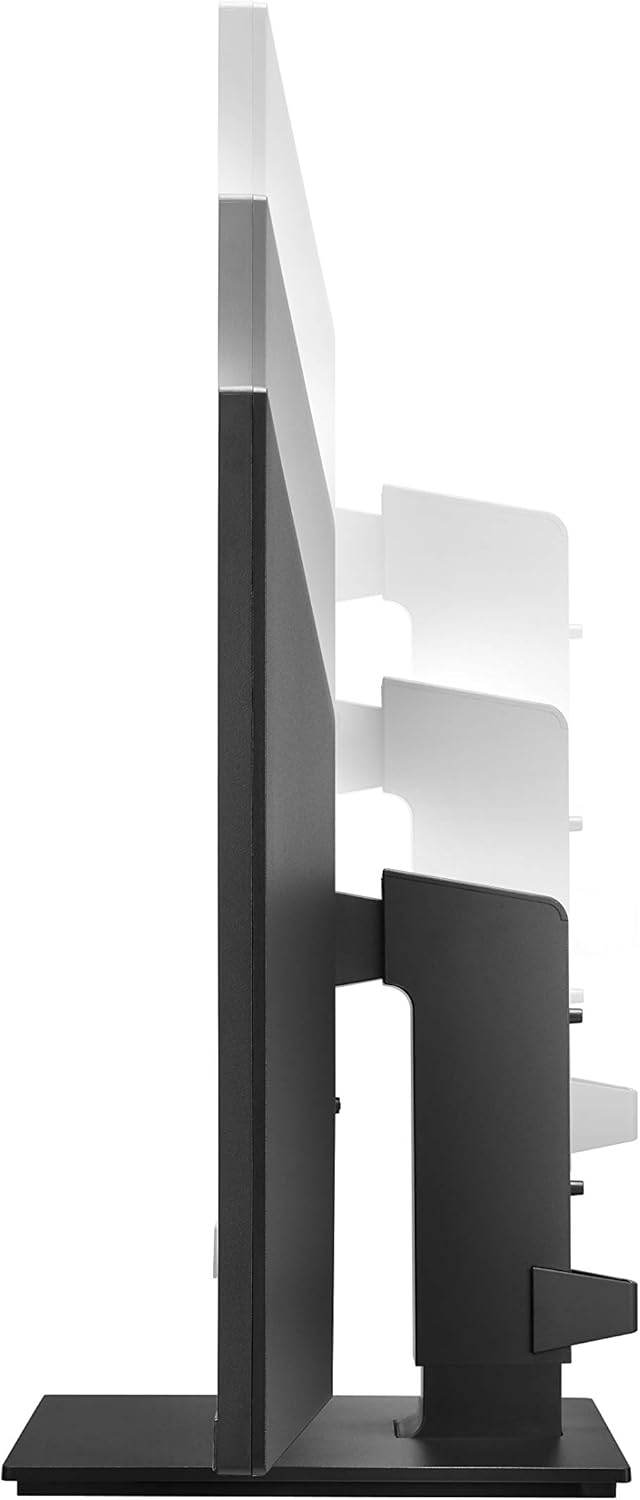
Figure 4: Monitor height adjustment.

Figure 5: Monitor in portrait orientation (pivot feature).
4. Uendeshaji wa Monitor
4.1 Washa/Zima
Press the power button, usually located on the bottom center or rear of the monitor, to turn the display on or off.
4.2 Menyu ya Onyesho la Skrini (OSD).
The OSD menu allows you to adjust various display settings. Access it by pressing the joystick button (often located on the bottom center of the monitor). Navigate through the menu using the joystick to control brightness, contrast, color modes, input selection, and other advanced features.
4.3 Sifa Muhimu
- UHD (3840 x 2160) Resolution: Provides sharp, detailed images.
- Onyesho la IPS: Inatoa pana viewpembe na uzazi thabiti wa rangi.
- sRGB 99% Rangi Gamut: Ensures accurate and vibrant colors, suitable for creative professionals.
- HDR10: Enhances dynamic range for brighter whites and deeper blacks.
- Teknolojia ya AMD FreeSync: Reduces screen tearing and stuttering for smoother gaming and video playback.
5. Matengenezo
5.1 Kusafisha Monitor
- Zima kidhibiti kila wakati na chomoa kebo ya umeme kabla ya kusafisha.
- Tumia kitambaa laini kisicho na pamba kidogo dampimejazwa maji au kifaa maalum cha kusafisha skrini.
- Usinyunyize kisafishaji moja kwa moja kwenye skrini. Omba kwa kitambaa kwanza.
- Epuka kutumia visafishaji vya kukwaruza, nta, au miyeyusho kwani vinaweza kuharibu uso wa skrini.
5.2 Utunzaji wa jumla
- Weka kifuatiliaji mbali na jua moja kwa moja, vyanzo vya joto, na vumbi kupita kiasi.
- Hakikisha uingizaji hewa wa kutosha karibu na kufuatilia ili kuzuia overheating.
- Epuka kuweka vitu vizito kwenye mfuatiliaji au nyaya zake.
6. Utatuzi wa shida
Ukikumbana na matatizo na kifuatiliaji chako, rejelea matatizo na suluhu zifuatazo za kawaida:
- Hakuna Nguvu:
- Hakikisha kwamba waya wa umeme umeunganishwa kwa usalama kwenye kifuatilizi na sehemu ya umeme inayofanya kazi.
- Check if the power button on the monitor is pressed.
- Hakuna Ishara/Skrini Tupu:
- Verify that the video cable (USB-C, HDMI, or DisplayPort) is securely connected to both the monitor and your computer.
- Hakikisha chanzo sahihi cha ingizo kimechaguliwa kwenye menyu ya OSD ya kifuatiliaji.
- Angalia ikiwa kompyuta yako imewashwa na haiko katika hali ya kulala.
- Image Quality Issues (e.g., blurry, distorted):
- Rekebisha mipangilio ya azimio kwenye kompyuta yako ili ilingane na azimio asili la kifuatiliaji (3840 x 2160).
- Weka upya mipangilio ya onyesho la kifuatiliaji hadi chaguo-msingi za kiwandani kupitia menyu ya OSD.
- Hakikisha kebo ya video haijaharibika.
For further assistance, please consult the official LG support webtovuti au wasiliana na huduma kwa wateja.
7. Vipimo
| Kipengele | Maelezo |
|---|---|
| Chapa | LG |
| Nambari ya Mfano | 27UK670-B |
| Ukubwa wa skrini | Inchi 27 |
| Azimio | UHD (3840 x 2160) |
| Aina ya Paneli | IPS |
| Rangi ya Gamut | sRGB 99% |
| Msaada wa HDR | HDR10 |
| Muunganisho | USB Type-C (with 40W PD), 2x HDMI, DisplayPort, 2x USB 3.0, 3x USB 2.0 |
| Simama Marekebisho | Tilt, Height, Pivot, Swivel |
| Uzito wa Kipengee | Pauni 15.4 |
| Vipimo vya Bidhaa (LxWxH) | Inchi 24.1 x 9.9 x 20.4 |
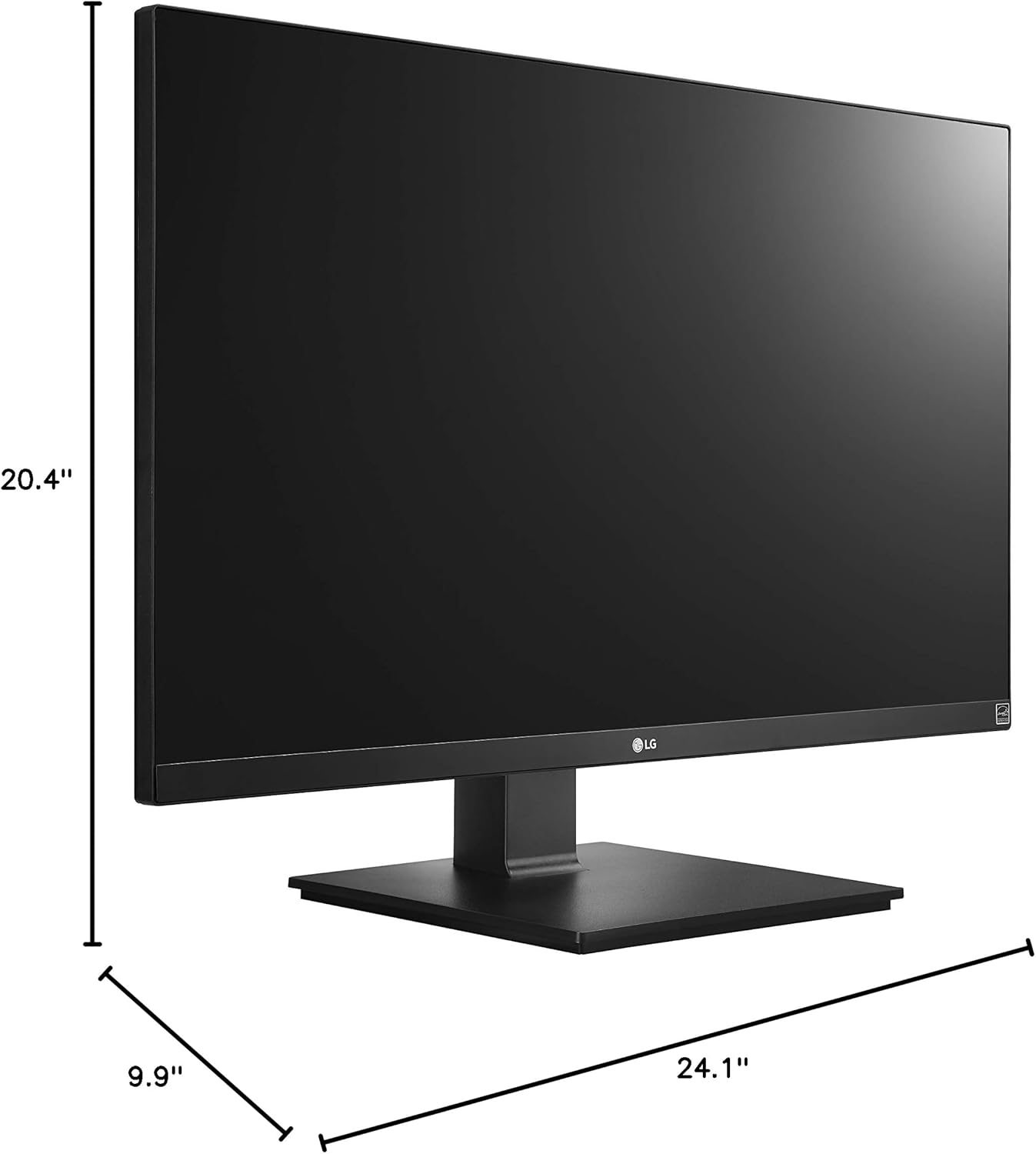
Mchoro 6: Vipimo vya kifuatiliaji.
8. Udhamini na Msaada
Your LG 27UK670-B monitor is covered by a manufacturer's warranty. For detailed information regarding warranty terms, conditions, and registration, please refer to the warranty card included in your product packaging or visit the official LG Electronics webtovuti.
For technical support, service inquiries, or to download the latest drivers and software, please visit the LG support portal or contact LG customer service directly.
Msaada mkondoni: www.lg.com/us/support