Utangulizi
This universal remote control is designed for seamless compatibility with all Samsung TV models, including LCD, Smart, 3D LED, and HDTVs. It serves as a perfect replacement for damaged or old remote controls, covering all functions of the original. Its user-friendly design and backlit buttons enhance convenience, especially in low-light conditions.
Sanidi
Ufungaji wa Betri
The remote requires two AAA batteries (not supplied). To install, locate the battery compartment on the back of the remote. Slide the battery cover downwards to open. Insert the batteries, ensuring correct polarity (+ and - ends match the indicators inside the compartment). Close the cover by sliding it back into place until it clicks securely.

Picha: Nyuma view of the remote control with the battery cover removed, illustrating the battery insertion process.
Uunganisho wa Awali
No programming or complex setup is required. Once the batteries are correctly installed, the remote control is ready to use with your Samsung TV immediately.
Maagizo ya Uendeshaji
Remote Layout and Key Functions
Familiarize yourself with the buttons on your remote control. Key functions include:
- Kitufe cha Nguvu: Located at the top left, turns the TV on or off.
- Kitufe cha Chanzo: Hubadilisha kati ya vyanzo tofauti vya ingizo (HDMI, AV, nk).
- Pedi ya Nambari (0-9): Kwa uteuzi wa kituo cha moja kwa moja.
- Volume (+/-) and Mute: Adjusts volume and mutes sound.
- Kituo (CH +/-): Inabadilisha vituo vya TV.
- Navigation Arrows (Up, Down, Left, Right) and Enter: Inatumika kwa urambazaji na uteuzi wa menyu.
- Kitufe cha Smart Hub: Accesses your Samsung Smart Hub for apps and streaming services.
- Vifungo vya Netflix/Amazon: Direct access to popular streaming platforms.
- Rudi/Toka: Navigates back or exits menus/apps.
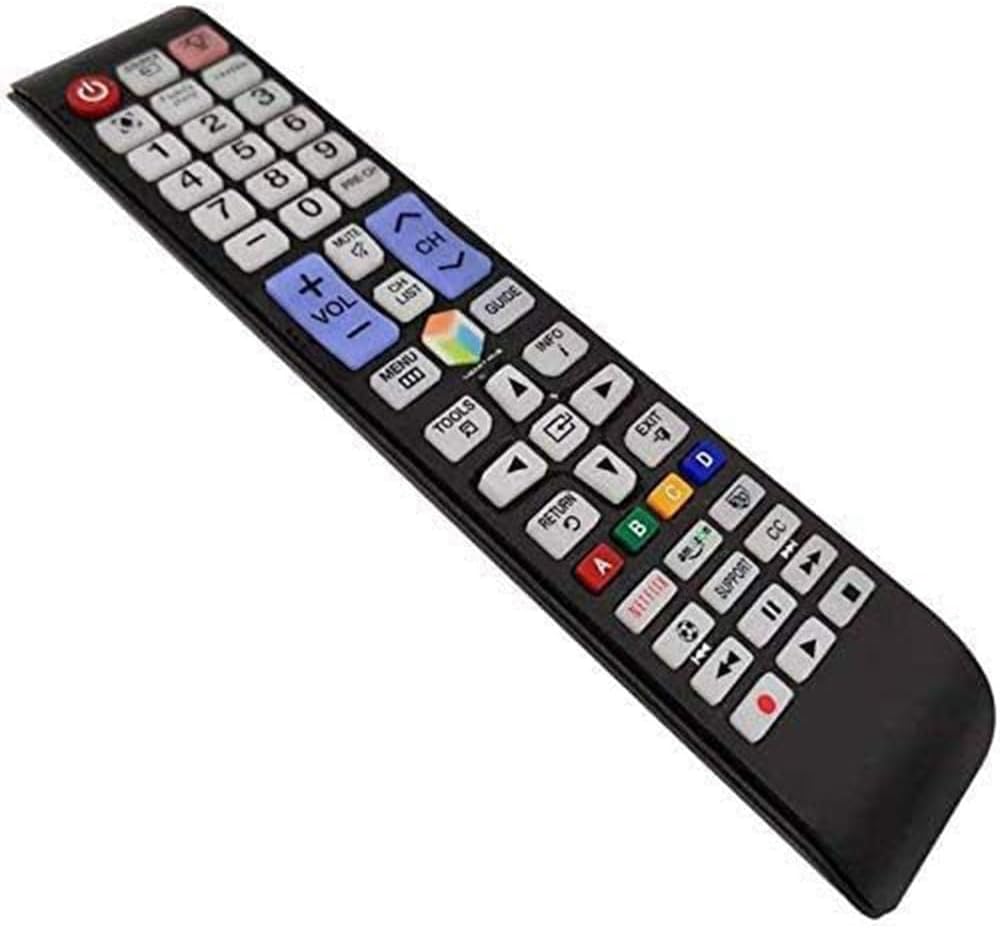
Picha: Kina view of the remote control's button layout.
Kipengele cha Backlight
The remote features a backlight function for improved visibility in dark environments. Press the light bulb button (located near the top right) to illuminate the buttons. The backlight will automatically turn off after a short period of inactivity to conserve battery life.

Image: The remote control demonstrating its backlit button feature.
Smart TV and App Navigation
For Samsung Smart TVs, use the navigation arrows and the central 'Enter' button to browse through menus, select applications, and control playback within streaming services. The dedicated Netflix and Amazon buttons provide quick access to these platforms.

Image: The remote control being used to navigate a Samsung Smart TV interface.
Matengenezo
Kusafisha
To clean the remote control, wipe it gently with a soft, dry cloth. Do not use liquid cleaners or abrasive materials, as they may damage the surface or internal components.
Ubadilishaji wa Betri
Replace batteries when the remote's response becomes sluggish or the backlight dims significantly. Always replace both batteries at the same time with new AAA batteries to ensure optimal performance.
Kutatua matatizo
| Suala | Sababu inayowezekana | Suluhisho |
|---|---|---|
| Kijijini hakijibu | Betri zilizokufa au zilizoingizwa vibaya | Badilisha betri, hakikisha polarity sahihi. |
| Vifungo haifanyi kazi | Obstruction between remote and TV sensor | Ensure a clear line of sight to the TV's IR sensor. |
| Backlight haifanyi kazi | Nguvu ya chini ya betri | Badilisha betri. |
Vipimo
| Kipengele | Maelezo |
|---|---|
| Vipimo vya Bidhaa | Inchi 1.97 x 1.18 x 1.57 |
| Uzito wa Kipengee | 1.06 wakia |
| Betri Inahitajika | Betri 2 za AAA |
| Kipengele Maalum | Vifungo vya nyuma |
| Rangi | Bluu |
| Vifaa Sambamba | All Samsung TV / LCD / Smart TV / 3D LED / HDTVs |
Udhamini na Msaada
If you encounter any quality problems or require assistance with your SMATAR Universal Remote Control, please feel free to contact us. We are committed to providing a satisfactory solution and ensuring your complete satisfaction with our product.


