1. Utangulizi
This manual provides detailed instructions for the KOSPET Max S Android Smart Watch. Please read this manual thoroughly before using the device to ensure proper operation and to maximize its features. Keep this manual for future reference.
2. Taarifa za Usalama
- Usijaribu kutenganisha, kutengeneza, au kurekebisha kifaa. Marekebisho yasiyoidhinishwa yanaweza kubatilisha udhamini na kusababisha uharibifu.
- Weka kifaa mbali na halijoto kali, jua moja kwa moja, na vitu vinavyoweza kusababisha babuzi.
- Use only the provided charging cable and adapter. Using incompatible accessories may cause damage or fire.
- The device is IP67 waterproof. Avoid prolonged immersion in water or exposure to high-pressure water jets. Ensure the SIM card tray is properly sealed to maintain water resistance.
- Consult a medical professional before using the device if you have a pacemaker or other medical implants.
3. Yaliyomo kwenye Kifurushi
Thibitisha kuwa bidhaa zote zipo kwenye kifurushi chako cha bidhaa:
- KOSPET Max S Smart Watch
- Charging Cable/Dock
- Watch Band/Strap
- Mwongozo wa Mtumiaji (hati hii)
- SIM Card Tray Ejector Tool (or small screwdriver)
4. Bidhaa Imeishaview
Familiarize yourself with the components of your KOSPET Max S Smart Watch.

Figure 4.1: KOSPET Max S Smart Watch front view showing the display with time, date, network, battery status, and app icons.

Figure 4.2: Close-up of the KOSPET Max S 2.4-inch Super Retina Display, showcasing uwazi wake na rangi mahiri.
Kielelezo 4.3: Upande view of the KOSPET Max S Smart Watch, highlighting the integrated side camera and physical buttons.
Vipengele Muhimu:
- Onyesha: 2.4-inch high-definition touchscreen.
- Kamera ya pembeni: 8-megapixel camera for photos and video.
- Kamera ya mbele: 2-megapixel camera for video calls and face unlock.
- Nafasi ya SIM Kadi: Supports Nano SIM for 4G LTE connectivity.
- Maikrofoni na Spika: Kwa simu na amri za sauti.
- Kitambuzi cha Mapigo ya Moyo: Located on the back for fitness tracking.
5. Kuweka
5.1. Kuchaji Kifaa
Before initial use, fully charge your KOSPET Max S Smart Watch. Connect the charging cable to the watch's charging port and plug the other end into a USB power adapter (not included) or a computer's USB port. The screen will indicate charging status.

Figure 5.1: Diagram illustrating the KOSPET Max S battery life under typical usage (40 hours) and light usage (60 hours) with its 2000mAh battery.
5.2. Ufungaji wa SIM Kadi
The KOSPET Max S supports 4G LTE connectivity via a Nano SIM card. To install:
- Zima saa.
- Tafuta trei ya SIM kadi upande wa saa.
- Use the provided ejector tool (or a small screwdriver) to open the SIM card tray.
- Carefully place the Nano SIM card into the tray with the gold contacts facing down.
- Insert the tray back into the watch until it clicks into place. Ensure it is flush with the watch body to maintain water resistance.
Note: Some users have reported difficulty with the provided screwdriver. If necessary, use a suitable alternative tool for SIM tray access.
5.3. Nguvu ya Awali Imewashwa
Press and hold the power button (usually on the side) until the KOSPET logo appears. Follow the on-screen prompts to complete the initial setup, including language selection, time zone, and Wi-Fi connection.
5.4. Kuoanisha na Simu Mahiri
To fully utilize all features, pair your KOSPET Max S with a compatible smartphone. The recommended application is WiiWatch 2. Download it from the Google Play Store or Apple App Store.
- Enable Bluetooth on your smartphone and the KOSPET Max S.
- Open the WiiWatch 2 app on your smartphone and follow the instructions to search for and connect to your watch.
Note: Some users have experienced unstable Bluetooth connections with WiiWatch 2. Alternatives like "Watch Droid Phone" (for smartphone) and "Watch Droid Assistant" (for watch) may offer a more stable connection.
6. Maagizo ya Uendeshaji
6.1. Urambazaji wa Msingi
- Skrini ya kugusa: Swipe left/right, up/down to navigate menus and screens. Tap to select.
- Kitufe cha Nguvu: Press to wake/sleep the screen. Press and hold to power on/off or restart.
- Kitufe cha Nyuma: (If present) Returns to the previous screen.
6.2. 4G LTE Network and Calls
With a Nano SIM card installed, your KOSPET Max S can function as a standalone phone. It supports 5 network modes and global 4G/3G/2G bands.
- Kupiga simu: Use the dialer app on the watch to make calls directly.
- Kupokea Simu: Answer or decline incoming calls directly from the watch.
- Ujumbe: Tuma na upokee ujumbe mfupi wa SMS.
6.3. Programu na Duka la Google Play
Running on Android 10.1, the KOSPET Max S allows you to download and install applications from the Google Play Store. This includes social media, navigation, and productivity apps.
6.4. Utendaji wa Kamera
The watch features dual cameras:

Kielelezo cha 6.1: Kilipuka view illustrating the KOSPET Max S dual camera setup, featuring an 8MP side camera and a 2MP front camera for versatile photography and video calls.
- Side Camera (8MP): Ideal for capturing photos and videos in a traditional camera orientation.
- Kamera ya Mbele (MP2): Primarily used for video calls and the Face Unlock feature.
Access the camera app from the main menu to take pictures or record videos.
6.5. GPS Navigation
The KOSPET Max S integrates multi-satellite positioning, supporting GPS, GLONASS, and A-GPS signals for accurate location tracking and navigation.
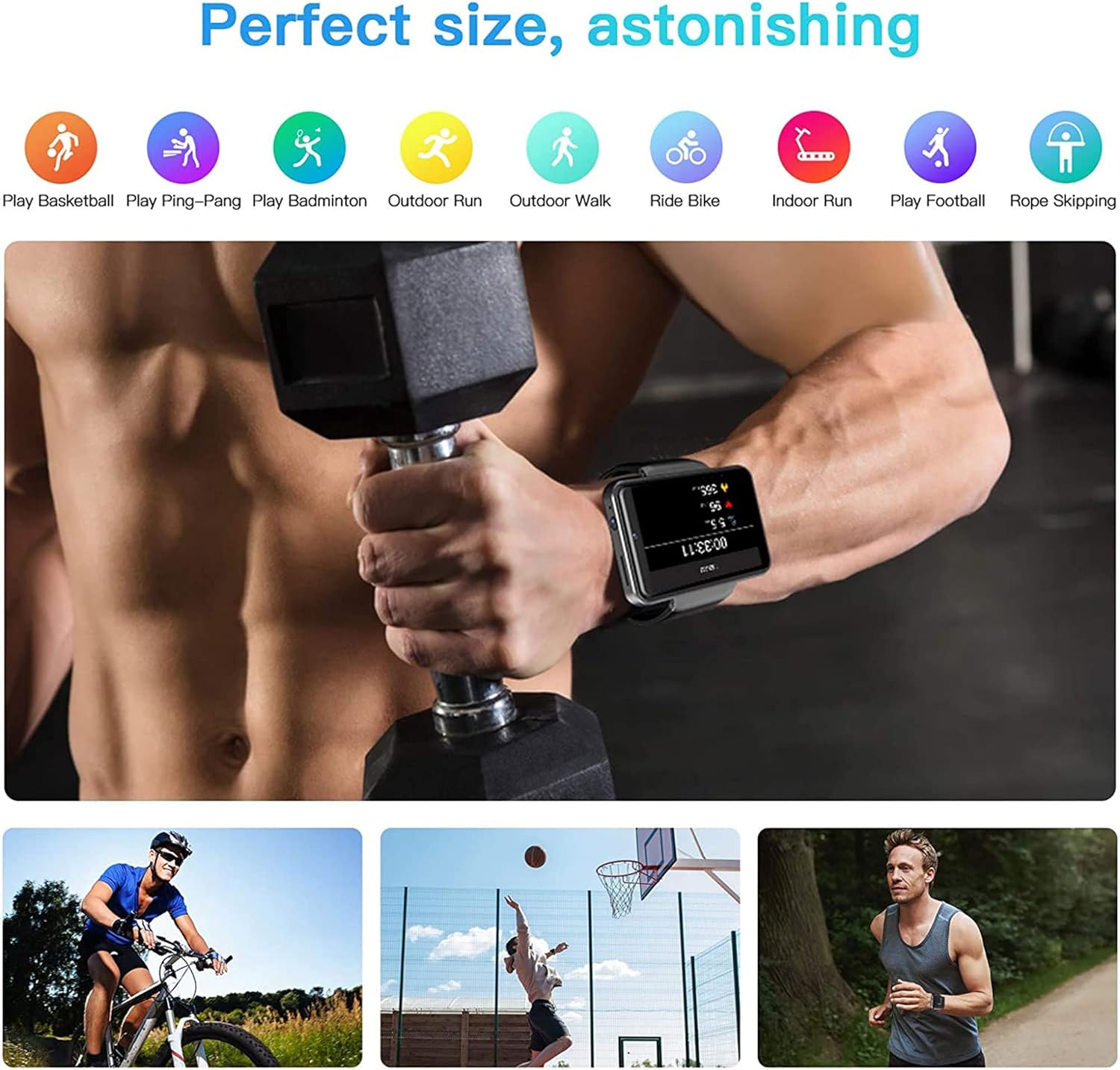
Figure 6.2: KOSPET Max S Smart Watch displaying a map with GPS navigation, indicating multi-satellite positioning support (GPS, A-GPS, GLONASS) for precise location tracking.
Tumia programu za ramani zilizosakinishwa tayari au pakua programu yako ya urambazaji unayopendelea kutoka Duka la Google Play.
6.6. Face Unlock and Security
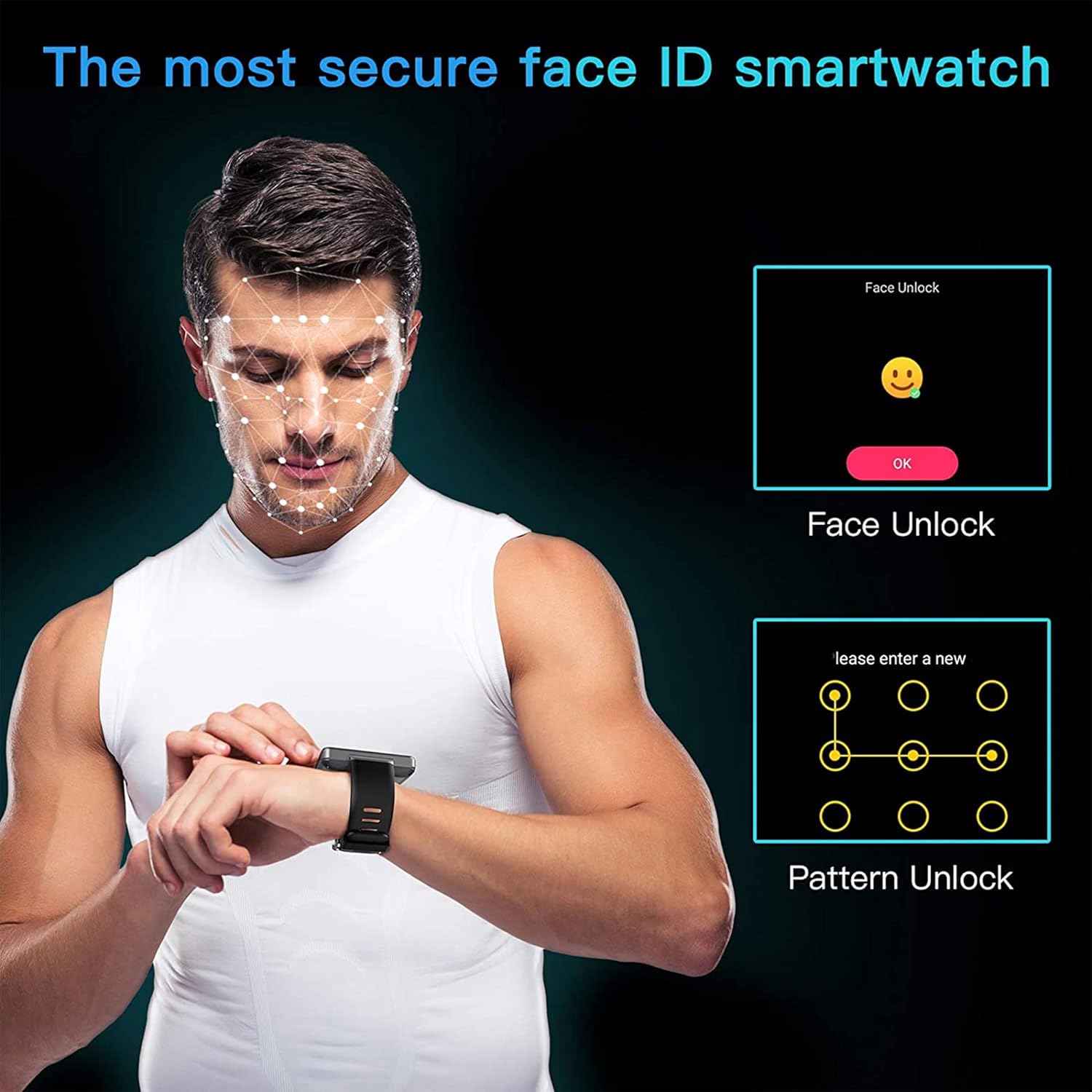
Enhance the security of your watch with Face Unlock. This feature uses the front camera to recognize your face for quick and secure access.

Figure 6.3: Illustration of the KOSPET Max S Face Unlock feature, showing facial recognition in action, alongside the option for pattern unlock.
To set up Face Unlock, navigate to the security settings in your watch and follow the on-screen instructions to register your face. You can also set up a pattern or PIN as a backup.
6.7. Ufuatiliaji wa Siha
The KOSPET Max S includes features for tracking your physical activity.

Figure 6.4: KOSPET Max S Smart Watch displaying various fitness tracking modes, including basketball, ping-pong, badminton, outdoor run, outdoor walk, ride bike, indoor run, play football, and rope skipping.
- Counter ya Hatua: Hufuatilia kiotomatiki hatua zako za kila siku.
- Kichunguzi cha Mapigo ya Moyo: Measures your heart rate throughout the day.
- Mbinu za Michezo: Select from various sports modes (e.g., running, cycling) for more accurate tracking of specific activities.
Access fitness data through the dedicated fitness app on your watch.
7. Matengenezo
7.1. Kusafisha
Futa saa na kamba mara kwa mara kwa kutumia kifaa laini, damp kitambaa. Epuka kutumia kemikali kali au vifaa vya kukwaruza, ambavyo vinaweza kuharibu umaliziaji.
7.2. Ustahimilivu wa Maji (IP67)
The KOSPET Max S is rated IP67 waterproof, meaning it is resistant to dust and can withstand immersion in water up to 1 meter for 30 minutes. However, it is not suitable for swimming, diving, or exposure to high-pressure water. Always ensure the SIM card tray is securely closed to maintain water resistance.
8. Utatuzi wa shida
- Watch does not power on: Ensure the watch is fully charged. If the issue persists, try a hard reset by holding the power button for an extended period (e.g., 15-20 seconds).
- SIM card not detected or no network:
- Verify the SIM card is correctly inserted and the tray is fully closed.
- Hakikisha SIM kadi yako inafanya kazi na ina mpango halali wa data.
- Check network settings on the watch to ensure mobile data is enabled.
- Confirm compatibility with your network provider's bands.
- Muunganisho wa Bluetooth hauna msimamo:
- Anzisha tena saa na simu mahiri yako.
- Ensure both devices are within Bluetooth range.
- Consider using alternative pairing applications like "Watch Droid Phone" and "Watch Droid Assistant" if WiiWatch 2 is problematic.
- Apps are slow or unresponsive:
- Close background applications to free up memory.
- Clear the cache of the problematic app.
- Hakikisha programu ya saa imesasishwa.
- GPS haipati mawimbi:
- Hakikisha uko katika eneo wazi na wazi view wa angani.
- Check that location services are enabled in the watch settings.
9. Vipimo
| Kipengele | Vipimo |
|---|---|
| Chapa | KOSPET |
| Mfano | Max S |
| Mfumo wa Uendeshaji | Android 10.1 |
| Onyesho | 2.4 Inches LCD, 400 x 400 resolution |
| Kichakataji | MediaTek MT6739 (1.25GHz max clock speed, 570MHz graphics processor) |
| Uwezo wa Kuhifadhi Kumbukumbu | 3 GB RAM (implied from 3GB+32GB feature bullet) |
| Hifadhi ya Ndani | 32 GB (implied from 3GB+32GB feature bullet) |
| Muunganisho | 4G LTE (Cellular), GPS (Built-in GPS, GLONASS, A-GPS), 802.11ac Wireless |
| Kamera | 8MP Side Camera, 2MP Front Camera |
| Uwezo wa Betri | 2000 mAh |
| Upinzani wa Maji | IP67 |
| Uzito wa Kipengee | 259 g |
| Umbo la Kipengee | Mraba |
10. Udhamini na Msaada
Warranty information for the KOSPET Max S Smart Watch is typically provided with your purchase documentation or can be found on the official KOSPET webtovuti. Tafadhali rejelea nyenzo hizi kwa maelezo kuhusu huduma ya udhamini, sheria na masharti.
For technical support, troubleshooting assistance beyond this manual, or warranty claims, please contact KOSPET customer service through their official webtovuti au taarifa ya mawasiliano iliyotolewa na bidhaa yako.