1. Utangulizi
The Fodsports M1-S Plus is a Bluetooth motorcycle headset designed for communication and entertainment during rides. It supports group intercom for up to 8 riders, music sharing, FM radio, and hands-free calling. This manual provides detailed instructions for installation, operation, and maintenance of your M1-S Plus headset.

Image 1.1: Fodsports M1-S Plus Bluetooth Motorcycle Headset.
2. Taarifa za Usalama
- Always prioritize road safety. Do not operate the device in a manner that distracts from riding.
- Hakikisha kifaa kimewekwa vizuri kwenye kofia yako ya chuma kabla ya kupanda.
- Epuka mfiduo wa muda mrefu kwa viwango vya juu vya sauti ili kuzuia uharibifu wa kusikia.
- Usijaribu kutenganisha au kurekebisha kifaa, kwani hii inaweza kubatilisha udhamini na kusababisha uharibifu.
- Weka kifaa mbali na joto kali na jua moja kwa moja.
3. Yaliyomo kwenye Kifurushi
Thibitisha kuwa vipengee vyote vipo kwenye kifurushi chako:
- 1 x M1-S Plus Bluetooth Motorcycle Intercom Headset (Blue)
- 1 x Detachable Boom Microphone
- 1 x Soft Button Microphone with Speakers
- 1 x Kebo ya Kuchaji ya USB-C
- 1 x Metal Clip
- 2 x Sticky Pads
- 2 x EVA Rubbers
- 1 x Mwongozo wa Mtumiaji
- Kebo ya Sauti ya 1 x 2.5mm hadi 3.5mm

Image 3.1: Included components in the M1-S Plus package.
4. Bidhaa Imeishaview
The M1-S Plus features an intuitive design with large buttons for easy operation even with gloves. It integrates Bluetooth 5.0 for stable connections and CVC noise cancellation for clear audio.
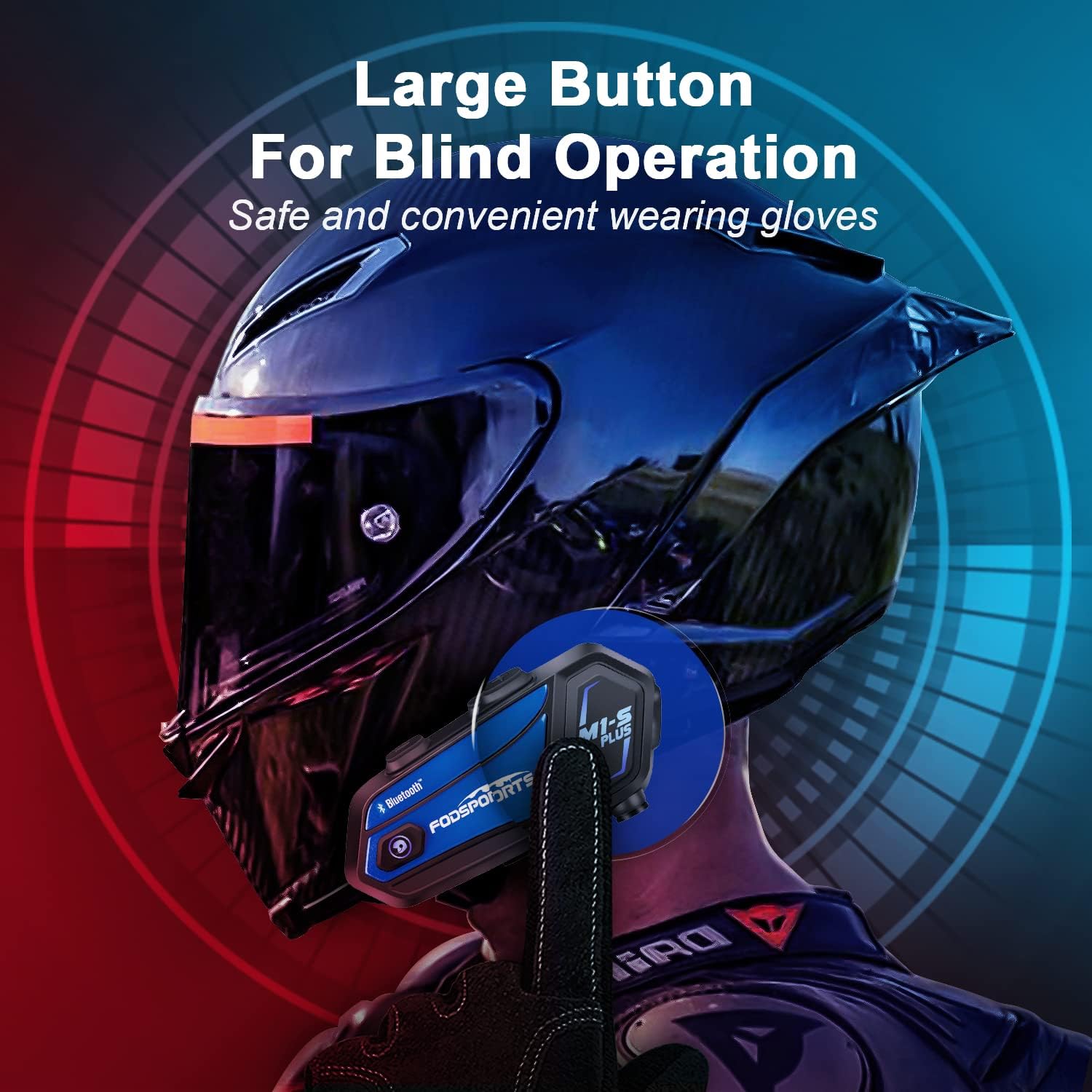
Image 4.1: M1-S Plus unit highlighting large buttons for blind operation.
5. Ufungaji
The M1-S Plus is designed for versatile installation on various helmet types. Choose between the metal clip or adhesive mount, and select the appropriate microphone for your helmet style.
5.1. Kuweka Kitengo Kikuu
You can mount the M1-S Plus using either the metal clip or the 3M adhesive sticker.
- Metal Clip Installation: Slide the metal clip between the helmet shell and the inner padding. Secure the M1-S Plus unit onto the clip.
- Adhesive Mount Installation: Clean the desired area on the helmet surface. Attach the 3M adhesive sticker to the unit base, then firmly press the base onto the helmet.
5.2. Microphone and Speaker Installation
The M1-S Plus includes two types of microphones to suit different helmet designs:
- Maikrofoni ya Boom: Recommended for open-face, flip-up, and modular helmets. Position the microphone close to your mouth.
- Soft-Wire Microphone: Suitable for full-face helmets. Attach the microphone inside the helmet near your mouth using the adhesive.
Install the speakers inside the helmet's ear pockets. Use the provided EVA rubbers to adjust the speaker position for optimal sound and comfort, ensuring they are as close to your ears as possible.
Muhimu: The speaker cable uses a Type-C interface. Ensure the microphone icon on the connector faces you when plugging it in to ensure both speakers function correctly.

Image 5.1: M1-S Plus compatibility with various helmet types and microphone options.

Image 5.2: Two-way installation guide for the M1-S Plus on a helmet.
6. Kuweka na Kuoanisha
6.1. Washa/Zima
- Washa: Bonyeza na ushikilie Kitufe cha Kuwasha/kuzima kwa sekunde 3 hadi kiashiria kiwaka.
- Zima umeme: Bonyeza na ushikilie Kitufe cha Kuwasha/kuzima kwa sekunde 3 hadi kiashiria kizima.
6.2. Bluetooth Pairing with Phone
- Ensure the M1-S Plus is powered off.
- Bonyeza na ushikilie kitufe cha Kuwasha kwa takriban sekunde 5-7 hadi taa ya kiashiria iwake nyekundu na bluu kwa zamu, ikionyesha hali ya kuoanisha.
- Kwenye simu yako ya mkononi, washa Bluetooth na utafute vifaa vinavyopatikana.
- Select "Fodsports M1-S Plus" from the list.
- Mara tu ikioanishwa, taa ya kiashiria itawaka bluu polepole.
6.3. Group Intercom Pairing (Up to 8 Riders)
The M1-S Plus supports intercom communication for up to 8 riders over a range of up to 2000 meters in open terrain.
- Ensure all M1-S Plus units are powered on and not connected to other devices.
- On the first unit, press and hold the Intercom button until the indicator light flashes red rapidly.
- On the second unit, press the Intercom button once. The units will search and connect.
- Repeat step 3 for additional units, pairing them one by one to the previously paired unit.
- Once all units are paired, a successful connection will be indicated by a voice prompt and a slow blue flash.

Image 6.1: M1-S Plus supporting group intercom for up to 8 riders.
6.4. Kushiriki Muziki
The M1-S Plus allows two M1-S Plus units to share music from a single source.
- Ensure two M1-S Plus units are paired via Bluetooth intercom.
- On the unit playing music, press and hold the Volume + button for 3 seconds to initiate music sharing.
- The music will then be streamed to the second paired M1-S Plus unit.
- To stop sharing, press and hold the Volume + button for 3 seconds again.
Kumbuka: Music sharing is only supported between two M1-S Plus units.

Image 6.2: Music sharing functionality between two M1-S Plus units.
7. Maagizo ya Uendeshaji
7.1. Udhibiti wa Kiasi
- Ongeza Sauti: Bonyeza kitufe cha Sauti +.
- Punguza Sauti: Bonyeza kitufe cha Sauti.
7.2. Simu za Simu
- Jibu Simu: Bonyeza kitufe cha Nguvu mara moja.
- Kataa Simu: Bonyeza na ushikilie kitufe cha Nguvu kwa sekunde 2.
- Maliza Simu: Bonyeza kitufe cha kuwasha/kuzima mara moja wakati wa simu.
- Piga tena Nambari ya Mwisho: Bonyeza mara mbili kitufe cha Kuwasha/Kuzima.
- Voice Dial (Siri/Google Assistant): Press the Volume + and Volume - buttons simultaneously.

Image 7.1: Voice command functionality for hands-free calls.
7.3. Uchezaji wa Muziki
- Cheza/Sitisha: Bonyeza kitufe cha Nguvu mara moja.
- Wimbo Ufuatao: Press the Volume + button twice.
- Wimbo Uliopita: Press the Volume - button twice.
7.4. Intercom Usage
- Anzisha Intercom: Bonyeza kitufe cha Intercom mara moja.
- Simu ya Mwisho: Bonyeza kitufe cha Intercom mara moja.
- Reconnect Intercom: If a rider drops out of range for more than 5 minutes, press the Intercom button once to reconnect.
7.5. Redio ya FM
- Washa/Zima FM: Press the FM button once.
- Changanua Vituo: Press and hold the FM button for 2 seconds.
- Kituo Kifuatacho: Bonyeza kitufe cha Sauti +.
- Kituo Kilichotangulia: Bonyeza kitufe cha Sauti.

Image 7.2: M1-S Plus with built-in FM radio functionality.
7.6. Zima/Fungua Maikrofoni
During a call or intercom conversation, you can mute your microphone for privacy.
- Zima maikrofoni: Bonyeza na ushikilie kitufe cha Sauti + kwa sekunde 2.
- Washa Maikrofoni: Press and hold the Volume + button for 2 seconds again.
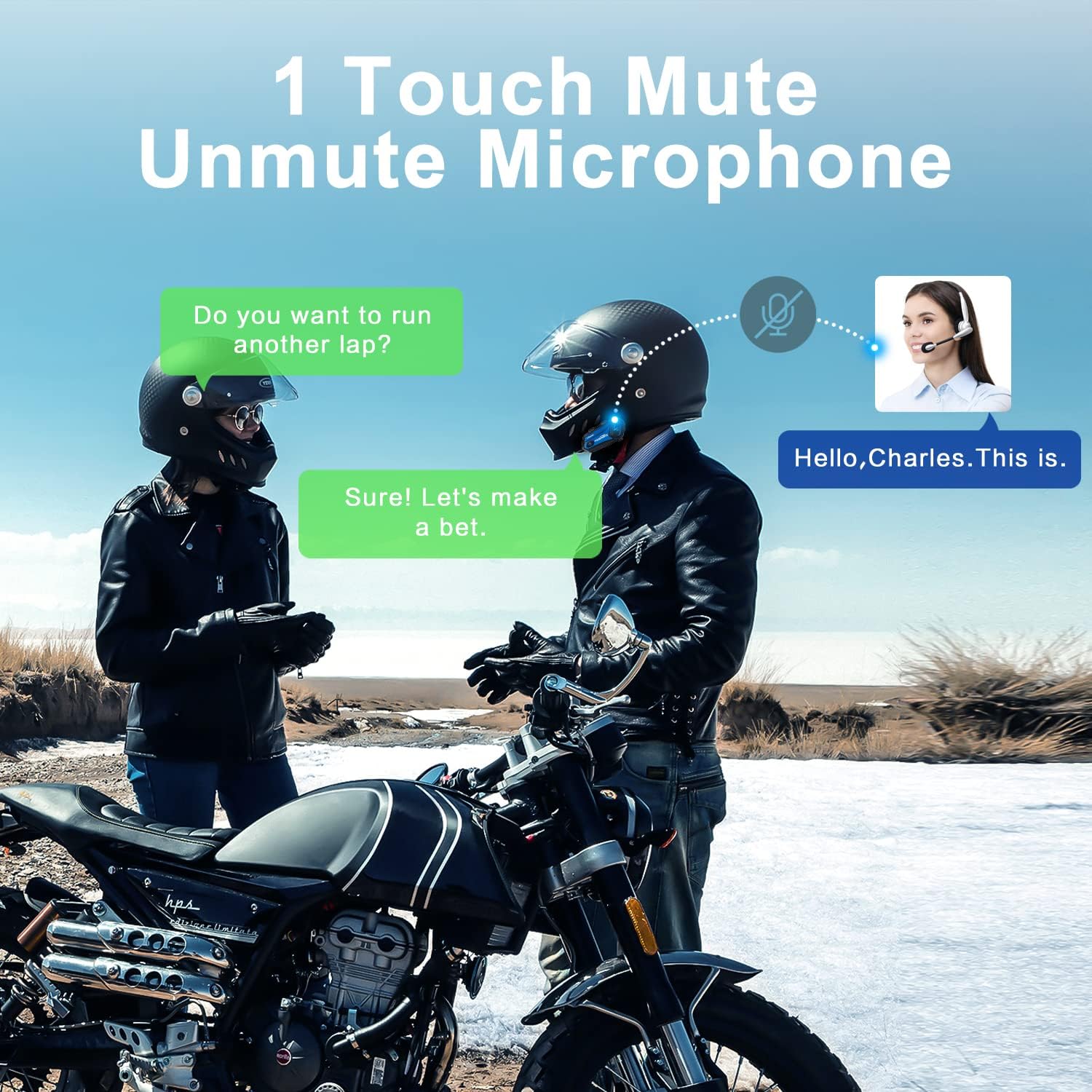
Image 7.3: One-touch mute/unmute microphone feature.
8. Matengenezo
- Inachaji: Connect the device to a USB power source using the provided USB-C cable. The indicator light will be red during charging and turn blue when fully charged. Charging time is approximately 2-3 hours.
- Maisha ya Betri: A full charge provides approximately 12-20 hours of talk time, 15 hours of music streaming, and 300 hours of standby time.
- Kusafisha: Tumia kitambaa laini na kikavu kusafisha kifaa. Epuka kutumia kemikali kali au vifaa vya kukwaruza.
- Hifadhi: Hifadhi kifaa mahali pa baridi, kavu wakati haitumiki.
- Upinzani wa Maji: The M1-S Plus is waterproof, designed to handle various weather conditions.
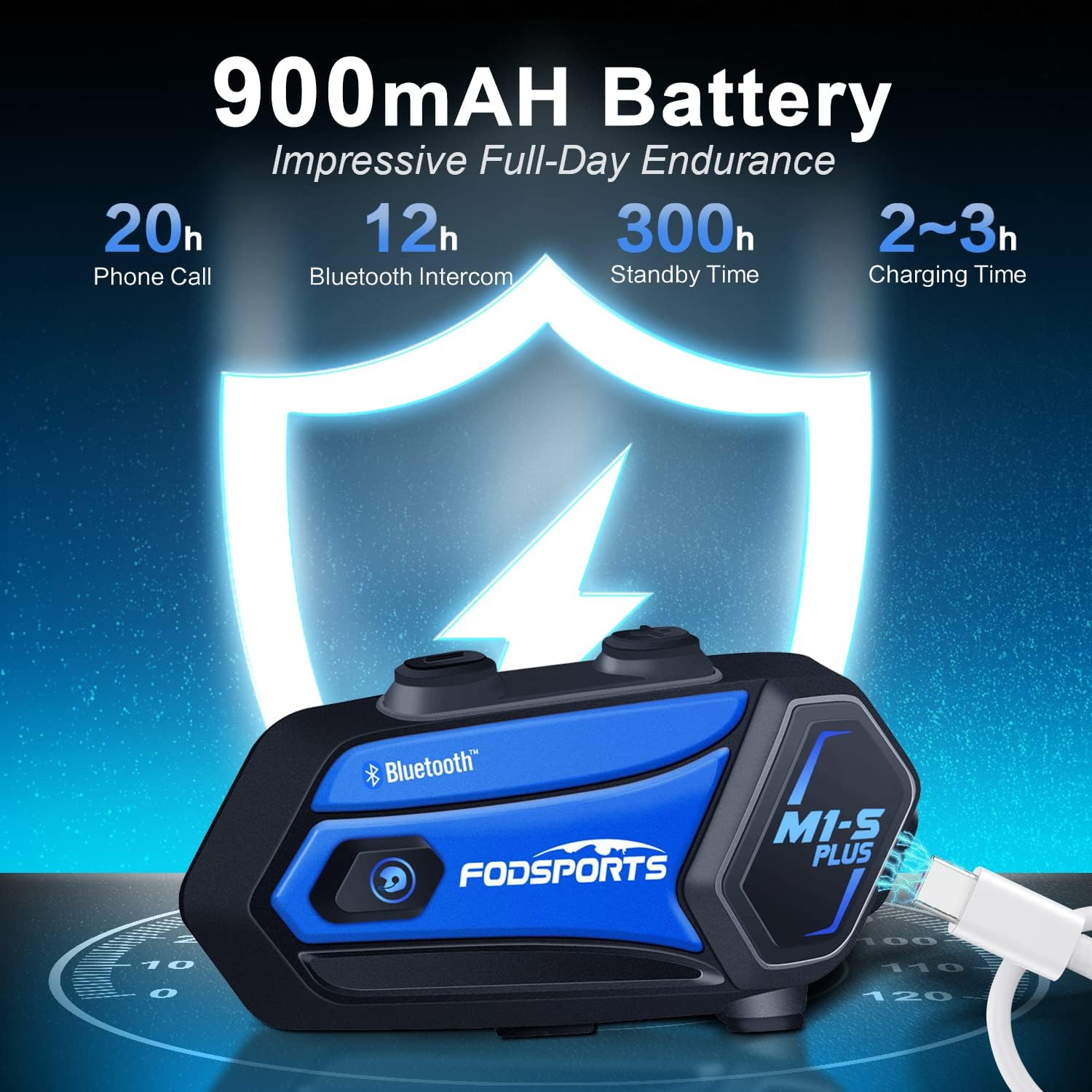
Image 8.1: M1-S Plus battery endurance and charging information.
9. Utatuzi wa shida
- No Sound from One Speaker: Ensure the Type-C speaker cable is fully inserted and the microphone icon on the connector faces you.
- Sauti ya Chini: Adjust the speaker position closer to your ears using the provided thicken pads. Ensure the device volume and your phone's volume are both set appropriately.
- Haiwezi Kuoanisha na Simu: Ensure the M1-S Plus is in pairing mode (red and blue flashing light) and your phone's Bluetooth is enabled. Try restarting both devices.
- Kukatwa kwa Intercom: If riders go out of range, they can reconnect by pressing the Intercom button once when back in range (within 5 minutes).
- Mapokezi ya Redio ya FM Yamepungua: FM reception can vary based on location. Try scanning for channels again or moving to an area with better signal.
- Kifaa hakijibu: Try a soft reset by pressing and holding the Power button for 10 seconds. If issues persist, ensure the device is charged.
10. Vipimo
| Kipengele | Maelezo |
|---|---|
| Jina la Mfano | M1-S Plus |
| Teknolojia ya Uunganisho | Bluetooth 5.0 |
| Intercom Group Size | Hadi waendeshaji 8 |
| Mgawanyiko wa Intercom | Up to 2000 meters (open terrain) |
| Uwezo wa Betri | 900mAh |
| Muda wa Kuchaji | Saa 2-3 |
| Muda wa Maongezi | Saa 12-20 |
| Music Streaming Time | Saa 15 |
| Wakati wa Kusubiri | Saa 300 |
| Udhibiti wa Kelele | Advanced CVC Noise Cancellation |
| Kiwango cha Upinzani wa Maji | Kuzuia maji |
| Vipaza sauti vya Jack | USB-C Bandari |
| Nyenzo | Plastiki ya ABS |
| Uzito wa Kipengee | 12.4 wakia |
11. Udhamini na Msaada
For any missing accessories, quality issues, or operational problems, please contact Fodsports customer support. Refer to the contact information provided with your purchase or visit the official Fodsports webtovuti kwa msaada.
Tafadhali hifadhi uthibitisho wako wa ununuzi kwa madai ya udhamini.


