Utangulizi
This manual provides detailed instructions for the setup, operation, and maintenance of your Devolo Magic 2 WiFi Next Starter Kit. Please read this manual carefully before using the device to ensure optimal performance and safety.
The Devolo Magic 2 WiFi Next Starter Kit utilizes powerline technology to extend your internet connection throughout your home, providing high-speed Wi-Fi and wired Ethernet access.
Yaliyomo kwenye Kifurushi
The Devolo Magic 2 WiFi Next Starter Kit typically includes:
- 1x Devolo Magic 2 WiFi Next Adapter
- 1x Devolo Magic 2 LAN Adapter
- Cable ya Ethernet ya 1x
- 1x Installation Guide (Quick Start)

Image: Devolo Magic 2 WiFi Next Starter Kit showing the two adapters and packaging.
Maagizo ya Kuweka
1. Uwekaji wa Awali
Place the Devolo Magic adapters into wall sockets. Avoid power strips or extension cords, as these can interfere with the powerline signal.
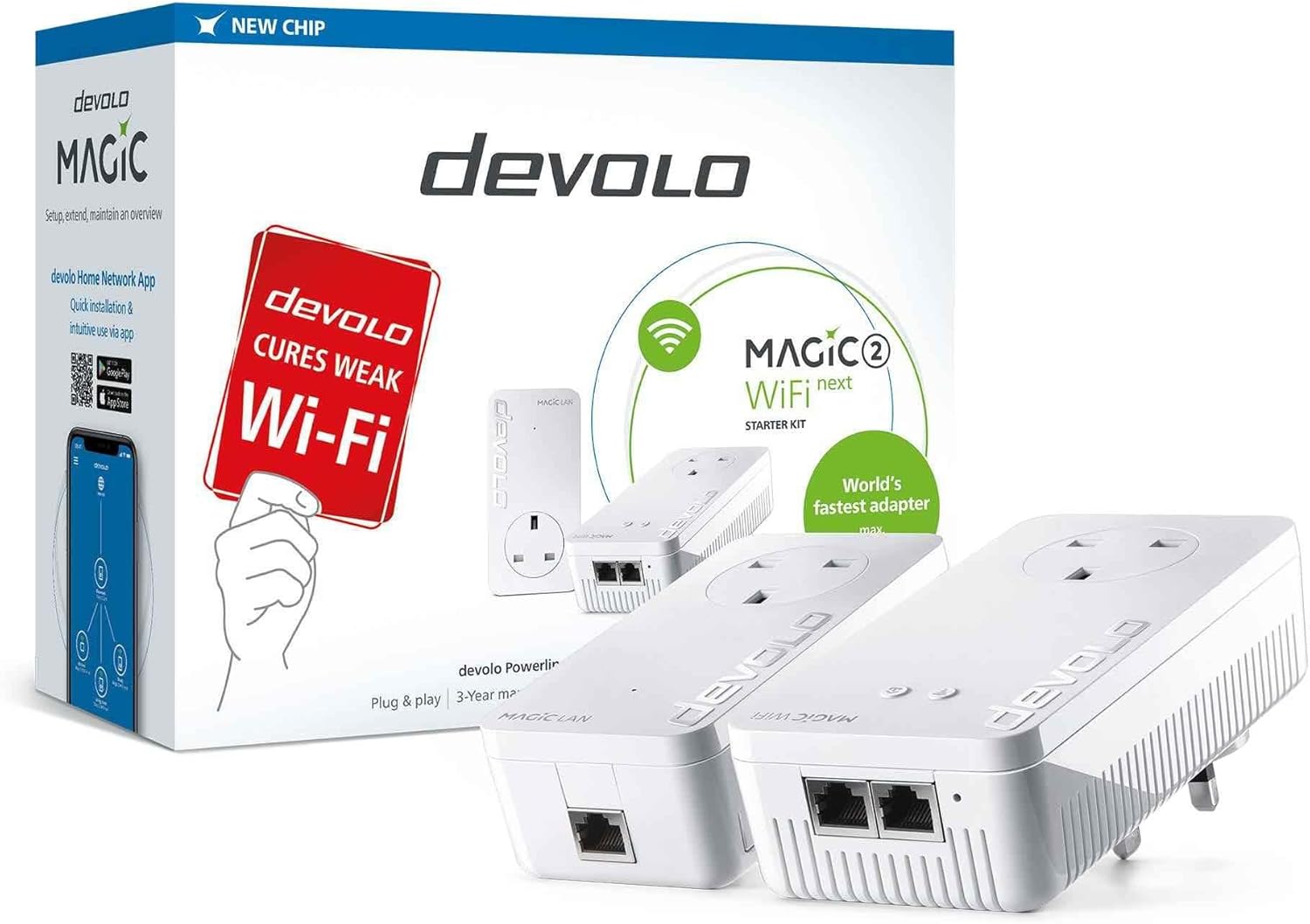
Image: A single Devolo Magic 2 WiFi Next adapter with Ethernet ports and power plug visible.
2. Connecting the LAN Adapter
- Plug the Devolo Magic 2 LAN Adapter into a wall socket near your internet router.
- Connect one end of the provided Ethernet cable to the LAN port on the Devolo Magic 2 LAN Adapter.
- Unganisha upande mwingine wa kebo ya Ethernet kwenye mlango wa LAN unaopatikana kwenye kipanga njia chako cha intaneti.
- Wait for the powerline LED on the adapter to light up, indicating a connection.
3. Connecting the WiFi Next Adapter
- Plug the Devolo Magic 2 WiFi Next Adapter into a wall socket in the area where you want to extend Wi-Fi coverage.
- Wait for the powerline LED and Wi-Fi LED on the adapter to light up. This may take a few minutes.
4. Pairing (if necessary)
The adapters in a starter kit are usually pre-paired. If they are not, or if you are adding new adapters:
- Press the pairing button on the Devolo Magic 2 LAN Adapter for 1 second.
- Within 2 minutes, press the pairing button on the Devolo Magic 2 WiFi Next Adapter for 1 second.
- The powerline LEDs on both adapters should turn solid white, indicating successful pairing.
5. Usanidi wa Wi-Fi
The Devolo Magic 2 WiFi Next Adapter will broadcast a Wi-Fi network. You can find the default Wi-Fi name (SSID) and password on the back of the adapter or on the included documentation.
- Connect your devices (smartphone, laptop, tablet) to this Wi-Fi network using the provided credentials.
- For advanced settings and to synchronize Wi-Fi settings with your existing router (Mesh Wi-Fi), download the Devolo Home Network App or use the web kiolesura.
Operating Your Devolo Magic Kit
Viashiria vya LED
The adapters feature LED indicators to show their status:
- Nguvu ya LED:
- Solid White: Powerline connection is active and strong.
- Flashing White: Establishing powerline connection or pairing mode.
- Off: No power or no powerline connection.
- Wi-Fi LED (on WiFi Next Adapter):
- Solid White: Wi-Fi is active.
- Flashing White: Wi-Fi is being configured or WPS mode.
- Mbali: Wi-Fi imezimwa.
Kuunganisha Vifaa
- Wi-Fi: Connect any Wi-Fi enabled device to the Devolo Magic Wi-Fi network using the SSID and password.
- Ethaneti: The Devolo Magic 2 WiFi Next Adapter has 2x Gigabit LAN ports. You can connect wired devices like smart TVs, gaming consoles, or PCs directly to these ports using an Ethernet cable for a stable, high-speed connection.
Matengenezo
Kusafisha
To clean your Devolo Magic adapters, disconnect them from the power outlet and wipe them with a soft, dry cloth. Do not use liquid or abrasive cleaners.
Sasisho za Firmware
Devolo regularly releases firmware updates to improve performance and add new features. It is recommended to keep your adapters updated. You can check for and install updates using the Devolo Home Network App or the web kiolesura.
Kutatua matatizo
No Powerline Connection (Powerline LED Off/Flashing)
- Ensure both adapters are plugged directly into wall sockets, not power strips or extension cords.
- Try plugging the adapters into different wall sockets.
- Ensure the LAN adapter is connected to your router and the router is powered on and functioning.
- Re-initiate the pairing process as described in the "Setup Instructions" section.
Kasi ya Mtandao Polepole
- Ensure adapters are not plugged into power strips or extension cords.
- Avoid placing adapters near devices that generate electrical interference (e.g., microwaves, motors).
- Check the quality of your electrical wiring. Older or complex wiring can affect powerline performance.
- Ensure your router's internet connection is stable and fast.
- Update the firmware of your Devolo adapters.
No Wi-Fi Signal (Wi-Fi LED Off)
- Ensure the Devolo Magic 2 WiFi Next Adapter is powered on and has a stable powerline connection (Powerline LED solid white).
- Check Wi-Fi settings via the Devolo Home Network App or web interface to ensure Wi-Fi is enabled.
- Perform a factory reset if necessary (refer to the "Factory Reset" section).
Rudisha Kiwanda
If you encounter persistent issues, a factory reset can restore the adapters to their default settings. This will erase all custom configurations, including Wi-Fi names and passwords.
- With the adapter plugged in and powered on, locate the reset button (often a small pinhole button).
- Use a paperclip or similar pointed object to press and hold the reset button for approximately 10 seconds.
- Release the button when the LEDs start flashing or change color.
- The adapter will restart with factory default settings. You will need to reconfigure it or re-pair it with your existing network.
Vipimo
| Kipengele | Maelezo |
|---|---|
| Chapa | devolo |
| Mfano | Uchawi 2 WiFi Next Starter Kit |
| Kiwango cha Uhamisho wa Data | Up to 2400 Mbps (Powerline), Gigabit Ethernet |
| Kiunzi cha vifaa | Ethaneti |
| Bandari za LAN | 2x Gigabit LAN ports (on WiFi Next Adapter) |
| Kiwango cha Wi-Fi | Mesh Wi-Fi, Multi-User MIMO |
| Vifaa Sambamba | Desktop, Laptops, Smart TVs, Gaming Consoles, etc. |
| Uzito wa Kipengee | Pauni 2 |
| Vipimo vya Kifurushi | Inchi 9.53 x 7.44 x 3.62 |
Taarifa ya Udhamini
Devolo products typically come with a manufacturer's warranty. For specific details regarding the warranty period and terms for your Devolo Magic 2 WiFi Next Starter Kit, please refer to the warranty card included in your package or visit the official Devolo webtovuti.
Weka uthibitisho wako wa ununuzi kwa madai ya udhamini.
Msaada
For further assistance, technical support, or to download the latest software and firmware, please visit the official Devolo support webtovuti au wasiliana na huduma kwa wateja wao.
You can also find more information and resources on the Devolo Brand Store on Amazon.


