Utangulizi
This manual provides comprehensive instructions for the installation, operation, and maintenance of your Ring Video Doorbell Wired. Please read this manual thoroughly before installation and use to ensure proper functionality and safety.
Nini Pamoja
Your Ring Video Doorbell Wired package includes the following items:
- Ring Video Doorbell Wired unit
- Vifaa vya usakinishaji na skrubu
- Mwongozo wa mtumiaji (hati hii)
- Mwongozo wa kuanza haraka
- Vibandiko vya usalama
Kuweka na Kuweka
The average installation time for the Ring Video Doorbell Wired is approximately 15 minutes. This device requires hardwiring to an existing doorbell system, a Ring plug-in adapter, or a compatible transformer.
Mahitaji:
- Standard doorbell system, Ring plug-in adapter, or transformer with 10-24 VAC, 40VA max, 50/60Hz or 24VDC, 0.5A, 12W.
- Uunganisho wa mtandao wa kasi ya juu.
- 802.11 b/g/n Wi-Fi connection at 2.4 GHz.
Hatua za Ufungaji:
- Zima nguvu: Before beginning, ensure the power to your existing doorbell system is turned off at the breaker.
- Ondoa kengele ya mlango iliyopo: Disconnect and remove your old doorbell button.
- Unganisha Kengele ya Mlango: Connect the wires from your existing doorbell system to the terminals on the back of the Ring Video Doorbell Wired. Ensure a secure connection.
- Weka kengele ya mlango: Secure the Ring Video Doorbell Wired to your wall using the provided screws and tools.
- Rejesha nguvu: Washa tena nguvu kwenye kivunja.
- In-app setup: Download the Ring app on your smartphone or tablet and follow the on-screen instructions to connect your doorbell to your Wi-Fi network and complete the setup process.

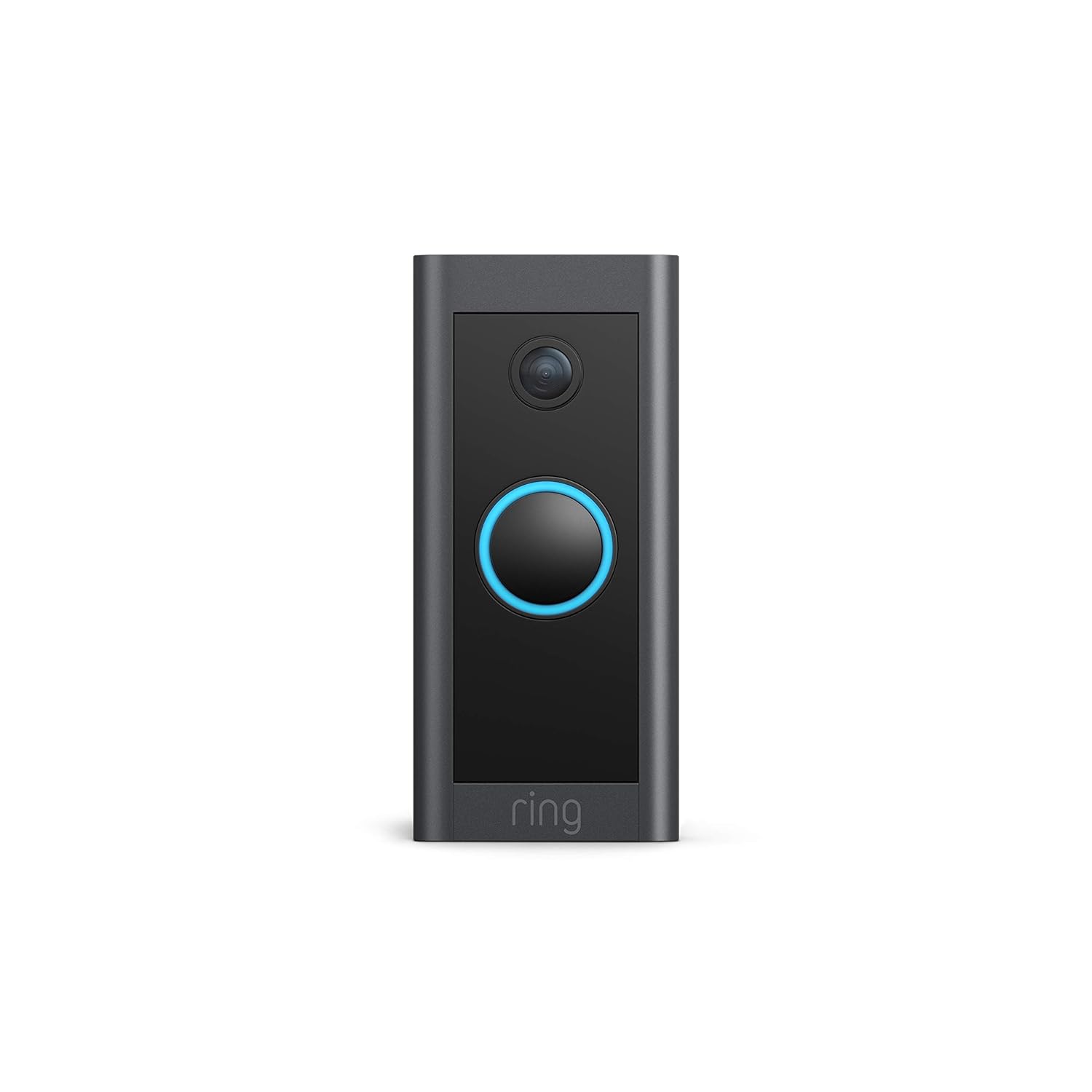
Maagizo ya Uendeshaji
The Ring Video Doorbell Wired offers various features to enhance your home security and communication.
Sifa Muhimu:
- Video ya HD ya 1080p: Provides clear, high-definition video with Live View and Night Vision for monitoring your front door.
- Mazungumzo ya Njia Mbili: Communicate with visitors at your door from anywhere using the Ring app. Features noise cancellation for clear audio.
- Utambuzi wa Kina Mwendo: Customizable motion zones allow you to receive alerts when motion is detected in specific areas.
- Arifa za Wakati Halisi: Get instant notifications on your phone when someone rings the doorbell or motion is detected.
- Maono ya Usiku: Ensures clear visibility even in low-light conditions.
- Ujumuishaji wa Alexa: Connects with Alexa-enabled devices to hear alerts or view a live feed on screens.


Kutumia Programu ya Kupigia:
The Ring app is essential for managing your Video Doorbell. Through the app, you can:
- View malisho ya video ya moja kwa moja.
- Engage in two-way talk with visitors.
- Customize motion detection settings and zones.
- Access recorded videos (with a Ring Protect subscription).
- Manage device settings and privacy options.
Matengenezo
To ensure optimal performance and longevity of your Ring Video Doorbell Wired, consider the following maintenance tips:
- Kusafisha: Futa mara kwa mara lenzi ya kamera na sehemu ya nje ya kengele ya mlango kwa laini, damp kitambaa ili kuondoa vumbi na uchafu. Epuka visafishaji vya kukwaruza.
- Masasisho ya Programu: Ensure your Ring app and doorbell firmware are always up to date. Updates often include performance improvements and security enhancements.
- Ukaguzi wa Muunganisho: Regularly check your Wi-Fi signal strength in the Ring app to ensure a stable connection.
- Masharti ya Mazingira: The doorbell is weather-resistant, designed to operate between -20°C to 50°C (-5°F to 120°F). Ensure it is not exposed to conditions outside this range.
Kutatua matatizo
If you encounter issues with your Ring Video Doorbell Wired, try the following troubleshooting steps:
- Hakuna Nguvu/Kutokuwasha:
- Verify that the power to your doorbell system is on at the breaker.
- Angalia miunganisho ya nyaya ili kuhakikisha kuwa ni salama.
- Confirm your power source meets the required specifications (10-24 VAC, 40VA max, 50/60Hz, or 24VDC, 0.5A, 12W).
- Poor Video Quality/Offline:
- Check your Wi-Fi connection and signal strength in the Ring app.
- Ensure your internet service is active and stable.
- Anzisha upya kipanga njia chako cha Wi-Fi.
- Safisha lensi ya kamera.
- Masuala ya Kugundua Mwendo:
- Adjust motion sensitivity and customize motion zones in the Ring app.
- Hakikisha kuwa hakuna vizuizi vinavyozuia sensor view.
- Two-Way Talk Problems:
- Angalia mipangilio ya maikrofoni na spika ya kifaa chako katika programu ya Ring.
- Ensure your smartphone's volume is up.
- Verify a stable internet connection.
For further assistance, refer to the support section or contact Ring customer service.
Vipimo
| Kipengele | Maelezo |
|---|---|
| Muda Wastani wa Kusakinisha | ~dakika 15 |
| Video | Video ya HD ya 1080p, Moja kwa Moja View, Maono ya usiku |
| Uwanja wa View | 155 ° usawa, 90 ° wima |
| Utambuzi wa Mwendo | Ugunduzi wa Hali ya Juu wa Mwendo na maeneo ya mwendo yanayoweza kubinafsishwa |
| Sauti | Sauti ya njia mbili na kughairi kelele |
| Nguvu | Hardwired (10-24 VAC, 40VA max, 50/60Hz, or 24VDC, 0.5A, 12W) |
| Mahitaji ya Mtandao | Mtandao wa kasi ya juu |
| Muunganisho | Muunganisho wa Wi-Fi wa 802.11 b/g/n @ 2.4 GHz |
| Masharti ya Uendeshaji | -20°C to 50°C (-5°F to 120°F), weather resistant |
| Rangi Zinazopatikana | Nyeusi |
| Vipimo | 101mm x 45.7mm x 22.4mm (3.98 in x 1.81 in x 0.88) |
| Kizazi | Ring Video Doorbell Wired 1st Generation – 2021 Release |
Udhamini na Msaada
Udhamini: The Ring Video Doorbell Wired comes with a 1-year limited warranty. Use of the Ring Video Doorbell is subject to the terms found on the official Ring webtovuti.
Usaidizi: For more information and assistance, please visit the official Ring Video Doorbell Wired support page. You can typically find this by searching for "Ring Video Doorbell Wired support" on the Ring website or your preferred search engine.


