1. Utangulizi
The i-Star Portable DAB/DAB+/FM Radio offers a versatile listening experience with clear digital and analog radio reception. Designed for portability, it features a built-in rechargeable battery and a compact design, making it suitable for use at home or on the go. This manual provides essential information for setting up, operating, and maintaining your radio.

Kielelezo cha 1: Mbele view of the i-Star Portable DAB/DAB+/FM Radio, highlighting its compact design and user interface.
2. Kuweka
2.1 Kufungua na Malipo ya Awali
- Ondoa kwa uangalifu redio na vifaa vyote kutoka kwenye kifungashio.
- Connect the supplied USB charging cable to the radio's Micro USB port and to a compatible USB power adapter (not included) or a computer's USB port.
- Allow the radio to charge fully before first use. The charging indicator will typically change or turn off when charging is complete. A full charge provides up to 4 hours of playback.
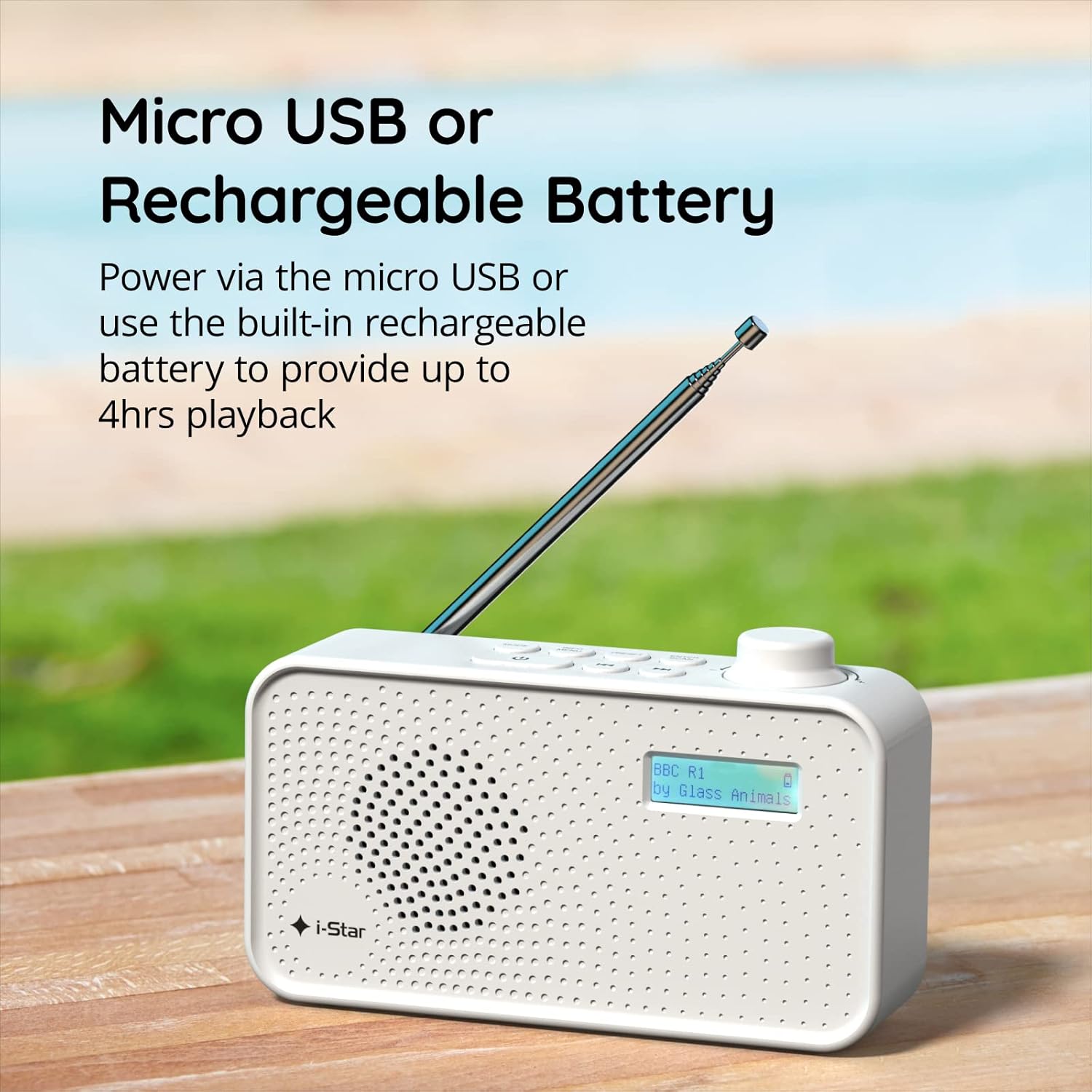
Kielelezo cha 2: The radio powered via Micro USB or its built-in rechargeable battery.
2.2 First Power On and Automatic Scan
- Panua antena ya teleskopu kikamilifu kwa ajili ya upokeaji bora.
- Bonyeza na ushikilie KUSIMAMA kitufe ili kuwasha redio.
- Upon first power-on, the radio will automatically perform a scan for available DAB/DAB+ stations. This process may take a few minutes.
- Mara tu uchanganuzi utakapokamilika, redio itaelekeza kwenye kituo cha kwanza kinachopatikana.
3. Maagizo ya Uendeshaji
3.1 Switching Between DAB/DAB+ and FM Modes
- Bonyeza kwa MODE button repeatedly to switch between DAB/DAB+ and FM radio modes. The current mode will be displayed on the LCD screen.

Kielelezo cha 3: The radio supports DAB, DAB+, and FM for a wide range of listening options.
3.2 Vituo vya Kurekebisha
- DAB/DAB+ Mode: Tumia TAYARISHA or TUNE buttons (left/right arrows) to navigate through the list of available stations. Press INGIA/CHANGANYA kuchagua kituo.
- Njia ya FM: Bonyeza kwa INGIA/CHANGANYA button to automatically scan for the next available FM station. Alternatively, use the TUNE vifungo vya kurekebisha kwa mikono.
3.3 Kuhifadhi na Kukumbuka Vilivyowekwa Awali
- Rejesha kituo chako unachotaka.
- Bonyeza na ushikilie TAYARISHA kitufe hadi 'Preset Store' ionekane kwenye onyesho.
- Tumia TUNE vitufe vya kuchagua nambari iliyowekwa mapema (1-60).
- Bonyeza INGIA/CHANGANYA to confirm and save the station.
- Ili kukumbuka kituo kilichohifadhiwa, bonyeza kwa ufupi TAYARISHA kisha tumia kitufe cha TUNE buttons to select the desired preset number, and press INGIA/CHANGANYA.
3.4 Udhibiti wa Kiasi
- Zungusha JUZUU knob (located on the right side) clockwise to increase volume and counter-clockwise to decrease volume.
3.5 Kazi ya Kipima saa cha Usingizi
- To activate the sleep timer, press the HABARI / MENU button repeatedly until 'Sleep' appears.
- Tumia TUNE buttons to select the desired sleep duration (e.g., 15, 30, 45, 60, 90 minutes).
- Bonyeza INGIA/CHANGANYA to confirm. The radio will automatically turn off after the set time.

Kielelezo cha 4: The sleep timer feature allows the radio to automatically switch off after a set period.
3.6 Headphone Listening
- Connect standard 3.5mm headphones (not included) to the headphone jack located on the side of the radio for private listening. The internal speaker will be muted automatically.

Kielelezo cha 5: Connect headphones for personal listening without disturbing others.
4. Matengenezo
4.1 Utunzaji wa jumla
- Weka redio mbali na jua moja kwa moja, vyanzo vya joto, na unyevu.
- Epuka kuangusha redio au kuiathiri kwa nguvu.
- Usijaribu kutenganisha redio; hii itabatilisha udhamini.
4.2 Kusafisha
- Wipe the radio's exterior with a soft, dry cloth.
- Usitumie visafishaji vya abrasive, nta, au viyeyusho kwani vinaweza kuharibu umaliziaji.
5. Utatuzi wa shida
- Hakuna Nguvu: Ensure the radio is charged or connected to a power source via the USB cable. Check if the STANDBY button has been pressed.
- Hakuna Sauti: Check the volume level. Ensure headphones are not connected if you intend to use the speaker.
- Poor Reception (DAB/DAB+ or FM): Fully extend the telescopic antenna. Try repositioning the radio. Perform a full scan for DAB/DAB+ stations. In FM mode, try manual tuning.
- Radio Freezes/Unresponsive: Turn the radio off and on again. If the issue persists, allow the battery to fully discharge and then recharge it.
6. Vipimo
| Kipengele | Vipimo |
|---|---|
| Chapa | Nyota |
| Nambari ya Mfano | 90059PI |
| Rangi | Nyeupe |
| Bendi za Redio Zinatumika | DAB, DAB+, FM |
| Teknolojia ya Kurekebisha | Digital (DAB/DAB+), Analog (FM) |
| Muunganisho | USB (for charging), 3.5mm Headphone Jack |
| Chanzo cha Nguvu | Rechargeable Lithium-ion Battery (1200 mAh), USB Power |
| Maisha ya Betri | Hadi saa 4 (kwa malipo moja) |
| Vipengele Maalum | Portable, Sleep Timer, 60 Station Presets |
| Vipengee vilivyojumuishwa | USB Charging Cable, User Manual |
| Uzito wa Kipengee | Gramu 440 |
7. Udhamini na Msaada
This product is covered by a standard manufacturer's warranty. Please refer to the warranty card included in your packaging for specific terms and conditions. For technical support, troubleshooting assistance, or warranty claims, please contact your retailer or the i-Star customer service department. Contact details can typically be found on the product packaging or the official i-Star webtovuti.


