1. Utangulizi
This manual provides detailed instructions for the installation, operation, and maintenance of your Daytech Strobe Siren Alarm System. This wireless system is designed to provide an audible and visual alert in various emergency situations, suitable for home, business, and caregiving environments. Please read this manual thoroughly before using the product to ensure proper function and safety.
2. Yaliyomo kwenye Kifurushi
The Daytech Strobe Siren Alarm System package includes the following components:
- 2 x Strobe Siren Receivers
- 4 x Call Buttons (Emergency Buttons)
- 2 x Remote Controls (Panic Buttons)
- Power Adapters for Sirens
- Vifaa vya Kuweka
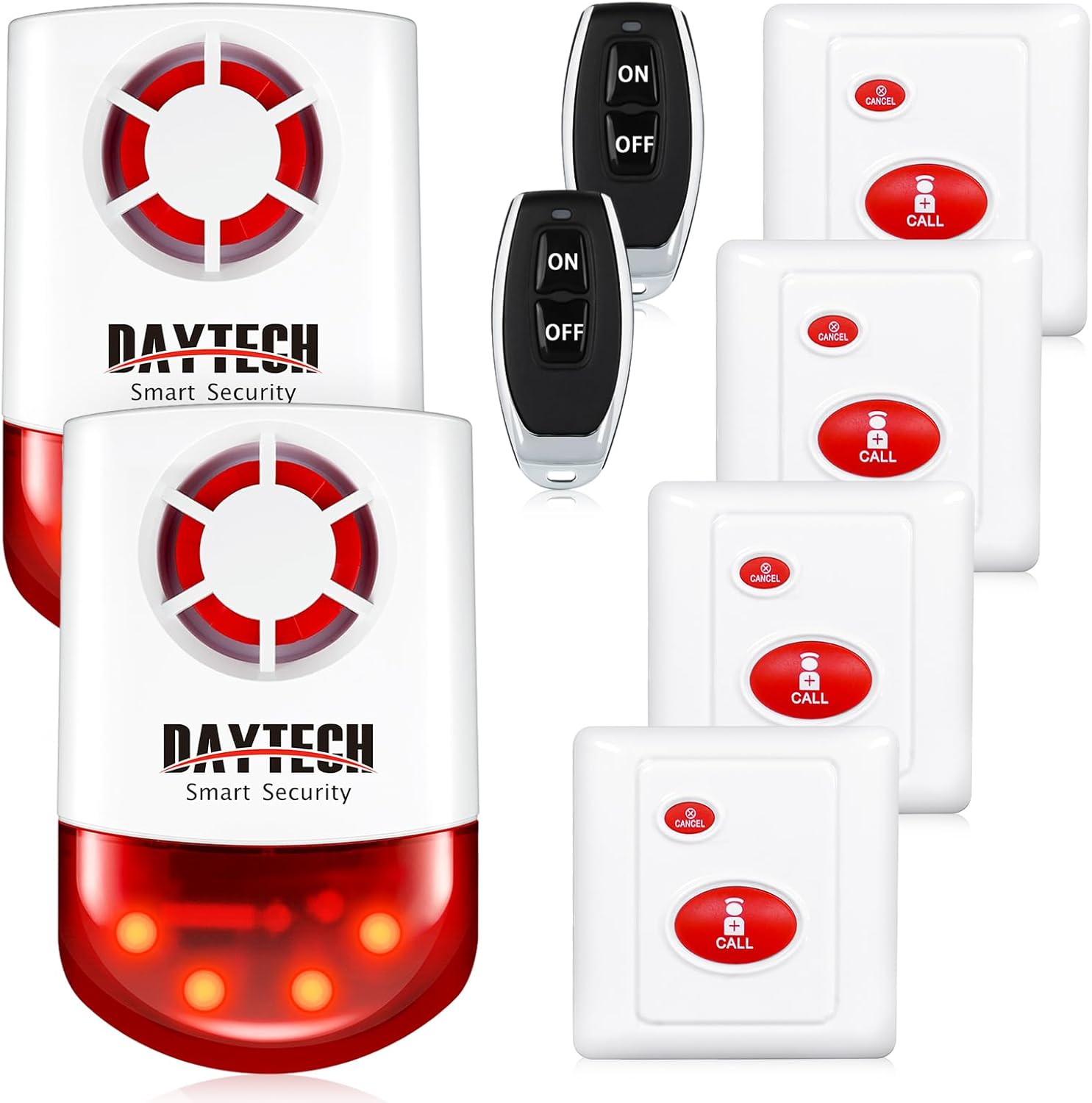
Picha: Juuview of the Daytech Strobe Siren Alarm System components.
3. Bidhaa Imeishaview
The system consists of strobe siren receivers, call buttons, and remote controls, all designed for wireless communication.
3.1 Strobe Siren Receiver
The siren unit produces a loud 120dB alarm and flashes red LED lights when activated. It operates by plugging into a standard power outlet and includes a built-in battery for up to 10 hours of standby power during outages.
3.2 Piga Kitufe
The call buttons are waterproof and feature a prominent 'CALL' button to trigger the alarm and a 'CANCEL' button to deactivate it. They can be mounted in various locations, including bathrooms or bedside.
Udhibiti wa Remote wa 3.3
The remote controls provide a portable way to activate or deactivate the alarm, featuring 'ON' and 'OFF' buttons.
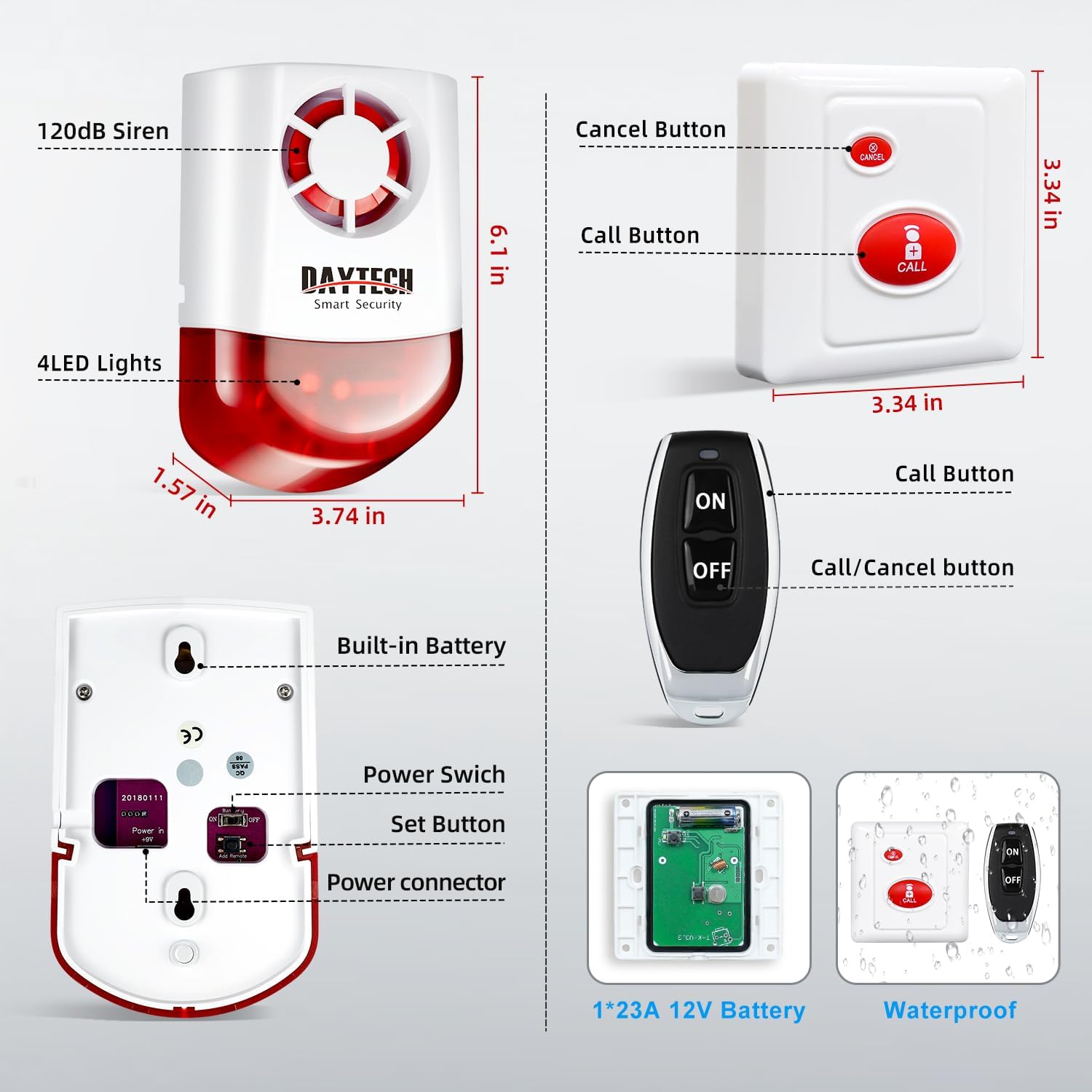
Image: Detailed diagram of the siren, call button, and remote control components with dimensions and labels.
4. Kuweka na Kuweka
The Daytech Strobe Siren Alarm System is designed for easy setup, with components pre-paired at the factory.
4.1 Powering the Siren Receiver
- Plug the strobe siren receiver into a standard wall outlet. The unit will power on and be ready for use.
- Ensure the power switch on the back of the siren is in the 'ON' position.

Picha: Nyuma view of the siren showing the power switch and set button.
4.2 Mounting Call Buttons
The call buttons can be mounted using the provided adhesive or screws in desired locations. Due to their waterproof design, they are suitable for areas like bathrooms.
4.3 Kuoanisha Visambazaji vya Ziada (Si lazima)
One siren can be paired with up to 8 transmitters (call buttons or remotes). If you need to pair new or additional transmitters:
- Press and hold the 'Set Button' on the back of the siren until it emits a short beep or indicator light changes.
- Within 5 seconds, press the 'CALL' button on the desired call button or the 'ON' button on the remote control.
- The siren will confirm successful pairing with another beep or light indication.

Image: Pressing the set button for pairing.
5. Maagizo ya Uendeshaji
5.1 Activating the Alarm
To activate the strobe siren alarm:
- Using a Call Button: Press the large red 'CALL' button on the call button. The siren will sound and flash.
- Using a Remote Control: Press the 'ON' button on the remote control. The siren will sound and flash.

Image: Activating the alarm by pressing the call button.
5.2 Deactivating/Canceling the Alarm
To deactivate or cancel an active alarm:
- Using a Call Button: Press the small 'CANCEL' button on the call button.
- Using a Remote Control: Bonyeza kitufe cha 'ZIMA' kwenye kidhibiti cha mbali.
Note: When the alarm is canceled, the siren will emit two short beeps to confirm deactivation.

Image: Wireless communication between siren, remote, and call button.
6. Vipengele
- Loud 120dB Siren with Flashing Lights: Provides both audible and visual alerts for effective notification.
- Safu ndefu isiyo na waya: Call buttons and receivers have a working range of up to 330 feet (100 meters) in open areas and 130 feet (40 meters) with obstacles. Remote controls have an operating range of 65 feet (20 meters).
- Mfumo wa Kupanua: One siren receiver can be paired with up to 8 wireless transmitters (call buttons or remote controls).
- Nguvu Outage Ulinzi: Built-in battery provides approximately 10 hours of standby power, ensuring continuous operation during power failures.
- Waterproof Call Buttons: Designed to withstand splashes, making them suitable for use in bathrooms or other damp mazingira.

Image: Depiction of the system's 500ft reliable range.
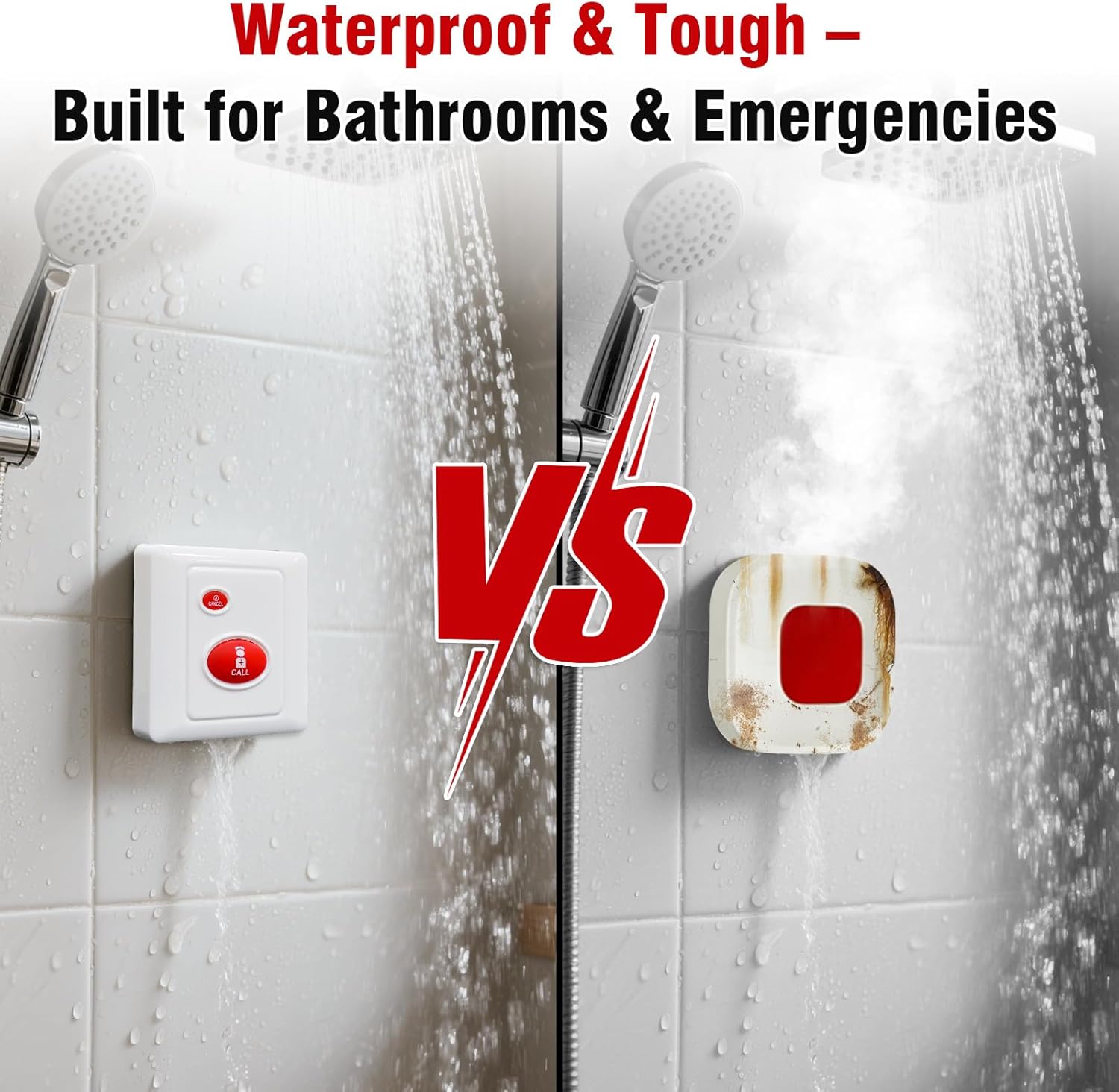
Image: Waterproof design of the call button for use in wet environments.
7. Maombi
The Daytech Strobe Siren Alarm System is versatile and can be used in various settings:
- Usalama wa Nyumbani: Alert family members in emergencies, such as falls or intrusions.
- Caregiving: Provides a reliable call system for seniors or individuals needing assistance.
- Business/Retail: Functions as an emergency alert for staff in stores, offices, or warehouses.
- Hotels/Hospitals: Can be used as a discreet or loud alert system for staff or patients.
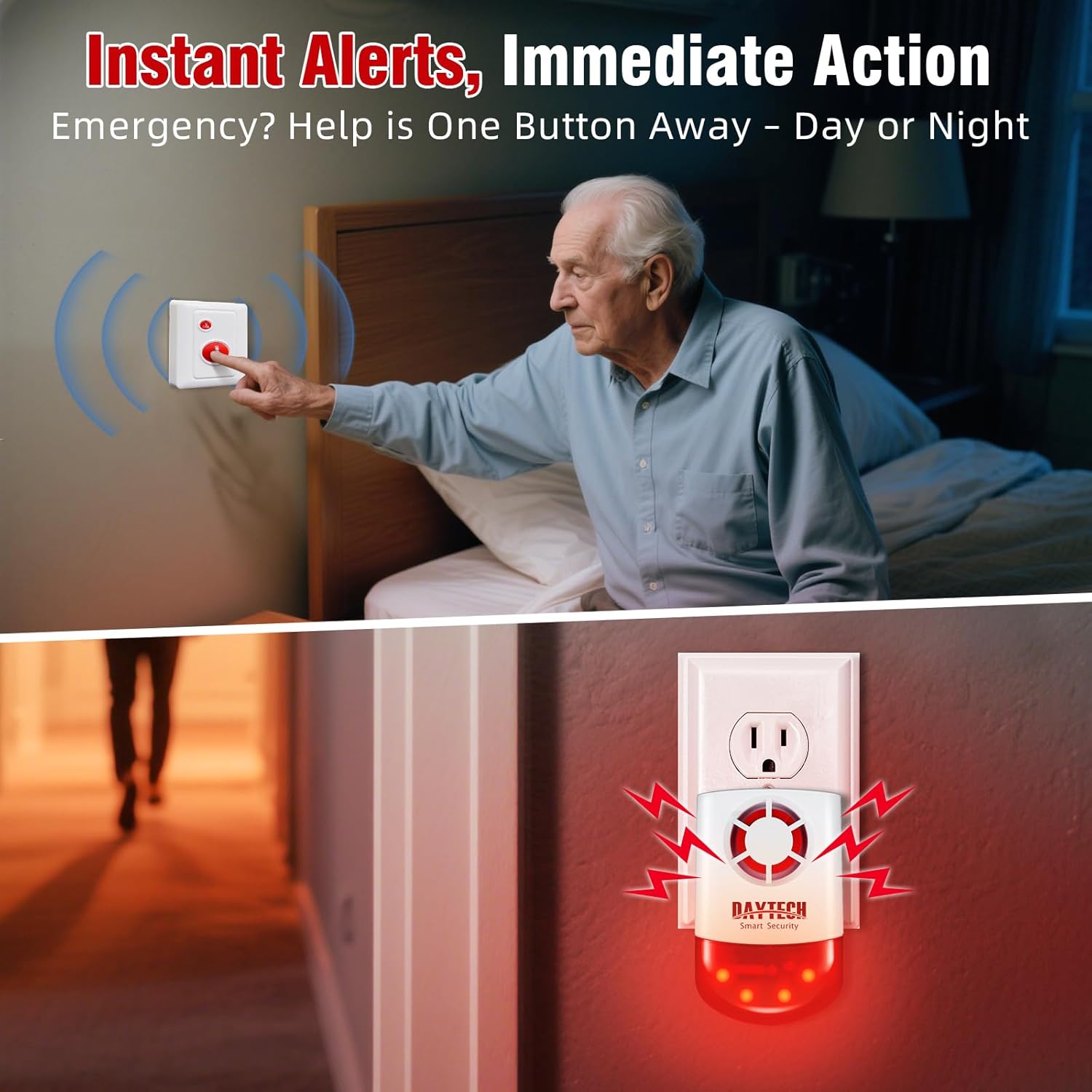
Image: Elderly individual using the call button for immediate assistance.

Image: Security personnel using the system in a warehouse environment.
8. Utatuzi wa shida
- Siren not sounding: Ensure the siren is plugged in and the power switch on the back is 'ON'. Check if the transmitter (call button/remote) battery is functional. Re-pair the transmitter if necessary.
- Masafa machache: Obstacles like thick walls or metal structures can reduce wireless range. Try repositioning the siren or transmitters to minimize interference.
- Kengele za Uongo: Ensure transmitters are not accidentally pressed. Check for any environmental factors that might interfere with the signal.
- Siren beeps twice when turned off: This is normal operation, indicating the alarm has been successfully canceled.
9. Vipimo
| Kipengele | Vipimo |
|---|---|
| Nambari ya Mfano | Model 4 (JH003-US-RC 6-2) |
| Kiwango cha Kelele | 120 dB |
| Njia ya Kudhibiti | Mbali |
| Chanzo cha Nguvu | Battery Powered (Siren has built-in battery, Call Buttons/Remotes use 1*23A 12V Battery) |
| Siren Standby Time (Battery) | Takriban. 10 masaa |
| Maximum Range (Open Area) | 330 feet (100 meters) for Call Button to Receiver |
| Maximum Range (With Obstacles) | 130 feet (40 meters) for Call Button to Receiver |
| Safu ya Udhibiti wa Mbali | futi 65 (mita 20) |
| Kupanuka | Up to 8 transmitters per siren |
| Aina ya Kuweka | Mlima wa Ukuta |
| Uzito wa Kipengee | Pauni 2.25 (jumla ya kifurushi) |
| Vipimo vya Kifurushi | Inchi 8.5 x 6.14 x 4.45 |
10. Matengenezo
- Ubadilishaji wa Betri: Replace the 1*23A 12V battery in call buttons and remote controls when their range decreases or they stop functioning.
- Kusafisha: Wipe the units with a soft, dry cloth. Do not use abrasive cleaners or immerse in water.
- Jaribio: Periodically test the system by pressing a call button to ensure the siren activates correctly.
11. Udhamini na Msaada
For warranty information or technical support, please refer to the contact details provided with your purchase or visit the official Daytech webtovuti. Hifadhi risiti yako ya ununuzi kwa madai ya udhamini.


